4H4CEOM2.pdf - 第79页
Page 9-9 CHANGING THE PRODUCTION BOARDS 9 9-4 Nozzle Exchange 9-4-1 Checking the Nozzle Arrangement Check the current nozzle arrangement. Then change the nozzle if necessary . a) Checking the nozzle set to the head 1 . P…
Page 9-8
Setting the Support Pin
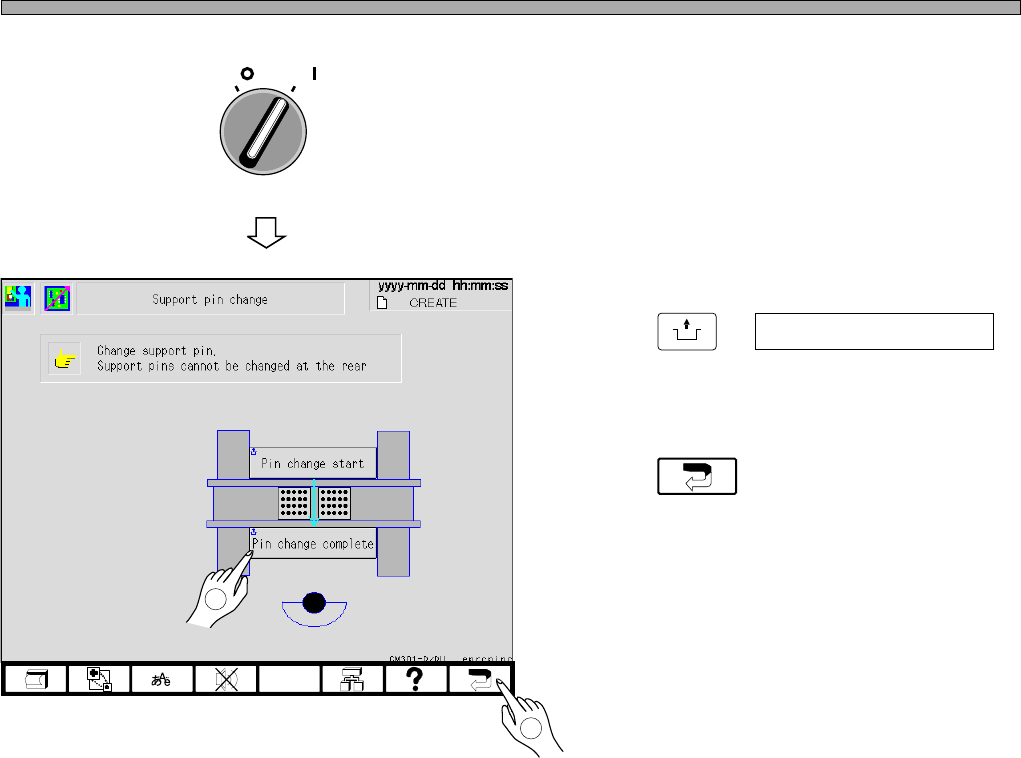
7. Close the safety cover, and turn on
the servo switch.
8. Press
UNLOCK
+ Pin change complete .
• The board support block moves down.
9. Press .
• The production configuration menu reappears.
OFF ( )
ON ( )
SERVO
4H4C-EEn-PcSp-003
2
4H4C-E-OMA09-A01-03
1
Page 9-9
CHANGING THE
PRODUCTION BOARDS
9
9-4 Nozzle Exchange
9-4-1 Checking the Nozzle Arrangement
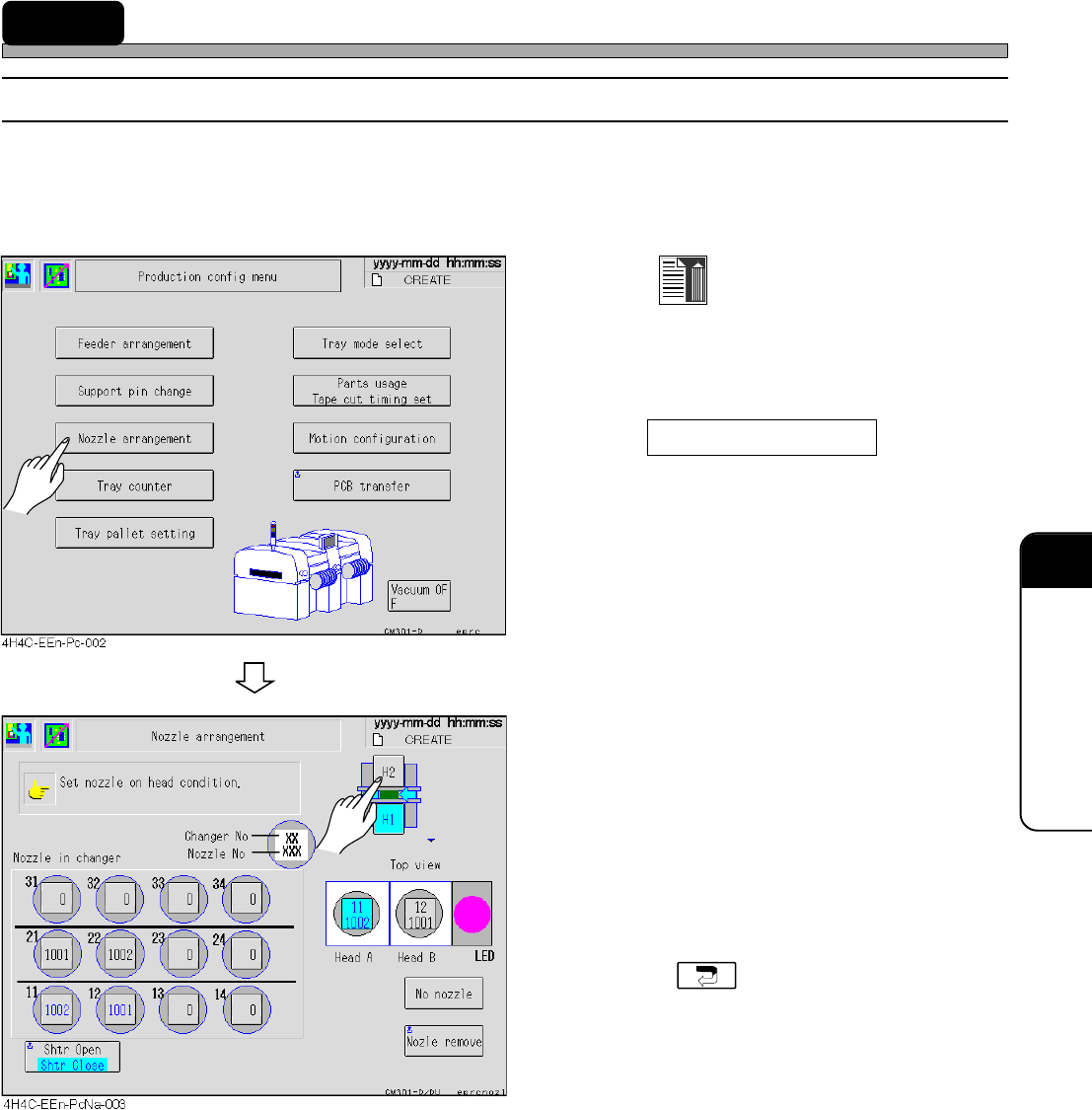
Check the current nozzle arrangement. Then change the nozzle if necessary.
a) Checking the nozzle set to the head
1. Press
Data modify
at the main menu.
• The production setting menu screen appears.
2. Press Nozzle arrangement .
• The nozzle arrangement data screen appears.
3. Select the stage, and ensure that the
nozzle displayed in data matches the
set one.
• If the nozzle is not set as the nozzle arrange-
ment data, change it.
• Carry out this procedure to check all stages.
• Pressing returns to the production
setting menu screen.
4H4C-E-OMA09-A01-04
Page 9-10
Nozzle Exchange
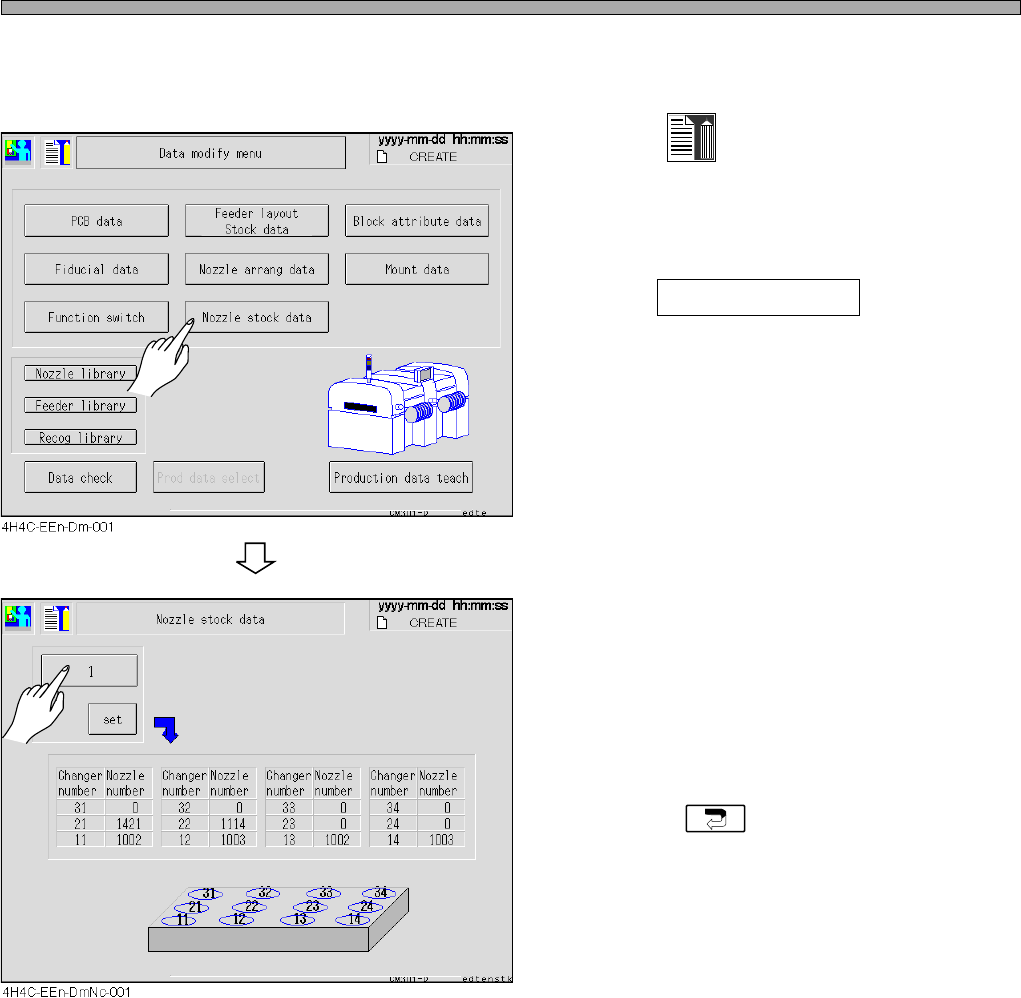
b) Checking the nozzle in the nozzle changer
Check the nozzle set in the nozzle changer.
1. Press
Data modify
at the main menu.
• The data modification menu screen appears.
2. Press Nozzle stock data .
• The nozzle stock data screen appears.
3. Select the stage and check the nozzle
in each nozzle changer.
• If the nozzle is not set as the nozzle stock data,
change it.
• Carry out these steps to check all stages.
• Pressing returns to the data modifica-
tion menu screen.
4H4C-E-OMA09-A01-01