4H4CEOM2.pdf - 第32页
Page 8-4 Board Recognition T eaching 8-2-3 T eaching Procedures Before the board recognition teaching, ensure that the function switch “ PCB Recognition ” of the created data is set ON on PT . 1. Display the main menu sc…
Page 8-3
TEACHING
8
8-2 Board Recognition Teaching
8-2-1 Board Recognition
This machine has the function to correct the deviation between the board and the print pattern
before mounting. This function obtains that position by recognizing the mark set on the print pattern
and is carried out by comparing it with original position.
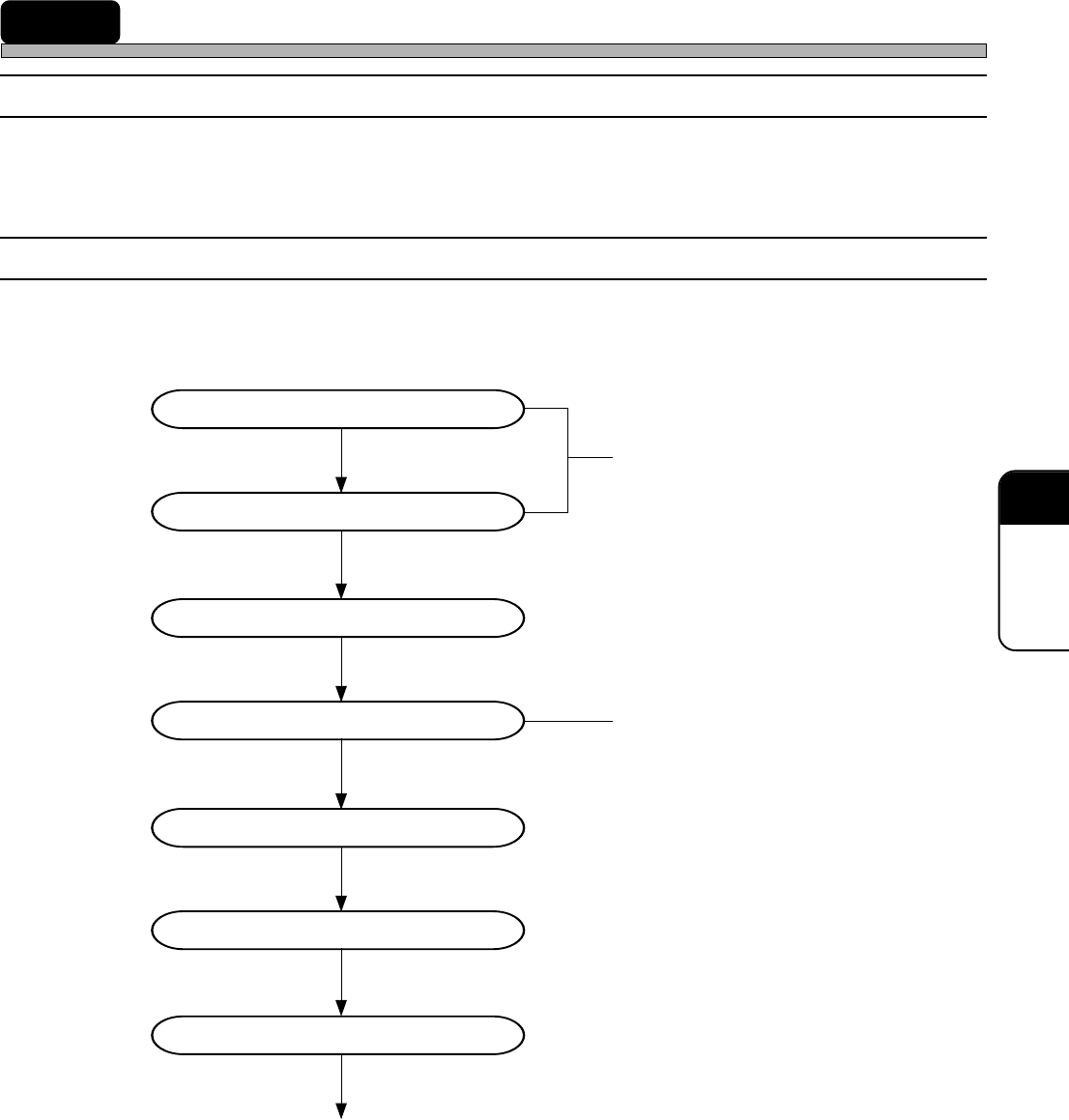
8-2-2 Flowchart of Board Recognition Teaching
Board recognition teaching checks the mark positions and performs the recognition test.
If the mark position runs off extremely, look the coordinates data over again.
Entering the PCB data
Entering the fiducial data
Starting to teach
Setting the lamp value
Recognition
Saving data
Recognition test
End of teaching
Created in PT
Unnecessary in selecting the automatic
lamp setting
4H4C-E-OMA08-A01-02
Page 8-4
Board Recognition Teaching
8-2-3 Teaching Procedures
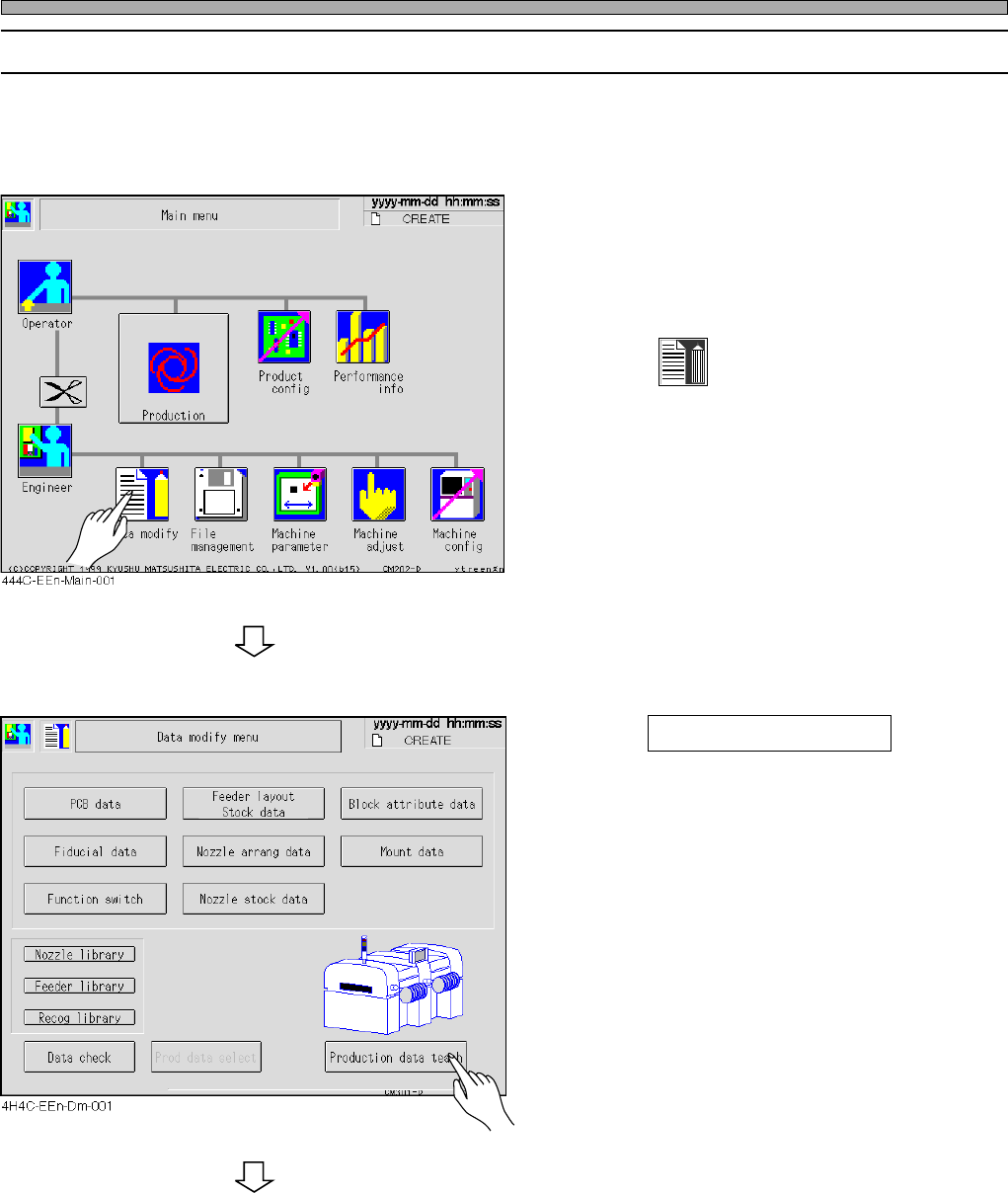
Before the board recognition teaching, ensure that the function switch “PCB Recognition” of the
created data is set ON on PT.
1. Display the main menu screen and
transmit the board data to change the
production board from PT.
2. Press
Data modify
.
• The data modification menu screen appears.
3. Press Production data teach .
• The production data teaching screen appears.
To the next page
4H4C-E-OMA08-A01-03
Page 8-5
TEACHING
8
Board Recognition Teaching
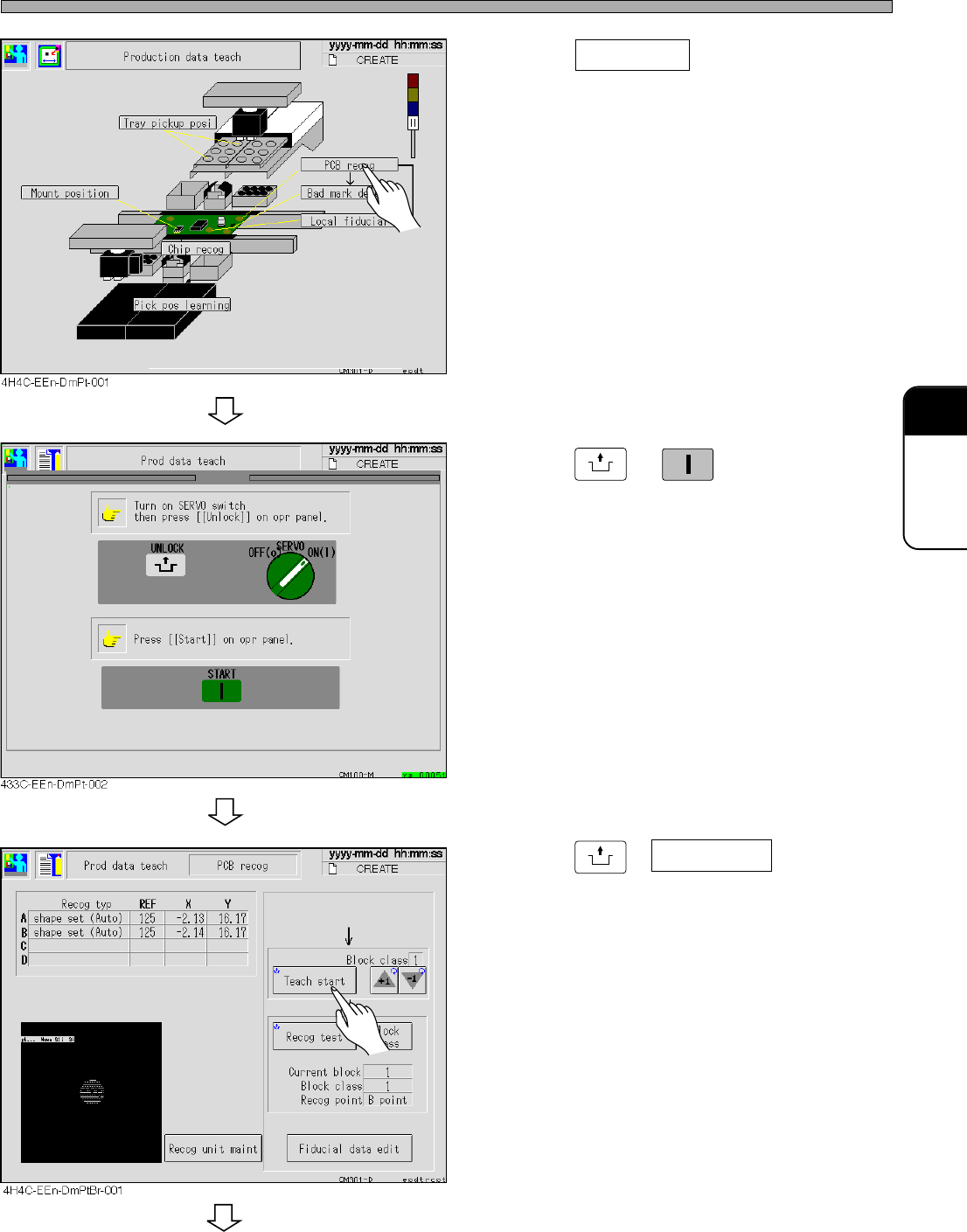
4. Press PCB recog .
• The board recognition screen appears.
5. Press
UNLOCK
→
START
.
6. Set the board to the front conveyor.
7. Press
UNLOCK
+ Teach start .
• The board is transported.
• The recognition is automatically operated.
To the next page
4H4C-E-OMA08-A01-02