4H4CEOM2.pdf - 第82页
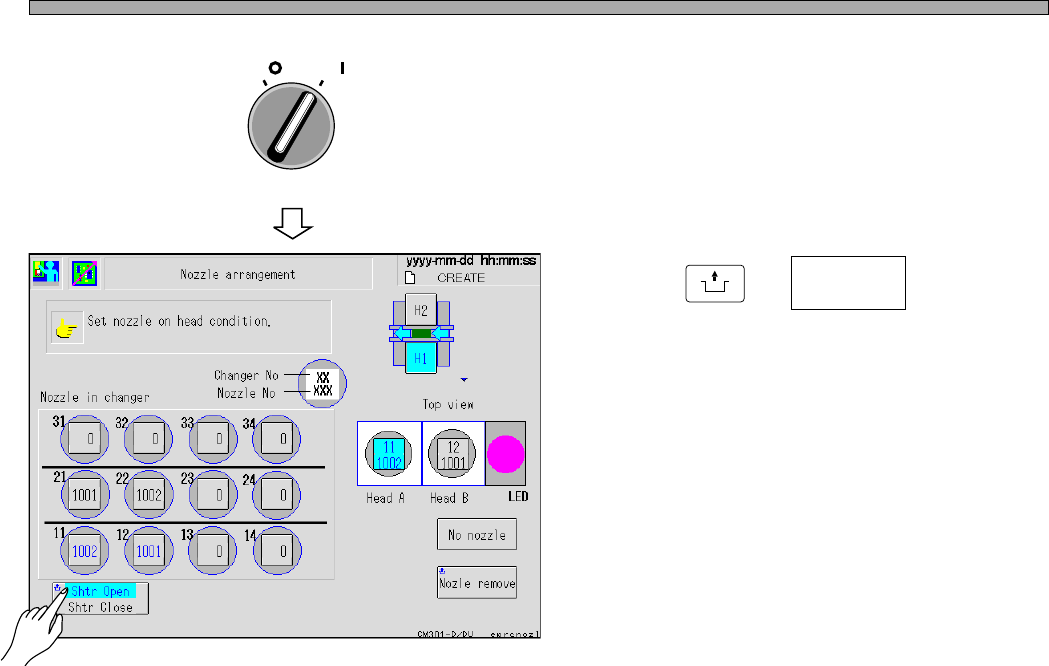
Page 9-12 Nozzle Exchange 6 . Close the safety cover , and turn on the servo switch. 7 . Press UNLOCK + . • The shutter of the nozzle changer closes. OFF ( ) ON ( ) SERVO Shtr Open Shtr Close 4H4C-E-OMA09-A01-03 4H4C-EEn…
Page 9-11
CHANGING THE
PRODUCTION BOARDS
9
Nozzle Exchange
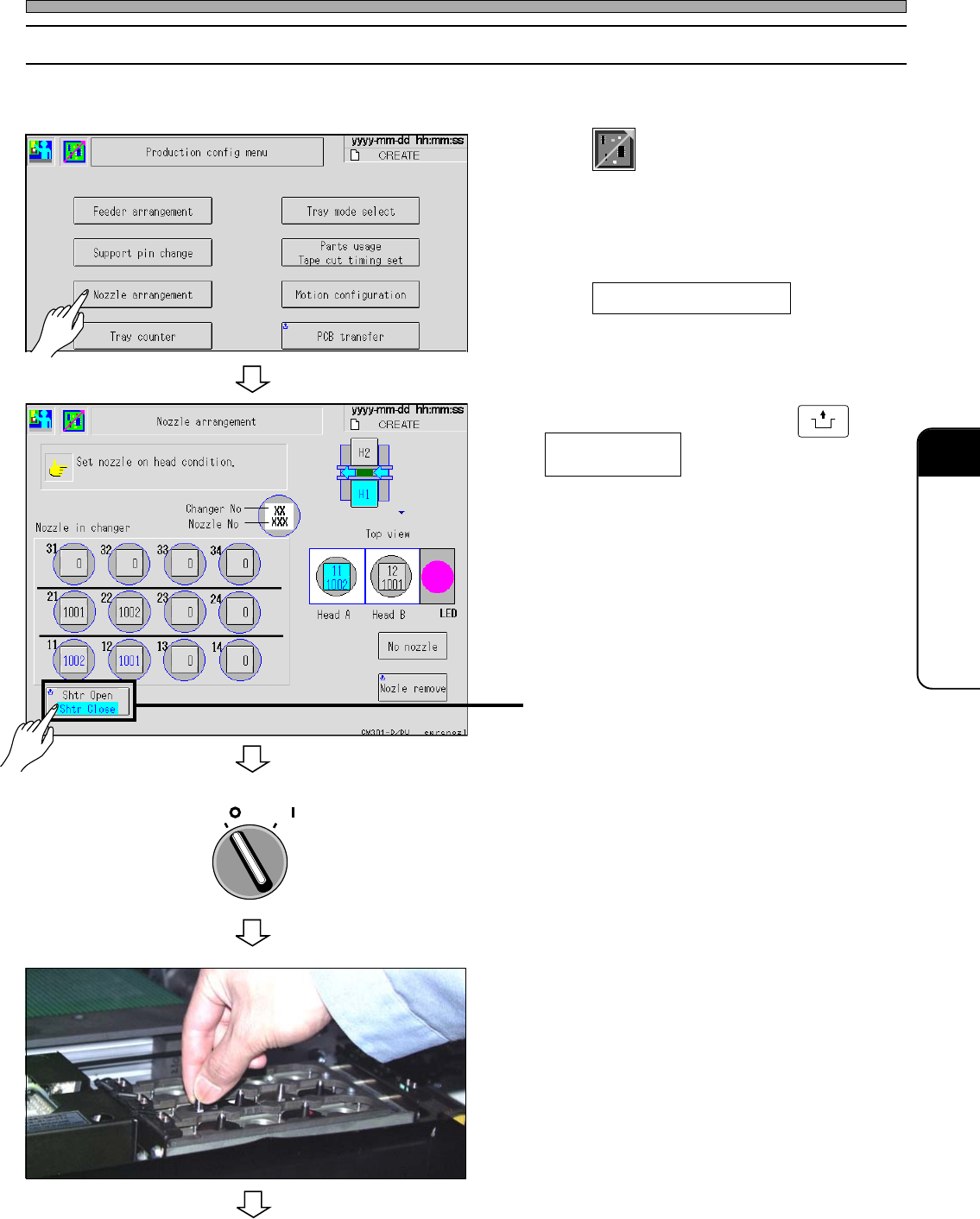
9-4-2 Nozzle Exchange of the Nozzle Changer
Exchange the nozzle set to the nozzle changer to the nozzle used for the next production.
1. Press
Product
config
at the main menu.
• The production configuration menu screen
appears.
2. Press Nozzle arrangement .
• The nozzle arrangement screen appears.
3. Select the stage and press
UNLOCK
+ .
• The shutter of the nozzle changer opens.
• The blue iindication with light blue background
is the current state of the shutter.
It changes in turn by every pressing the button.
4. Turn off the servo switch, and open
the safety cover.
5. Check the nozzles set in the changer ,
and exchange them.
To the next page
4H4C-EEn-Pc-002
4H4C-012P
OFF ( )
ON ( )
SERVO
Shtr Open
Shtr Close
4H4C-E-OMA09-A01-04
4H4C-EEn-PcNa-003
Page 9-12
Nozzle Exchange
6. Close the safety cover, and turn on
the servo switch.
7. Press
UNLOCK
+ .
• The shutter of the nozzle changer closes.
OFF ( )
ON ( )
SERVO
Shtr Open
Shtr Close
4H4C-E-OMA09-A01-03
4H4C-EEn-PcNa-004
Page 9-13
CHANGING THE
PRODUCTION BOARDS
9
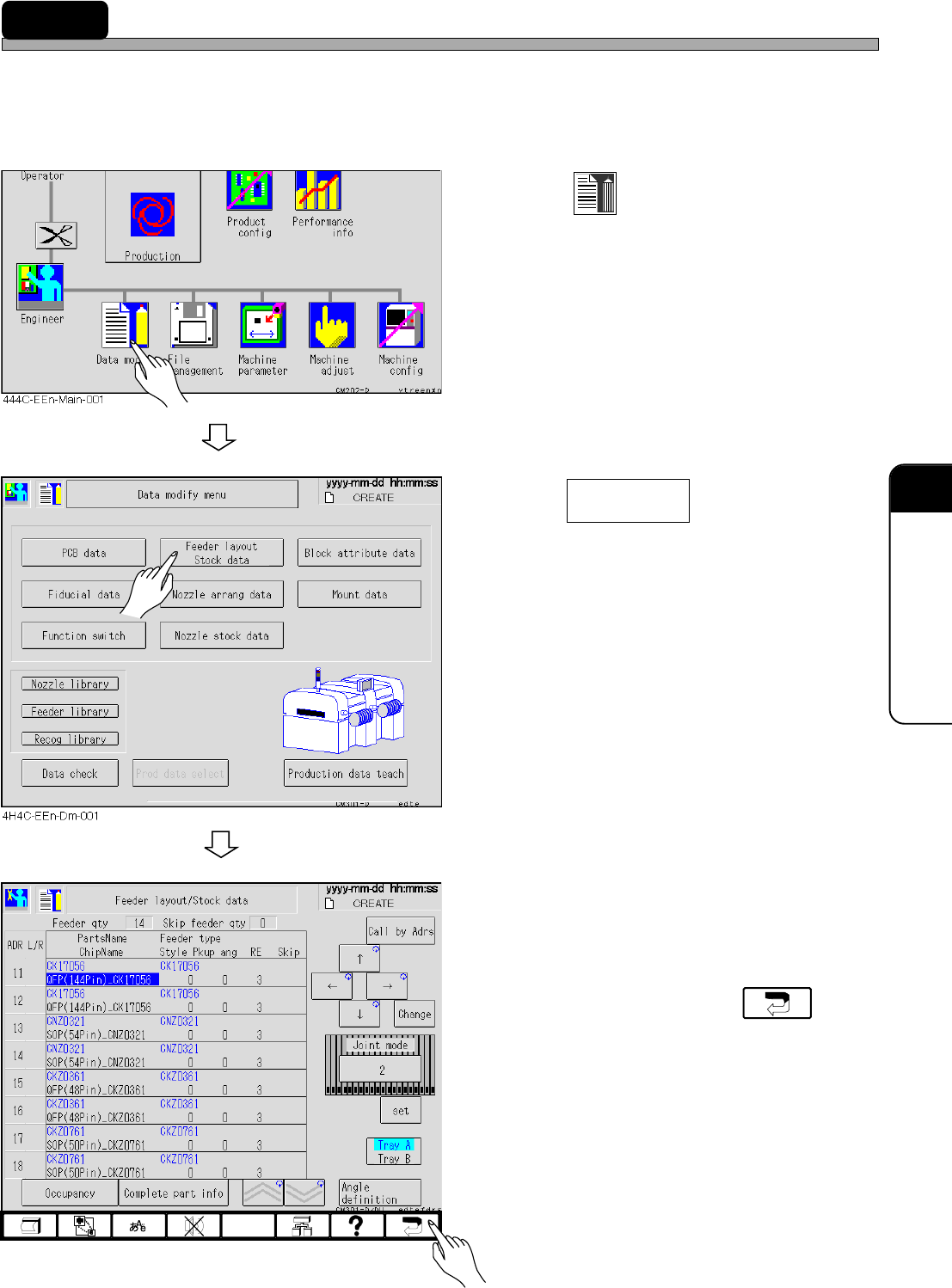
9-5 Setting and Checking the Production Materials
Not to produce the bad board, ensure that the production materials in data match those set on the
feeder table in following procedures.
∗ Refer to “Chapter 5 Setting Production Materials” for setting the feeder.
1. Press
Data modify
.
• The data modification menu screen appears.
2. Press .
• The feeder layout/stock data screen appears.
3. Ensure that the feeder in the stock
data matches the set one.
4. After checking it, press .
• The data modification screen reappears.
Feeder layout
Stock data
4H4C-EEn-DmFl-003
4H4C-E-OMA09-A01-02