4H4CEOM2.pdf - 第91页
Page 10-1 Option This chapter describes the option that can be used on the CM301. 4H4C-E-OMA10-A01-00 Chapter 10 OPTION
Page 9-20
4H4C-E-OMA09-A01-05
4H4C-EEn-PrCs-004
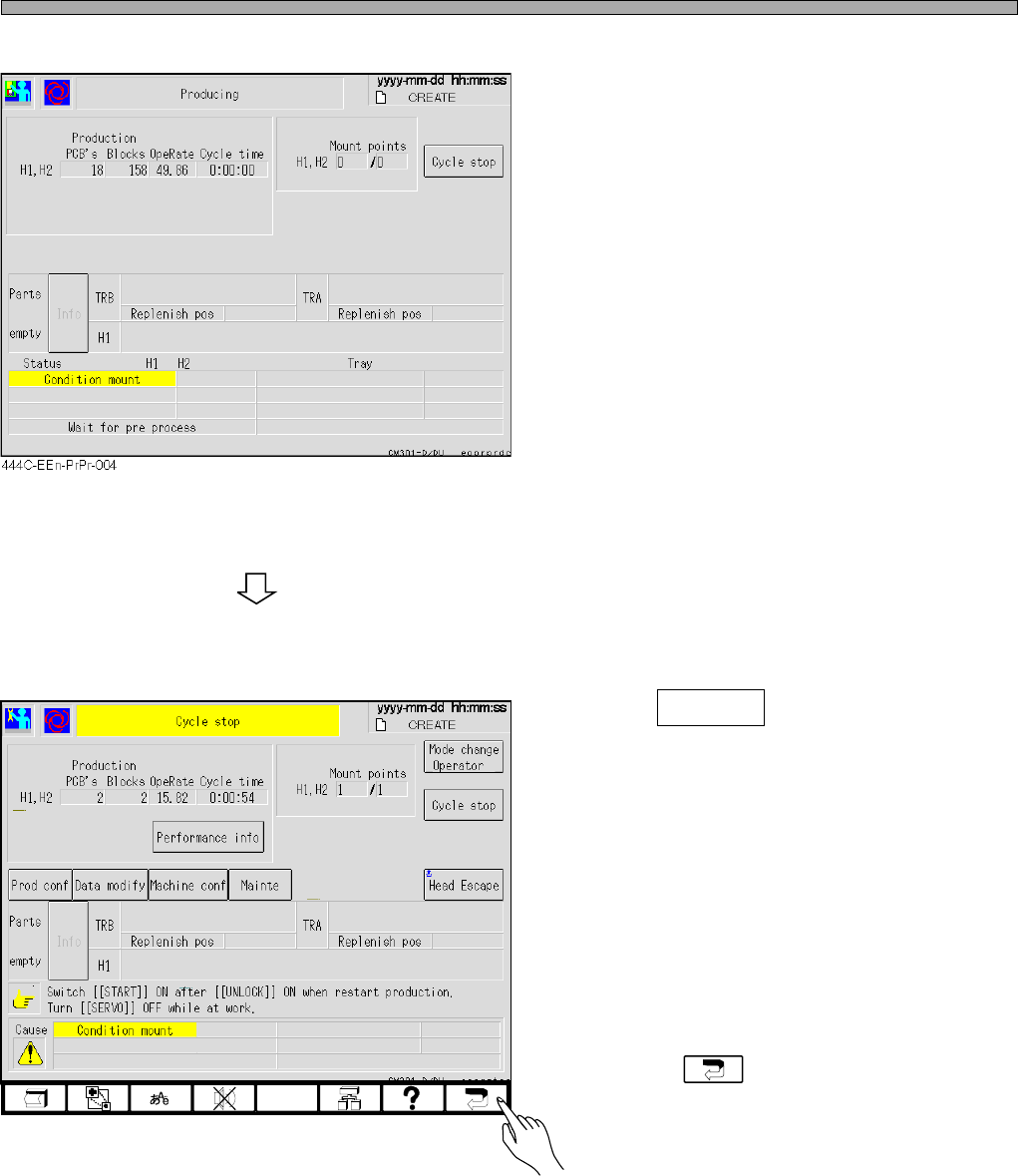
• Press Cycle stop when you terminate the
conditional mounting.
• Pressing returns to the main menu.
• This is displayed when the conditional mount
ing is selected.
Checking the Mount State through the Conditional Mount

Page 10-1
Option
This chapter describes the option that can be used on the CM301.
4H4C-E-OMA10-A01-00
Chapter 10
OPTION
Page 10-2
10-1 Transport Speed Variable Adjustment
10-1-1 Transport Speed Variable Adjustment
To prevent the chips placed on the board from deviating from the mount position due to the impact
at when the board is transported and stopped at the stop position or from falling down, adjust the
transport speed and the deceleration speed of the board transport conveyor.
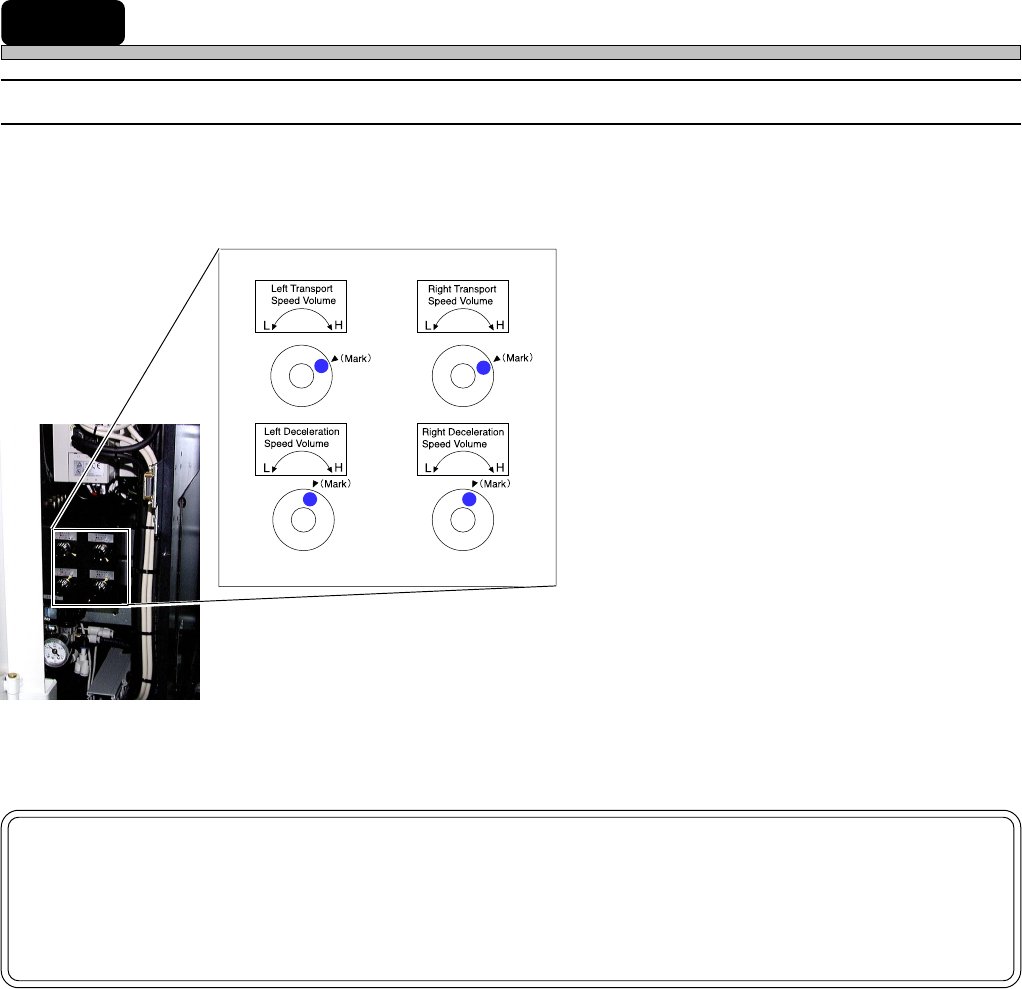
1. Left Transport Speed Volume:
Maximum speed adjustment of left conveyor
motor speed (Adjustable within the range of
about 230 to 430 mm/s)
2. Right Transport Speed Volume:
Maximum speed adjustment of right conveyor
motor speed (Adjustable within the range of
about 230 to 430 mm/s)
3. Left Deceleration Speed Volume:
Deceleration adjustment of the conveyor motor
speed at when a board hits the left stopper
4. Right Deceleration Speed Volume:
Deceleration adjustment of the conveyor motor
speed at when a board hits the right stopper
NOTICE
When the transport speed variable controller is installed, change “Moving Param-
eter Set”: “Board transport forced time” of the machine parameters to 1500 ms or
over.
4H4C-E-OMA10-A01-01
1
2
4
3