4H4CEOM2.pdf - 第17页
Page 7-11 DA T A MODIFICA TION 7 Chip Data / T ray Data T ray data The tray data is checked and modified. 1. Press . 2. After selecting the tray feeder table, move the cursor to “Feeder type” of the chip data to be chang…
Page 7-10
7-5 Chip Data / Tray Data
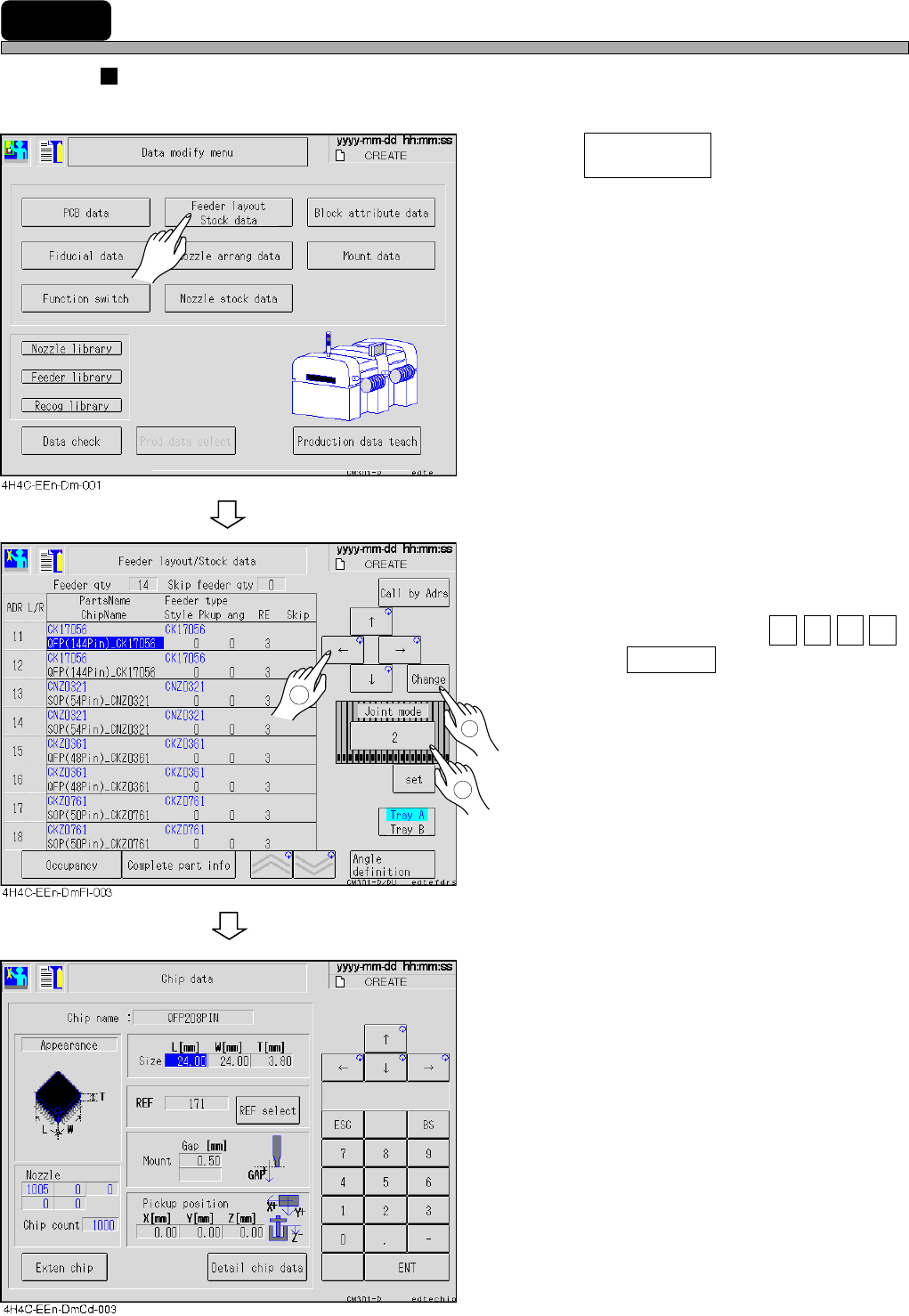
Chip data
The chip data is checked and modified.
1. Press .
2. After selecting the feeder table, move
the cursor to “Chip name” of the chip
data to be changed with ↑ ↓ → ← ,
and press Change .
• Nozzle : Nozzle name
• Chip count : Chips per reel
• REF : Chip recognition reference
number
4H4C-E-OMA07-A01-05
Feeder layout
Stock data
1
2
3
Page 7-11
DATA MODIFICATION
7
Chip Data / Tray Data
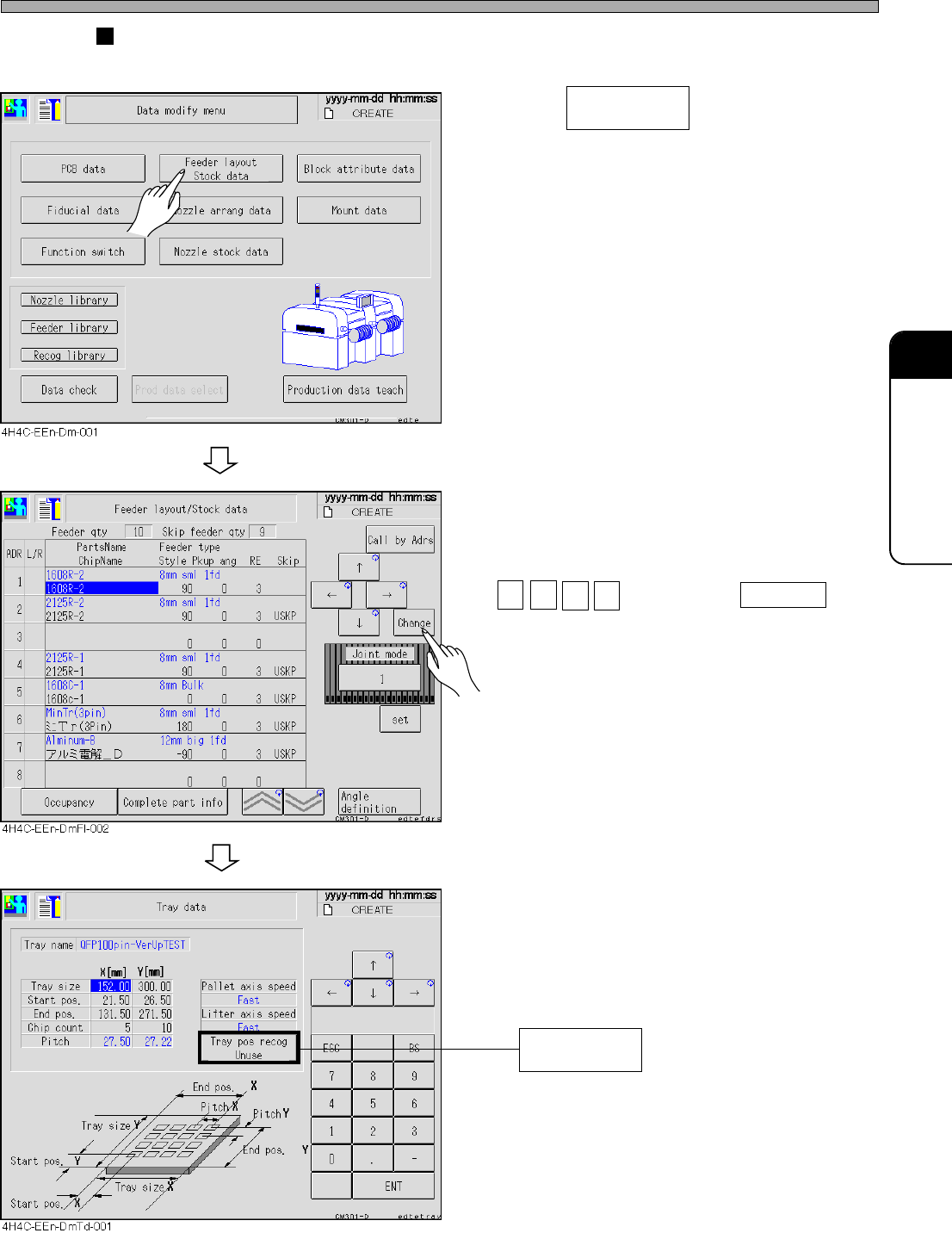
Tray data
The tray data is checked and modified.
1. Press .
2. After selecting the tray feeder table,
move the cursor to “Feeder type” of
the chip data to be changed with
↑ ↓ → ← , and press Change .
To supply such as flip chips using a special
pallet, choose Use. Then, before pick-up, the
two corners on a tray will be recognized and
the XY pick-up position can be compensated.
4H4C-E-OMA07-A01-06
Feeder layout
Stock data
Tray pos recog
(Use/Unuse)
Page 7-12
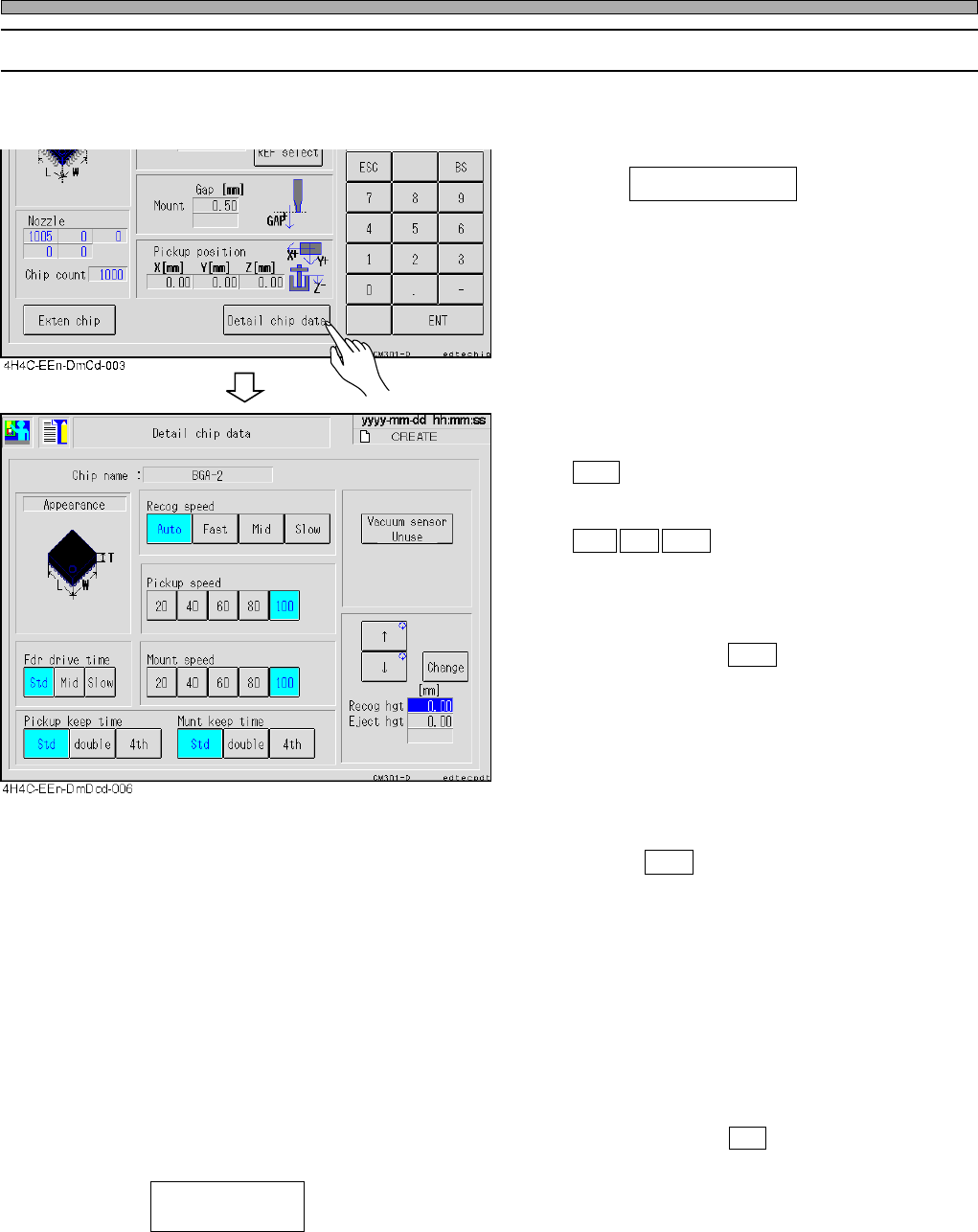
• Recog speed
Choose the scanning speed of chip recognition.
Auto :Judges the recognition speed automati-
cally through the chip size, REF, the
nozzle type, etc.
Fast Mid Slow :Performs recognition scan at
high/
middle/
low speed.
∗ Due to the machine’s property, the tact time at
Fast is not different from that at Mid, so do not
use Fast.
Normally, choose Auto .
• Pickup speed
Choose the Z-axis speed for pick-up.
• Fdr drive time
Choose the shutter feeding time of a feeder.
∗ If the machine is equipped with the optional
device that can feed the tape at low speed,
choose Slow at the target chip screen.
• Mount speed
Choose the X-, Y-, Z-, and θ-axis speed of until
mounting after pick-up.
• Pickup keep time/Munt keep time
For the pick-up keeping time/mount keeping
time (the stop time at the nozzle lowered
position) of the corresponding nozzle of the
nozzle library, select double (twofold), 4th
(fourfold) or Std (standard).
Normally, choose Std .
• -------Setting the parts pickup fault check by the vacuum sensor
Every time pressing, “Use” and “Without” will toggle.
• Recog hgt----------------The chip recognition height can be changed to the upper position than
usual. (0 mm - 21 mm)
• Eject hgt------------------The chip ejecting height can be changed to the upper position than usual.
(0 mm - 21 mm)
4H4C-E-OMA07-A01-05
Chip Data / Tray Data
7-5-1 Detail Chip Data
Such conditions of the recognition, pickup, and mounting for applicable chips as a recognition
speed or pickup maintaining time are checked and corrected.
1. Press Detail chip data on the chip
data screen.
Vacuum sensor
(Use / Without)