4H4CEOM2.pdf - 第78页
Page 9-8 Setting the Support Pin 7 . Close the safety cover , and turn on the servo switch. 8 . Press UNLOCK + Pin change complete . • The board support block moves down. 9 . Press . • The production configuration menu r…
Page 9-7
CHANGING THE
PRODUCTION BOARDS
9
Setting the Support Pin
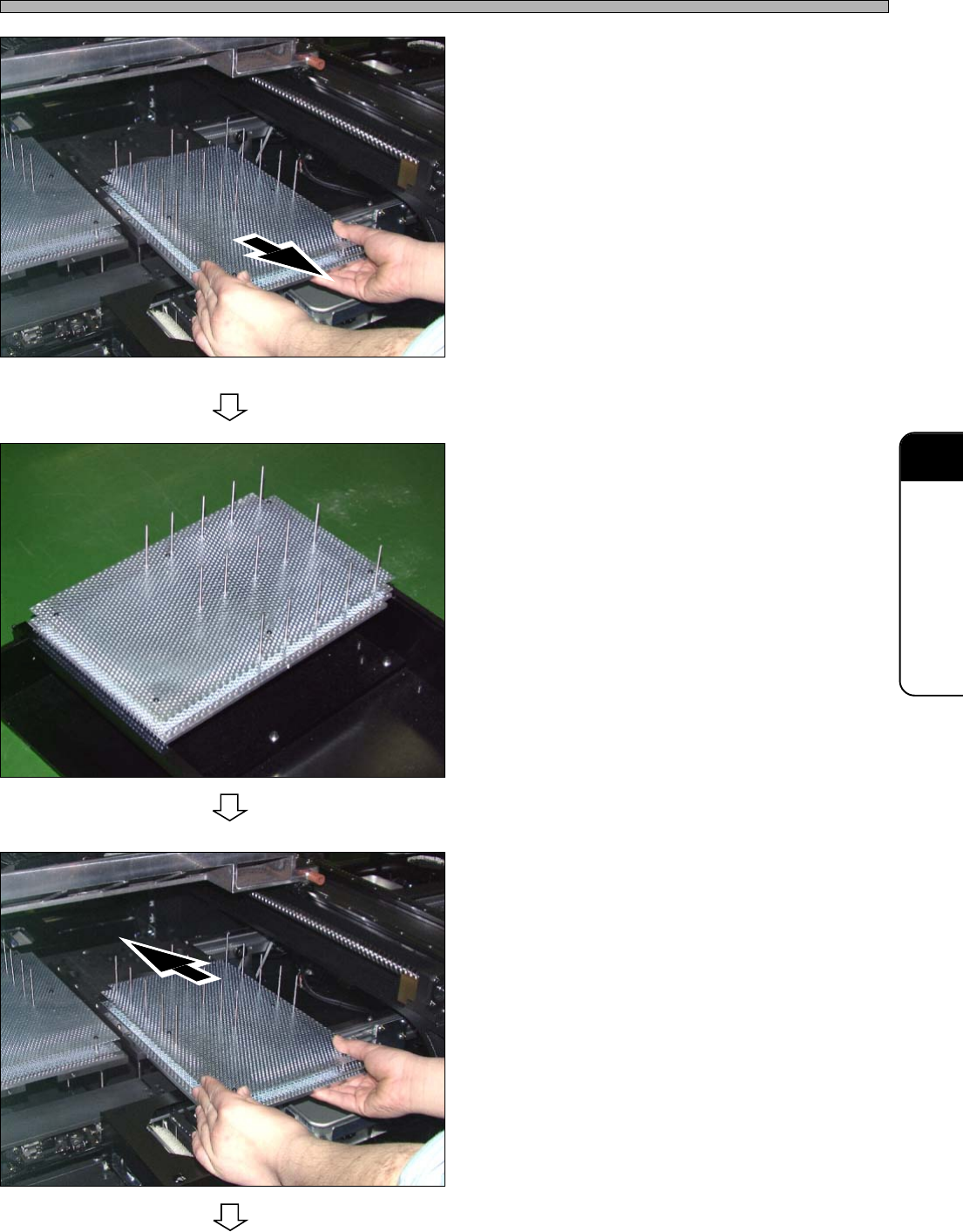
4. Pull out the board support block.
• Pull it out slowly through the front side with
both hands.
∗ Be careful not to hit the line camera.
5. Move the support pin position de-
pending on the board size.
• To support whole board equally, set as many
support pins as possible.
∗ Be careful not to make contact with the parts
on the back side of the board.
∗ When you set the support pin to the new board
at the external setup, make use of the optional
support pin setting jig.
6. Set the board support block.
• Insert it slowly from the front side with both
hands.
444C-107P
To the next page
444C-108P
444C-107P
4H4C-E-OMA09-A01-00
Page 9-8
Setting the Support Pin
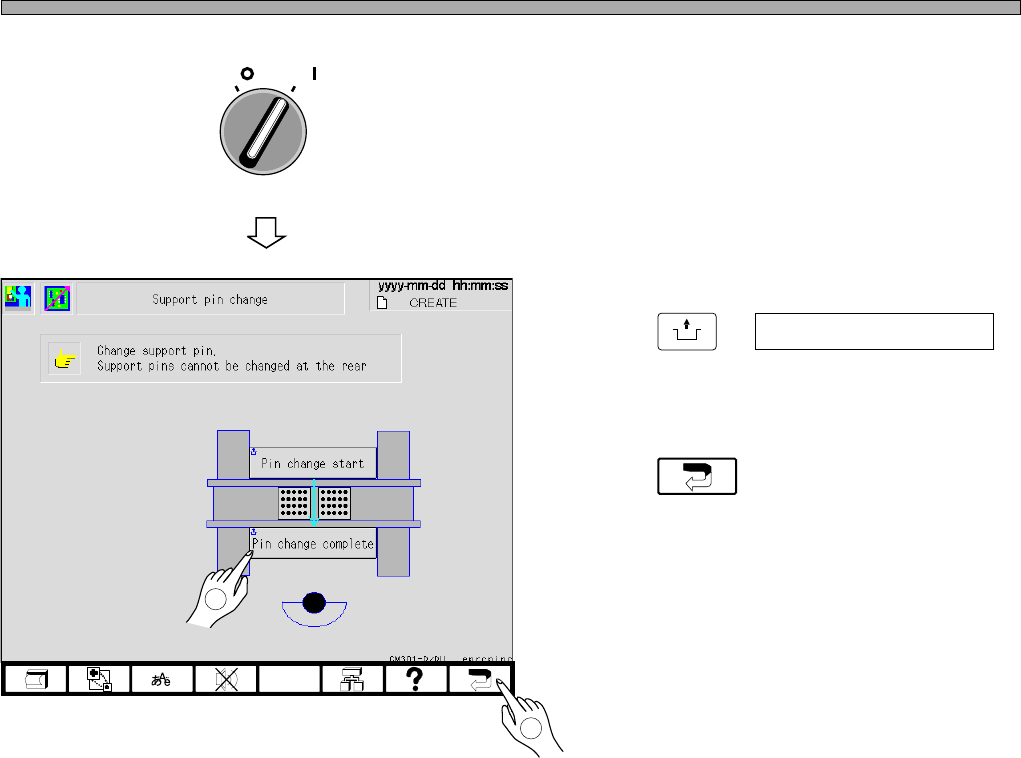
7. Close the safety cover, and turn on
the servo switch.
8. Press
UNLOCK
+ Pin change complete .
• The board support block moves down.
9. Press .
• The production configuration menu reappears.
OFF ( )
ON ( )
SERVO
4H4C-EEn-PcSp-003
2
4H4C-E-OMA09-A01-03
1
Page 9-9
CHANGING THE
PRODUCTION BOARDS
9
9-4 Nozzle Exchange
9-4-1 Checking the Nozzle Arrangement
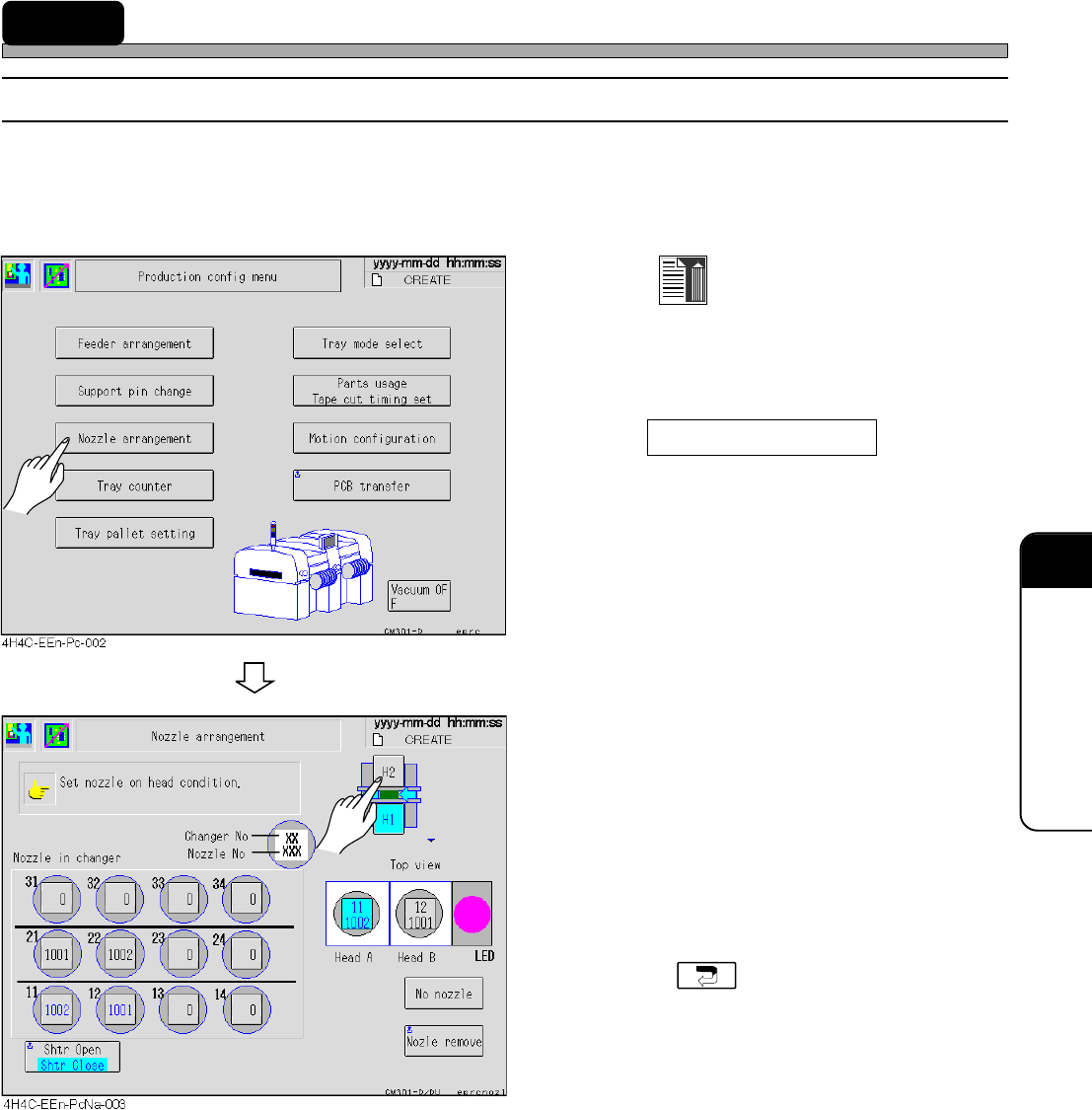
Check the current nozzle arrangement. Then change the nozzle if necessary.
a) Checking the nozzle set to the head
1. Press
Data modify
at the main menu.
• The production setting menu screen appears.
2. Press Nozzle arrangement .
• The nozzle arrangement data screen appears.
3. Select the stage, and ensure that the
nozzle displayed in data matches the
set one.
• If the nozzle is not set as the nozzle arrange-
ment data, change it.
• Carry out this procedure to check all stages.
• Pressing returns to the production
setting menu screen.
4H4C-E-OMA09-A01-04