4H4CEOM2.pdf - 第20页
Page 7-14 Ball T ype (BGA, CSP , etc.) Ball arrangement data • Ball pattern input ----- Enter the ball arrangement pattern. 7-5-3 Selecting REF The desired chip is selected. 1. Press REF select on the chip data screen. •…
Page 7-13
DATA MODIFICATION
7
Chip Data / Tray Data
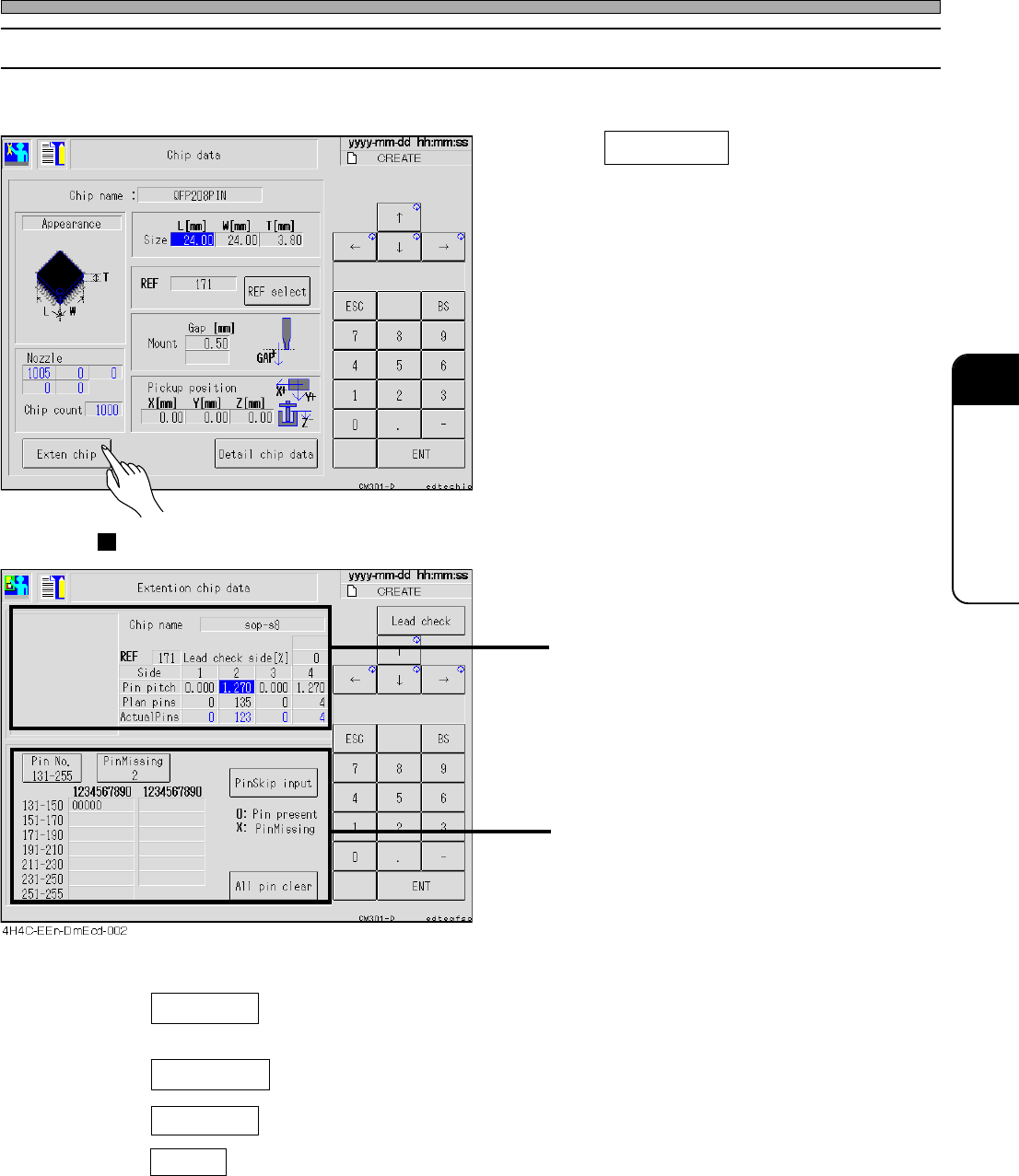
7-5-2 Extension Chip Data
The pin information of the selected chip is checked and modified.
1. Press Exten chip on the chip data
screen.
• The screen for the pin type chip (SOP, QFP,
etc.) and that for the ball type chip (BGA, CSP,
etc.) are displayed.
Pin Type (SOP, QFP, etc.)
Data of pin pitch and the number of pins for
each side including the description of the sides
Missing pin data for each side
• Pin Missing ---------- Select the side to display the missing pin data. (Every pressing of it
changes the side as 1, 2, 3, 4, and 1.)
• PinSkip input ---------- Selecting the pin number of the displayed side sets pin present and pin
missing in turn.
• All pin clear ---------- All data of missing pins of the displayed sides are cleared.
• Pin No. ---------- 1 - 30 and 131 - 255 are toggled.
4H4C-E-OMA07-A01-03
4H4C-EEn-DmCd-003
Page 7-14
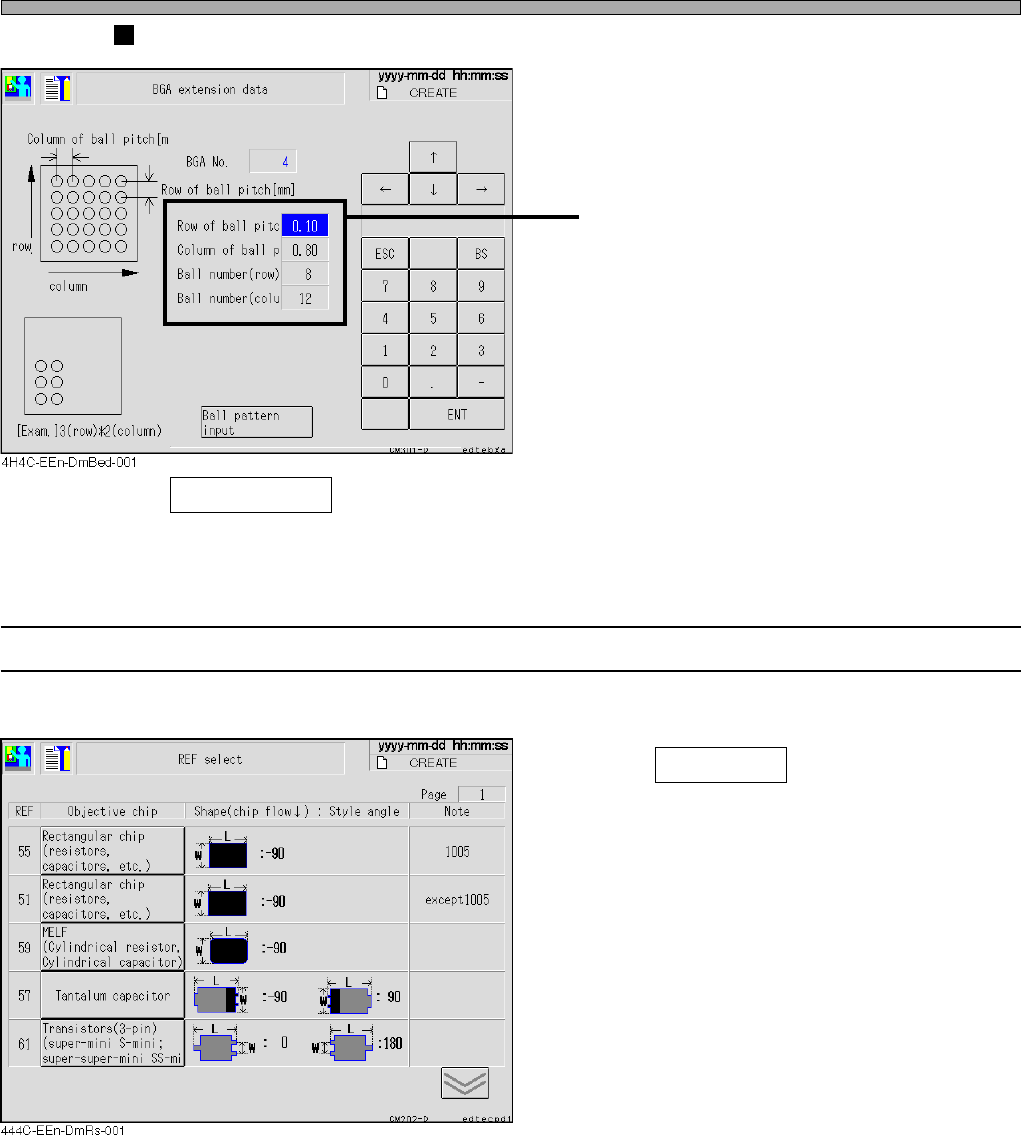
Ball Type (BGA, CSP, etc.)
Ball arrangement data
• Ball pattern input ----- Enter the ball arrangement pattern.
7-5-3 Selecting REF
The desired chip is selected.
1. Press REF select on the chip data
screen.
• Check the shape and select one from the chips
listed under the objective chip.
4H4C-E-OMA07-A01-02
Chip Data / Tray Data
Page 7-15
DATA MODIFICATION
7
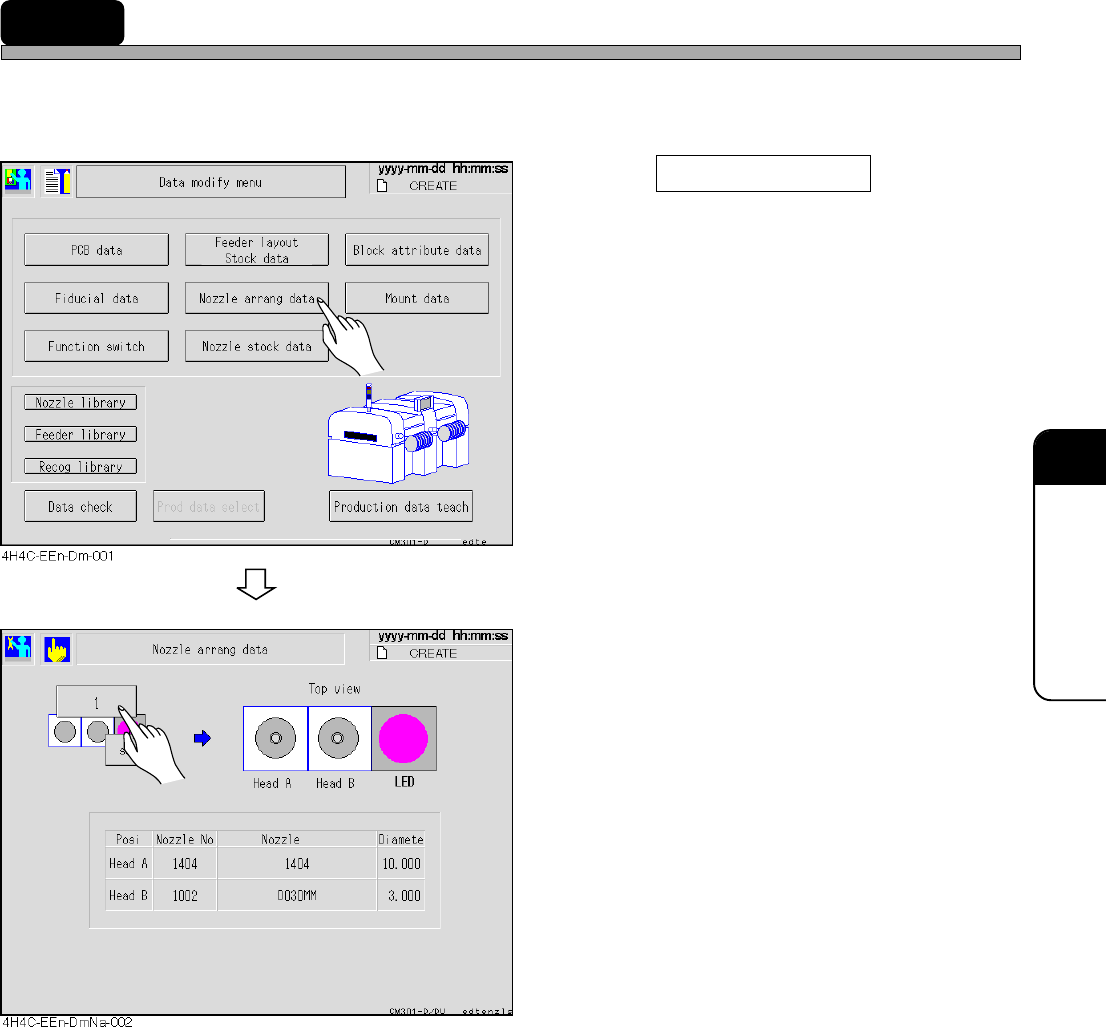
7-6 Nozzle Arrangement Data
The arrangement of the nozzle on each head can be checked.
∗ You cannot change data. Change data on PT, if necessary.
1. Press Nozzle arrang data .
• The nozzle arrangement data screen appears.
2. Select the stage and check data.
4H4C-E-OMA07-A01-03