4H4CEOM2.pdf - 第9页
Page 7-3 DA T A MODIFICA TION 7 7-2 PCB Data The PCB data is checked. 1 . Press PCB data . • The PCB data screen appears. 2 . Modify data if necessary . • Only data of the origin offset and the bad PCB mark position can …
Page 7-2
4H4C-E-OMA07-A01-01
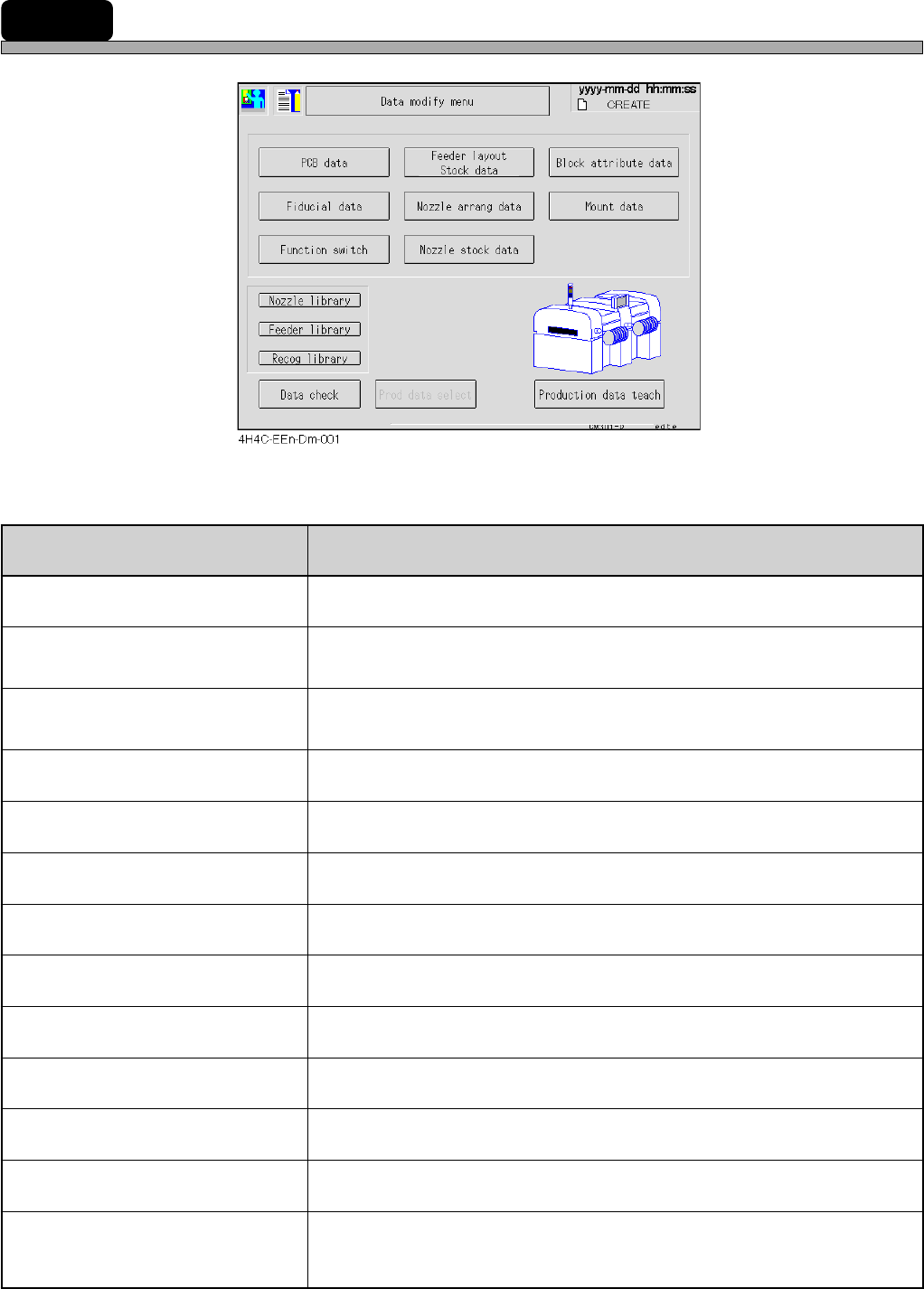
7-1 Data Modification Menu
Data modification menu
4H4C-004TE
uneM stnetnoC
atadBCP
.deifidomdnadekcehcsiataddraobehT
atadlaicudiF
draobehtnehW.deifidomdnadekcehcsiatadnoitingocerdraobehT
.tiretnetonnacuoy,ffodenrutsihctiwsnoitcnuffonoitingocer
atadkcotS/tuoyalredeeF
.rehtegotdeyalpsideraatadkcotsdnatuoyalredeefehT
.deifidomdnadekcehcsidesuebotatadpihcehT
atadgnarraelzzoN
.dekcehcsiatadtnemegnarraelzzonehT
atadkcotselzzoN
.dekcehcsiatadkcotselzzonehT
atadetubirttakcolB
.deifidomdnadekcehcsiatadetubirttakcolbehT
atadtnuoM
.deifidomdnadekcehcsiatadtnuomehT
hctiwsnoitcnuF
.dekcehcsinoitidnocgnitarepoehttesothctiwsnoitcnuffognittesehT
yrarbilelzzoN
.deyalpsidsielzzonehtfoatadyrarbilehT
yrarbilredeeF
.deyalpsidsiredeefepatehtfoatadyrarbilehT
yrarbilnoitingoceR
.deyalpsidsinoitingocerehtfoatadyrarbilehT
kcehcataD
.dekcehcsiatadnoitcudorpehT
hcaetatadnoitcudorP
noitcudorpehtfI(.yrassecenfidegnahcdna,thguatsiatadnoitcudorpehT
).tiretnetonnacuoy,dednetonsi
.gnihcaetrof”gnihcaeT8retpahC“otrefeR
Chapter 8 Teaching
Page 7-3
DATA MODIFICATION
7
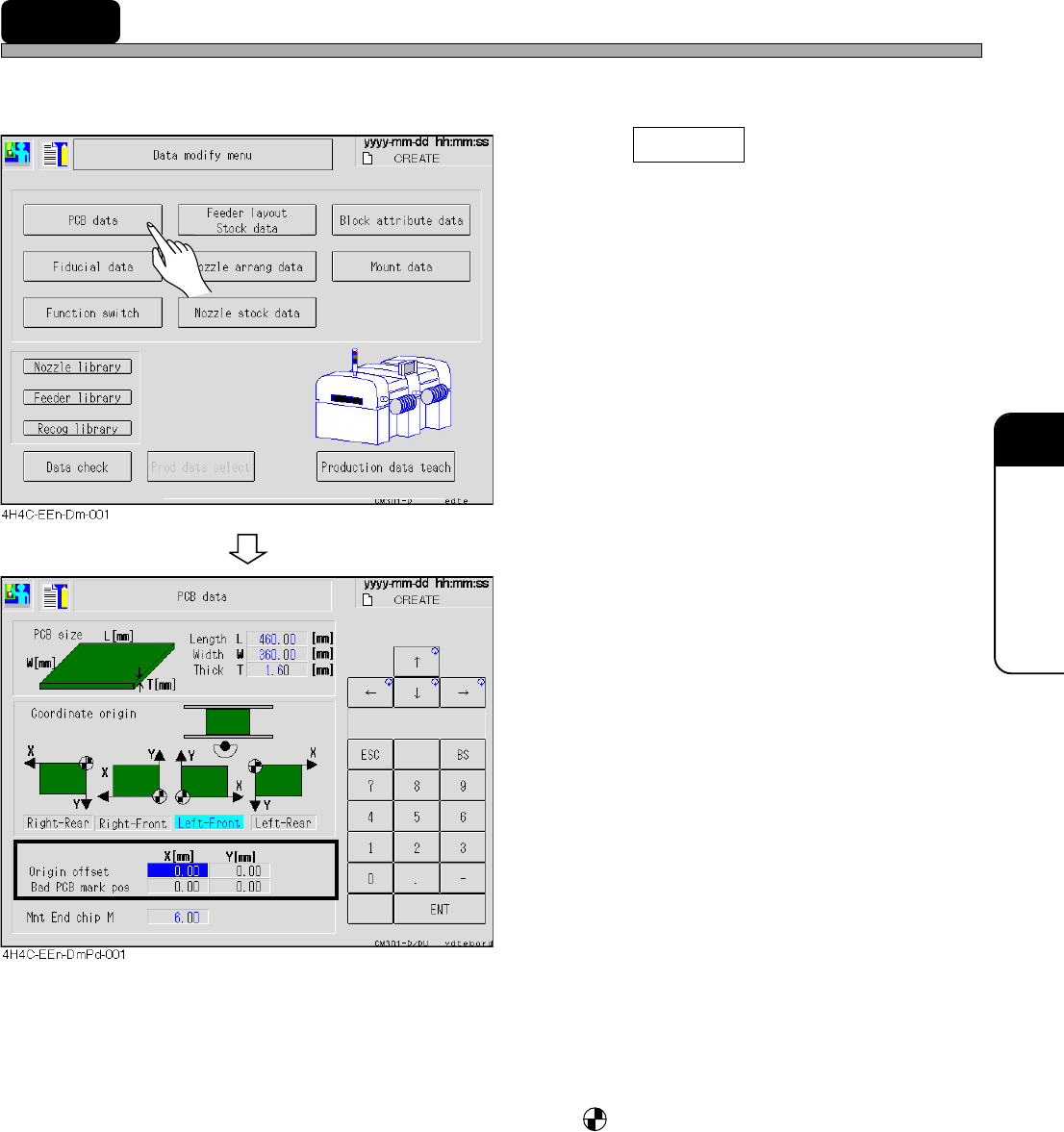
7-2 PCB Data
The PCB data is checked.
1. Press PCB data .
• The PCB data screen appears.
2. Modify data if necessary.
• Only data of the origin offset and the bad PCB
mark position can be modified.
• PCB size ------------------------------ L indicates the X direction of the mount data and W is that of the
Y direction.
• Coordinate origin ------------------ The origin mark, is the coordinate origin (0, 0) of the mount,
board recognition, and bad mark coordinates viewed from the
front of the machine.
• Origin offset ------------------------- The offset for whole board (mount, board recognition, and bad
mark coordinates).
• Bad PCB mark position --------- The mark position for marking the bad board mark.
For modification, set ON the bad PCB mark detection on PT by
the function switch.
4H4C-E-OMA07-A01-02
Page 7-4
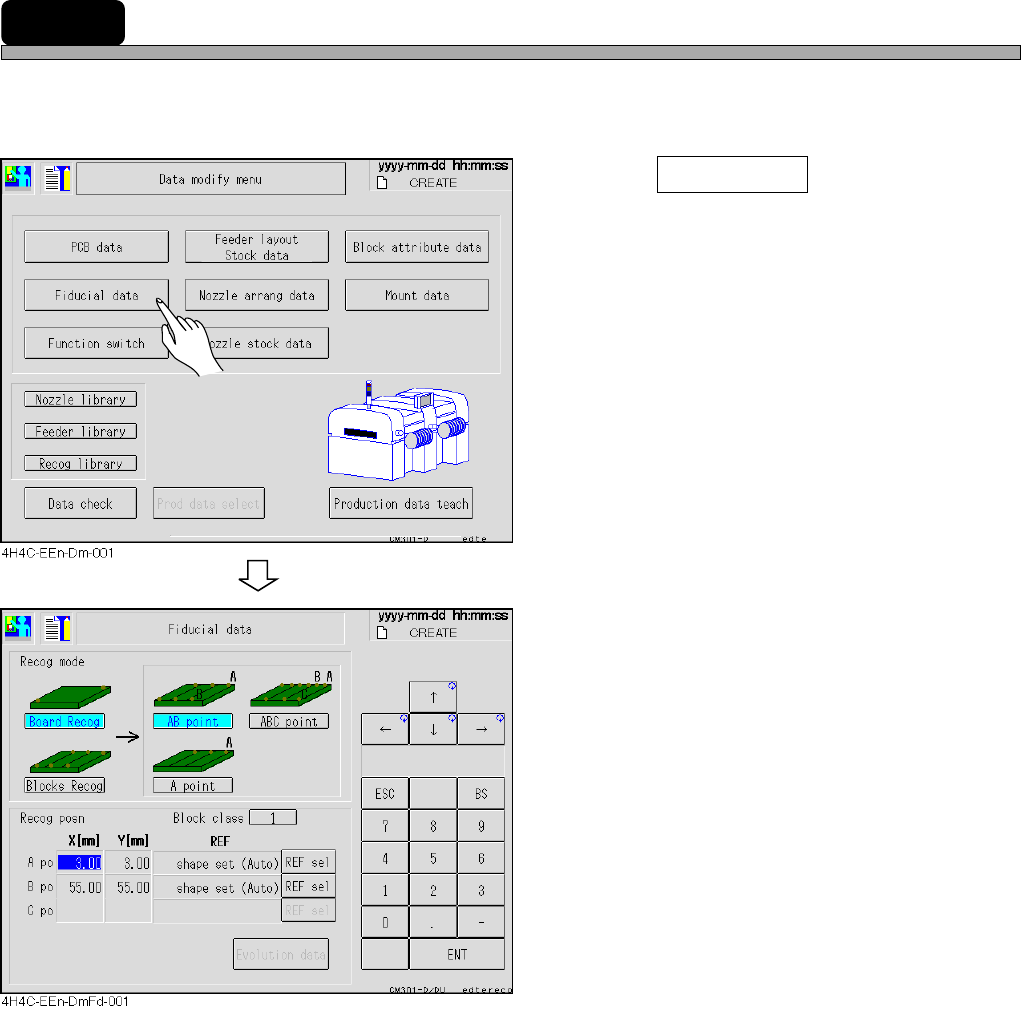
7-3 Board Recognition Data
The board recognition data is checked.
∗ When the board recognition of the function switch is turned off on PT, you cannot enter it.
1. Press Fiducial data .
• The fiducial data screen appears.
2. Modify data if necessary.
• The recognition mode and recognition position
(coordinates and REF types) can be modified.
• Recognition mode.........Recognition points depend upon the mode.
• Recognition posn..........Coordinates of the recognition mark and the REF type can be set.
4H4C-E-OMA07-A01-02