OM-1743-005w.pdf - 第111页
1209-001 7.5.1.6 PCB BOX Cover Attachment Procedure Procedure (1) Hold the right side of the PCB BOX Cover and slide it in the arrow direction to insert two claws. (Step 1) Sliding Direction Step 1 Fig. G22 (2) Hold the …
1209-001
7.5.1.5 PCB BOX Cover Removal Procedure
Procedure
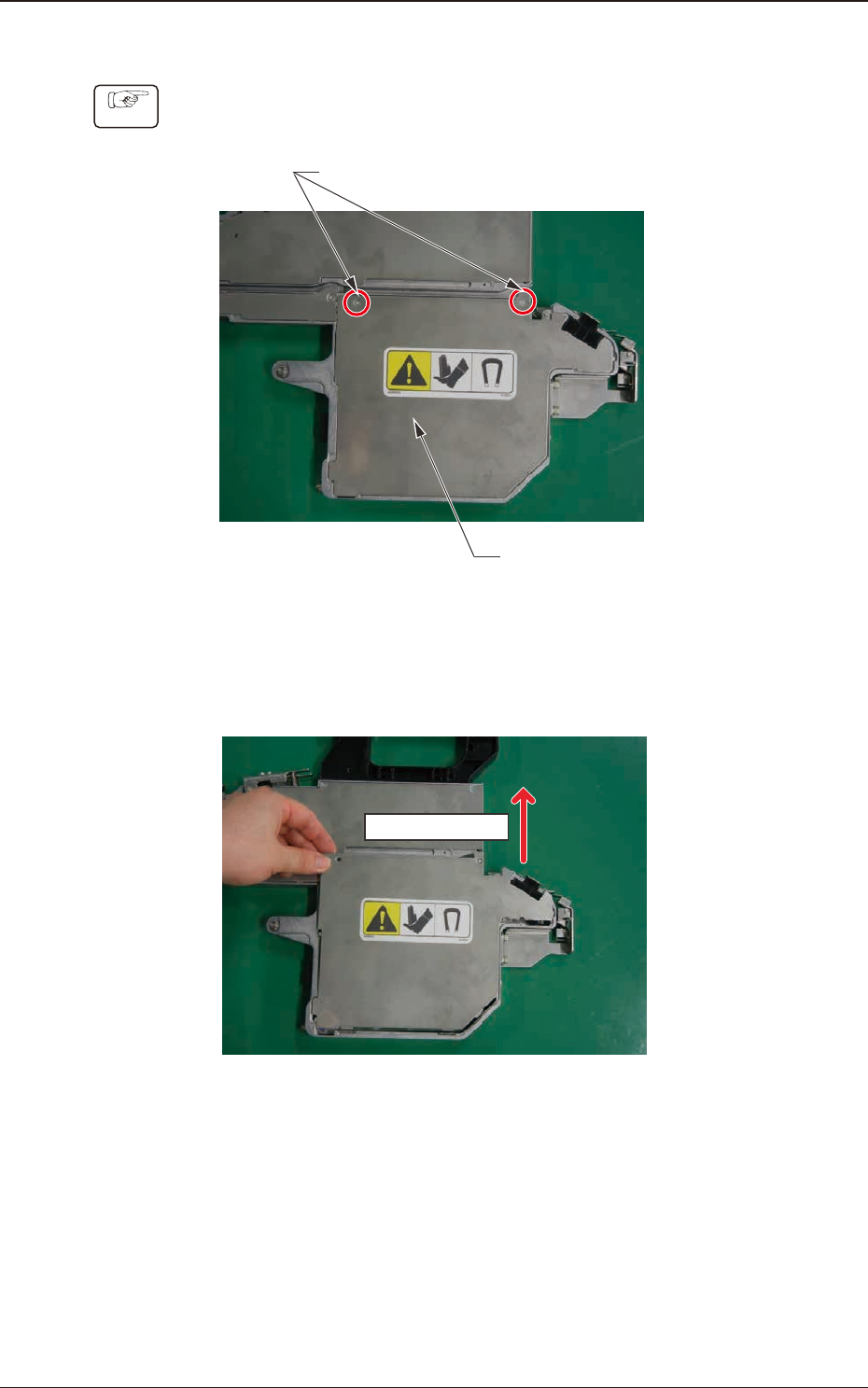
(1) Remove two set screws for the PCB BOX Cover.
PCB BOX Cover
Cover Set Screws
Fig. G20
(2) Hold the upper side of the PBC BOX Cover and slide it in the arrow
direction to remove.
Sliding Direction
Fig. G21
7.5 Maintenance Method
OM-1743
7-16
1209-001
7.5.1.6 PCB BOX Cover Attachment Procedure
Procedure
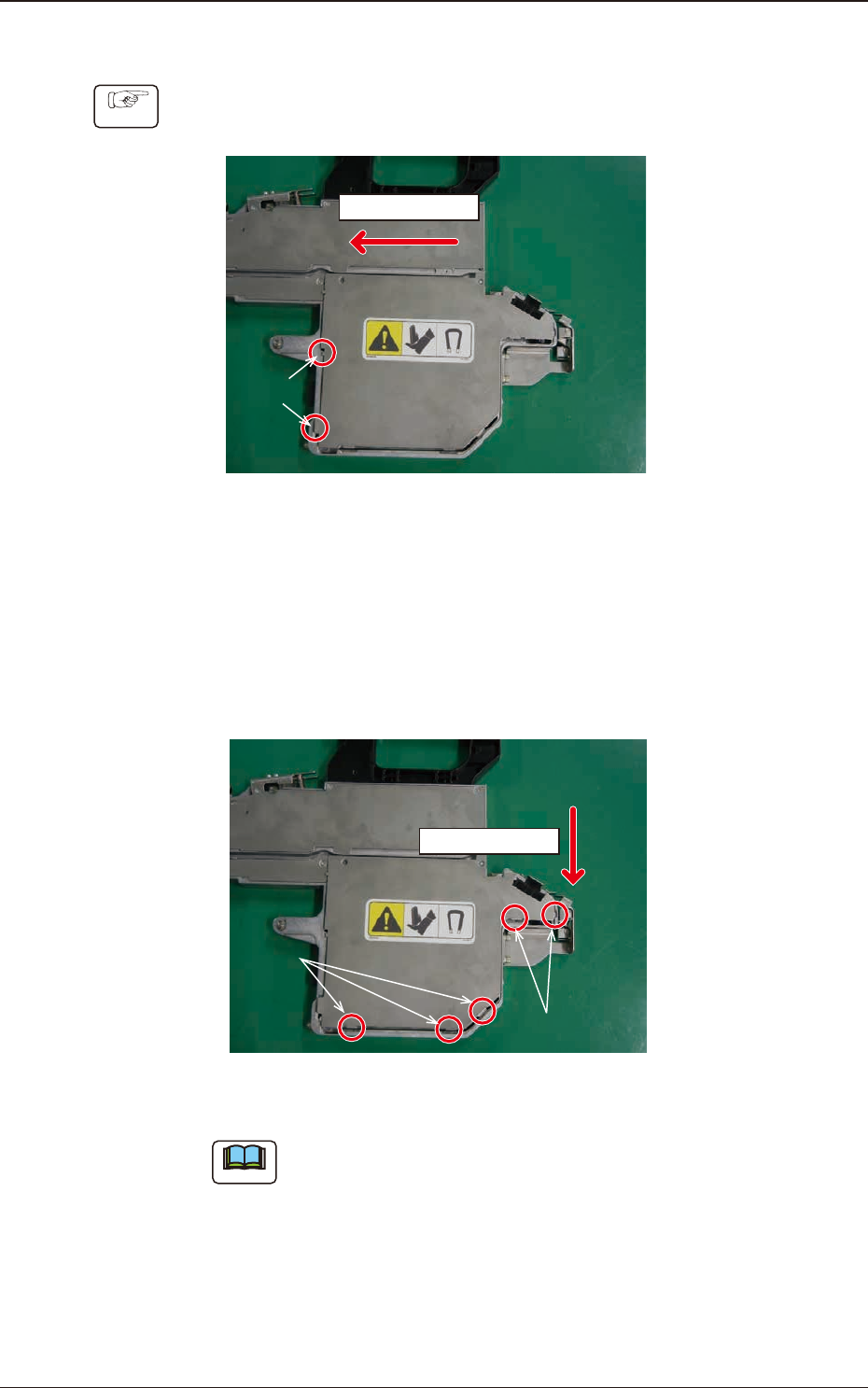
(1) Hold the right side of the PCB BOX Cover and slide it in the arrow direction
to insert two claws. (Step 1)
Sliding Direction
Step 1
Fig. G22
(2) Hold the upper side of the PCB BOX Cover and slide it in the arrow
direction to attach.
Insert the claw section on the PCB BOX Cover into the slit with the sequence
of 2 and 3 shown in the gure below and slide the cover while pressing it
from above.
Sliding Direction
Step 3
Step 2
Fig. G23
Note
When the cover is attached, take care not to catch any cable.
7.5 Maintenance Method
OM-1743
7-17
1209-001
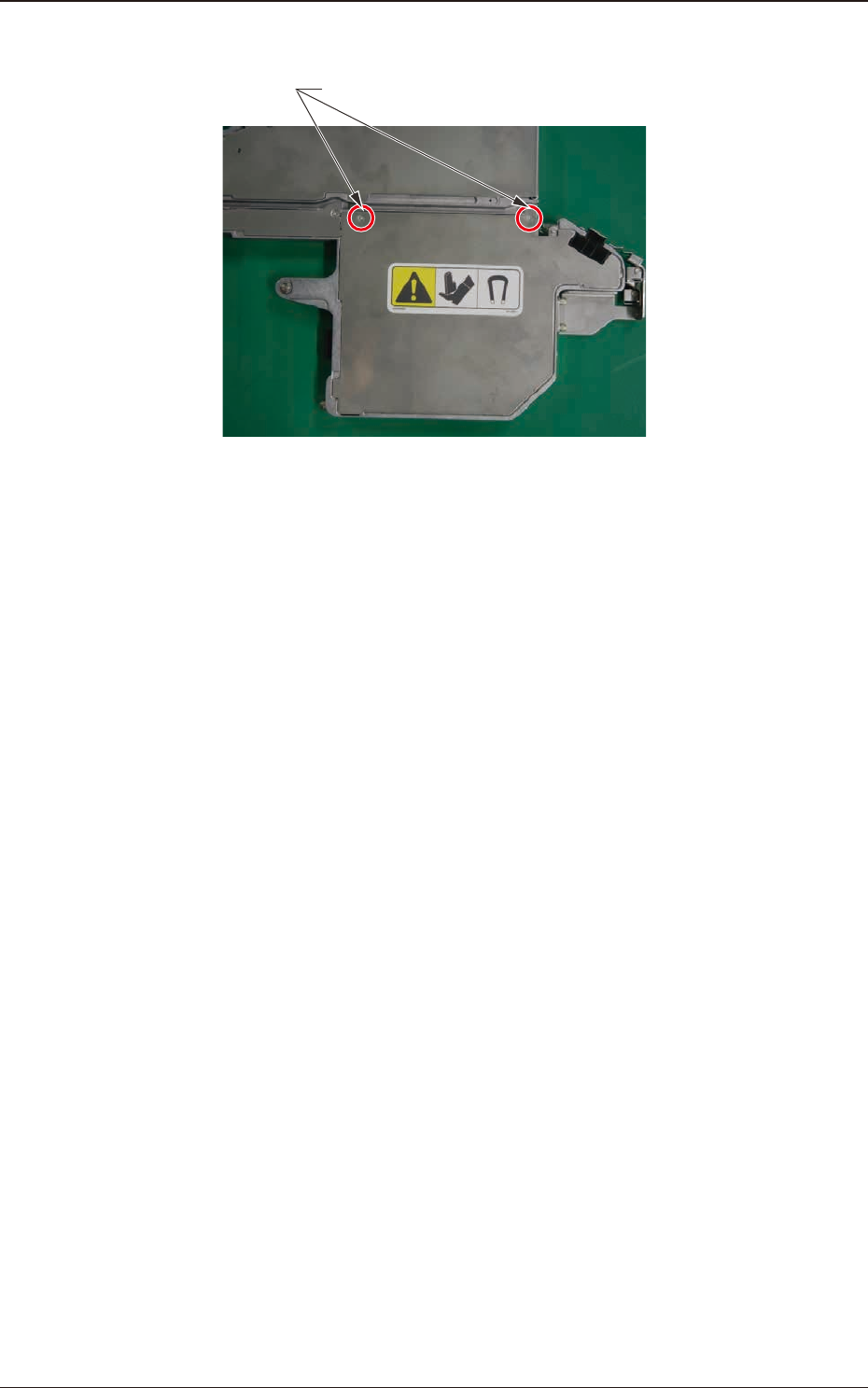
(3) Fasten the cover set screws to x the PCB BOX Cover.
Cover Set Screws
Fig. G24
7.5 Maintenance Method
OM-1743
7-18