OM-1743-005w.pdf - 第93页
1209-001 (3) When the splicing tape is adhered, set the center of the cut position of the splicing tape. If the tape is deviated along the direction of the splicing tape, the tape joint section might come off. Positional…
1209-001
6.5.4 Precautions
(1) When the carrier tape is cut or spliced, take care so that the
component feed pitch does not slide.
Otherwise, the pick-up error might occur.
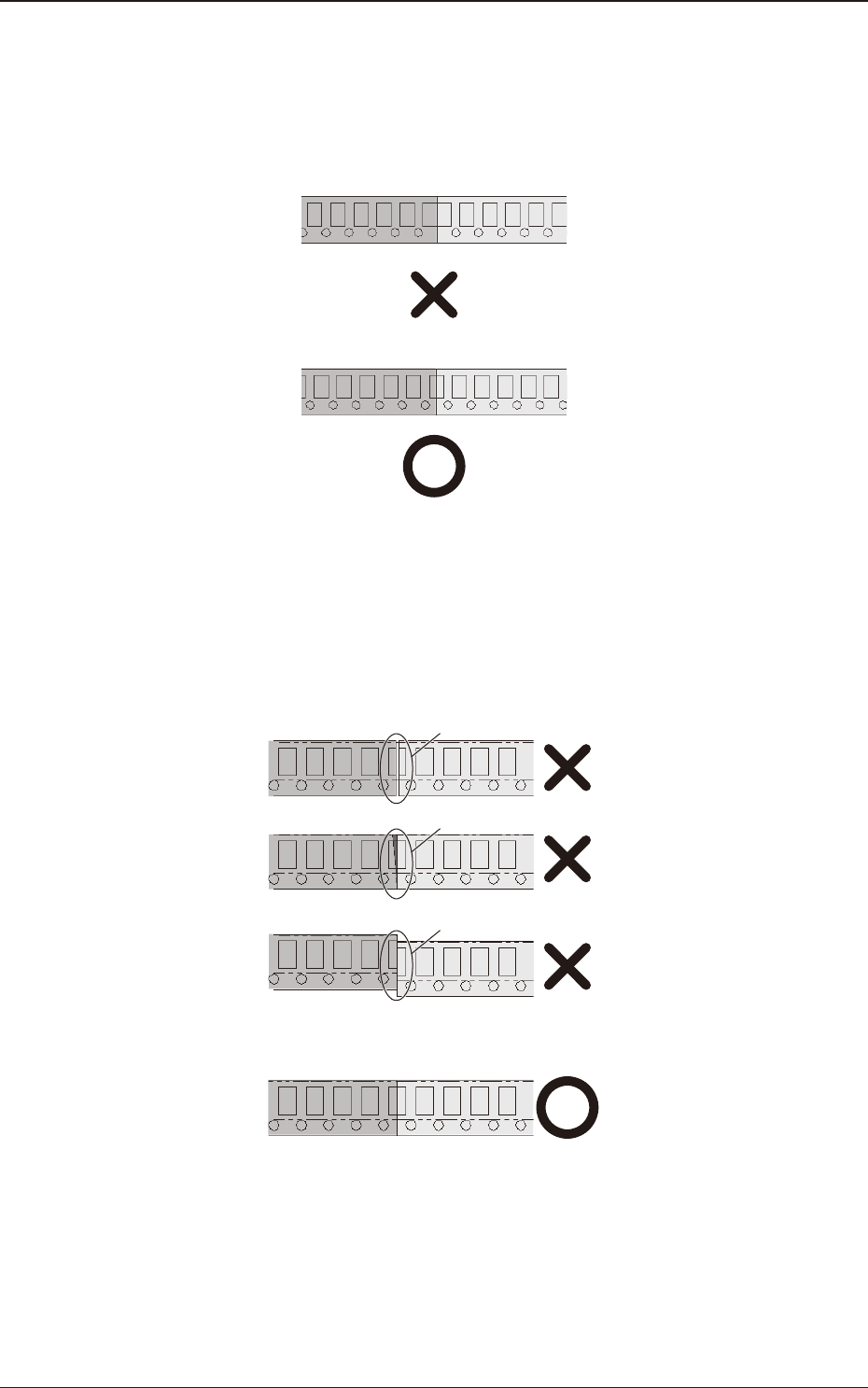
(2) Cut and splice the carrier tape so that there is no gap, overlap or
deviation of the carrier tape on the joint position.
Cut the tape at an angle of 90 degrees to the long side and at the
same position, based on the sprocket hole.
If there is any gap, overlap or deviation, a feed error might occur.
Gap
Overlap
Deviation
6.5 8 mm Width Tape Splicing Procedure
OM-1743
6-12
1209-001
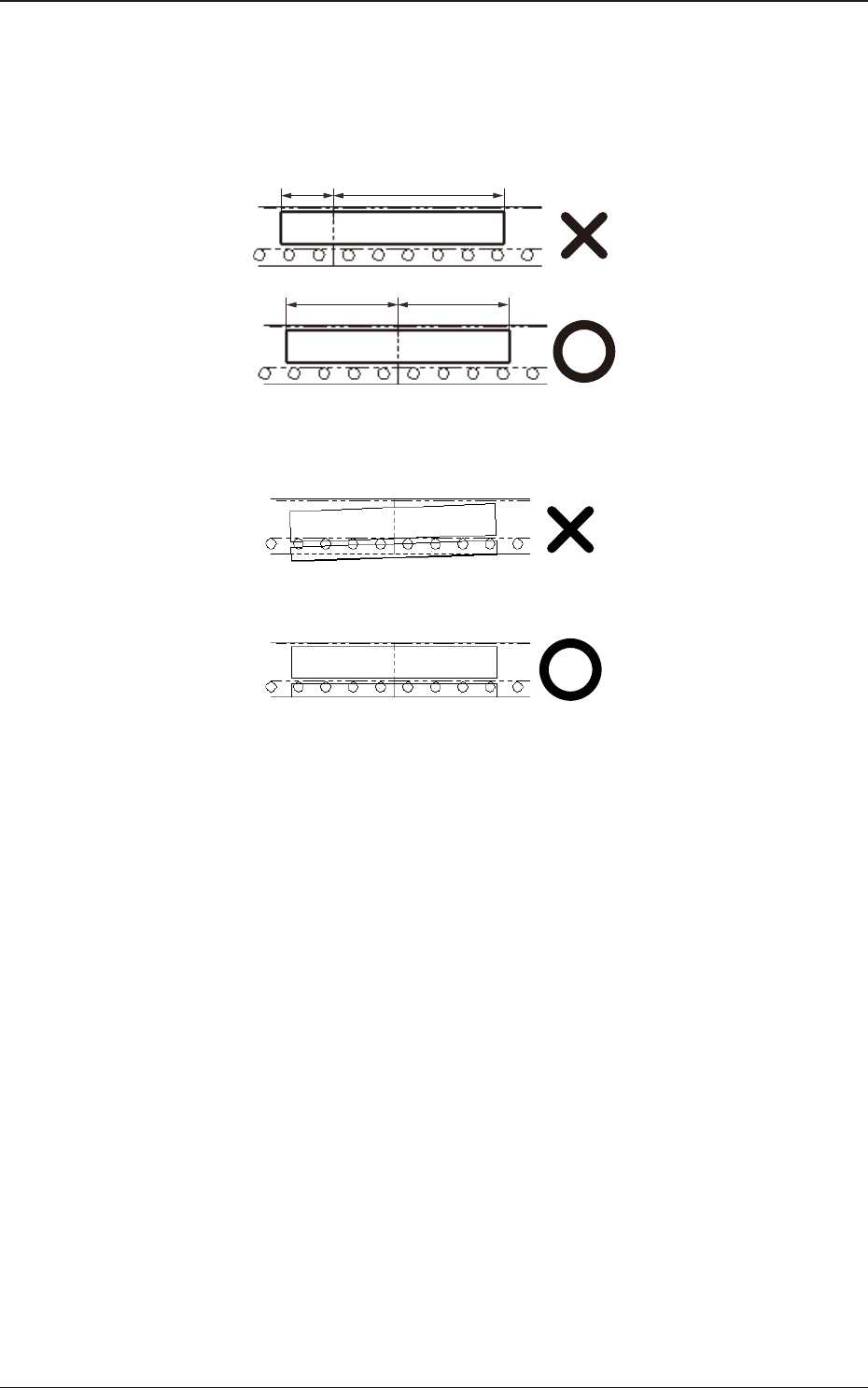
(3) When the splicing tape is adhered, set the center of the cut position of
the splicing tape.
If the tape is deviated along the direction of the splicing tape, the tape
joint section might come off.
Positional Deviation
(4) Do not let the splicing tape swell very far out from the carrier tape.
If there is any swell out, a feed error might occur.
6.5 8 mm Width Tape Splicing Procedure
OM-1743
6-13
1209-001
6.6 Conrmation of the No. of Components to be replenished
•
If the components are replenished with the new carrier tape spliced
(1) Press the [Comp. Reload] button in the "Comp. Reload" window (See Fig.
F5).
Check the No. of remaining components in the Feeder List window to
conrm that the components have been replenished.
•
If the components are replenished with the used carrier tape spliced
(The No. of components is different from the default value)
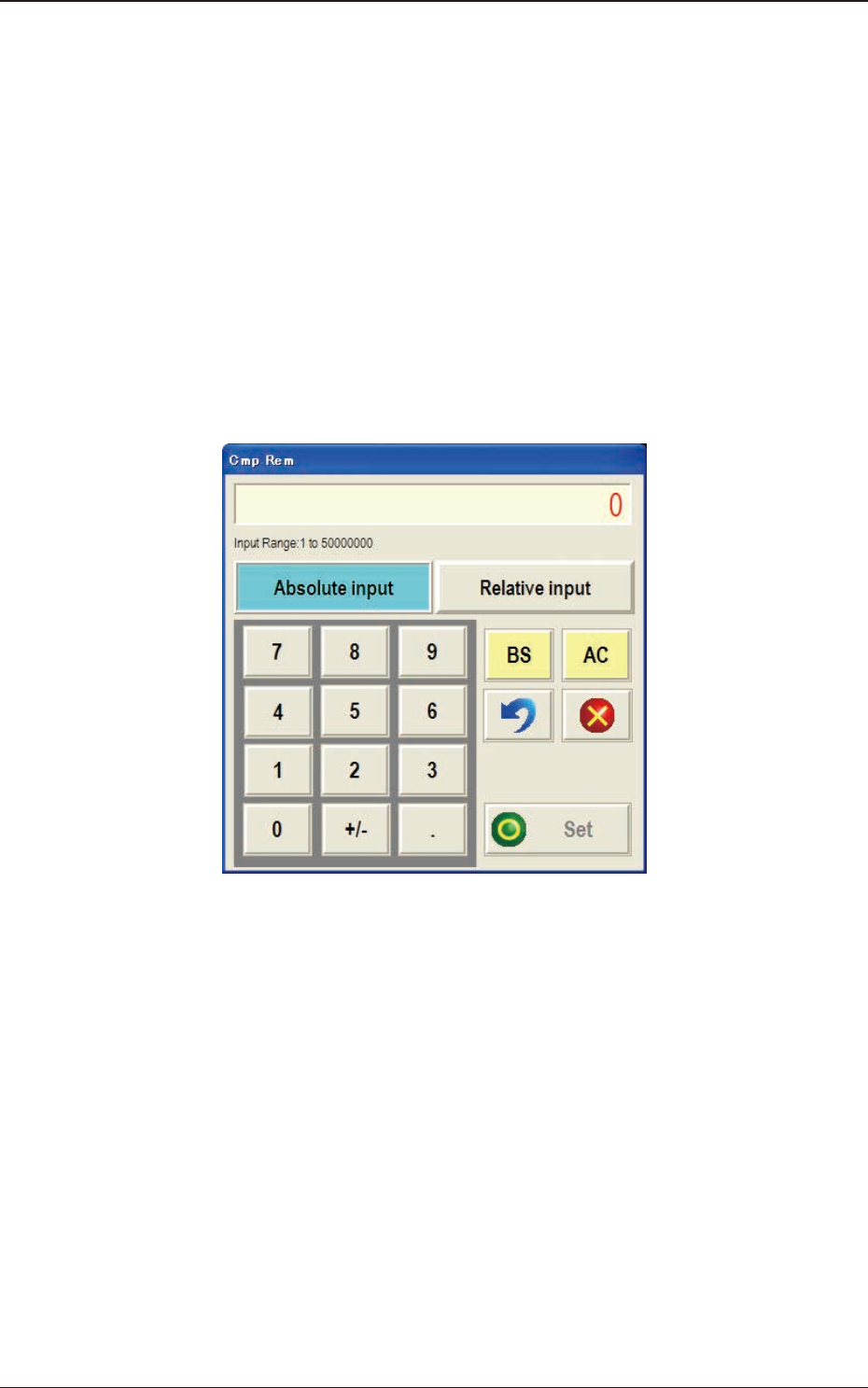
(1) Press the [Spl Comp Rem] button in the "Comp. Reload" window (See Fig.
F5). The "Cmp Rem" input window will appear.
FF10 "Edit Add Cmp" Input Window
(2) Enter the number of replenished components.
Input Range :
1 to 50000000
The values "Fdr Reload" (Component Replenishment Status) will be revised.
When the [AC] button is pressed, if necessary, the remaining number of
components on the selected feeder No. can be zeroed.
(3) Conrm the values in "Fdr Reload" (Component Replenishment Status) and
press the [Set] button to dene these values (status).
6.6 Conrmation of the No. of Components to be replenished
OM-1743
6-14