OM-1743-005w.pdf - 第119页
7.5.3 T ake-up Gear Unit Greasing Procedure Procedure (1) Opening the Left Side Cover #2 Open the Left Side Cover #2 to expose the take-up gear unit. (2) Oiling W ork Using the specially designed oiling jig, apply grease…
•
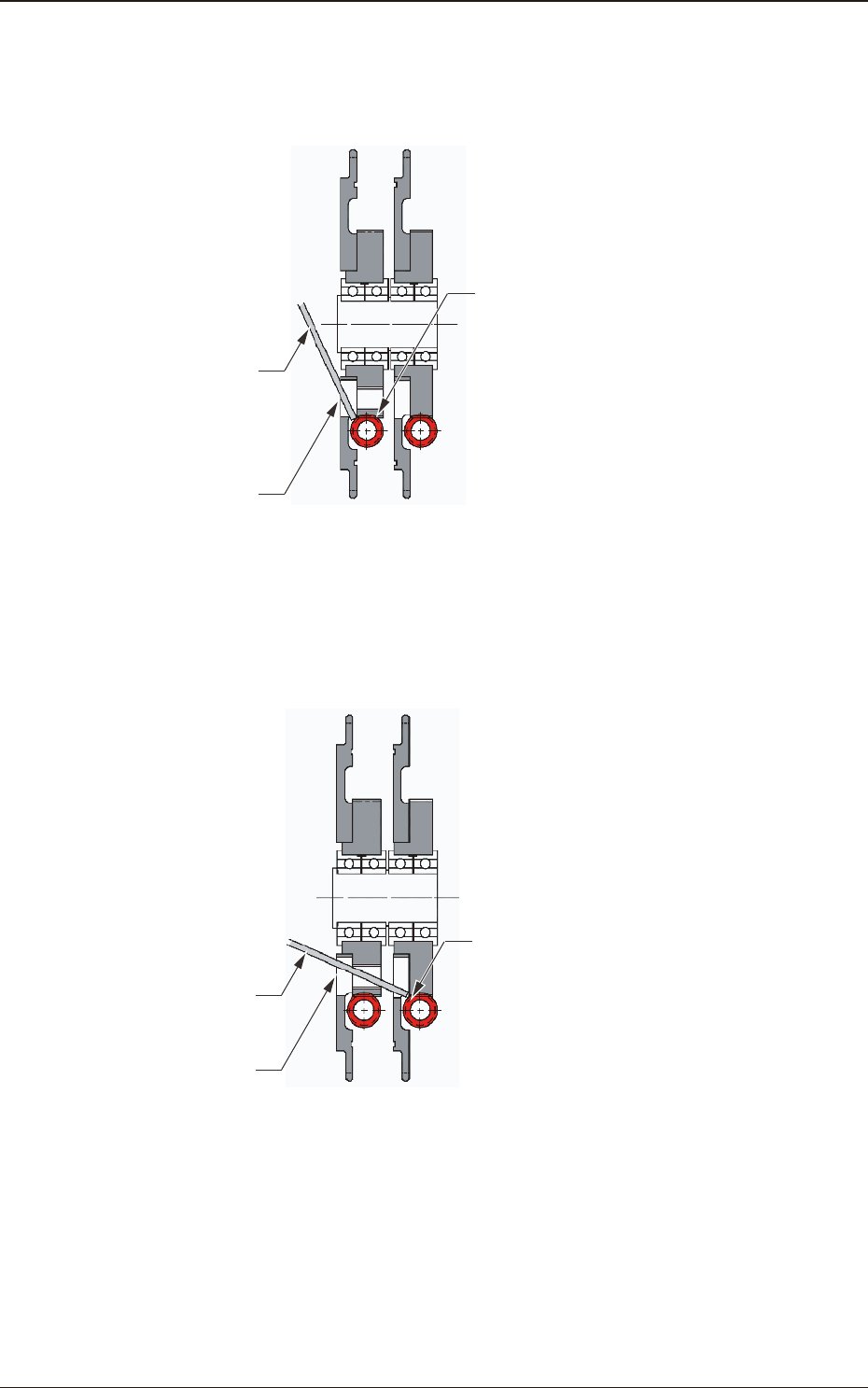
Left Sprocket Driving Gear Oiling Procedure
Insert the tip of the oiling jig into the oiling port to apply grease to the driving
gear located in the sprocket rear (refer to the sectional view).
Oiling Jig
Oiling Port
Left Sprocket Driving Gear
Fig. G34 Sprocket Unit Sectional View (A – A’)
•
Right Sprocket Gear Oiling Procedure
Insert the tip of the oiling jig into the oiling port to apply grease to the right
sprocket driving gear located at the back of the screw hole on the left sprocket.
Oiling Jig
Oiling Port
Right Sprocket Driving Gear
Fig. G35 Sprocket Unit Sectional View (A – A’)
(5) When the oiling is completed, fasten the oiling cap securely. When the side
cover is closed, the procedure is completed.
1209-001
7.5 Maintenance Method
OM-1743
7-24
7.5.3 Take-up Gear Unit Greasing Procedure
Procedure
(1) Opening the Left Side Cover #2
Open the Left Side Cover #2 to expose the take-up gear unit.
(2) Oiling Work
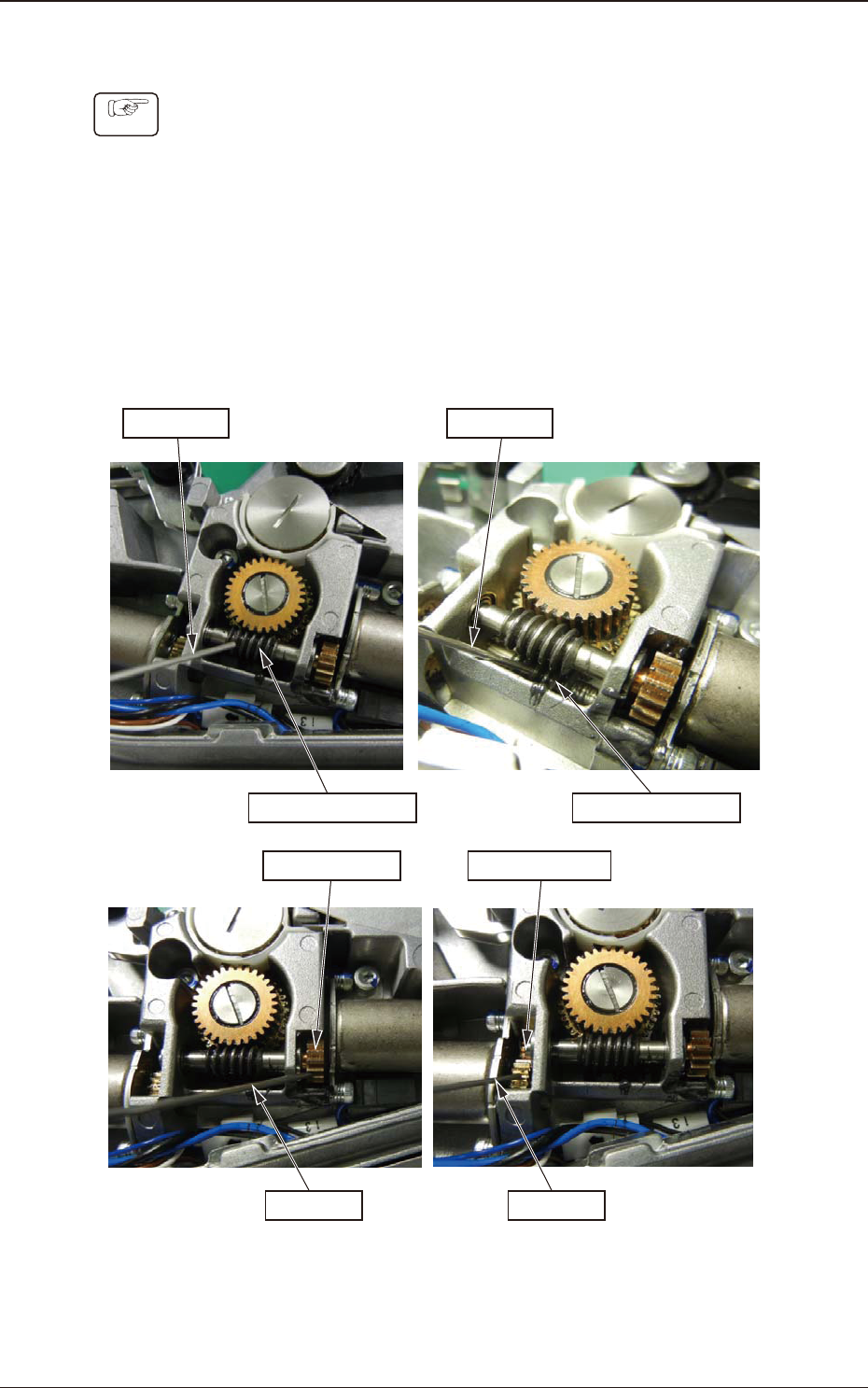
Using the specially designed oiling jig, apply grease onto the left and right
warm gears, and left and right spur gears.
The amount of grease to be applied, is about 0.2ml each for right and left
warm gears (as much as 2 divisions of the jig scale).
For each of the right and left spur gears, apply about 0.2ml (as much as 2
divisions of the jig scale) of the grease.
Oiling Jig
Left Warm Gear
Oiling Jig
Right Warm Gear
Left Spur Gear
Oiling Jig
Right Spur Gear
Oiling Jig
Fig. G36
(3) Attaching the Left Side Cover #2.
When the Left Side Cover #2 has been attached, the procedure is completed.
1209-001
7.5 Maintenance Method
OM-1743
7-25
7.5.4 8 mm Dual Feeder Joint Detection Unit Sensor Section Cleaning
(GD-38080, GD-38083)
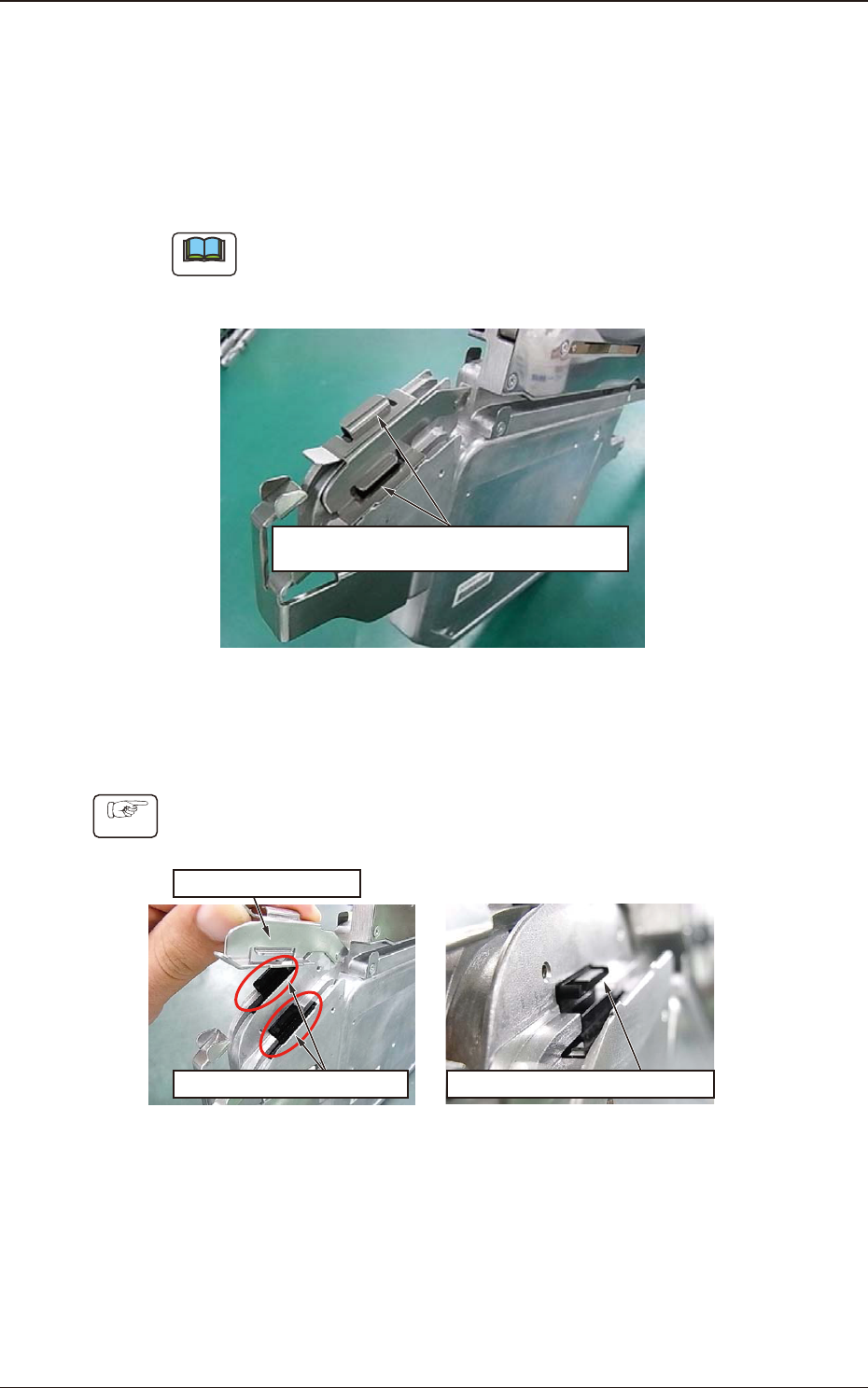
7.5.4.1 Spots to be Cleaned
Clean dust and debris stuck to the sensor section inside the joint detection unit.
There is one sensor section each on the right and left lanes. Clean both of them.
Note
Without cleaning, the sensor does not function normally and an error might be
caused in the detection of spliced joint (When dust is attached, the machine
might be in the condition where it is always detecting the spliced joint).
Sensor Section
(One Location each on the Right and Left)
Fig. G37
7.5.4.2 How to Clean the Sensor Section
Procedure
(1) Lift the tape holding cover to expose the sensor, and clean the gap in the
sensor section.
Expose the Sensor Section.
Clean the Gap in the Sensor Section.
Tape Holding Cover
Fig. G38
1209-001
7.5 Maintenance Method
OM-1743
7-26