西门子SIPLACE S-27 HM用户手册.pdf - 第152页
6 Component handling User Manual SIPLACE S-27 HM 6.5 Used tape c utter Software version SR.503.xx07/2003 US Edition 152 PLEAS E NOTE On SIPLA CE aut omatic pl acement sy stems, on ly use t he tape feed ers speci fied for…
User Manual SIPLACE S-27 HM 6 Component handling
Software version SR.503.xx 07/2003 US Edition 6.5 Used tape cutter
151
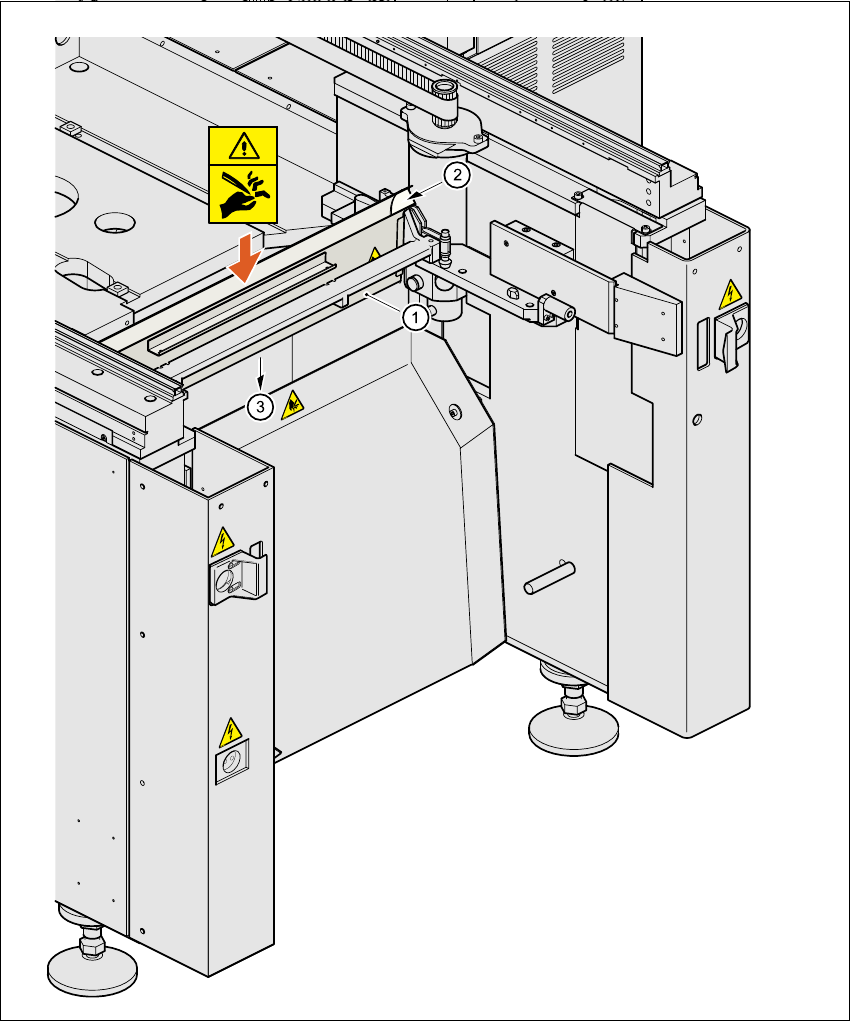
6.5.2 Inserting the tape into the tape cutter
Fig. 6.5 - 2 Inserting the tape into the tape cutter
(1) Used tape channel
(2) Used tape
(3) To used tape cutter
6 Component handling User Manual SIPLACE S-27 HM
6.5 Used tape cutter Software version SR.503.xx07/2003 US Edition
152
PLEASE NOTE
On SIPLACE automatic placement systems, only use the tape feeders specified for these ma-
chines. The used tape channel which removes the used tape is located upstream of the feeders.6
Æ Insert the tape into the feeder as described in the corresponding section.
Æ Guide the used tape into the used tape channel of the cutter as described in Fig. 6.5 - 2
The used tape guide channels are located upstream of the feeders. They are positioned directly
above the used tape cutters.
The tape is automatically guided through the used tape guide channel into the used tape cutter
below. There, the tape is shredded by the pneumatically-actuated cutting blade. The waste tape
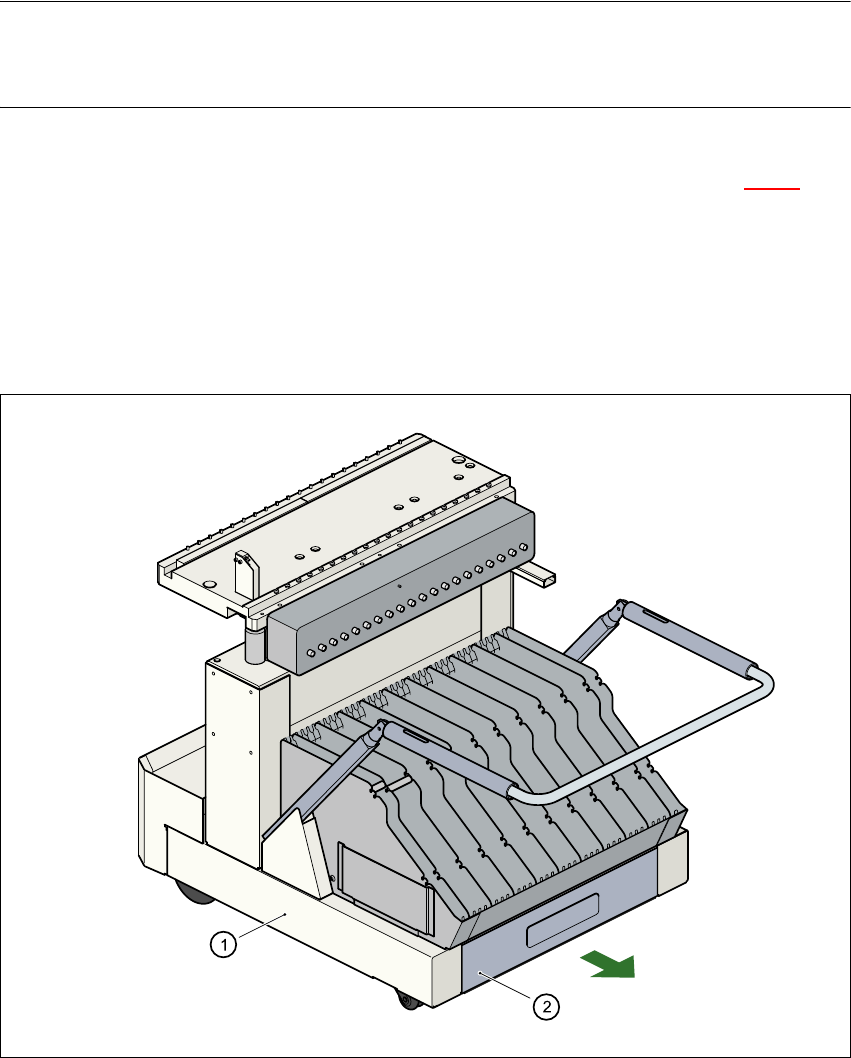
then passes via the waste tape chute into the waste container of the component trolley.
Fig. 6.5 - 3 Pull-out waste tape container in the component trolley
6
(1) Component trolley
(2) Waste tape container, extendible
User Manual SIPLACE S-27 HM 6 Component handling
Software version SR.503.xx 07/2003 US Edition 6.6 Matrix tray changer
153
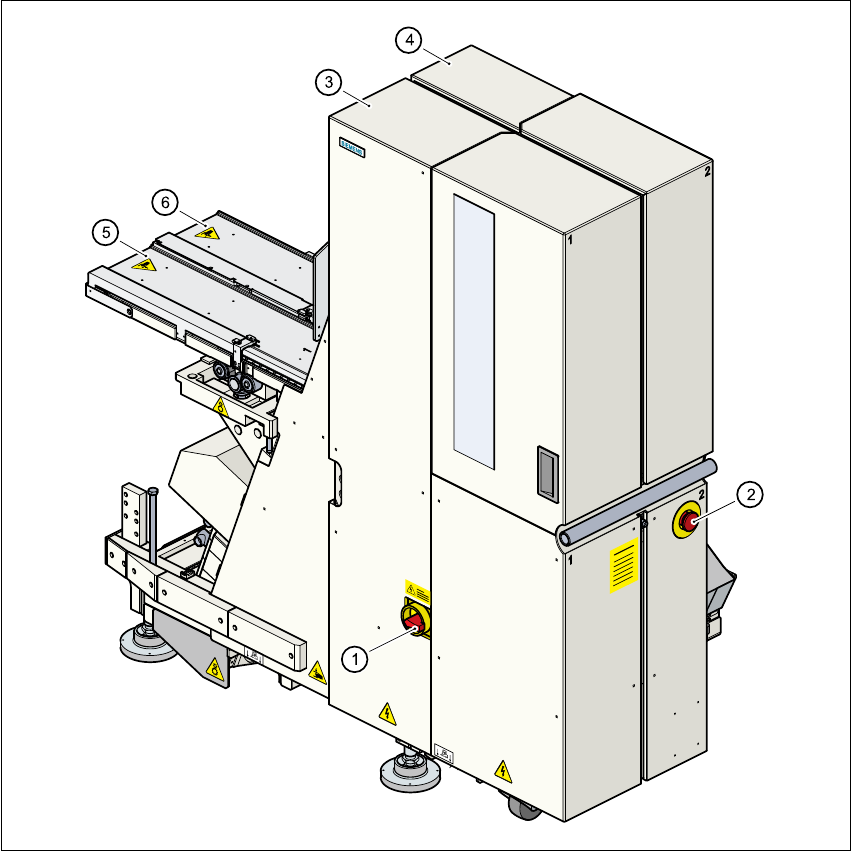
6.6 Matrix tray changer
6.6.1 Overview
Fig. 6.6 - 1 Matrix tray changer, back view
(1) Main power switch
(2) Emergency stop button
(3) Tower 1 for up to 40 waffle trays
(4) Tower 2 for up to 40 waffle trays
(5) Feed axis 1
(6) Feed axis 2