西门子SIPLACE S-27 HM用户手册.pdf - 第168页
7 Station extensions User Manual S IPLACE S-27 H M 7.1 Nozzle changer for the 12-segment Collect&Place head Sof tware version SR. 503.xx07/2003 US Edition 168 7.1.7 Nozz le change r - position detection There is a po…
User Manual SIPLACE S-27 HM 7 Station extensions
Software version SR.503.xx 07/2003 US Edition 7.1 Nozzle changer for the 12-segment Collect&Place head
167
7.1.6 Changing the magazine
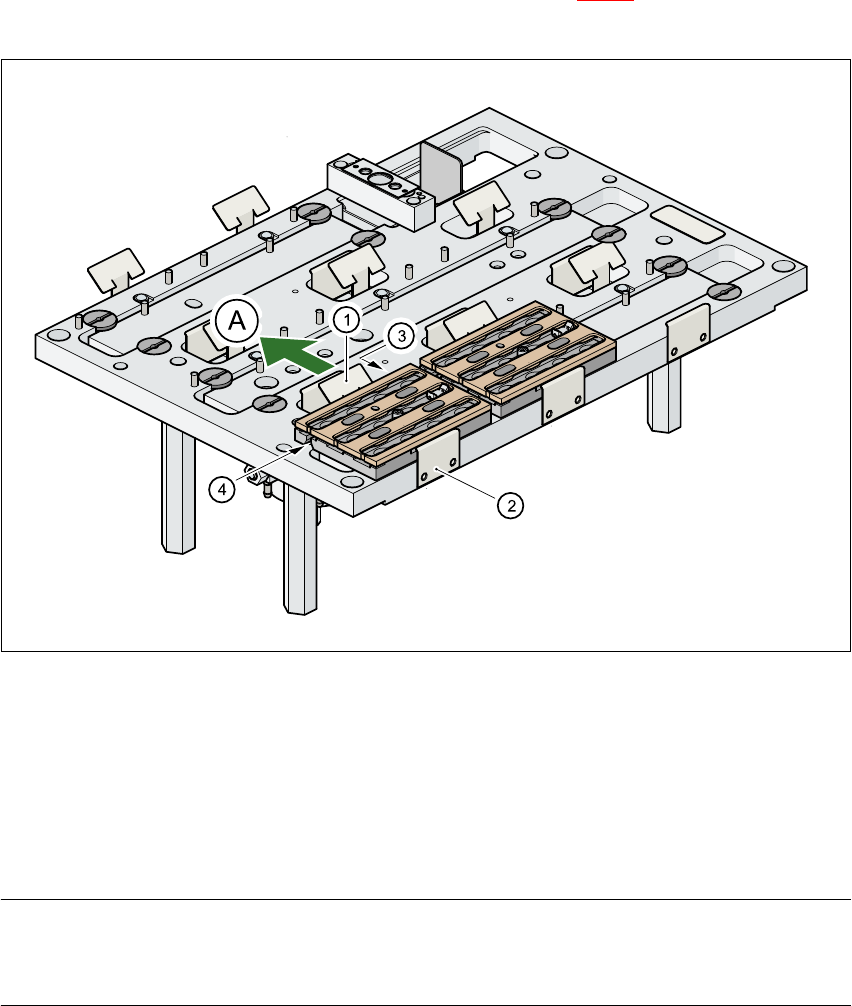
Æ To remove the magazine, push the spring hook (item 1 in Fig. 7.1 - 4) away from the maga-
zine. Lift the magazine out of the carrier.
7
Fig. 7.1 - 4 Changing the magazine
(1) Spring hook
(2) Retaining clamp
(3) Centering hole
(4) Slot
(A) Push the spring hook away from the magazine
PLEASE NOTE
Make sure that you insert the magazine so that the centering pins slide into the centering hole
(item 3) and slot (item 4). 7
Æ First place the side of the magazine with the numbered nozzles 1, 2, 3 and 4 on the base. The
retaining clamp (item 2) must slide into the slot in the magazine.
Æ Push the spring hook away from the magazine.
Æ Press the magazine so that it lies flat on the base, then release the spring hook. The spring
hook must latch into place.
7 Station extensions User Manual SIPLACE S-27 HM
7.1 Nozzle changer for the 12-segment Collect&Place head Software version SR.503.xx07/2003 US Edition
168
7.1.7 Nozzle changer - position detection
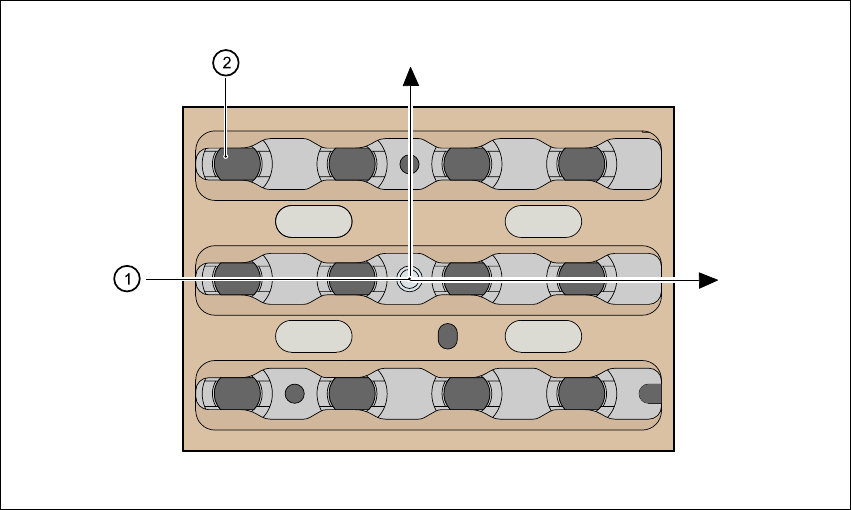
There is a position detection fiducial on every magazine.
Fig. 7.1 - 5 Nozzle changer - position detection
(1) Positioning fiducial
(2) Position of the nozzles in the magazine with respect to the positioning fiducial
12 3
4
10 11
12
Y
X
9
5
6
7
8
User Manual SIPLACE S-27 HM 7 Station extensions
Software version SR.503.xx 07/2003 US Edition 7.2 Component barcode reader
169
7.2 Component barcode reader
7.2.1 General
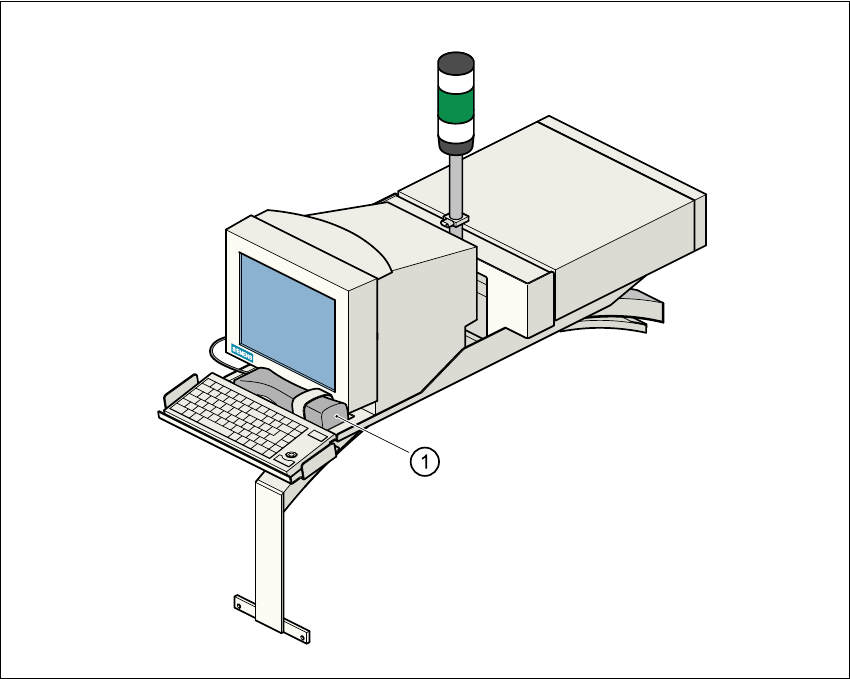
With the placement system, a barcode reader can be used to check that the track allocation is
correct and to read component data from component reels.
Fig. 7.2 - 1 Component barcode reader
(1) Component barcode reader