AltaPail II Bulk Melters Product Manual.pdf - 第104页
Advanced Software M elter Configuration 7 -18 Part 1121836_03 E 1 1/2014 Nordson Corporation Default Input Settings By default, al l four inputs are pre-c onfigured for you. The followin g table details th e defaults and…
Advanced Software Melter Configuration
7-17
Part 1121836_03
E 11/2014 Nordson Corporation
Advanced Input/Output Settings
NOTE: Refer to Installation chapter for wiring instructions.
Settings
Done
Home
Temperature
Input
Ready Delay
Standby
Output Pump
Input 1 Disabled
Input 2 Heater Control
Input 3 Pump Control
Status:
Done
Home
Input
Input 4 Disabled
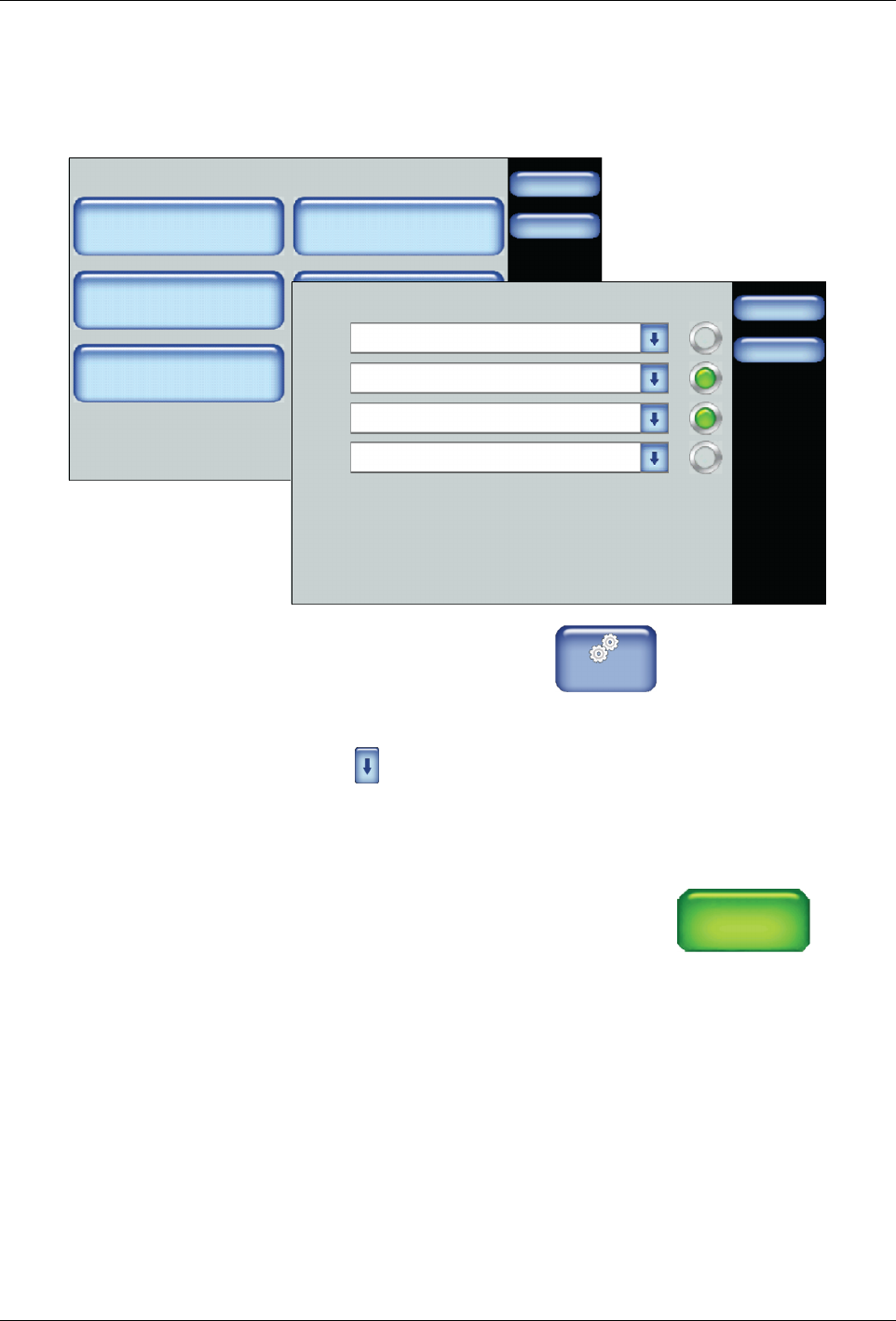
1. From the Home Display touch
Master
Controls
2. Touch Settings, then touch Input or Output.
3. Touch for the lnput or Output number you want to modify. Refer to
Default Input Settings and Default Output Settings for more information.
4. Touch Done.
NOTE: If you select the Input External Zone #A/#B option, the system
displays two opposing arrows beneath each other
←
←
to
indicate that it is controlled from a remote location.
Advanced Software Melter Configuration
7-18
Part 1121836_03
E 11/2014 Nordson Corporation
Default Input Settings
By default, all four inputs are pre-configured for you. The following table
details the defaults and available input options.
Input # Default Available Options
Input 1 Automatic
Standby
S
Disabled
S
Heater Control
S
Standby
S
Pump (Control)
S
External Zone# A/B
S
Automatic Standby
(only available for
Input 1)
Input 2 Standby
Input 3 Heater Control
Input 4 External Zone
1A/1B
Default Output Settings
By default, all three outputs are pre-configured for you. The following table
details the defaults and available output options.
Output # Default Available Options
Output 1 Ready
S
Disabled
S
Ready
S
Ready-Pump On
S
Fault
S
Tank Low
S
Alert
S
Service
Reminder
Output 2 Fault
Output 3 Tank Low
Advanced Software Melter Configuration
7-19
Part 1121836_03
E 11/2014 Nordson Corporation
System Settings
The following sections detail the following:
S
Defining format and units
S
Defining the data and time
S
Defining service intervals
S
Defining language preferences
S
Defining display options
Accessing System Settings
Done
Scheduler
Pump ControlHeater Control
Standby
Settings System
Master Controls
Scheduler: Off
Pump: OnHeaters: On
Standby: Off
System
Done
Home
Formats/Units
Date/Time
Password
Display
Service Interval Administration
Scheduler Language
03/20/2014 4:40PM
500 Hours
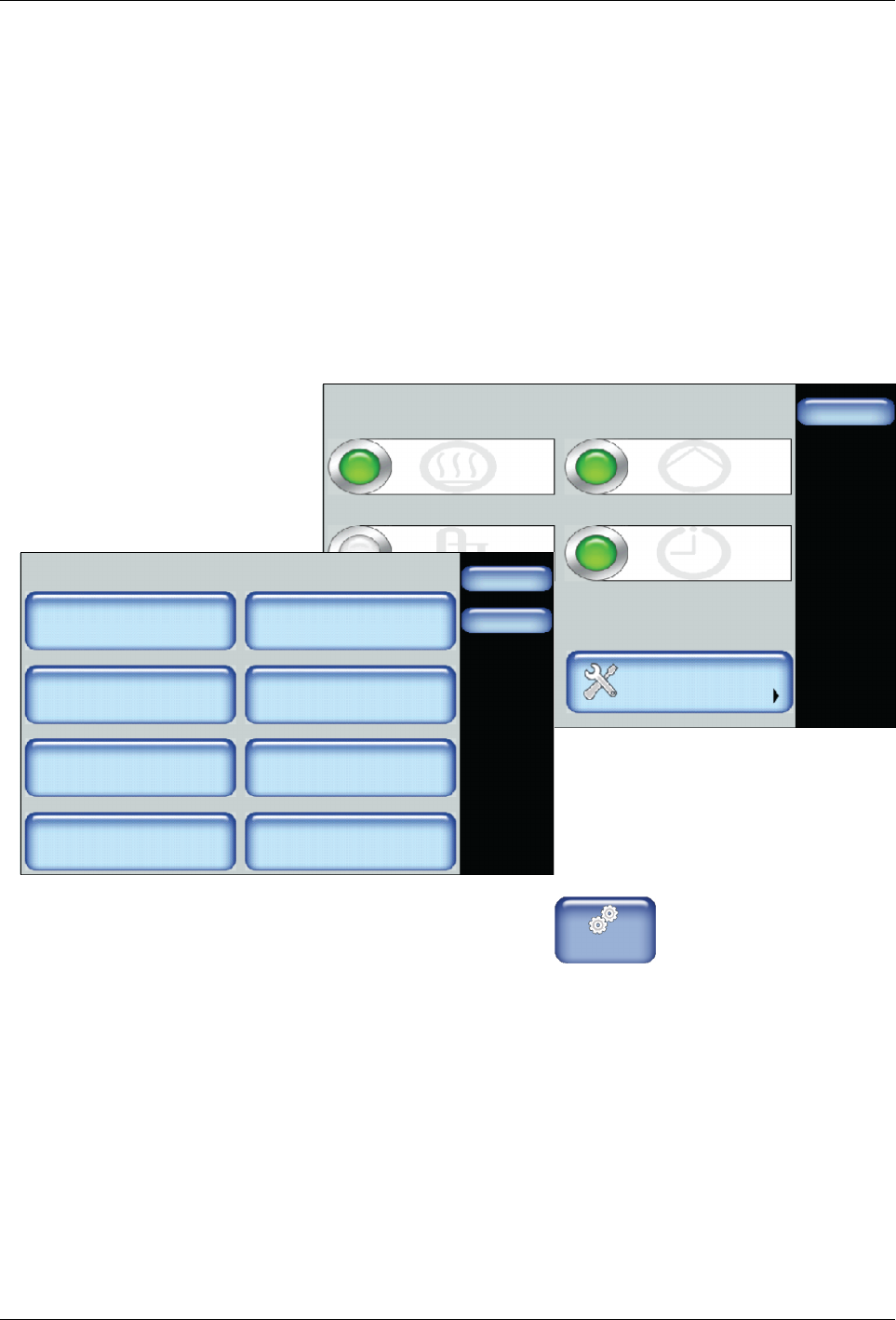
1. From the Home Display touch
Master
Controls
2. Touch System.
Refer to the following sections for more information.