AltaPail II Bulk Melters Product Manual.pdf - 第108页
Advanced Software M elter Configuration 7 -22 Part 1121836_03 E 1 1/2014 Nordson Corporation Defining Ser vice Intervals Service interva l refers to the number of hours the heaters have bee n on. Default Minimum Maximum …
Advanced Software Melter Configuration
7-21
Part 1121836_03
E 11/2014 Nordson Corporation
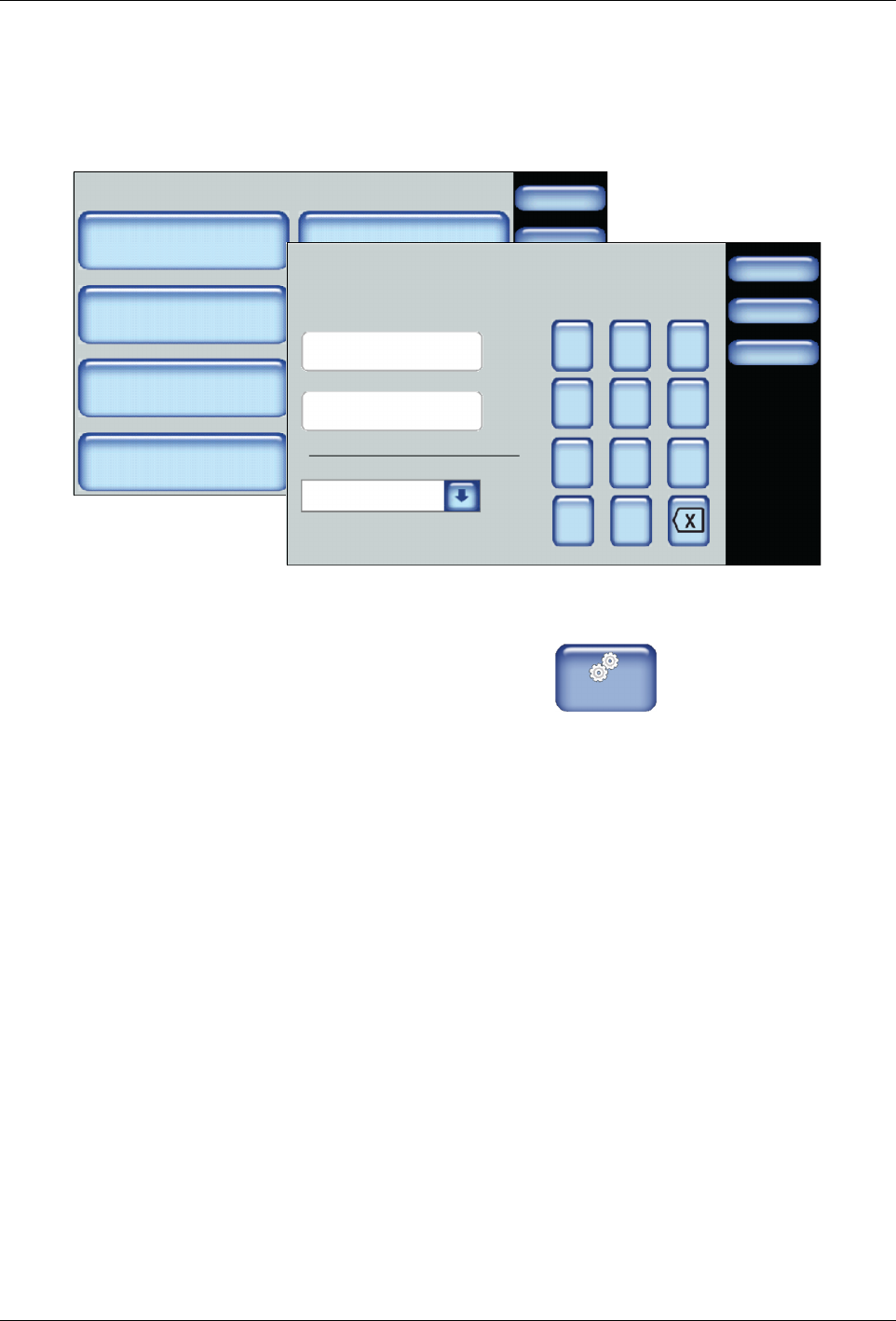
Defining the Date and Time
The date and time you define here is used by the system for all time and date
related functions, such as the Event Log and Service Intervals.
System
Done
Home
Formats/Units
Date/Time
Password
Display
Service Interval Administration
Scheduler Language
03/20/2014 4:40PM
500 Hours
Done
Cancel
7 8 9
4 5 6
1 2 3
0
Date/Time Settings
Date:
Home
/:
Time:
Day of the Week:
03/20/2014
14:40
Tuesday
1. From the Home Display touch
Master
Controls
2. Touch System, then Date/Time.
3. Enter the current date, time and select the day of the week.
4. Touch Done.
Advanced Software Melter Configuration
7-22
Part 1121836_03
E 11/2014 Nordson Corporation
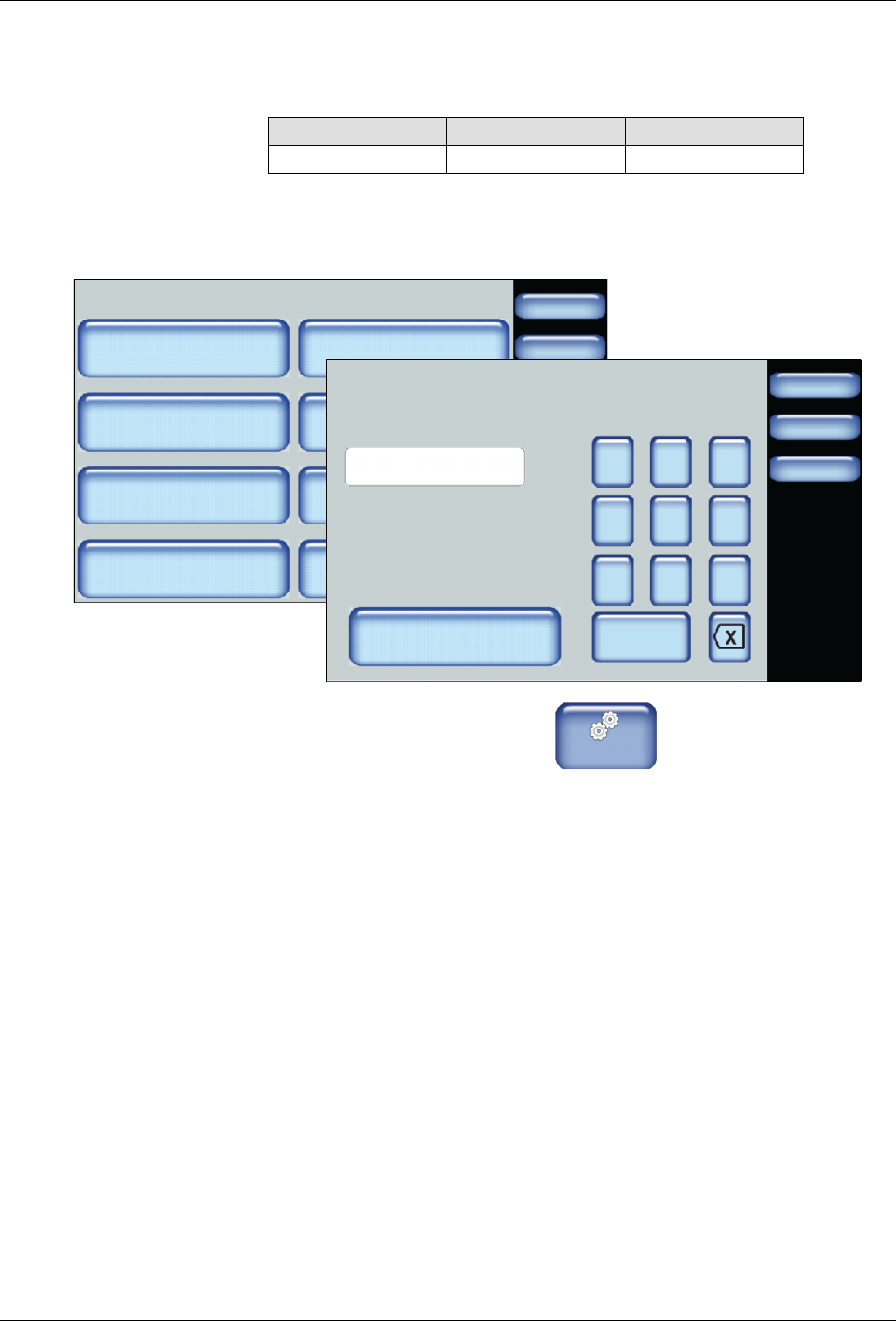
Defining Service Intervals
Service interval refers to the number of hours the heaters have been on.
Default Minimum Maximum
500 hours 1 hour 8760 hours
NOTE: Refer to Resetting Service Interval Messages for more information.
System
Done
Home
Formats/Units
Date/Time
Password
Display
Service Interval Administration
Scheduler Language
03/20/2014 4:40PM
500 Hours
Done
Cancel
7 8 9
4 5 6
1 2 3
0
Service Interval
Clear Service Reminder
Home
HoursHours
500
1. From the Home Display touch
Master
Controls
2. Touch System, then Service Interval.
3. Enter the number of heater on hours after which you want the system to
display a service reminder message.
4. Touch Done.
Advanced Software Melter Configuration
7-23
Part 1121836_03
E 11/2014 Nordson Corporation
Resetting Service Interval Messages
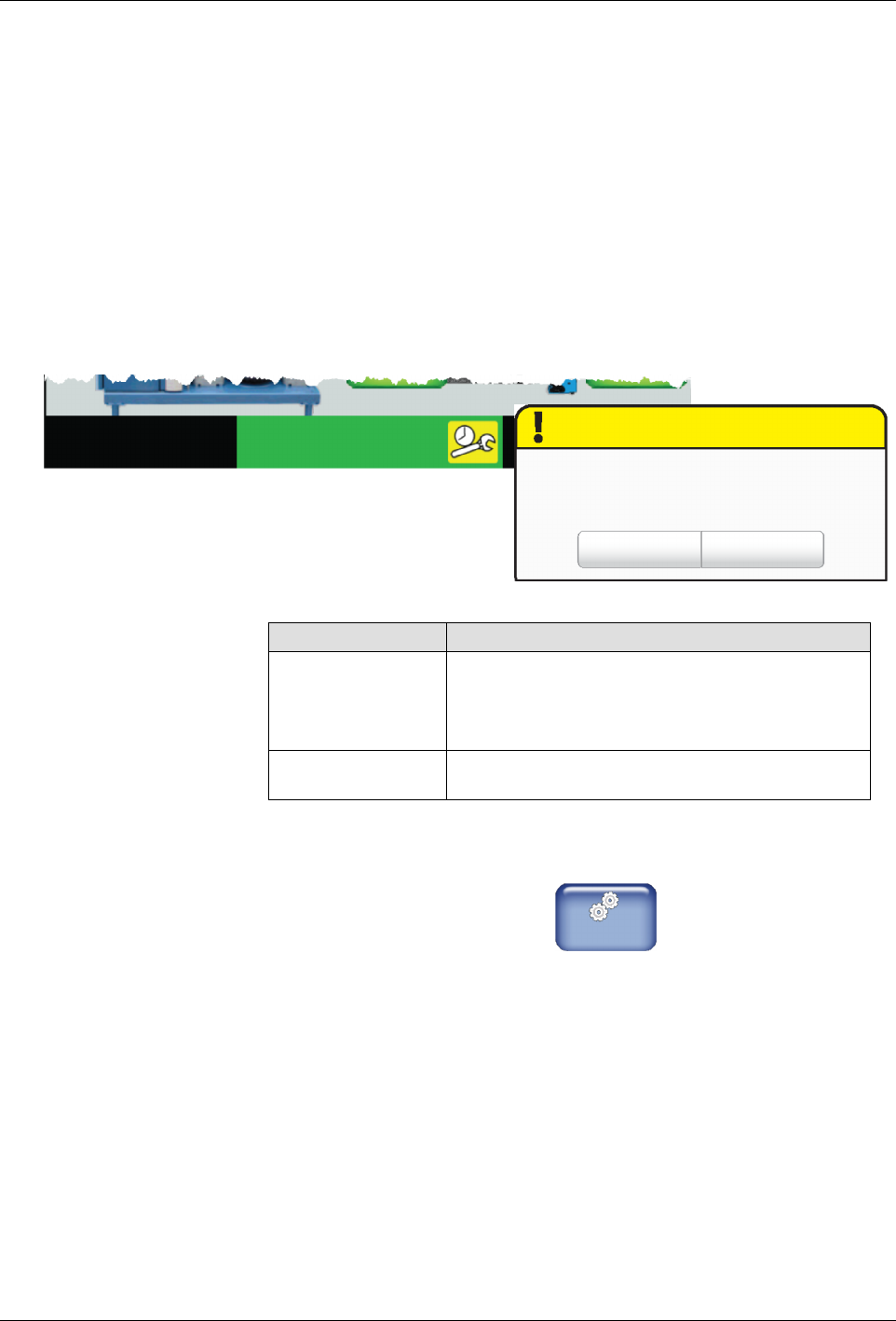
When the heaters have been on for more than the defined (default 500)
hours, a pop-up message appears and the system status indicates
Ready\Service.
There are two ways to reset the service interval value.
S
From the Service Reminder pop-up message
S
From the Service Interval screen
From the pop-up message
Service Reminder
ClearOK
The heaters have been on for more then 500 hours. Melter is working
but maintenance required.
3/20/2012 16:40
System Status:
Ready Service Req.
Touch Description
OK Closes the pop-up message, but the service
reminder condition still exists.
The System Status indicator continues to display
the Ready\Service.
Clear Closes the pop-up message, and resets the
service reminder counter back to 0 (zero) hours.
From the Service Interval Screen
1. From the Home Display touch
Master
Controls
2. Touch System, then Service Interval.
3. Touch Clear Service Reminder to reset the service interval counter
back to 0 (zero) hours.
4. Touch Done.