AltaPail II Bulk Melters Product Manual.pdf - 第132页
Advanced Software M elter Configuration 7 -46 Part 1121836_03 E 1 1/2014 Nordson Corporation Resetting Password C odes Use Reset Passw ord to revert all 3 levels of pa ssword codes back to their default codes. The follow…
Advanced Software Melter Configuration
7-45
Part 1121836_03
E 11/2014 Nordson Corporation
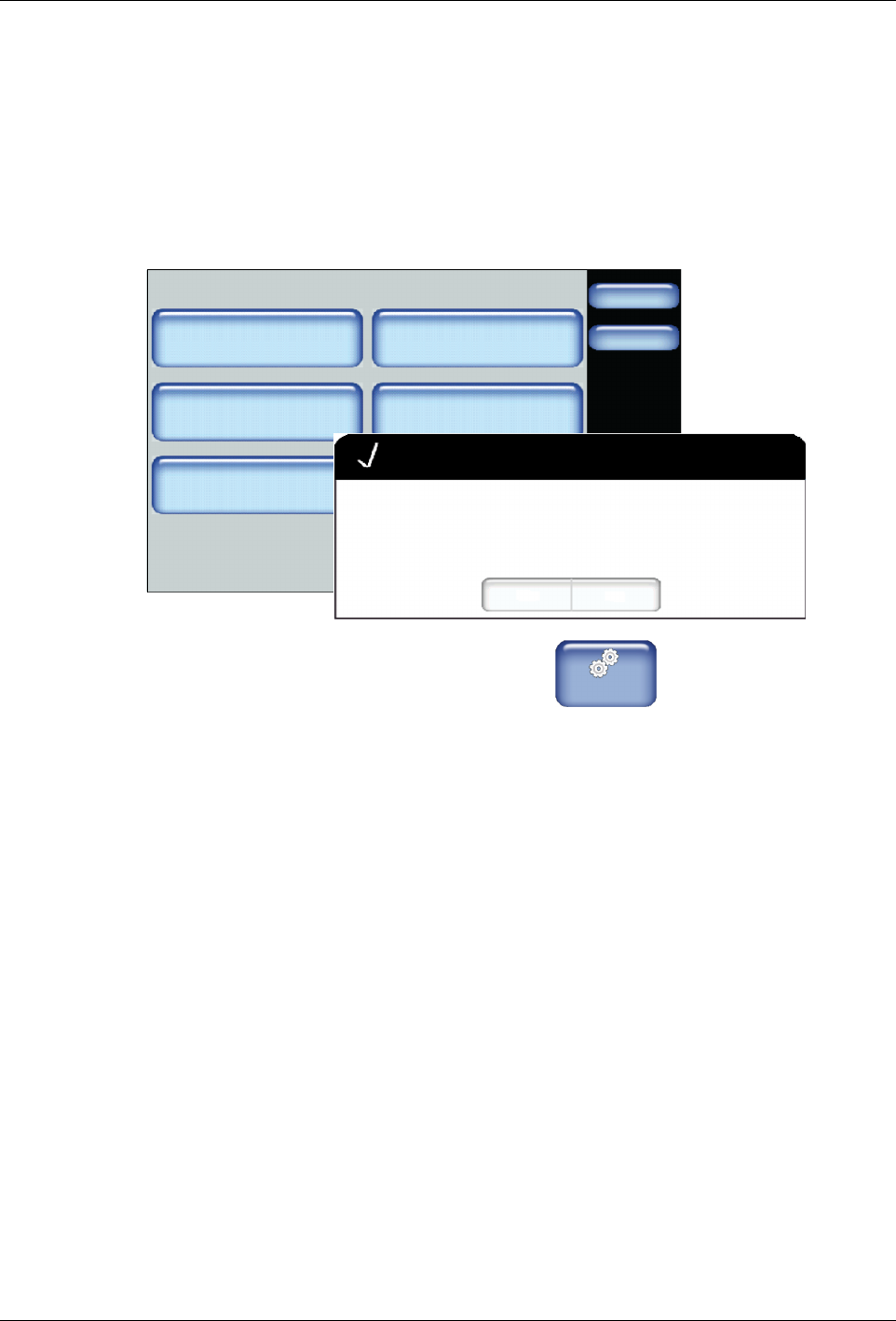
Resetting to System Defaults
Use system reset to revert all user definable software settings back to factory
defaults.
NOTE:
S
Recipes are stored on the Internal SD card, and are therefore NOT
deleted or changed.
Administration
Done
Home
System Reset
Display/Save Diagnostics
Recipes
Lockout Communication
Reset Password Display System Data
Off
Confirm
Yes No
Are you sure you want to revert back to factory settings?
1. From the Home Display touch
Master
Controls
2. Touch System, then Administration.
3. Touch System Reset. A pop-up message appears.
4. Touch Yes to revert all user definable settings back to factory defaults.
5. Touch Done.
Advanced Software Melter Configuration
7-46
Part 1121836_03
E 11/2014 Nordson Corporation
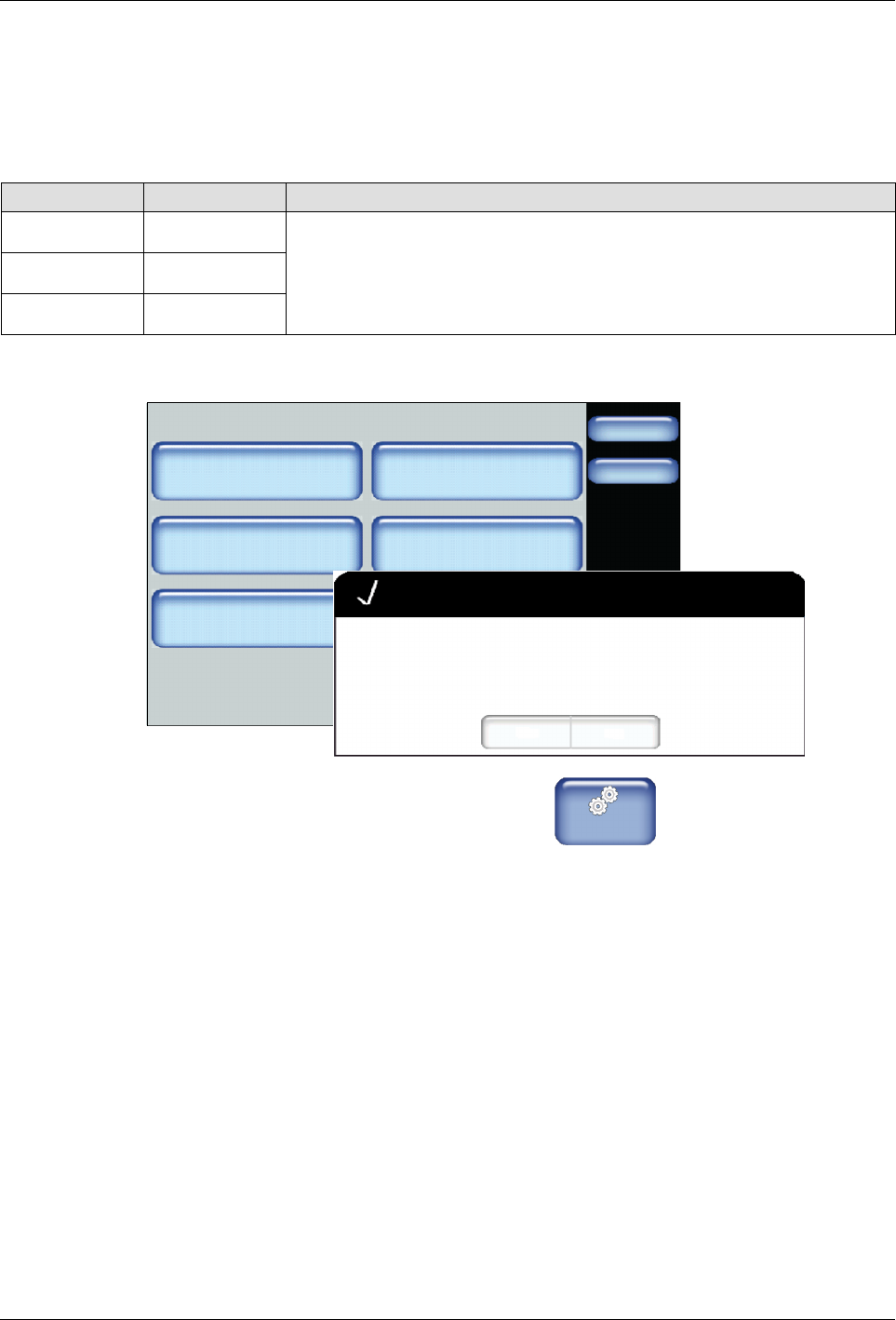
Resetting Password Codes
Use Reset Password to revert all 3 levels of password codes back to their
default codes.
The following are the default password level numeric codes:
Level # Default Code Notes
1 1000
S
Cannot start with the number 0 (zero).
S
Can be one up to five numbers long.
S
The largest 5 digit number is 65535.
S
Each
level
must
have
a
unique
numeric
code.
2 2000
3 3000
Administration
Done
Home
System Reset
Display/Save Diagnostics
Recipes
Lockout Communication
Reset Password Display System Data
Off
Confirm
Yes No
Are you sure you want to reset all passwords to factory default?
1. From the Home Display touch
Master
Controls
2. Touch System, then Administration.
3. Touch Reset Password. A pop-up message appears.
4. Touch Yes to revert all three password level codes to their default values.
5. Touch Done.
Advanced Software Melter Configuration
7-47
Part 1121836_03
E 11/2014 Nordson Corporation
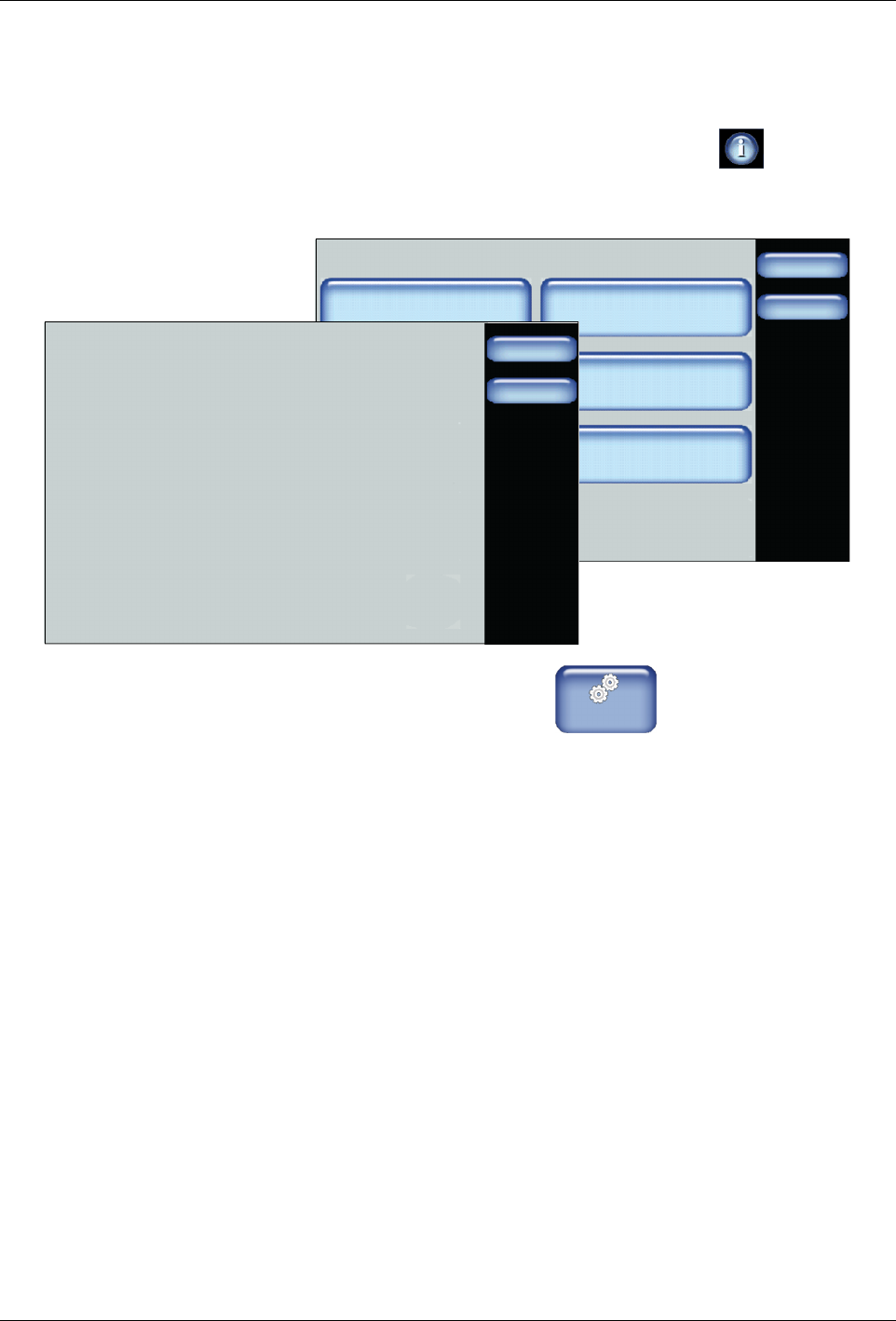
Viewing System Data
Use the System Data screen to view current and historical information.
NOTE: You can also view system data by touching the located at the
bottom of the Home screen.
Administration
Done
Home
System Reset
Display/Save Diagnostics
Recipes
Lockout Communication
Reset Password Display System Data
Off
Done
Home
System Data
Hours Heaters On: 455
Firmware Version: 4;40
Motor Board Firmware Version: 7.2
Unit On Time: (Hours): 383
Time in Standby (Hours): 22
Service Interval: 500
Hours Until Service Alert: 1
1. From the Home Display touch
Master
Controls
2. Touch System, then Administration.
3. Touch Display System Data. Review the information.
4. Touch Done.