AltaPail II Bulk Melters Product Manual.pdf - 第118页
Advanced Software M elter Configuration 7 -32 Part 1121836_03 E 1 1/2014 Nordson Corporation 2. Do you want to copy this ex act schedule to th e other days of the week? If…. Then Yes a. Touch to copy the schedule into m …
Advanced Software Melter Configuration
7-31
Part 1121836_03
E 11/2014 Nordson Corporation
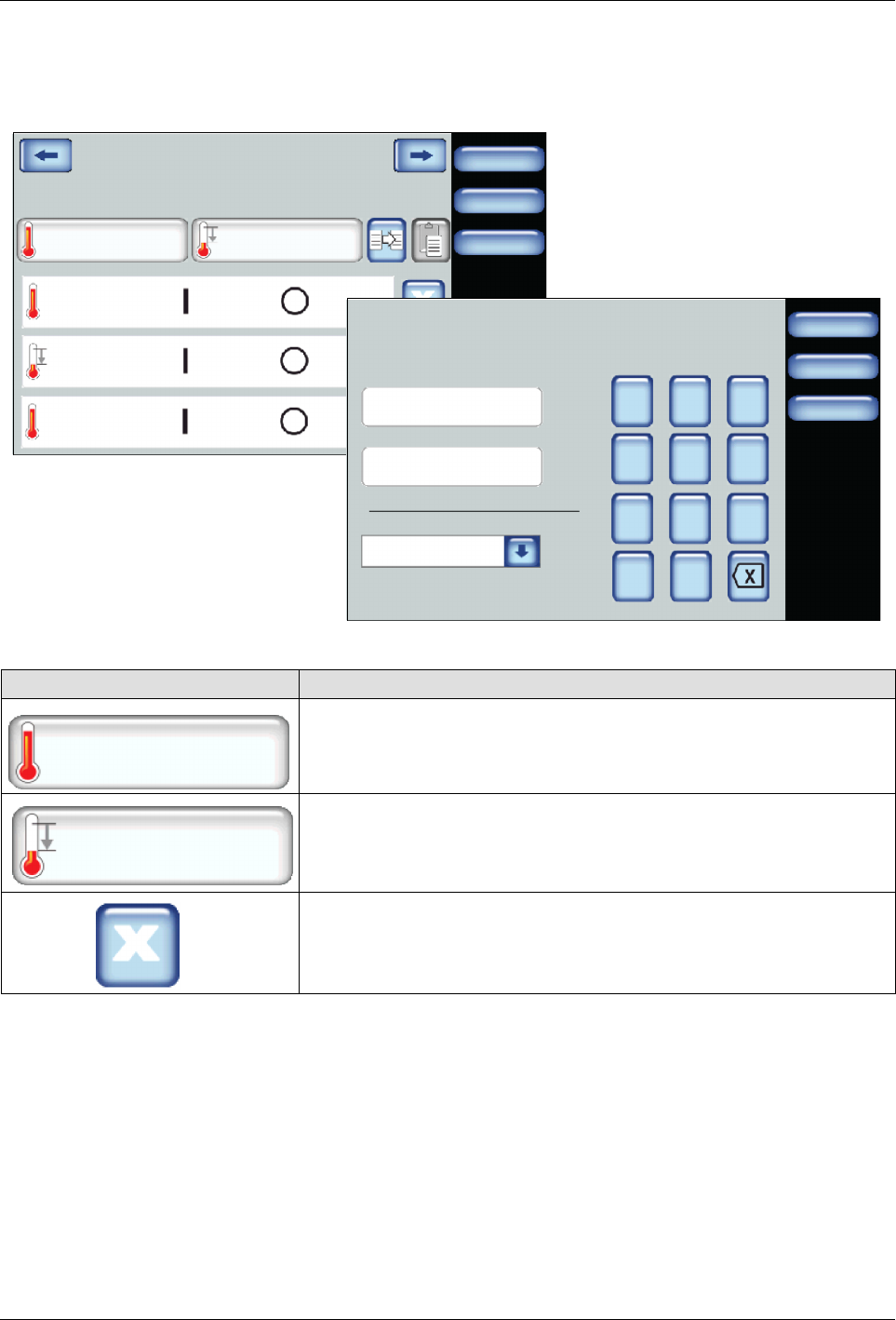
Step 2: Define the first work day of the week that you want to start
scheduling event
Done
Cancel
Scheduler:Monday
Add Heat Event
Home
Add Standby Event
Heat
Standby
Heat
06:00 11:30
11:31 13:00
13:01 18:30
Done
Cancel
7 8 9
4 5 6
1 2 3
0
Add Heat Event
Date:
Home
/:
Time:
Day of the Week:
03/20/2014
14:40
Tuesday
1. Do the following to continue:
Touch Description
Add Heat Event
Enter the time when you want the heaters to switch On and Off.
Typically, you would have only one heat event per day.
Add Standby Event
Enter the time when you want the system to enter, then exit Standby
Mode.
You can include multiple Standby events to include lunch breaks, shift
changes and so on.
To remove the event.
Advanced Software Melter Configuration
7-32
Part 1121836_03
E 11/2014 Nordson Corporation
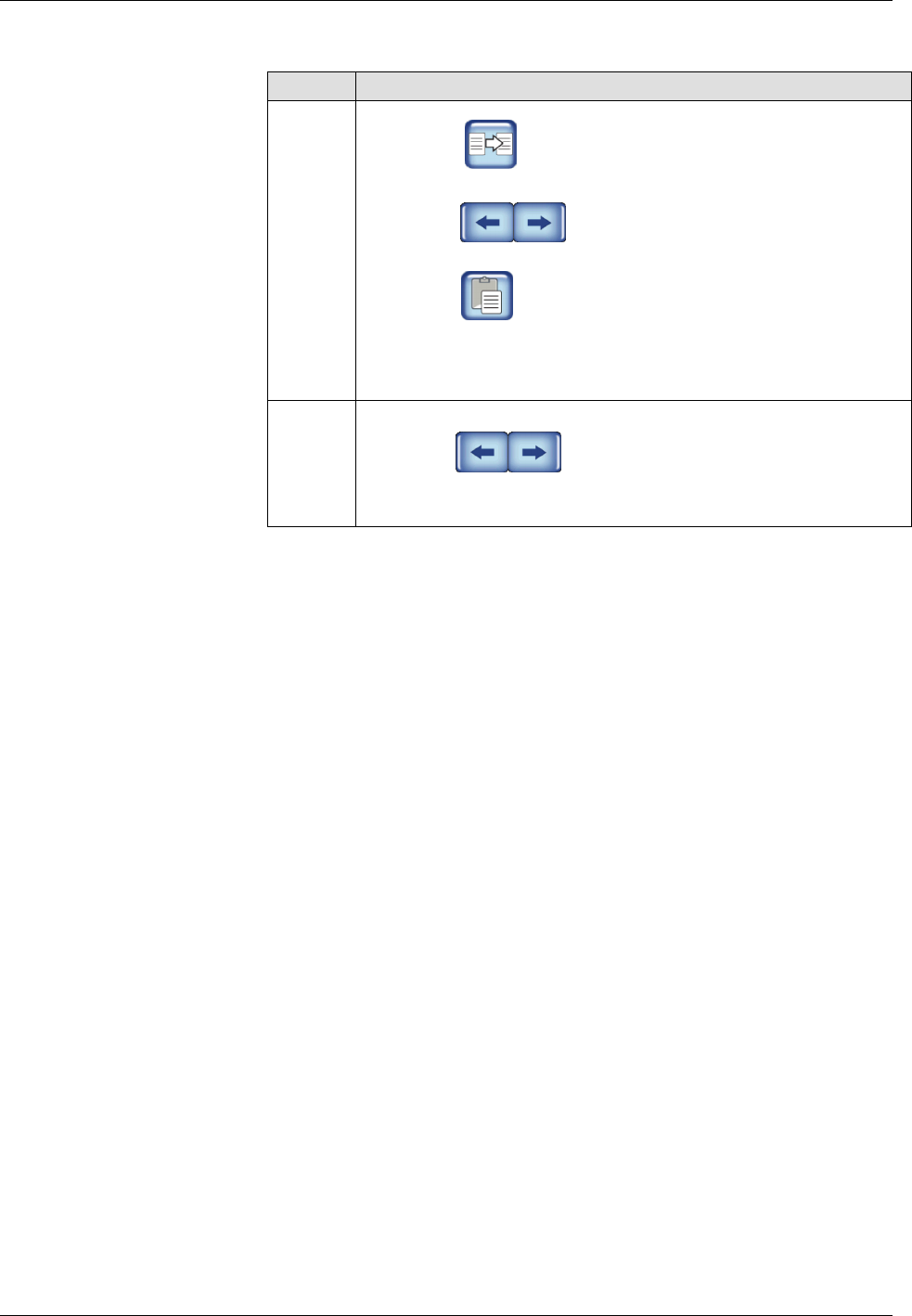
2. Do you want to copy this exact schedule to the other days of the week?
If…. Then
Yes
a. Touch to copy the schedule into memory.
b. Touch to copy the ouch Next or Previous Day.
c. Touch to paste the schedule to the day you want.
d. Repeat steps b and c until you are done. Proceed to Step 3.
No
a. Touch to copy the ouch Next or Previous Day.
b. Touch Done. Proceed to Step 3
Advanced Software Melter Configuration
7-33
Part 1121836_03
E 11/2014 Nordson Corporation
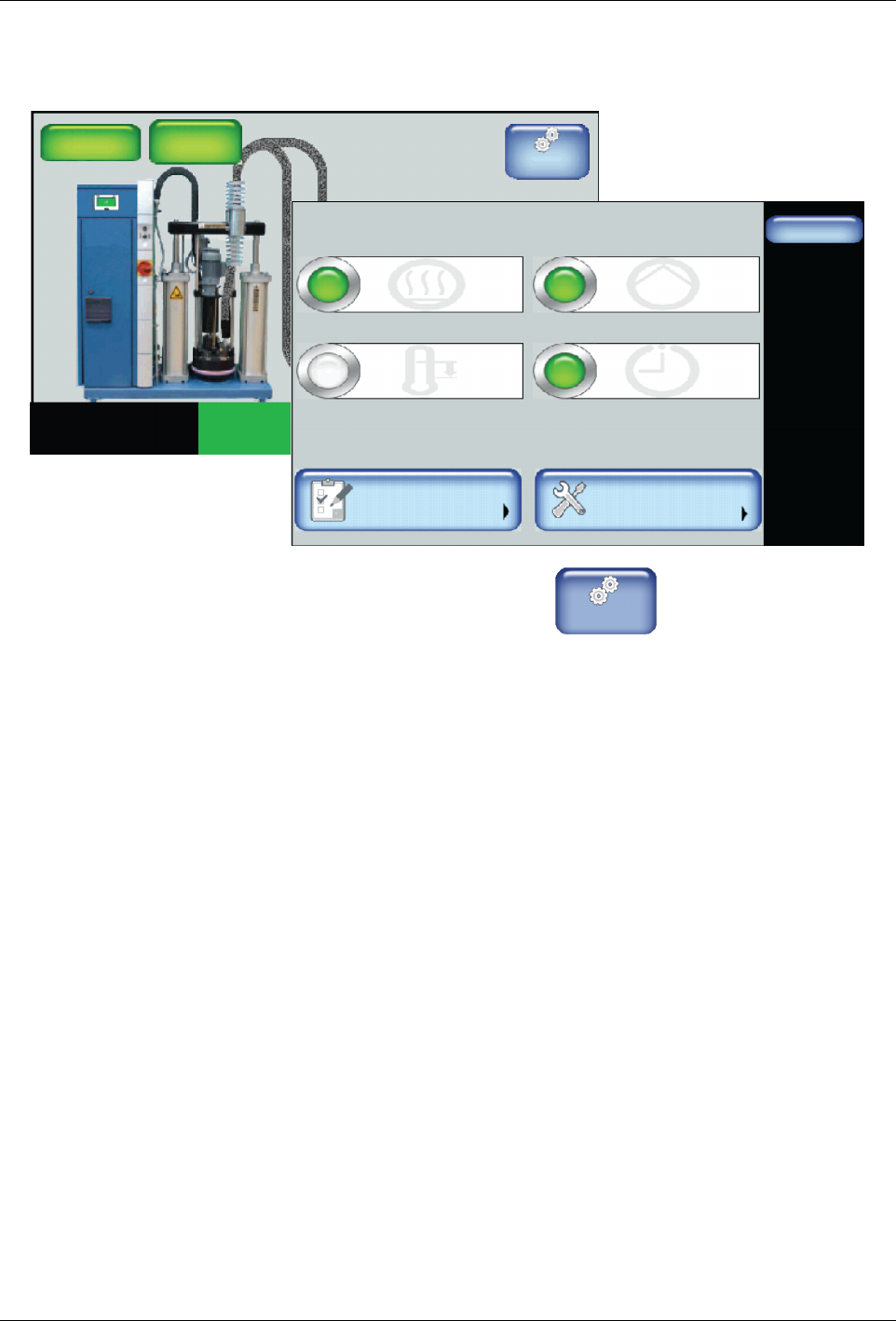
Step 3: Switch On the Master Scheduler Control
Master
Controls
System Status:
Platen
176_C
176_C
Pump
GTL
32 RPM
Zone 1A
Ready/OK
Pump: On
Heaters:On
Password: Disabled
Recipes:
Nothing Loaded
176_C
Zone 1B
176_C
Zone 2A
176_C
Zone 2B
Done
Scheduler
Pump ControlHeater Control
Standby
Settings System
Master Controls
Scheduler: Off
Pump: OnHeaters: On
Standby: Off
1. From the Home Display touch
Master
Controls
2. Touch the Scheduler button to switch it On.
3. Touch Done.