AltaPail II Bulk Melters Product Manual.pdf - 第91页
Advanced Software Me lter Configuration 7 -5 Part 1121836_03 E 1 1/2014 Nordson Corporation Defining a Global Set Poin t Tempera ture f or A ll Hoses Use global set point temperature to configure only the hoses with a un…
Advanced Software Melter Configuration
7-4
Part 1121836_03
E 11/2014 Nordson Corporation
Defining Temperature Limits
Use Temperature Limits to define the number of degrees a zone can
increase or decrease from its assigned set point temperature before a
temperature alert\fault occurs.
Setting Default Minimum Maximum
Over Temperature 15°C (25°F)
5°C (10°F) 60°C (110°F)
Under
Temperature
25°C (50°F)
NOTE: The zone itself changes to yellow
Zone 1A
Alert
If you do not
resolve the over\under alert condition within two minutes of it being detected,
the Alert changes to a Fault condition, causing both Heater and Pump
Controls to automatically switch Off.
Temperature
Done
Home
Global Set Point
Temperature Limits
Set Point - All Applicators
Set Point - All Hoses
1
2 3
0
4
5 6
7 8 9
Temperature Limits
15
o
C
Done
Cancel
Home
o
C
25
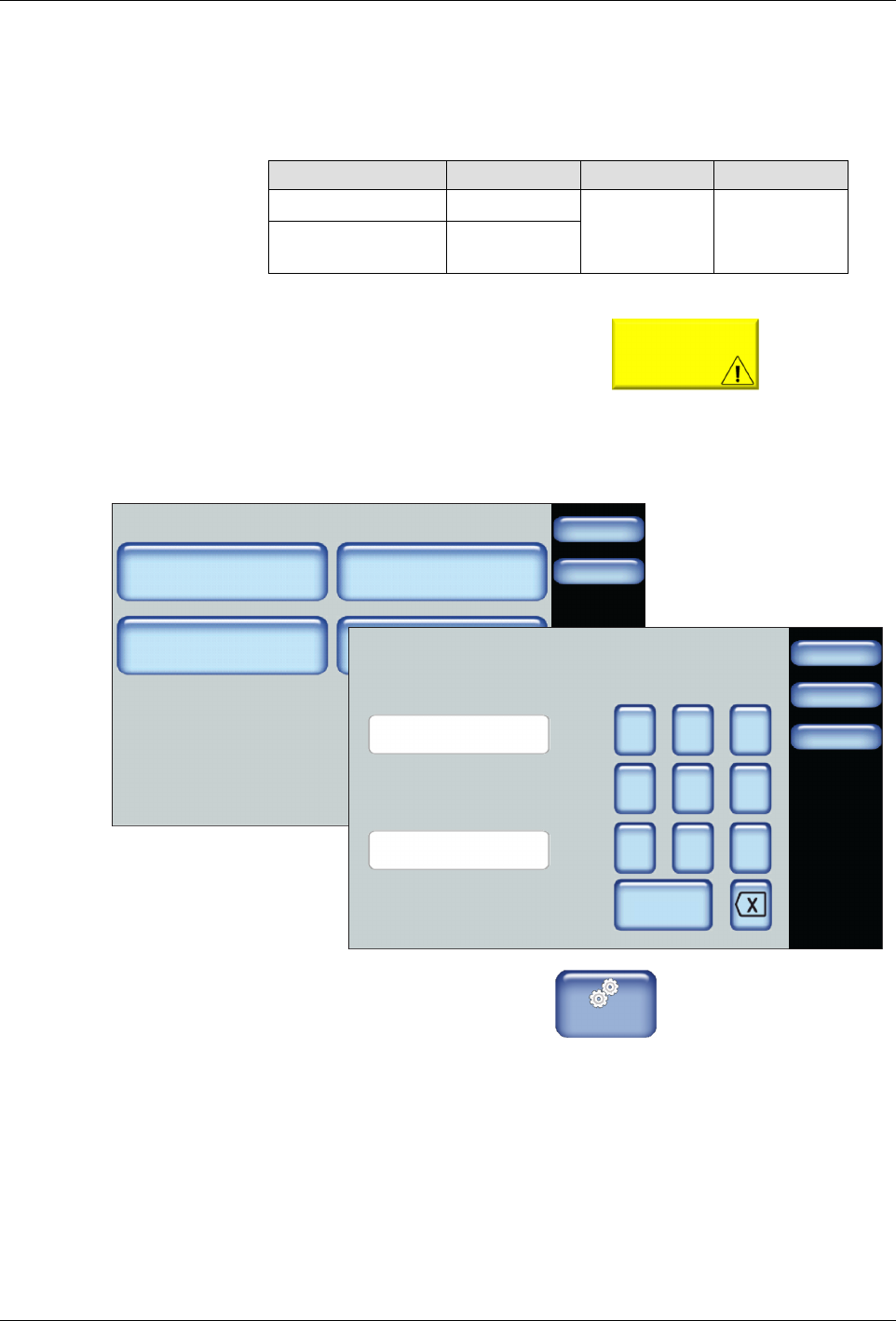
1. From the Home Display touch
Master
Controls
2. Touch Settings, then Temperature.
3. Touch Temperature Limits and enter the Over and Under temperature
thresholds you want to enforce.
4. Touch Done.
Advanced Software Melter Configuration
7-5
Part 1121836_03
E 11/2014 Nordson Corporation
Defining a Global Set Point Temperature for All Hoses
Use global set point temperature to configure only the hoses with a uniform
set point temperature.
For Melters:
7407039, 7407040, 7407041. 7407042, 7407668 and 7407669
Default Minimum Maximum
176°C (350°F) 40°C (100°F) 176°C (350°F)
For Melters:
7407664, 7407665, 7407666, 7407667, 7407670 and 7407671
Default Minimum Maximum
232°C (450°F) 40°C (100°F) 232°C (450°F)
NOTE: Defining a global set point temperature enables previously disabled
zones.
Temperature
Done
Home
Global Set Point
Temperature Limits
Set Point - All Applicators
Set Point - All Hoses
Done
Cancel
7 8 9
4 5 6
1 2 3
0
Set Point - All Hoses
176
Home
C
o
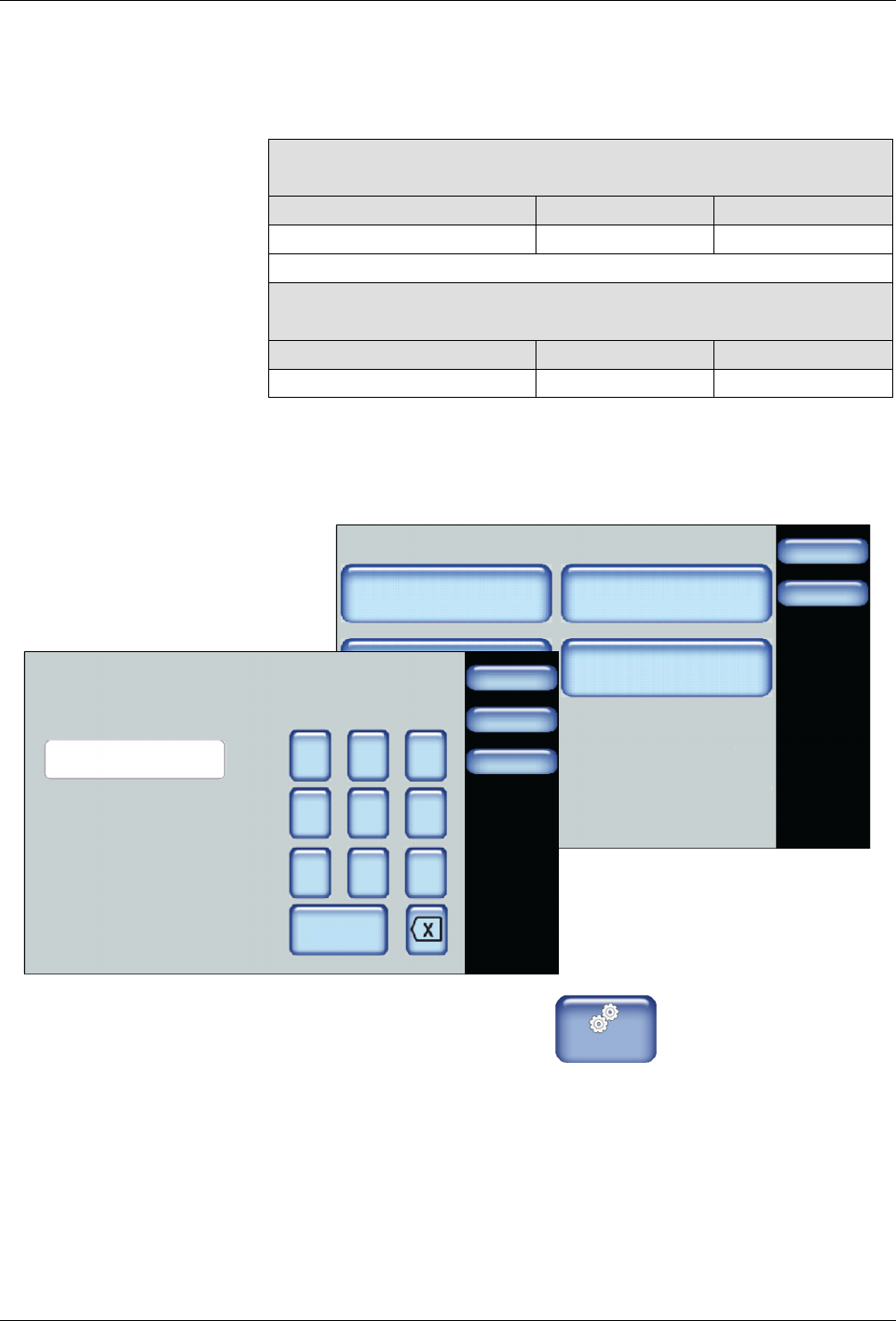
1. From the Home Display touch
Master
Controls
2. Touch Settings, then Temperature.
3. Touch Set Point - All Hoses and enter the set point temperature you
want for all available hoses.
4. Touch Done.
Advanced Software Melter Configuration
7-6
Part 1121836_03
E 11/2014 Nordson Corporation
Defining a Global Set Point Temperature for All Applicators
Use global set point temperature to configure only the applicators with a
uniform set point temperature.
For Melters:
7407039, 7407040, 7407041. 7407042, 7407668 and 7407669
Default Minimum Maximum
176°C (350°F) 40°C (100°F) 176°C (350°F)
For Melters:
7407664, 7407665, 7407666, 7407667, 7407670 and 7407671
Default Minimum Maximum
232°C (450°F) 40°C (100°F) 232°C (450°F)
NOTE: Defining a global set point temperature enables previously disabled
zones.
Temperature
Done
Home
Global Set Point
Temperature Limits
Set Point - All Applicators
Set Point - All Hoses
Done
Cancel
7 8 9
4 5 6
1 2 3
0
Set Point - All Applicators
176
Home
C
o
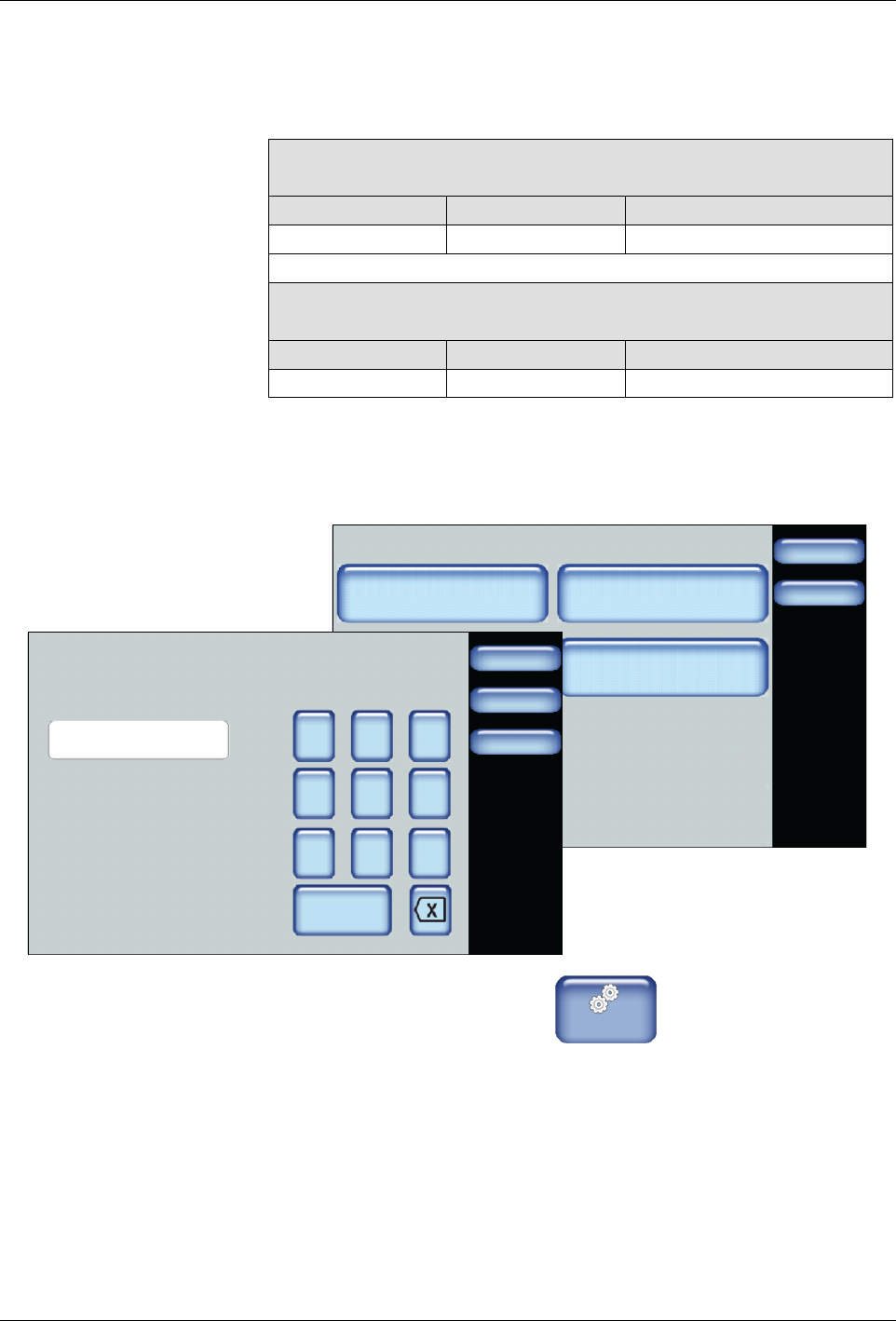
1. From the Home Display touch
Master
Controls
2. Touch Settings, then Temperature.
3. Touch Set Point - All Applicators and enter the set point temperature
you want for all available applicators.
4. Touch Done.