AltaPail II Bulk Melters Product Manual.pdf - 第87页
Advanced Software Me lter Configuration 7 -1 Part 1121836_03 E 1 1/2014 Nordson Corporation Section 7 Advanced Software Melter Config uration WARNING! Allow only qual ified personnel to p erform the following ta sks. Fol…
Basic Software Melter Configuration
6-17
Part 1121836_03
E 11/2014 Nordson Corporation
Pump
Done
Adjust Speed
Pump Control
85 RPM
Advanced
Pump: On
Operation Mode
MAN
Done
Cancel
7 8 9
4 5 6
1 2 3
0
Pump 1\ Pump Speed (RPM)
0
Home
RPM
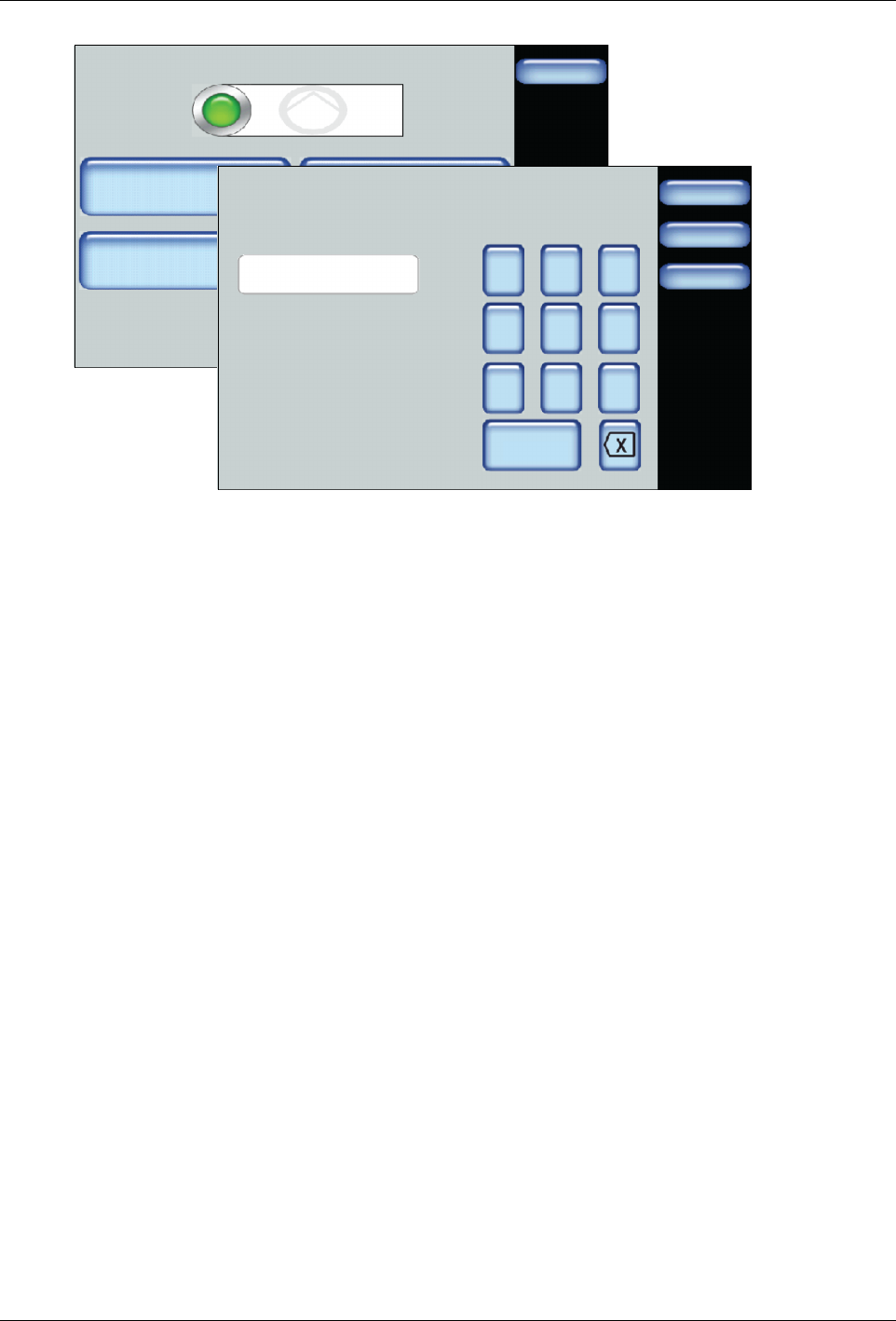
Figure 6-5 Configuring and adjusting Manual mode
Advanced Software Melter Configuration
7-1
Part 1121836_03
E 11/2014 Nordson Corporation
Section 7
Advanced Software Melter Configuration
WARNING! Allow only qualified personnel to perform the following tasks.
Follow the safety instructions in this document and all other related
documentation.
Overview
The melter is shipped from the factory with most temperature, pump and
melter (system) settings pre-configured and ready to use. However, there are
some settings that you must configure and fine-tune to best fit your
manufacturing process.
Accessing the Settings Screen
Done
Scheduler
Pump ControlHeater Control
Standby
Settings System
Master Controls
Scheduler: Off
Pump: OnHeaters: On
Standby: Off
Settings
Done
Home
Temperature
Input
Ready Delay
Standby
Output Pump
S
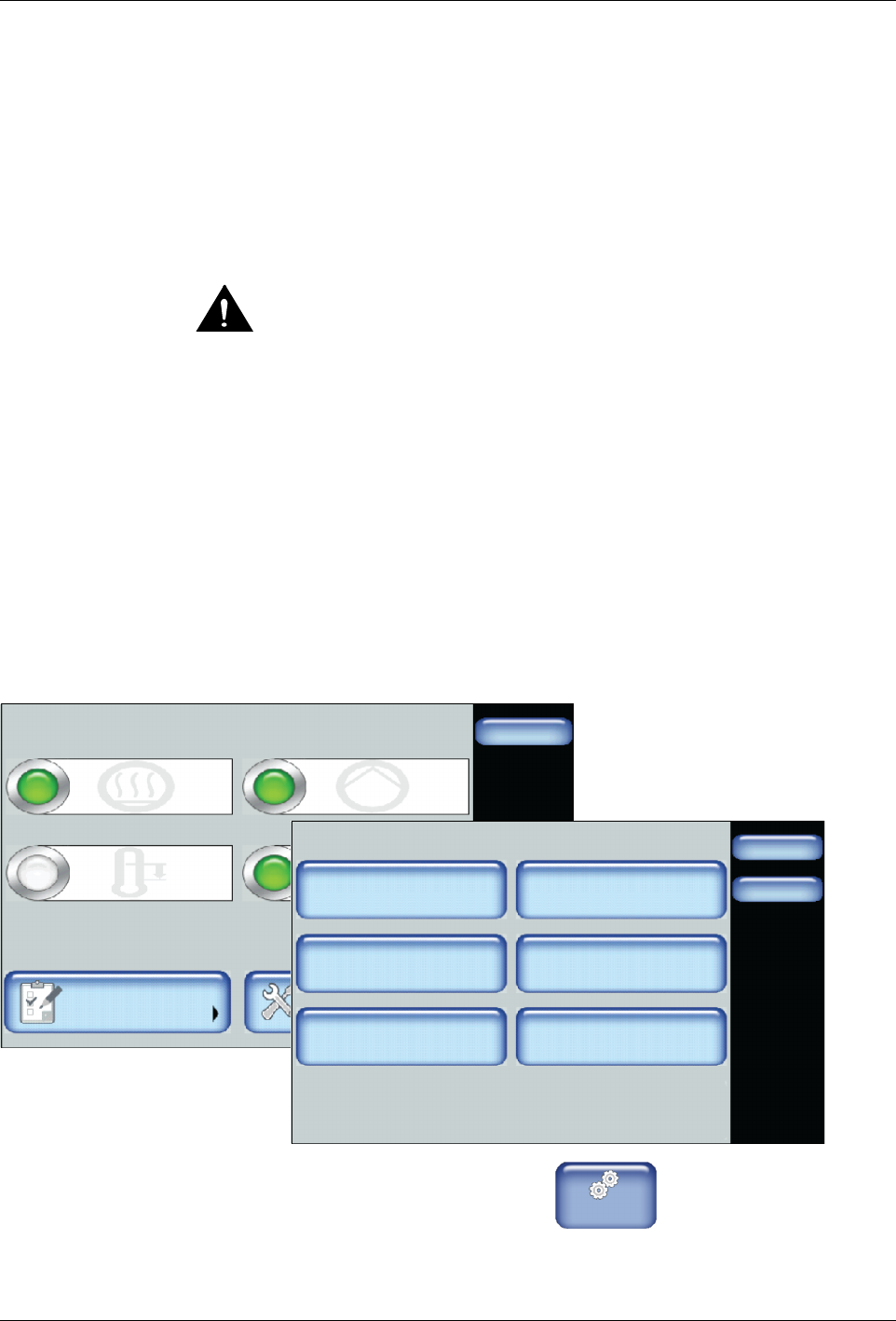
From the Home Display touch
Master
Controls
then touch Settings.
Advanced Software Melter Configuration
7-2
Part 1121836_03
E 11/2014 Nordson Corporation
Advanced Temperature Settings
The following sections detail the following:
S
Defining a global set point temperature (all zones)
S
Defining over and under temperature limits
S
Defining a set point temperature only for all hoses
S
Defining a set point temperature only for all applicators
Accessing Temperature Settings
Settings
Done
Home
Temperature
Input
Ready Delay
Standby
Output Pump
Temperature
Done
Home
Global Set Point
Temperature Limits
Set Point - All Applicators
Set Point - All Hoses
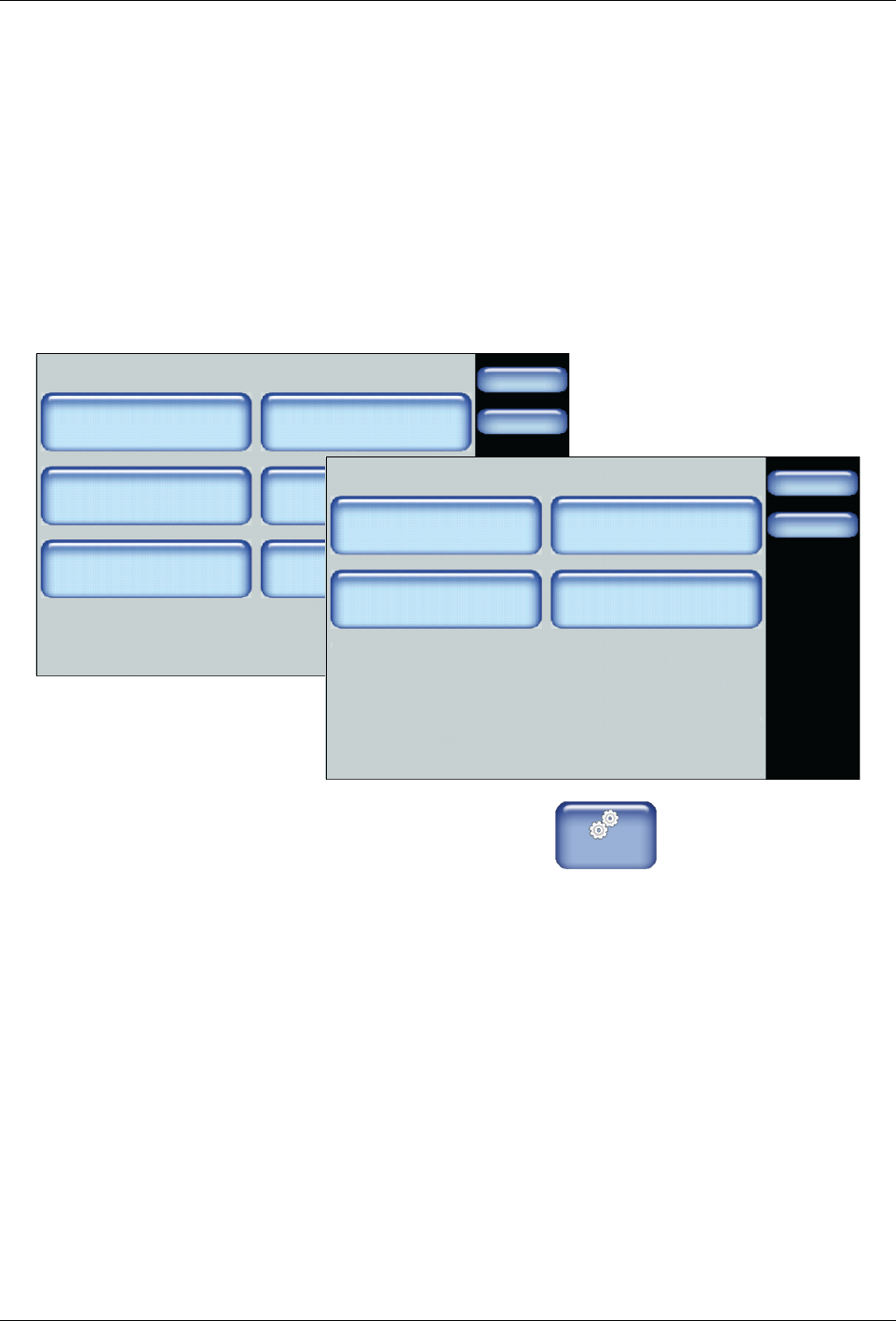
1. From the Home Display touch
Master
Controls
2. Touch Settings, then Temperature.
Refer to the following sections for more information.