AltaPail II Bulk Melters Product Manual.pdf - 第62页
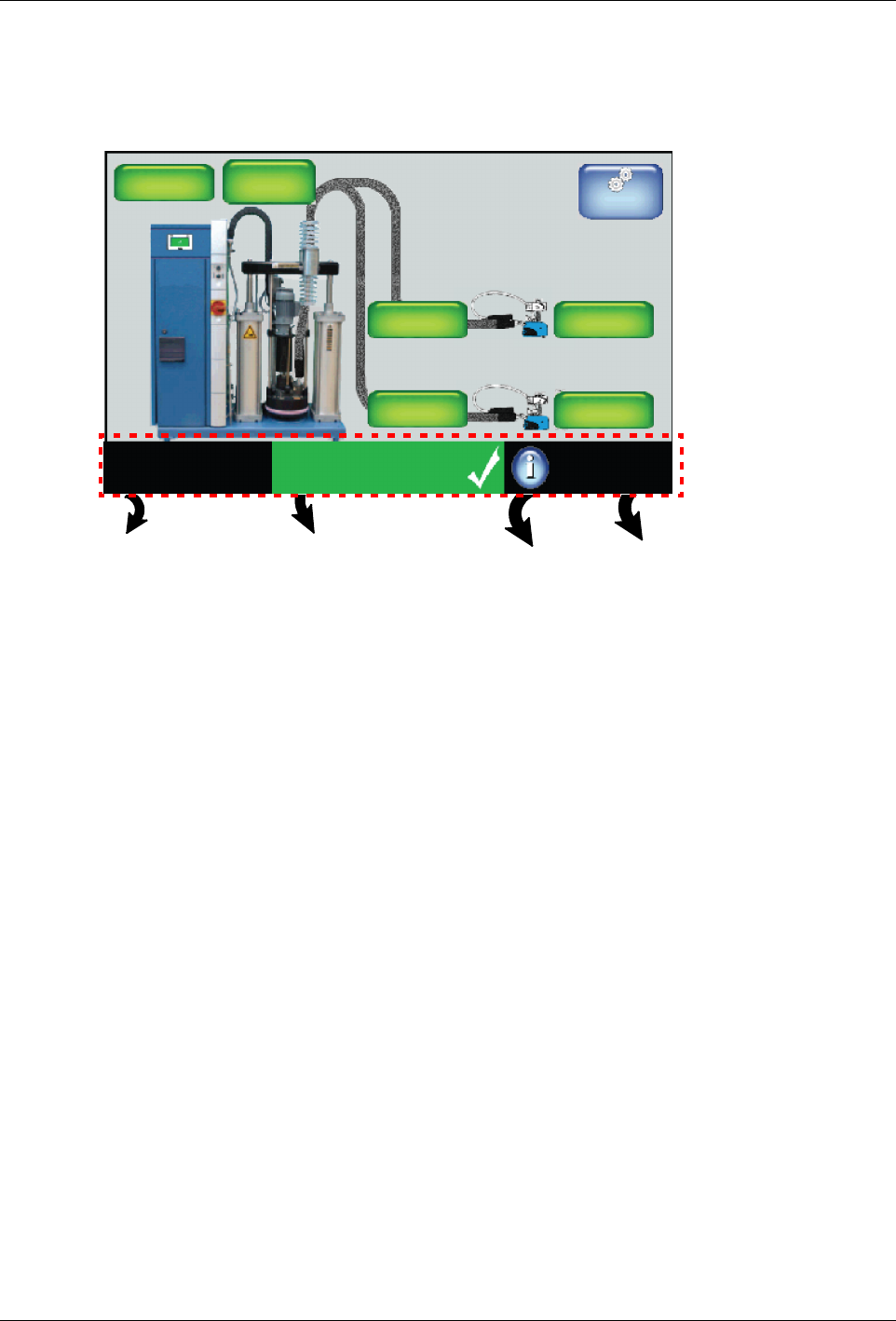
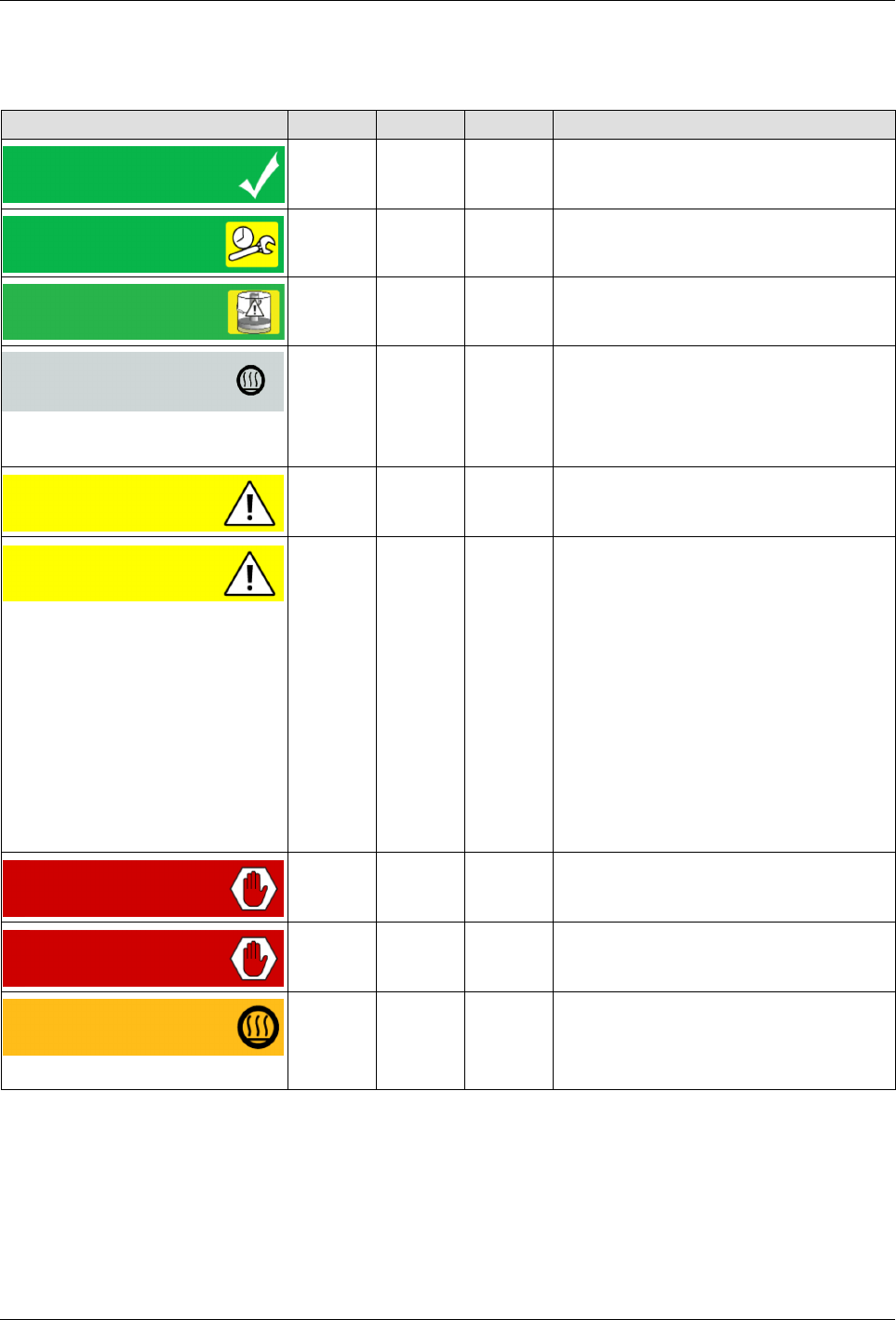
About the Touch Screen Display and U ser Interface 5 -1 1 Part 1121836_03 E 1 1/2014 Nordson Corporation About th e Melter Statuses Indi cator The following ta ble details th e melter a nd zone\pump status mes sages. But…
About the Touch Screen Display and User Interface
5-10
Part 1121836_03
E 11/2014 Nordson Corporation
Monitoring the Status of the Melter
You can view the status of the melter from the following:
View which, if any, recipe is
currently loaded.
Touch to create, delete, load
or unload a recipe.
View overall
melter status.
Touch to view
the event log
View (only) the state of the
Master Heater and Pump
controls, as well as whether
or not password protection
is enabled.
Touch to view
Melter statistics.
System Status:
Ready/OK
Platen
176_C
176_C
Pump
GTL
32 RPM
Zone 1A
Pump: On
Heaters: On
Password: Disabled
Recipes:
Nothing Loaded
176_C
Zone 1B
176_C
Zone 2A
176_C
Zone 2B
Master
Controls
NOTE: Refer to the Quick Reference Card for additional information.
About the Touch Screen Display and User Interface
5-11
Part 1121836_03
E 11/2014 Nordson Corporation
About the Melter Statuses Indicator
The following table details the melter and zone\pump status messages.
Button Color Heaters Pumps Description
System Status:
Ready\OK
Dark
green
On On All available and enabled zones and
the pump are at their set points and/or
have a status of Ready\OK.
System Status:
Ready \ Service
Dark
Green
On On Same as Ready\OK, but a component
requires regular scheduled servicing.
System Status:
Ready Low Level
Dark
Green
On On Same as Ready\OK, but the container
should be replaced.
System Status:
Heaters Off
Light
Gray
Off On/Off Zones at set point temperatures,
pumps ready, but the master Heater
control is Off.
NOTE: This could be the result of
a zone or pump fault.
System Status:
Alert
Yellow On On The melter continues to work, but
some functions may not be available.
Melter requires servicing.
Zone Alert:
Zone 1A
Yellow On On The system has detected a zone or
pump alert condition. The melter
continues to operate normally, but
some functions may not be available.
Melter requires servicing.
NOTE: You have 2 minutes from
the time the system detects an
RTD and\or an over\under
temperature alert before it is
upgraded to a Fault condition,
thereby stopping the pump. The
heaters remain on, but all enabled
zones cool and are maintained to
their Standby temperatures.
System Status:
Fault
Red Off Off A system fault condition has been
detected. The melter has stopped
working.
Zone Fault:
Zone
Red Off Off The system has detected a zone or
pump fault condition. The melter has
stopped working.
System Status:
Heating
Orange On Off The system is in the process of heating
all available and enabled zones to their
set point temperatures.
About the Touch Screen Display and User Interface
5-12
Part 1121836_03
E 11/2014 Nordson Corporation
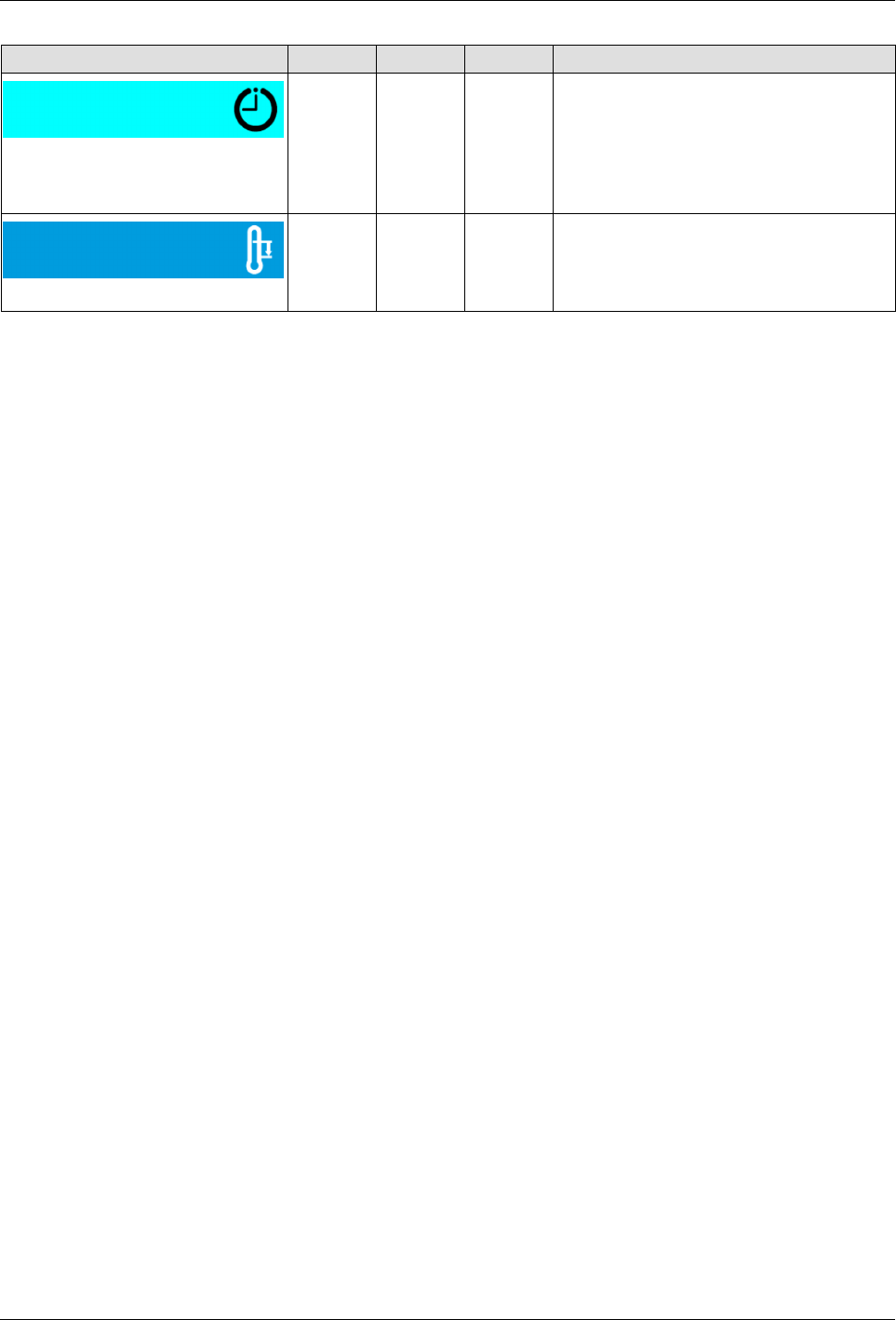
Button Color Heaters Pumps Description
System Status:
Ready Delay
Light
Blue
On Off Although all available and enabled
zones are at their set point
temperatures, the Ready\OK is
delayed until the user-defined time has
elapsed.
System Status:
Standby Mode
Blue On Off The system has been manually or
automatically placed into Standby
mode.