AltaPail II Bulk Melters Product Manual.pdf - 第73页
Basic Software Melter Configuration 6 -4 Part 1121836_03 E 1 1/2014 Nordson Corporation Configuring Internal and External Zones There are two types of zones. Type Default Name Notes Internal Zone Platen S There is only o…
Basic Software Melter Configuration
6-3
Part 1121836_03
E 11/2014 Nordson Corporation
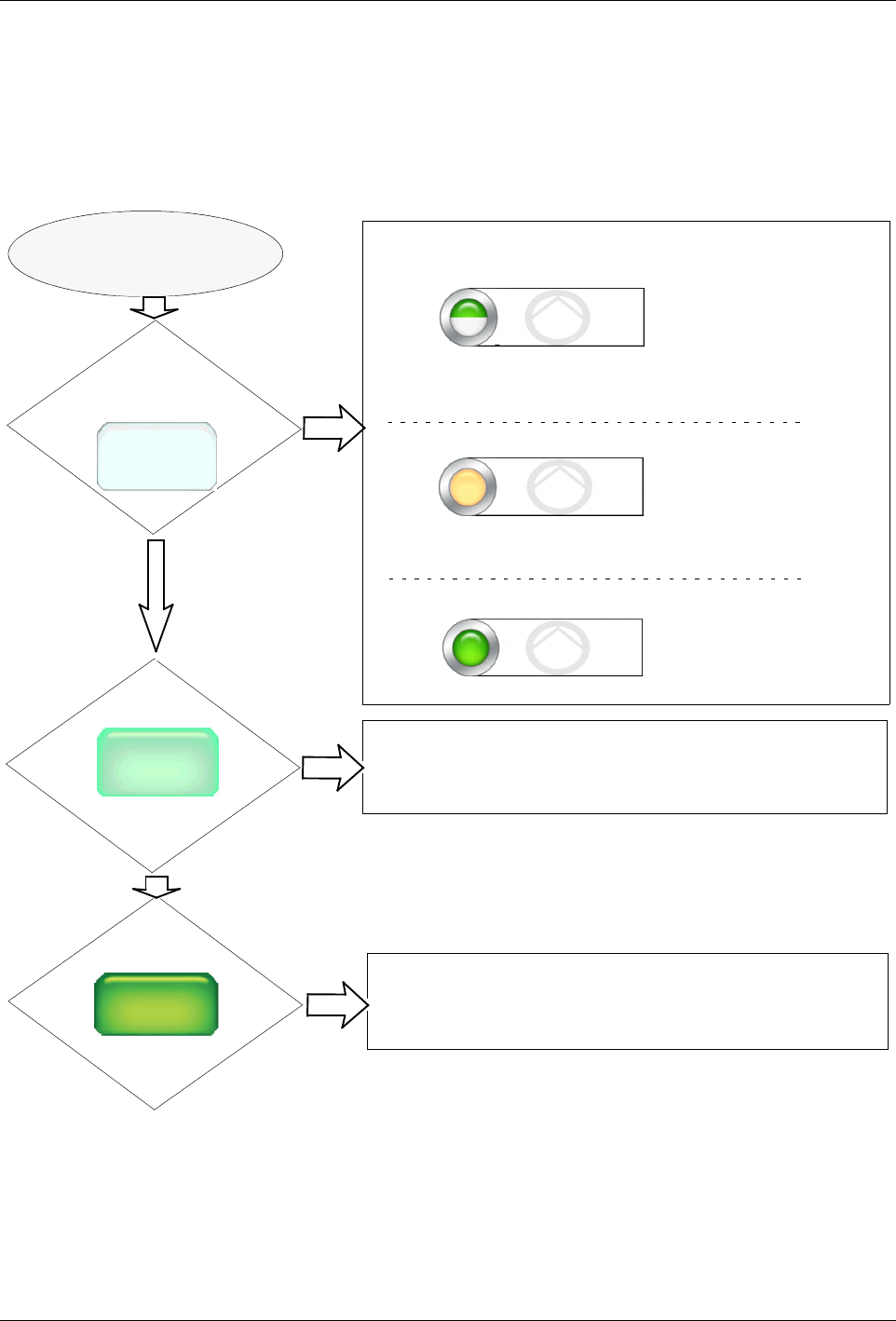
Getting the Pump to Run
The following flowchart assumes the following:
S
The Platen is enabled
S
At least one external zone pair is enabled
S
The system indicates System Status: Ready/OK
What does the Pump button look like?
The pump is configured and wired to an Input, allowing it to be
controlled from a remote location. You can only override the
remote control to switch the pump Off.
Pump
Ready
Touch the Pump Control Button…
Off
0 RPM
Pump
Pump Control
Pump: On
Pump
Manual
24 RPM
The Auto Pump is enabled. The pump will automatically start
when the melter status indicates Ready\OK
Does the button look like this?
Pump Control
Pump: Remote
Pump Control
Pump: Auto
Touch the Pump button
Does the button look like this?
The Pump starts to run.
Does the button look like this?
The pump is configured for Remote (Input) Control and/or the
Auto Pump option is enabled.
The pump is currently running.
Figure 6-2 Getting the Pump to Run
Basic Software Melter Configuration
6-4
Part 1121836_03
E 11/2014 Nordson Corporation
Configuring Internal and External Zones
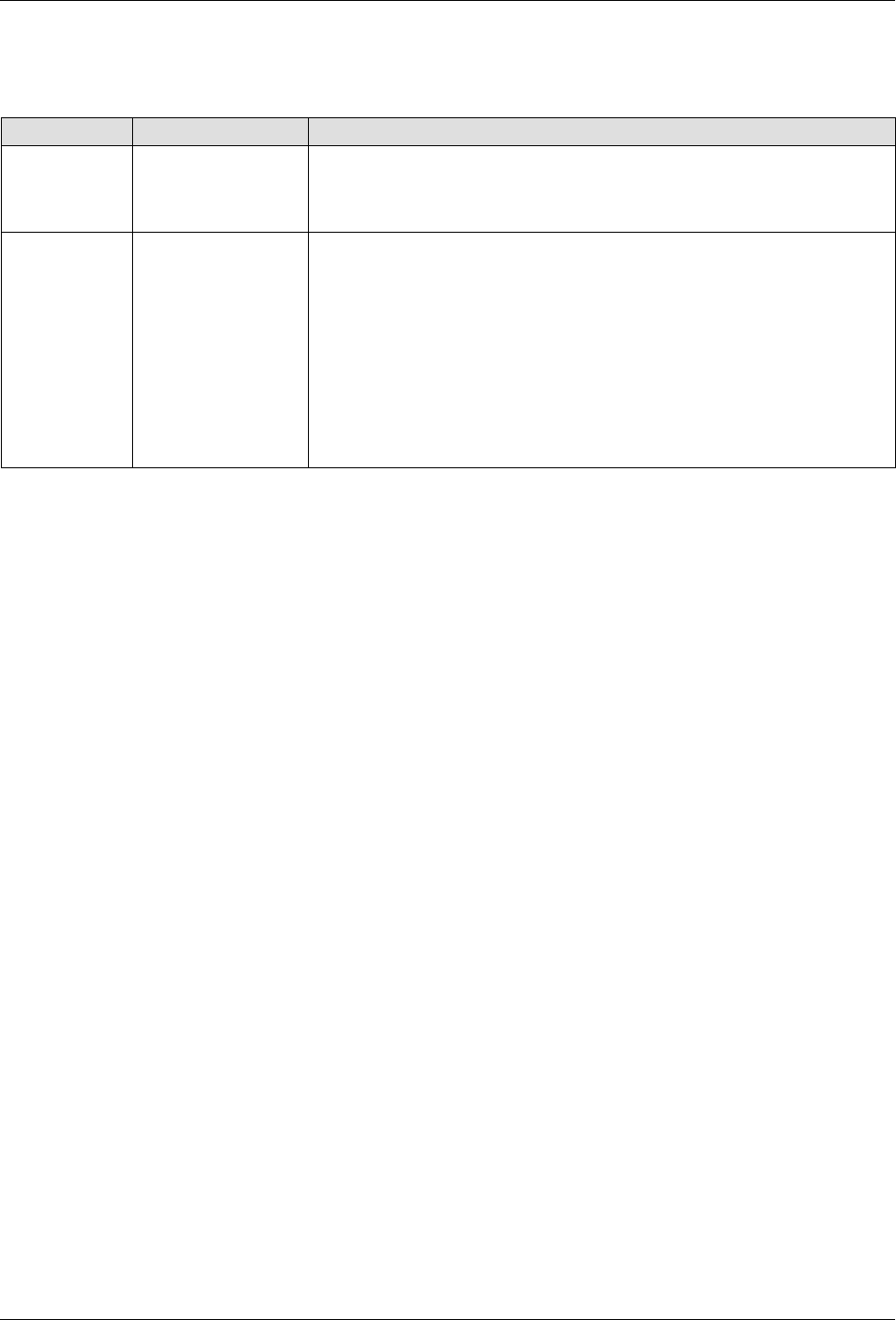
There are two types of zones.
Type Default Name Notes
Internal Zone Platen
S
There is only one internal zone - the Platen.
S
You can enable/disable the platen, as well as modify its set point
temperature.
External
Zones
Zone (# + letter)
for example
Zone 1A
S
External zones include hoses, automatic or hand applicators and
optional air heaters.
S
Default name consists of the word Zone, and its corresponding
channel number. Typically, these are pairs, where the letter A
represents a hose and the letter B represents the applicator. You
can change these default PID type associations.
S
You can enable/disable the zone, change its PID (channel) type
association, modify its set-point temperature and its name.
S
At least one external zone is required for normal operation.
Basic Software Melter Configuration
6-5
Part 1121836_03
E 11/2014 Nordson Corporation
Enabling/Disabling Internal and External Zones
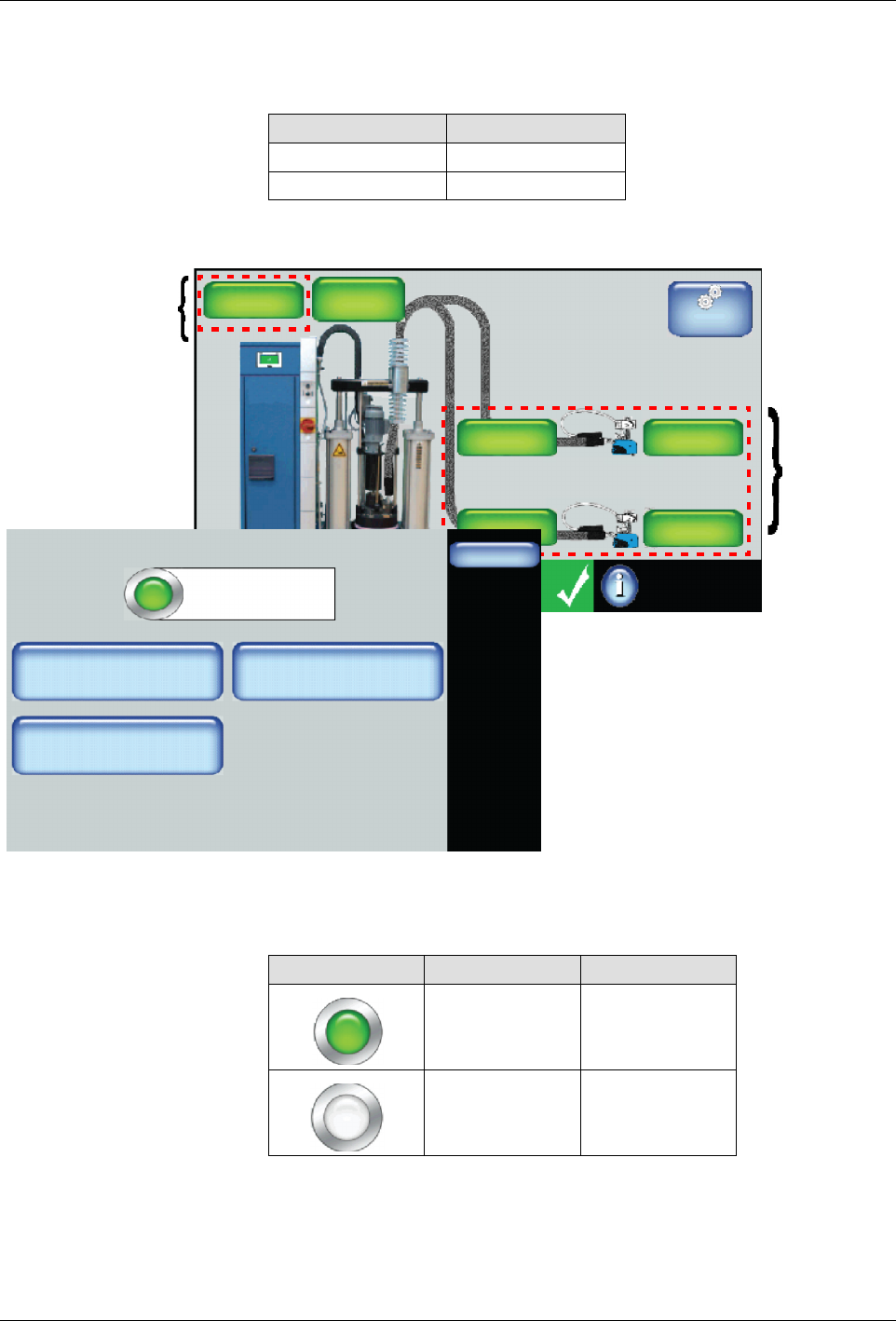
The following are default settings for internal and external zones.
Zone Default
Internal Enabled
External Enabled
Master
Controls
System Status:
Platen
176_C
176_C
Pump
GTL
32 RPM
Zone 1A
Ready/OK
Pump: On
Heaters:On
Password: Disabled
Recipes:
Nothing Loaded
176_C
Zone 1B
176_C
Zone 2A
176_C
Zone 2B
External
Zones
Internal
Zone
Zone 1A
Done
Zone State: Enabled
Adjust Set Point
Zone 1A
Change PID Type
Create/Modify Name
Hose
176_C
1. Access the Home screen and touch a platen or any other zone that you
want to enable or disable.
2. Touch the colored button to enable or disable the zone. Touch Done.
Button Color Description
Green On
White Off
3. Touch Done.
NOTES:
S
Enabling or disabling a zone takes effect when you touch Done.