AltaPail II Bulk Melters Product Manual.pdf - 第85页
Basic Software Melter Configuration 6 -16 Part 1121836_03 E 1 1/2014 Nordson Corporation Adjusting Pump Speed (RPM) You can adjust t he speed (RPM ) of the pump whe ther it is confi gured for Manual or G ear-to-Line pump…
Basic Software Melter Configuration
6-15
Part 1121836_03
E 11/2014 Nordson Corporation
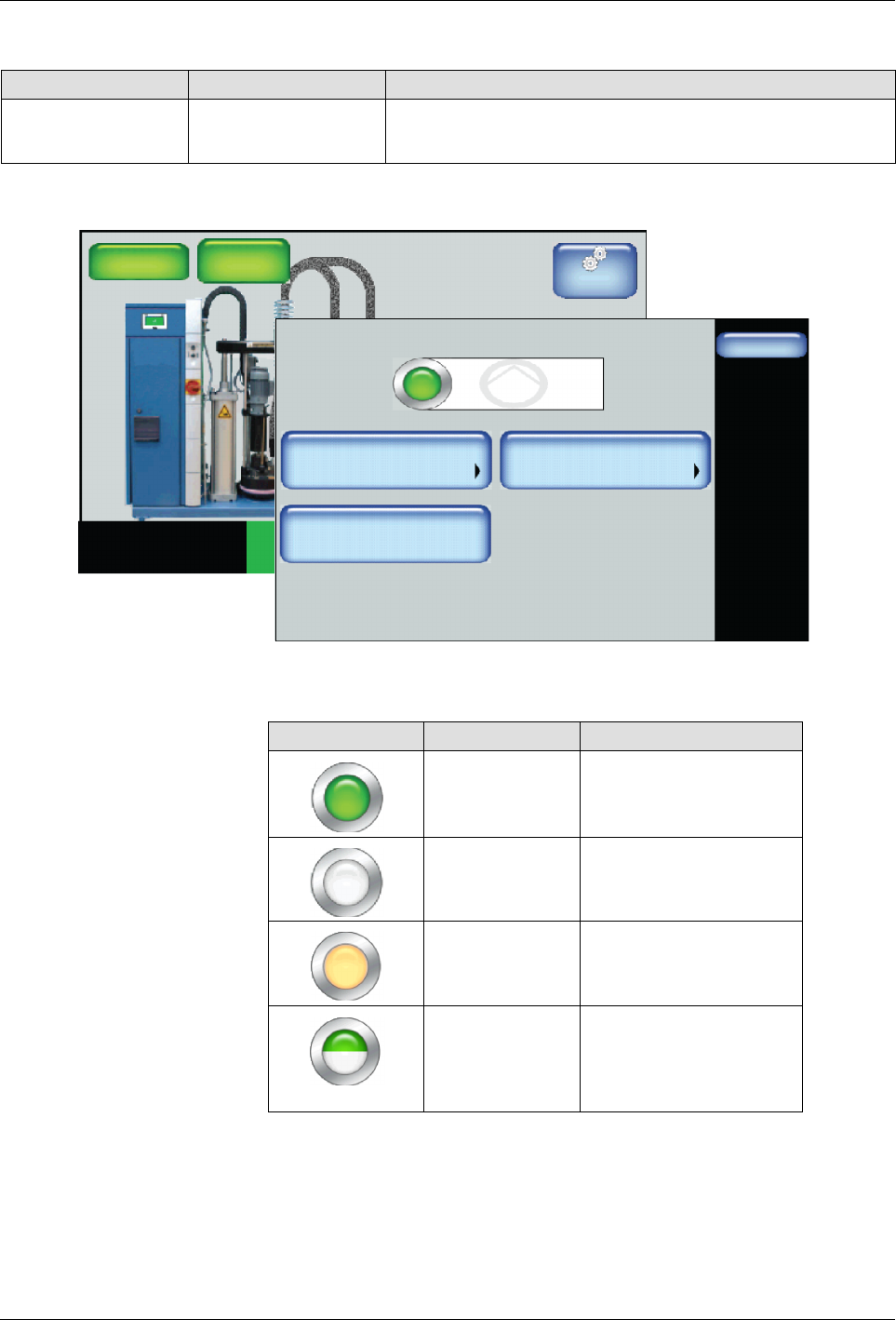
Switching the Pump On/Off
Setting Default Option
Pump Control Off
S
On
S
Off
Master
Controls
System Status:
Platen
176_C
176_C
Pump
GTL
32 RPM
Zone 1A
Ready/OK
Pump: On
Heaters:On
Password: Disabled
Recipes:
Nothing Loaded
176_C
Zone 1B
176_C
Zone 2A
176_C
Zone 2B
Pump
Done
Adjust Speed
Pump Control
85 RPM
Advanced
Pump: On
Operation Mode
MAN
1. Access the Home Display and touch the a pump.
2. Touch the Pump Control button to switch the Pump On/Off.
Button Color Description
Green On
White Off
Orange Auto Pump enabled
Half green
Half white
S
Pump Configured for
remote control
S
Pump operating with
a handgun
NOTE: Changes take effect when you touch Done.
Basic Software Melter Configuration
6-16
Part 1121836_03
E 11/2014 Nordson Corporation
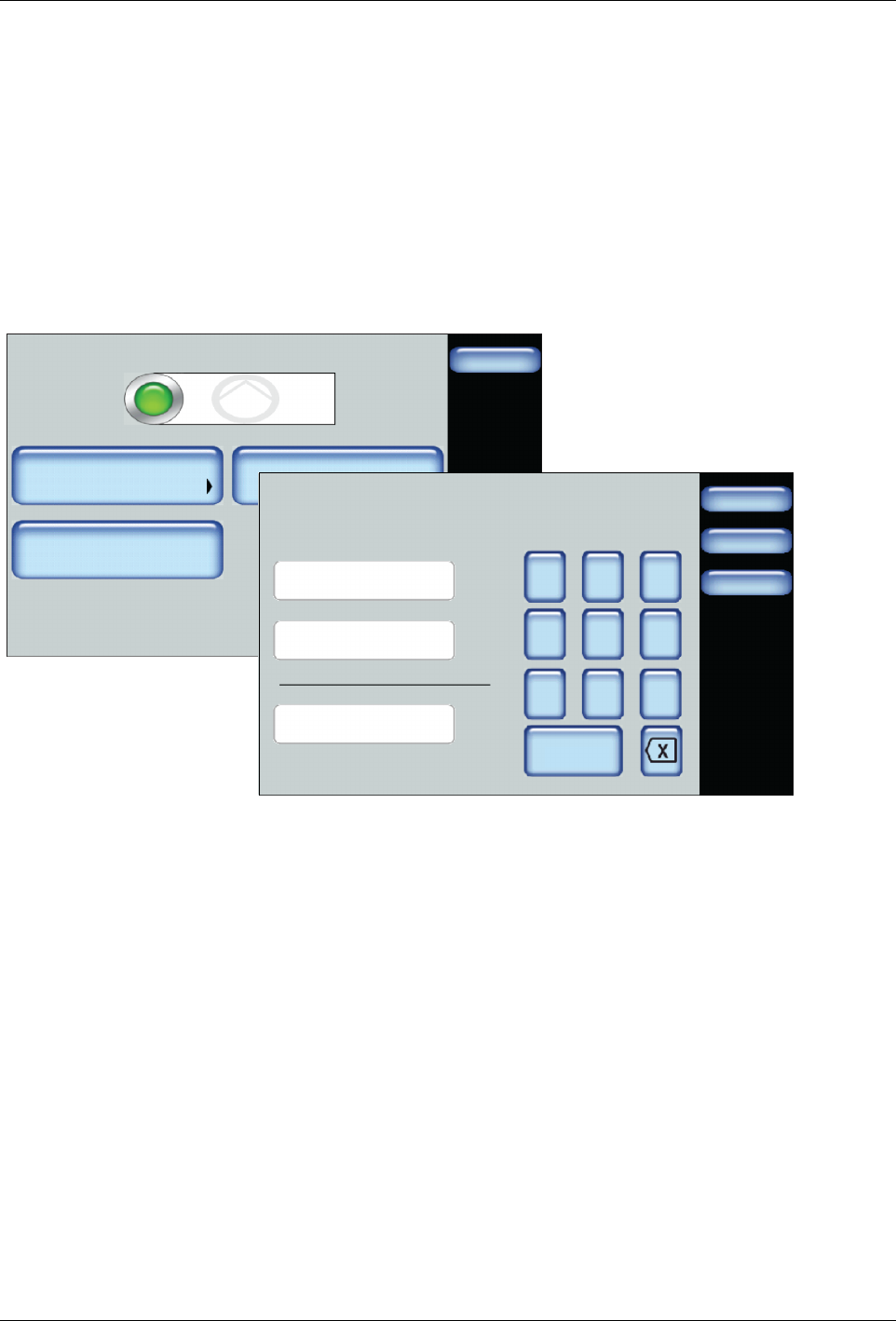
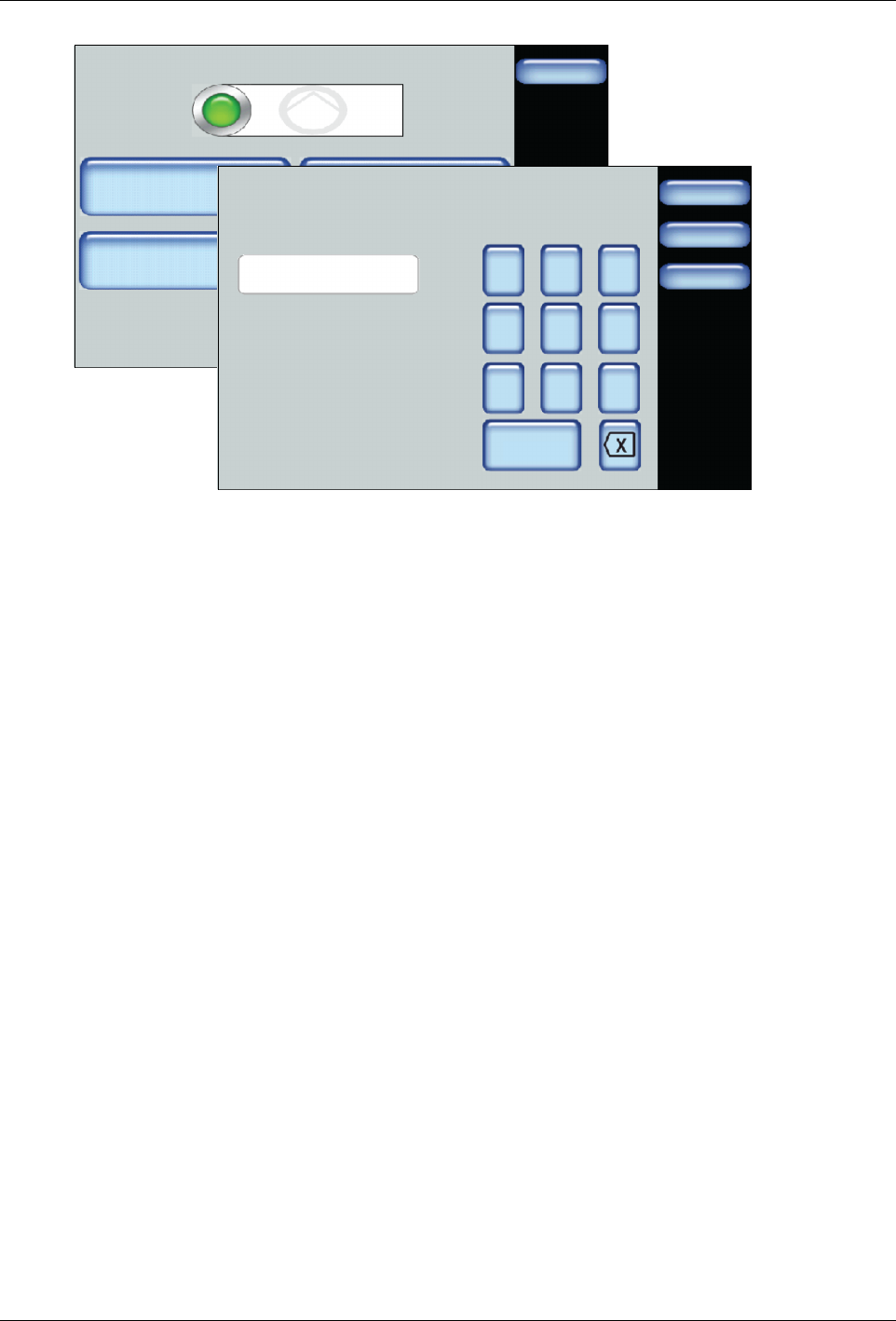
Adjusting Pump Speed (RPM)
You can adjust the speed (RPM) of the pump whether it is configured for
Manual or Gear-to-Line pump operation.
1. Access the Home screen, then touch the Pump.
2. Touch Adjust Speed and enter the required information.
S
Refer to Figure 6-4
S
Refer to Figure 6-5
3. Touch Done.
Pump
Done
Pump: On
Adjust Speed
Pump Control
Operation Mode
85 RPM
Advanced
MAN
Done
Cancel
%
7 8 9
4 5 6
1 2 3
0
Pump 1\ Gear-to-Line
100
% Line Speed
Desired Pump RPM
Min Pump Speed
RPM
RPM
94
0
Home
Figure 6-4 Configuring and adjusting Gear-to-Line mode
Basic Software Melter Configuration
6-17
Part 1121836_03
E 11/2014 Nordson Corporation
Pump
Done
Adjust Speed
Pump Control
85 RPM
Advanced
Pump: On
Operation Mode
MAN
Done
Cancel
7 8 9
4 5 6
1 2 3
0
Pump 1\ Pump Speed (RPM)
0
Home
RPM
Figure 6-5 Configuring and adjusting Manual mode