AltaPail II Bulk Melters Product Manual.pdf - 第107页
Advanced Software Me lter Configuration 7 -21 Part 1121836_03 E 1 1/2014 Nordson Corporation Defining t he Dat e and Time The date a nd time you defi ne here is used by the system for all time and date related functio ns…
Advanced Software Melter Configuration
7-20
Part 1121836_03
E 11/2014 Nordson Corporation
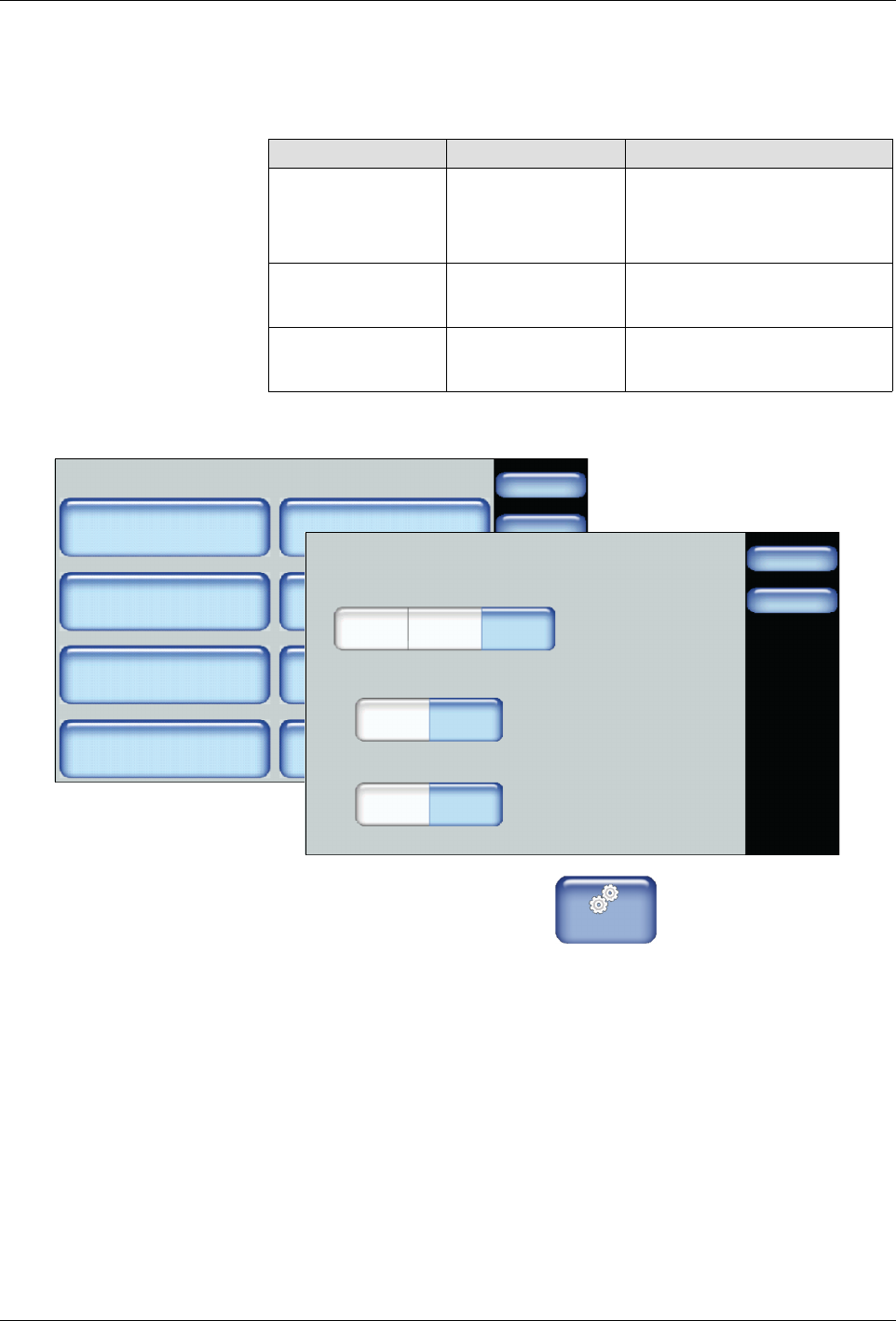
Defining Formats and Units
The following table details the default selection for each system-wide
format/unit, as well as its available options.
Item Default Available Options
Date Format mm/dd/yy
S
yy/mm/dd
S
dd/mm/yy
S
mm/dd/yy
Time Format 24
S
12
S
24
Temperature
Format
°C
S
°C
S
°F
System
Done
Home
Formats/Units
Date/Time
Password
Display
Service Interval Administration
Scheduler Language
03/20/2014 4:40PM
500 Hours
Formats/Units
Done
Home
Date Format
yy/mm/dd
Time Format
Temperature Format
dd/mm/yy mm/dd/yy
12 24
_C _F
1. From the Home Display touch
Master
Controls
2. Touch System, then Formats/Units.
3. Touch the selection you want to use for each format/unit.
4. Touch Done.
Advanced Software Melter Configuration
7-21
Part 1121836_03
E 11/2014 Nordson Corporation
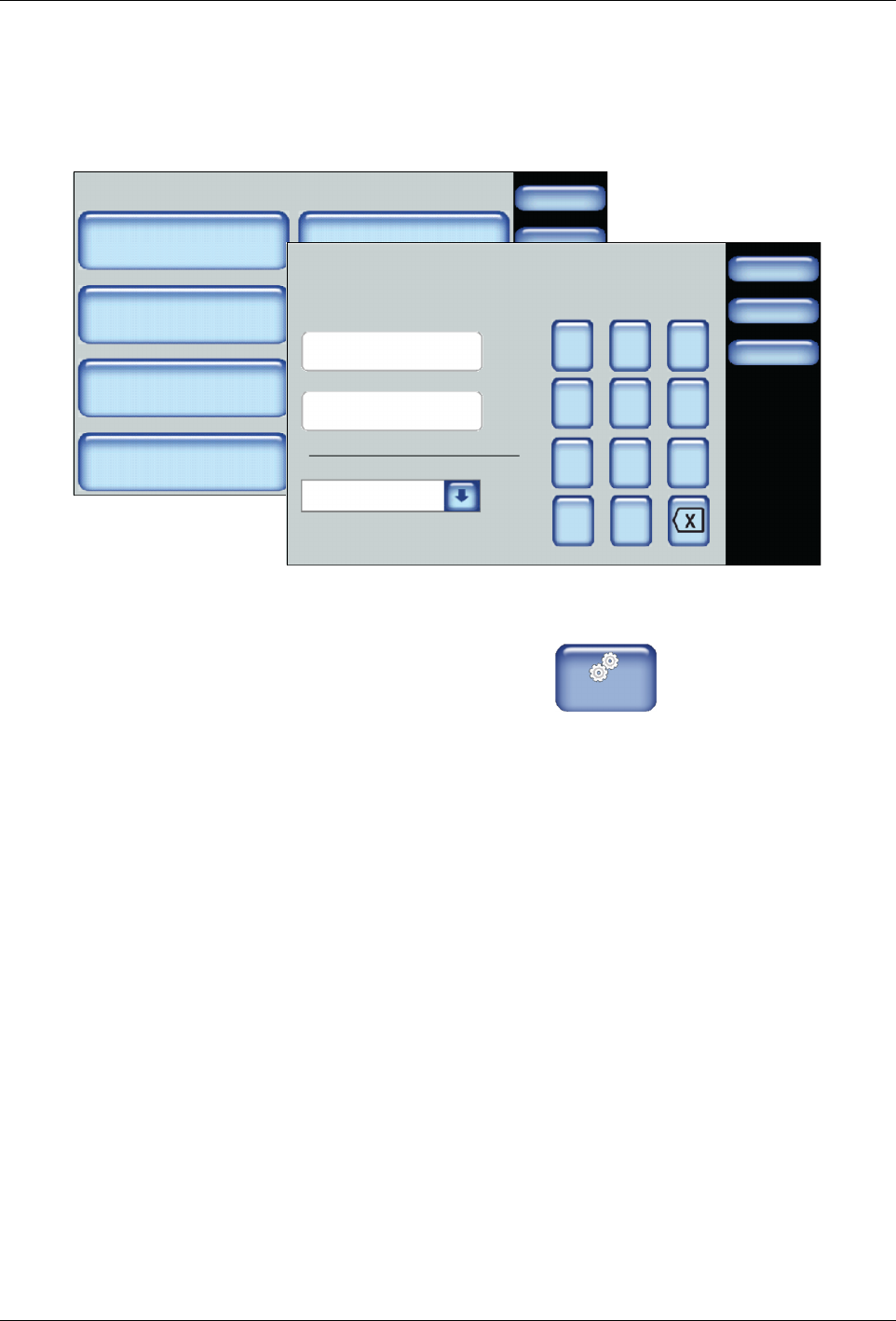
Defining the Date and Time
The date and time you define here is used by the system for all time and date
related functions, such as the Event Log and Service Intervals.
System
Done
Home
Formats/Units
Date/Time
Password
Display
Service Interval Administration
Scheduler Language
03/20/2014 4:40PM
500 Hours
Done
Cancel
7 8 9
4 5 6
1 2 3
0
Date/Time Settings
Date:
Home
/:
Time:
Day of the Week:
03/20/2014
14:40
Tuesday
1. From the Home Display touch
Master
Controls
2. Touch System, then Date/Time.
3. Enter the current date, time and select the day of the week.
4. Touch Done.
Advanced Software Melter Configuration
7-22
Part 1121836_03
E 11/2014 Nordson Corporation
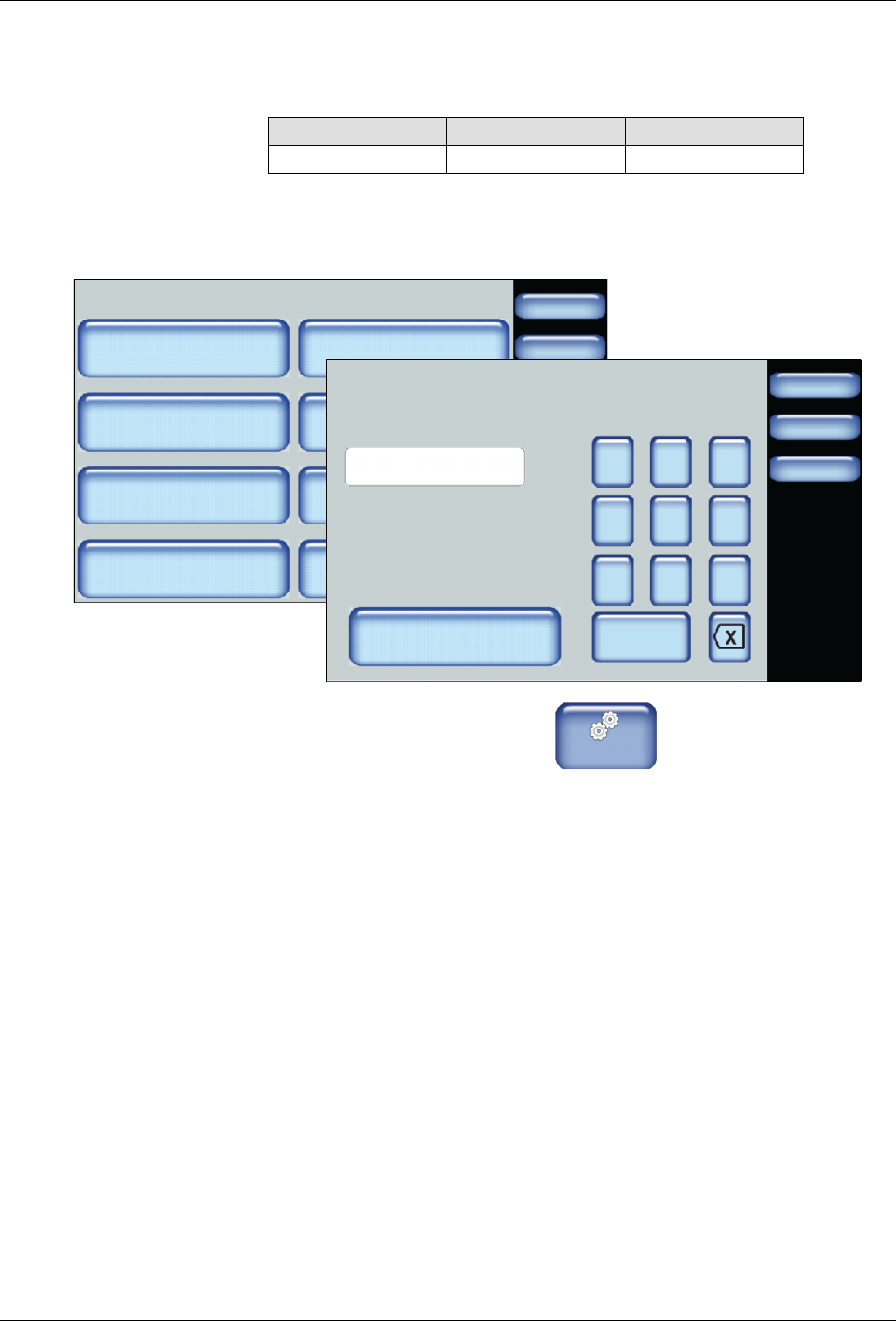
Defining Service Intervals
Service interval refers to the number of hours the heaters have been on.
Default Minimum Maximum
500 hours 1 hour 8760 hours
NOTE: Refer to Resetting Service Interval Messages for more information.
System
Done
Home
Formats/Units
Date/Time
Password
Display
Service Interval Administration
Scheduler Language
03/20/2014 4:40PM
500 Hours
Done
Cancel
7 8 9
4 5 6
1 2 3
0
Service Interval
Clear Service Reminder
Home
HoursHours
500
1. From the Home Display touch
Master
Controls
2. Touch System, then Service Interval.
3. Enter the number of heater on hours after which you want the system to
display a service reminder message.
4. Touch Done.