AltaPail II Bulk Melters Product Manual.pdf - 第57页
About the Touch Screen D isplay and User Interface 5 -6 Part 1121836_03 E 1 1/2014 Nordson Corporation About th e Pump Indicator Button The following ta ble describes what the Pump button color represe nts. Button Color …
About the Touch Screen Display and User Interface
5-5
Part 1121836_03
E 11/2014 Nordson Corporation
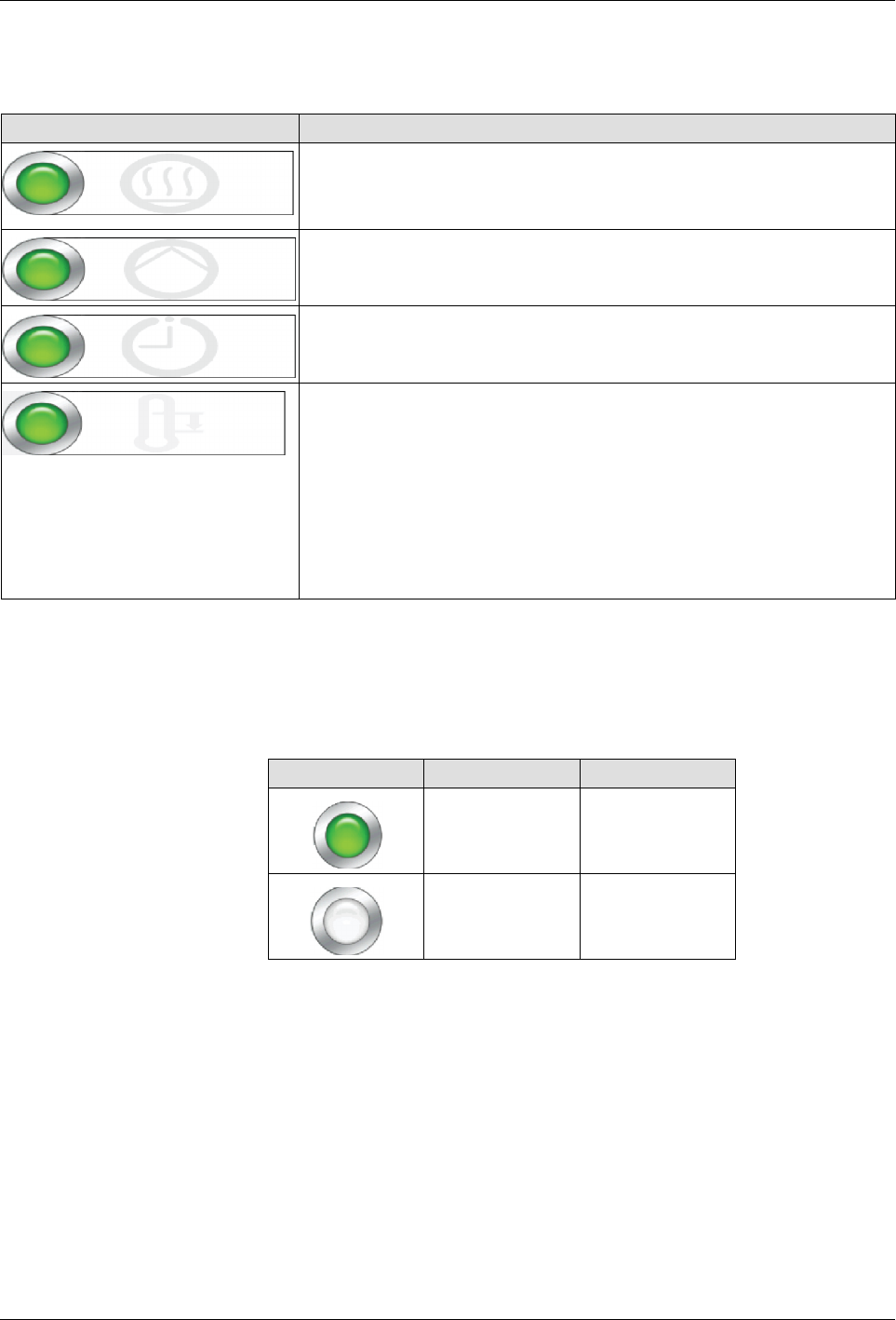
About the Master On/Off Controls
Use the Master Controls to switch the following On or Off:
Touch Description
Heater Control
Switch the heaters On or Off.
NOTE: The master heater control automatically switches Off, along
with the pumps when the melter is in a Fault condition.
Pump Control
Switch the pump On or Off.
Scheduler
Switch the system scheduler On or Off.
Refer to Configuring Scheduled Events for more information.
Standby
Place the melter into or out of Standby mode.
Notes:
S
Manually place the melter In or Out of Standby mode.
S
Overrides any previously configured Scheduled and/or
Standby events.
S
Refer to the next chapter for more information about
programming the melter when to automatically enter or exit out
of standby mode.
About the Heater Control, Standby and Scheduler Buttons
The following table describes what the color represents for Heater Control,
Standby and Scheduler buttons .
Button Color Description
Green On
White Off
About the Touch Screen Display and User Interface
5-6
Part 1121836_03
E 11/2014 Nordson Corporation
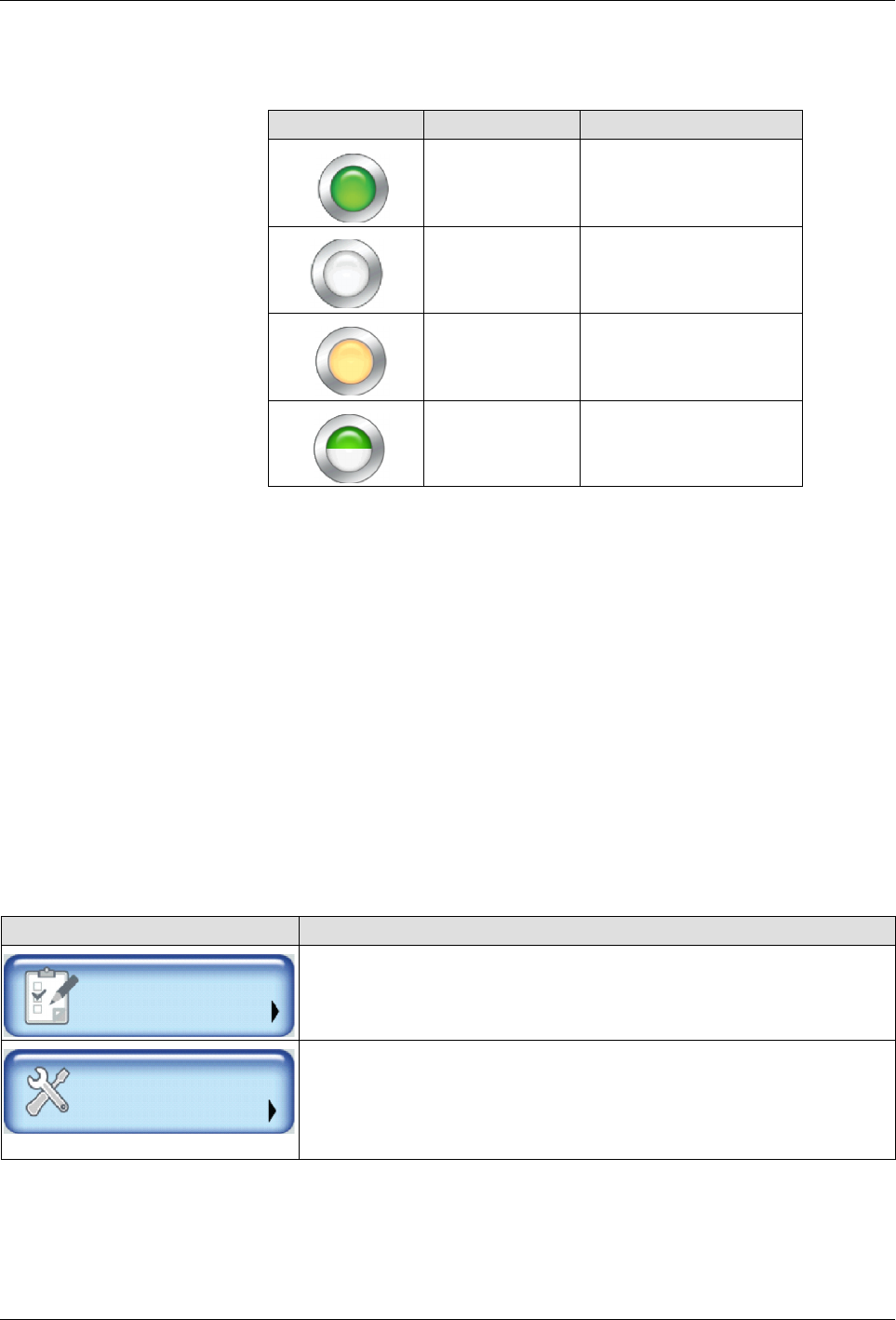
About the Pump Indicator Button
The following table describes what the Pump button color represents.
Button Color Description
Green On
White Off
Orange Auto Pump enabled
Half green, Half
white
Remote Pump Control
setup and enabled
NOTES:
S
The Master Pump and Heater Controls automatically switch Off, when the
melter is in a Fault condition.
S
You must wait until the melter status indicates Ready\OK before you can
manually or remotely switch On the master Pump Control.
S
You can enable the Auto Pump option, which automatically switches On
the Master Pump Control when the melter status indicates Ready\OK.
S
The Pump Control button uses different colors to indicate Remote Control
and if the Auto Pump option is enabled. Refer to the table below for more
information. Refer to Enabling and Disabling Auto Pump for more
information.
About Accessing Basic and Advanced Melter Settings
NOTE: Refer to the Quick Reference Card for a detailed menu map.
Touch To configure …
Settings
Temperature, Pump, Input/Output settings as well as to define Ready
Delay and Standby automatic time-based settings.
System
Password, Formats, Date/Time, Display settings and Language
preferences. You can also define daily Scheduled heat and standby
events and access Administrative functions such as System and
Password Reset and access the event log.
About the Touch Screen Display and User Interface
5-7
Part 1121836_03
E 11/2014 Nordson Corporation
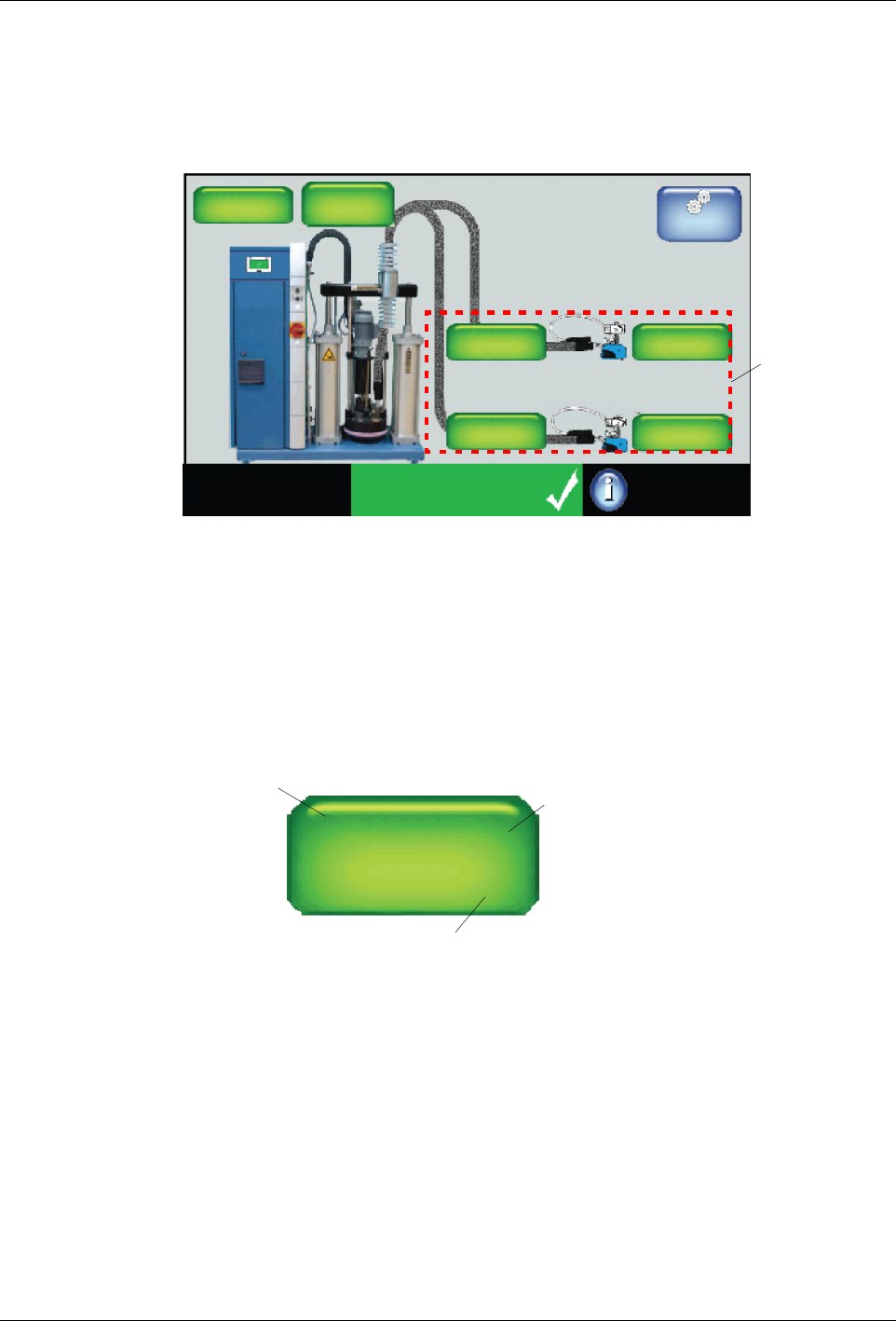
External Zones - Hose and Applicator/Hand Gun
From the Home Display, you can view the state and status for each hose
and applicator zone.
System Status:
Ready/OK
Platen
176_C
176_C
Pump
GTL
32 RPM
Zone 1A
Pump: On
Heaters: On
Password: Disabled
Recipes:
Nothing Loaded
176_C
Zone 1B
176_C
Zone 2A
176_C
Zone 2B
External
Zones
Master
Controls
You can also touch an external zone to:
S
Enable\disable hose and/or applicator zones.
S
Create or modify hose and applicator zone names.
S
Define individual zone set point temperatures.
S
Modify default channel associations (PID).
Name of hose or applicator
Real-time temperature indicator
Zone 1A
145_
__
_ C
←
←
The external zone pair has
been configured to be con-
trolled from a remote loca-
tion.
Figure 5-3 Zone button details
NOTE:
S
External zones include hoses, applicators and optional air heaters.
S
Default name consists of the word Zone, and its corresponding
channel number. Typically, these are pairs, where the letter A
represents a hose and the letter B represents the applicator. You can
change these default channel associations.
S
At least one external zone is required for normal operation.