AltaPail II Bulk Melters Product Manual.pdf - 第112页
Advanced Software M elter Configuration 7 -26 Part 1121836_03 E 1 1/2014 Nordson Corporation 3. Do the following to conti nue. Touch Description Brightness/Contrast Enhance the visibility and readab ility of the touchscr…
Advanced Software Melter Configuration
7-25
Part 1121836_03
E 11/2014 Nordson Corporation
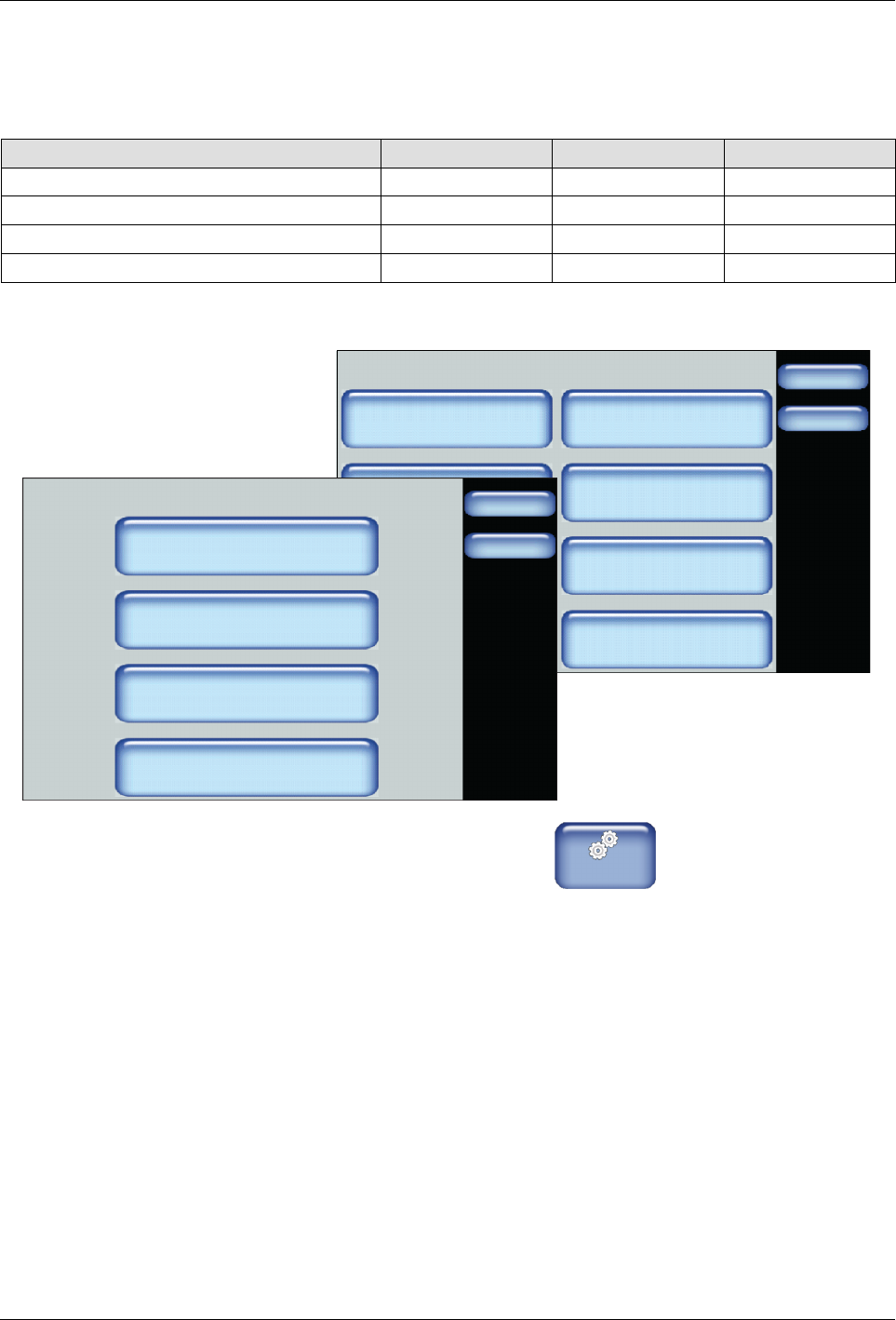
Defining Display Settings
The following table details what you can define, along with the default and
available options.
Setting Default Minimum Maximum
Brightness/Contrast 75% | 75% 30% 100%
Screen Saver Delay 90 minutes 5 minutes 120 minutes
Calibrate Screen -- -- --
Wipe Display 30 seconds -- --
System
Done
Home
Formats/Units
Date/Time
Password
Display
Service Interval Administration
Scheduler Language
03/20/2014 4:40PM
500 Hours
Display
Done
Home
Brightness/Contrast
Screen Saver Delay
Calibrate Screen
Wipe Display
1. From the Home Display touch
Master
Controls
2. Touch System, then Display.
Advanced Software Melter Configuration
7-26
Part 1121836_03
E 11/2014 Nordson Corporation
3. Do the following to continue.
Touch Description
Brightness/Contrast Enhance the visibility and readability of the
touchscreen displays.
Screen Saver Delay The amount of time (default 5 minutes) of no user
interaction with the touchscreen before the screen
saver appears.
The screen saver only displays the melter status
and its corresponding color. To extend the lifespan
of the touchscreen itself, the brightness and
contrast are reduced from its current settings to
30%
Touch anywhere on the screen to access the
Operator Display.
Calibrate Screen Allows you to improve the accuracy of your
interaction with the touchscreen.
Touch the
+
symbol to calibrate the touchscreen.
Wipe Display Locks the screen for 30 seconds, allowing you to
clear dust from the touchscreen without touching a
button and accidentally changing a setting.
4. Touch Done.
Advanced Software Melter Configuration
7-27
Part 1121836_03
E 11/2014 Nordson Corporation
Configuring Password Protection
By default, password protection is disabled.
NOTE: Refer to Table 7-4 for an explanation of each security level.
The following are default password level numeric codes:
Level # Default Code Notes
1 1000
S
Cannot start with the number 0 (zero).
S
Can be one up to five numbers long.
S
The largest 5 digit number is 65535.
S
Each
level
must
have
a
unique
numeric
code.
2 2000
3 3000
System
Done
Home
Formats/Units
Date/Time
Password
Display
Service Interval Administration
Scheduler Language
03/20/2014 4:40PM
500 Hours
Password
Done
Home
Create/Modify
Timeout
Set Security Level
5 min.
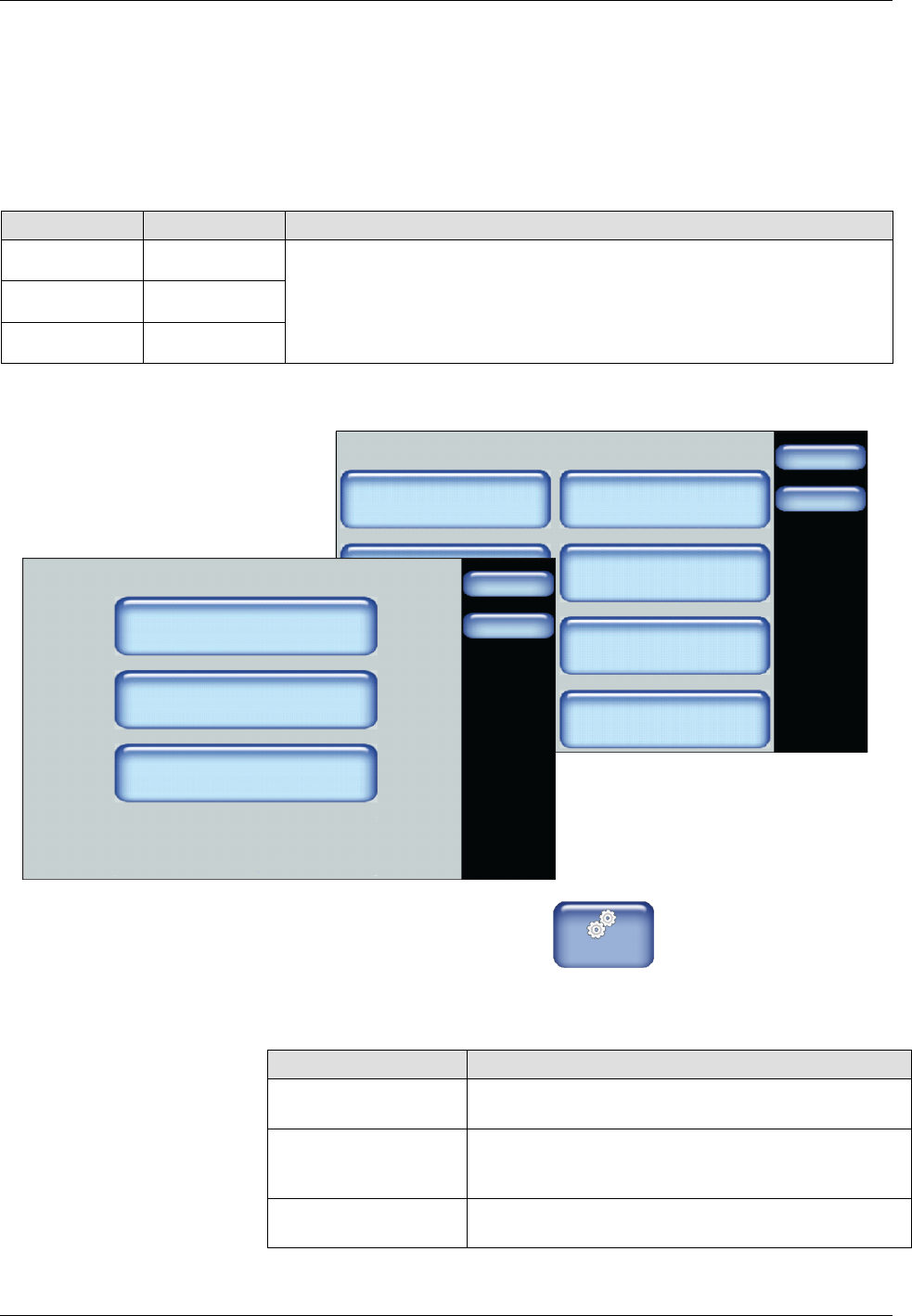
1. From the Home Display touch
Master
Controls
2. Touch System, then Password.
3. Do the following to continue. When finished, touch Done.
Touch Description
Create/Modify Modify the default numeric password code for each
level.
Timeout Enter the amount of time (the default is 10 minutes)
the selected password protection becomes active
after no user interaction with the touchscreen.
Set Security Level Refer to Table 7-4 for an explanation of each
security level.