1.011.1_VPC使用手册.pdf - 第107页
106/144 First, the configuration is saved. T he menu entry "Configuration" brings up "Save under." 7.2 Saving the Configuration Here, the diagram can be a ssigned a meaningful name. 7.3 Saving the Con…
105/144
7. Create New Diagrams
7.1 Creating a New Configuration Set
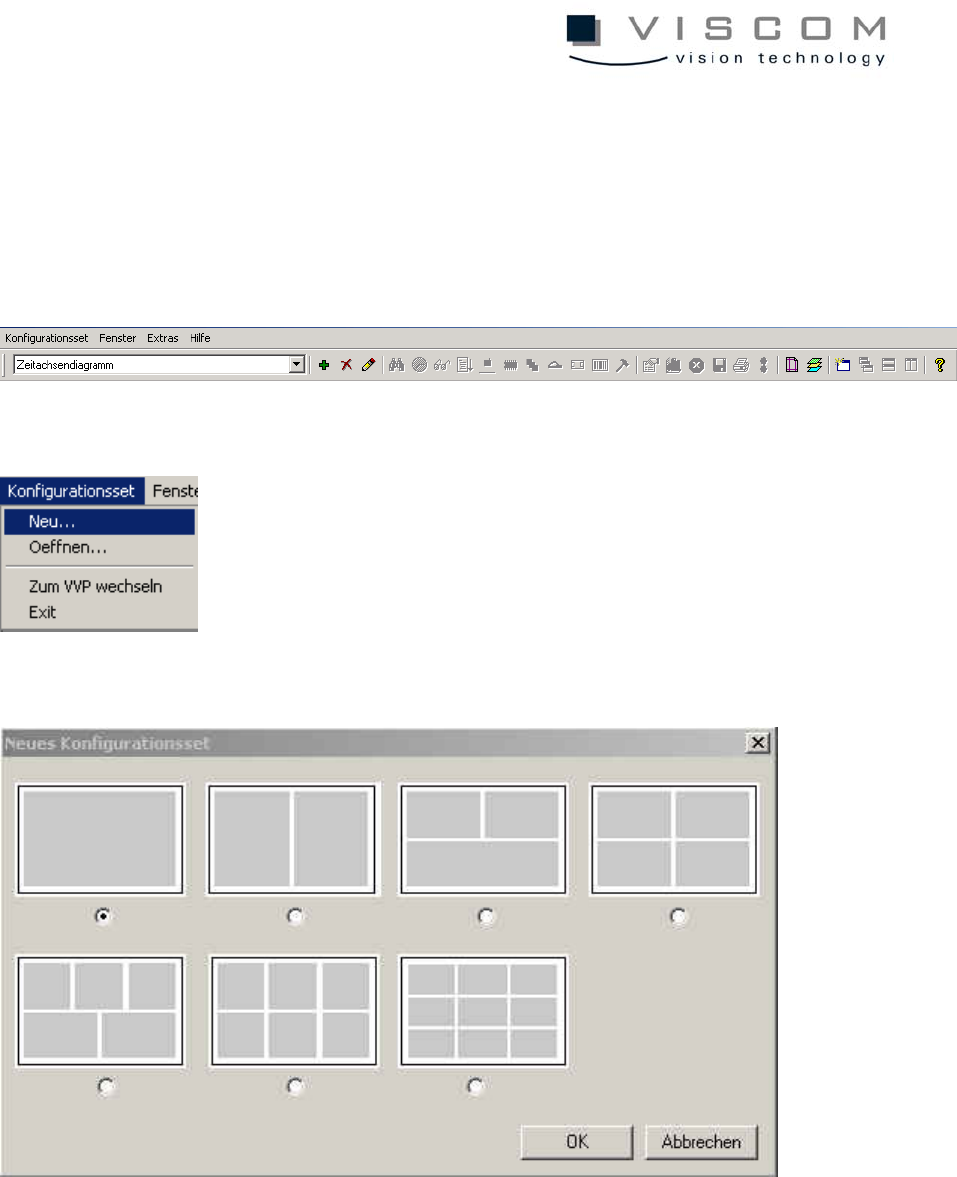
A double-click on the symbol VPC opens the menu bar. The later evaluation
area is displayed in gray. The evaluation area is gray.
A new configuration set can be opened by selecting "Configuration set - New".
The following window appears:
Here, the desired configuration set can be selected (contains 1 to 6 or 9
configurations). Then confirm with OK.
After this step, the default configurations can be seen at the top in the title list of
the default settings. The configuration set has the name NewSet_1.vps, and the
configuration has the name NewConf_1.vpc.
106/144
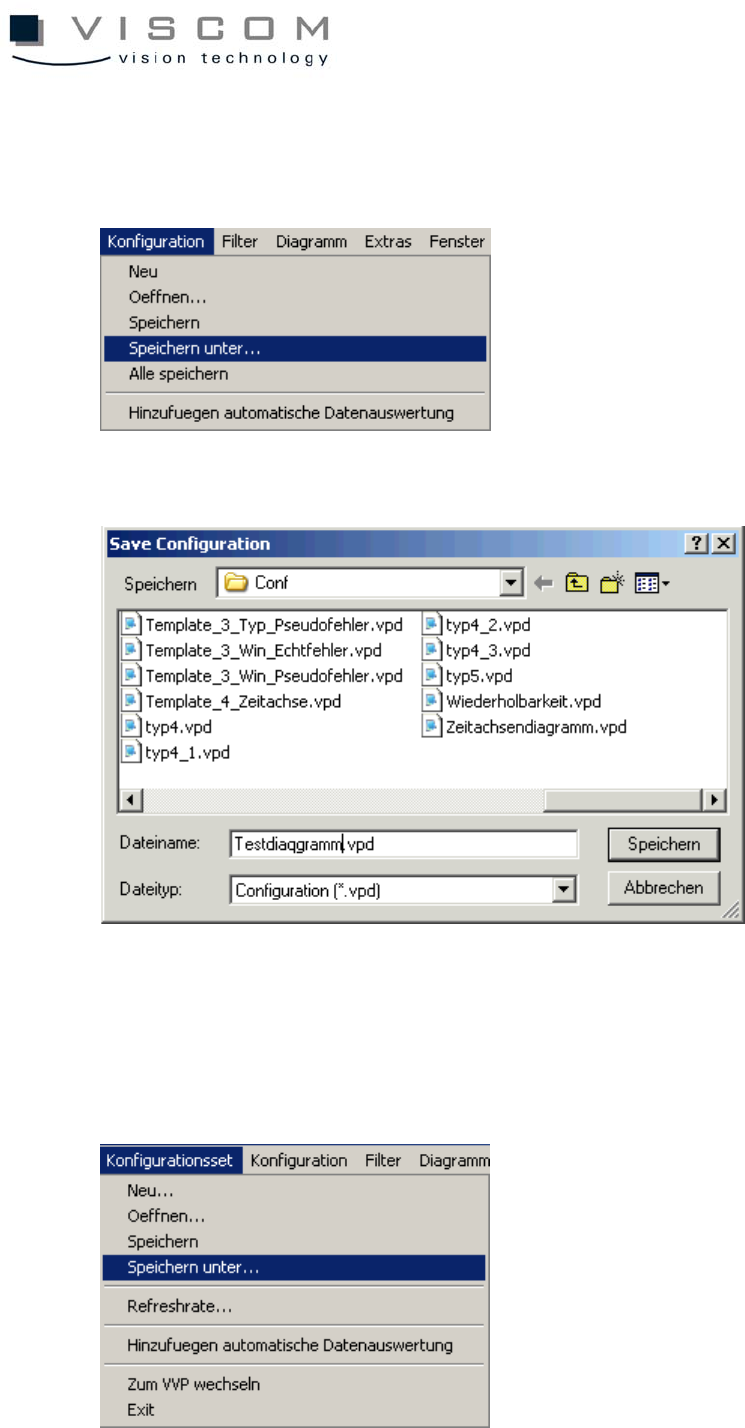
First, the configuration is saved. The menu entry "Configuration" brings up
"Save under."
7.2 Saving the Configuration
Here, the diagram can be assigned a meaningful name.
7.3 Saving the Configuration Set
107/144
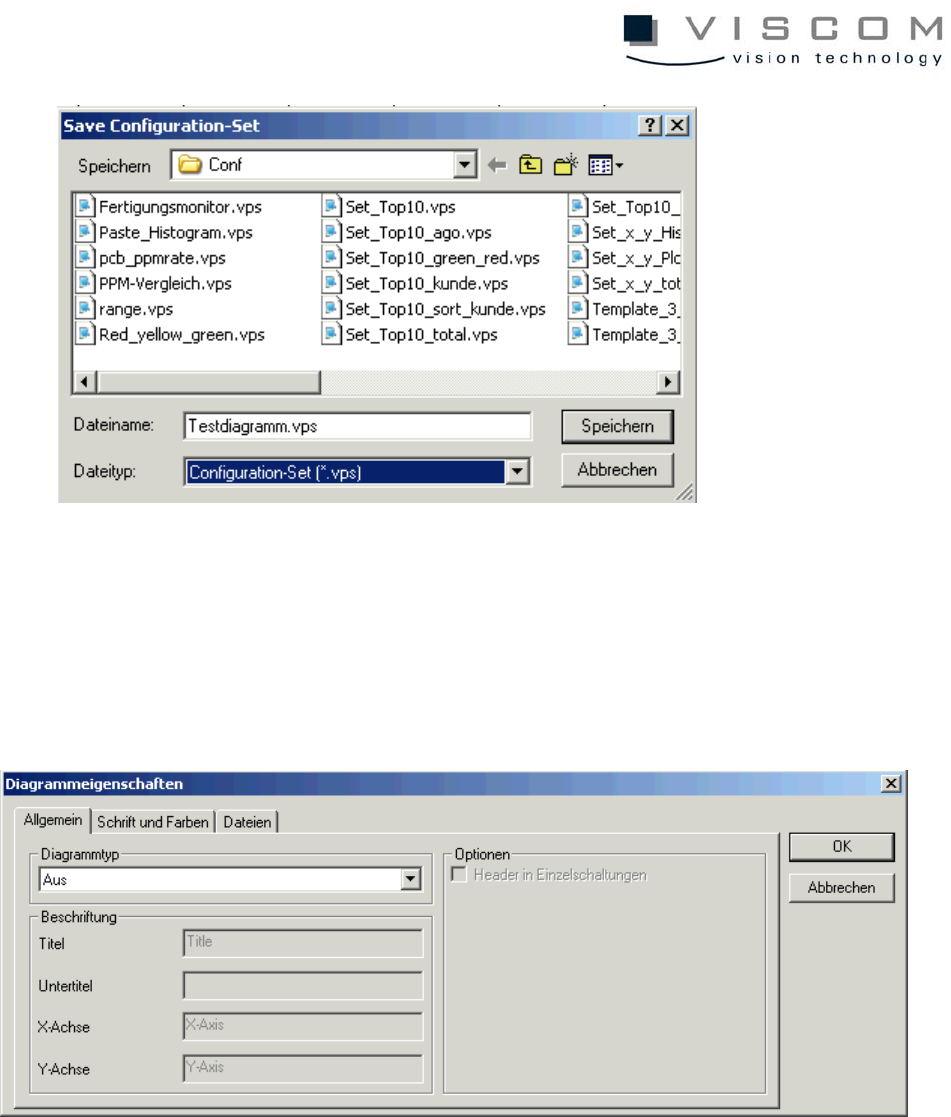
When all the diagrams are named, then the configuration set containing the
diagrams is given a name.
Finally, the desired diagram type is activated with a right mouse click on the
background, and selection of the menu command "Properties".
Exercise: