1.011.1_VPC使用手册.pdf - 第61页
60/144 3.1 Exercise 4: Please open the production monito r and evaluate the inspection plan 6591577603_BOT. For this, change the syst em time to 5/3/2006, 17:00 and enter this inspection plan in si.name. 1. Set the path …
59/144
In the white window, the mask offers some solutions that can be configured as
needed. The selection measures can be entered through the file si_spc.lwtxt.
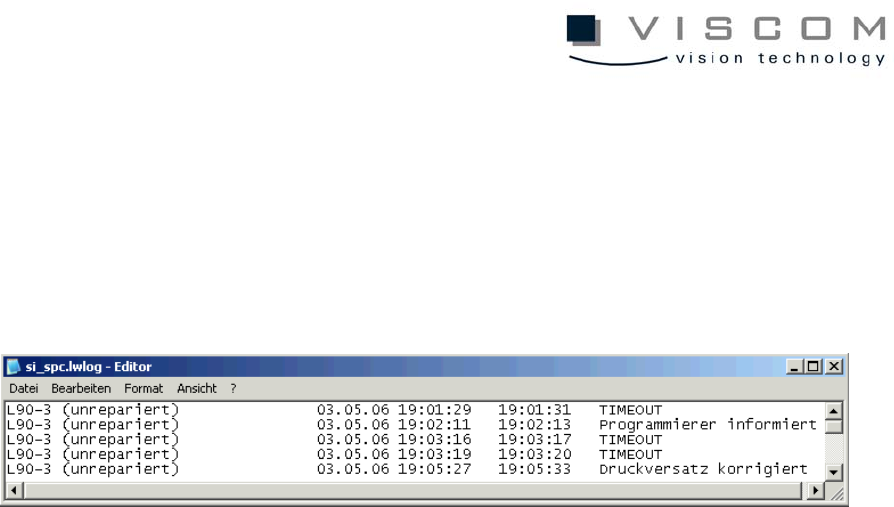
After the time determined with the parameter MessageTimeout in vpc.ini is over,
the mask closes automatically, and "TIMEOUT" is entered in the file
si_spc.lwlog.
Here, the bars that exceed the limit are also listed. An entry consists of:
• the ID (defect feature always unrepaired),
• date,
• start of evaluation,
• end of evaluation,
• remedial action.

60/144
3.1 Exercise 4:
Please open the production monitor and evaluate the inspection plan
6591577603_BOT. For this, change the system time to 5/3/2006, 17:00 and
enter this inspection plan in si.name.
1. Set the path to the file si.name.
2. Enter the necessary parameters for the production monitor in the
vpc.ini file.
3. Then, set the time filter to 3 hours.
61/144
3.2 VPC for Feature Evaluation
In the default configuration of the VPC evaluation, only one analysis of the
recognized defects combined with the repair results is done.
If displacement values (for paste check or components in paste) also have to be
displayed, it is necessary to create a file "inspection plan name.spc.conf" in the
respective inspection plan directory.
3.2.1 Creating a spc.conf file
Creating the file "inspectionplanname.spc.conf" manually takes a lot of time. So,
it is possible to create a complete inspectionplanname.spc.conf. Unnecessary
information can be deleted manually. An "inspectionplanname.spc.conf" file is
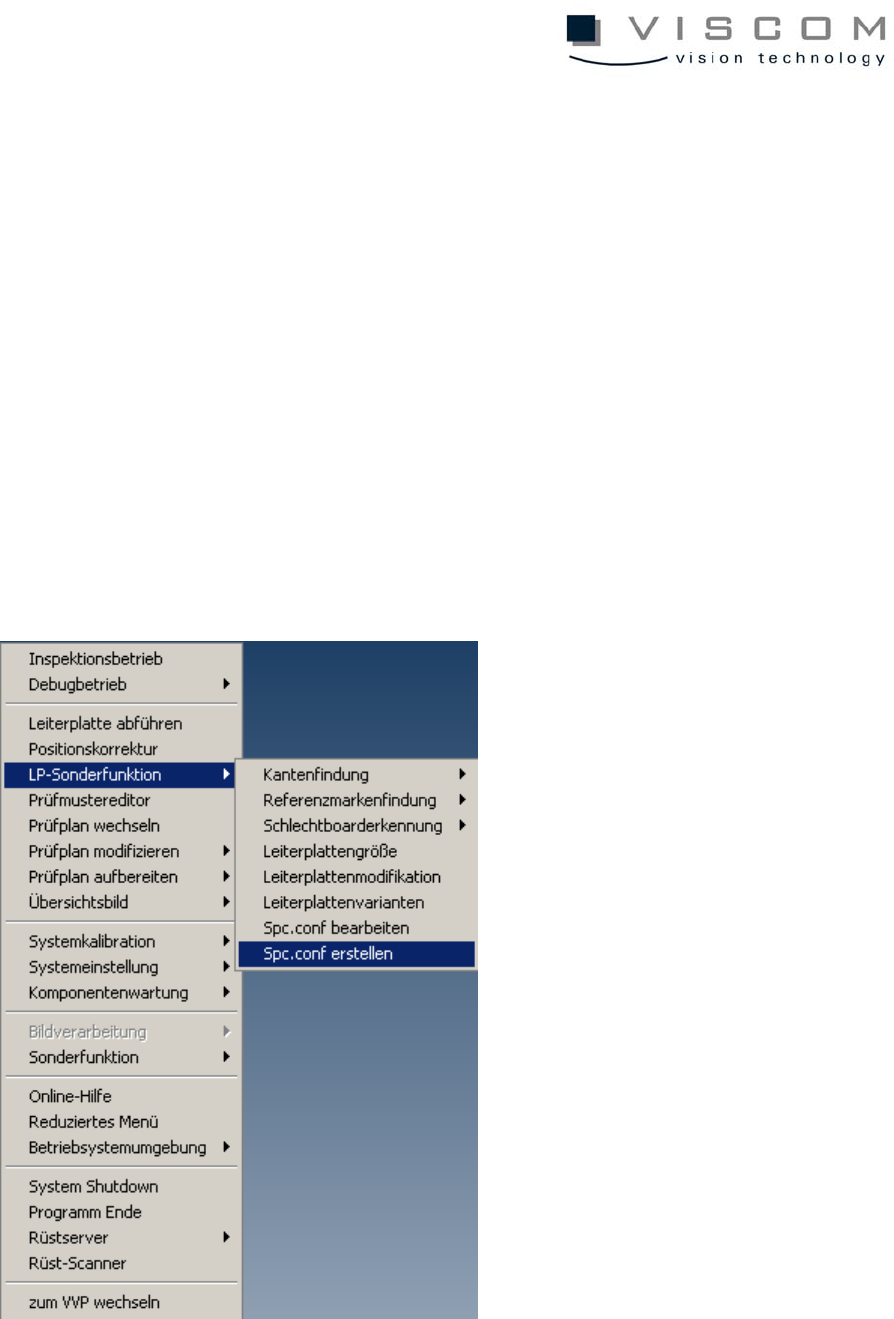
created in the AOI menu with the following menu command: