1.011.1_VPC使用手册.pdf - 第63页
62/144 If this menu command is not active or not available at all, it can be activated using the file si_mfc.men. After this menu command is chosen, t he following mask appears on the screen: If the inspection plan is al…
61/144
3.2 VPC for Feature Evaluation
In the default configuration of the VPC evaluation, only one analysis of the
recognized defects combined with the repair results is done.
If displacement values (for paste check or components in paste) also have to be
displayed, it is necessary to create a file "inspection plan name.spc.conf" in the
respective inspection plan directory.
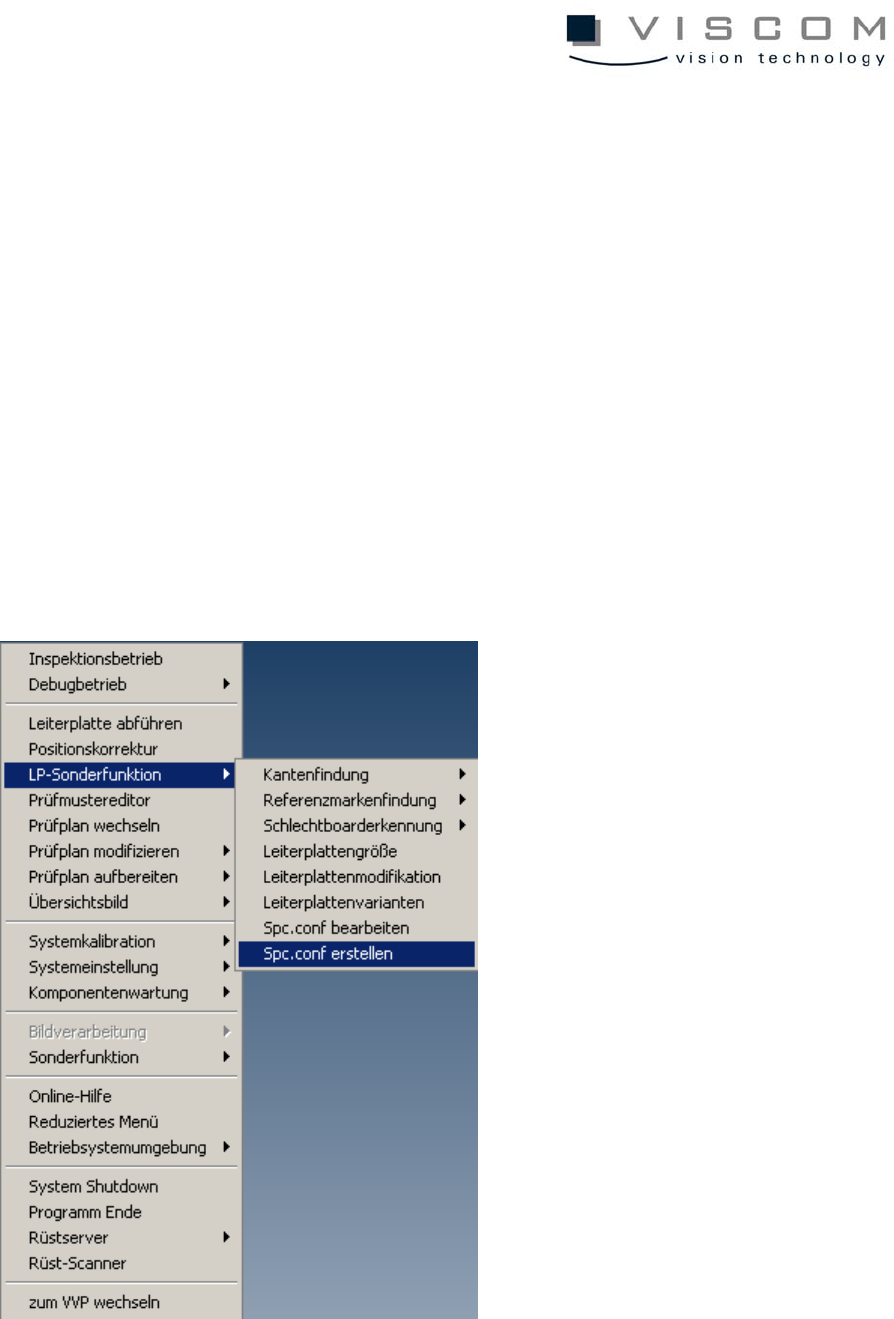
3.2.1 Creating a spc.conf file
Creating the file "inspectionplanname.spc.conf" manually takes a lot of time. So,
it is possible to create a complete inspectionplanname.spc.conf. Unnecessary
information can be deleted manually. An "inspectionplanname.spc.conf" file is
created in the AOI menu with the following menu command:
62/144
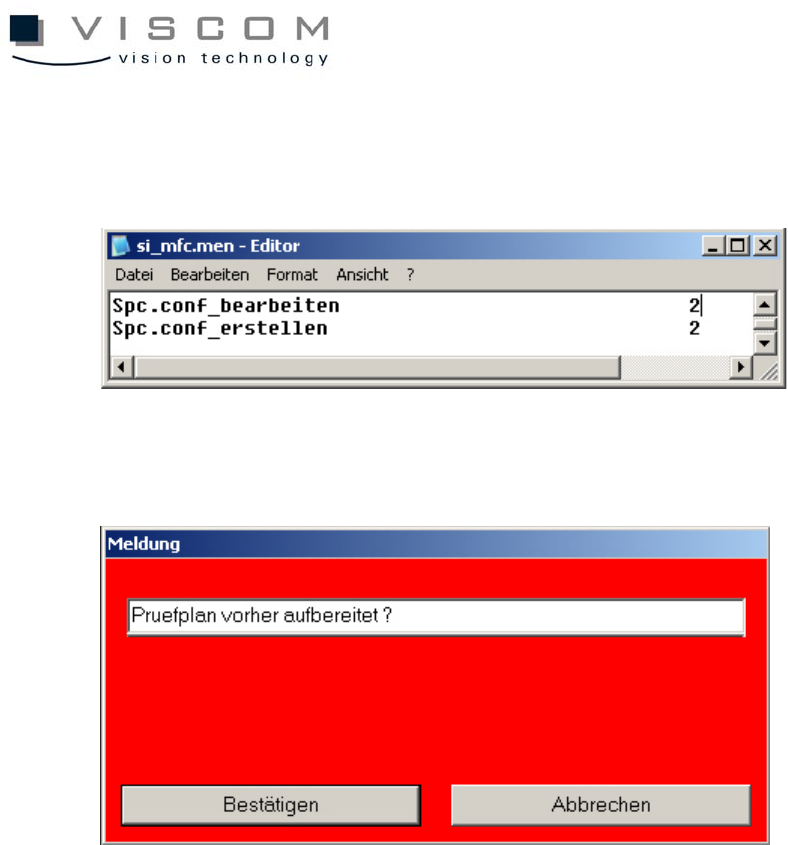
If this menu command is not active or not available at all, it can be activated
using the file si_mfc.men.
After this menu command is chosen, the following mask appears on the screen:
If the inspection plan is already prepared, this message can be confirmed. If
not, the message has to be closed by clicking "Cancel" and the inspection plan
has to be prepared again before the spc.conf file is created.
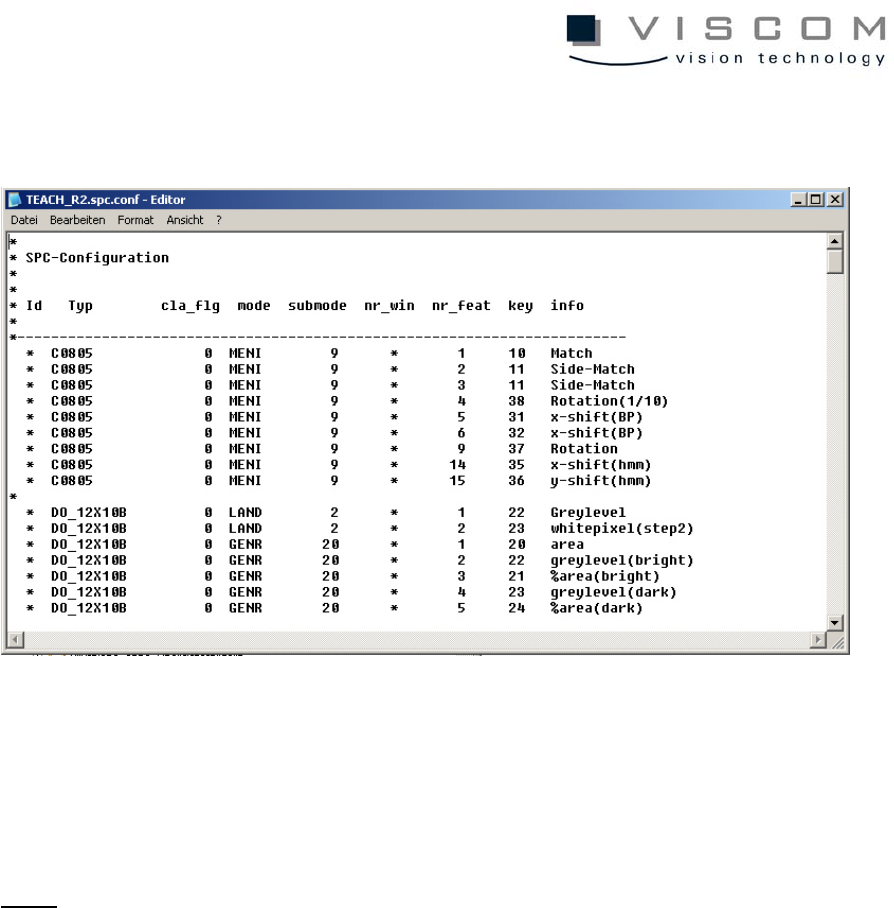
The system creates a file "inspectionplanname.spc.conf" that is saved in the
cad directory of the corresponding inspection plan.
The file is edited using the menu command, edit spc.conf.
Unnecessary feature values should be removed from spc.conf to reduce the
amount of data.
63/144
Selection from the menu opens the corresponding file, which can be edited with
the text editor.
In order to start recording the results (writing the VPC file with measurement
values), first the inspection plan has to be edited again and loaded ("edit
inspection plan" - "edit and load data").
Note:
Note: VPC files that contain additional feature values are 10 to 100 times
bigger than VPC files that only contain the usual feature values.
3.2.2 Note for creating an spc.conf file
The individual feature values are assigned to the keys (transmission values)
with the file si_spc.txt in the data directory, which must be available, otherwise
the spc.conf would be empty.
It is not always reasonable to evaluate all available feature values.