1.011.1_VPC使用手册.pdf - 第79页
78/144 4.2.5 Connecting the repair stati on The repair station has to be mapped under R:\ and have a subdirectory R:\VPC. That is where the SI software file s called "visname_date_ barcode.VPC" are created. 4.2…
77/144

78/144
4.2.5 Connecting the repair station
The repair station has to be mapped under R:\ and have a subdirectory R:\VPC.
That is where the SI software files called "visname_date_barcode.VPC" are
created.
4.2.6 Connecting the VPC Server
The VPC Server has to be mapped under S: and have a subdirectory
S:\WORK.
79/144
4.3 Configuration of the Repair Station
The following steps need to be done to configure the repair station:
4.3.1 Defining the repair station name
First, the machine name must be defined in "System Properties". The "System
properties" window is called up through the start menu ("Settings"·-
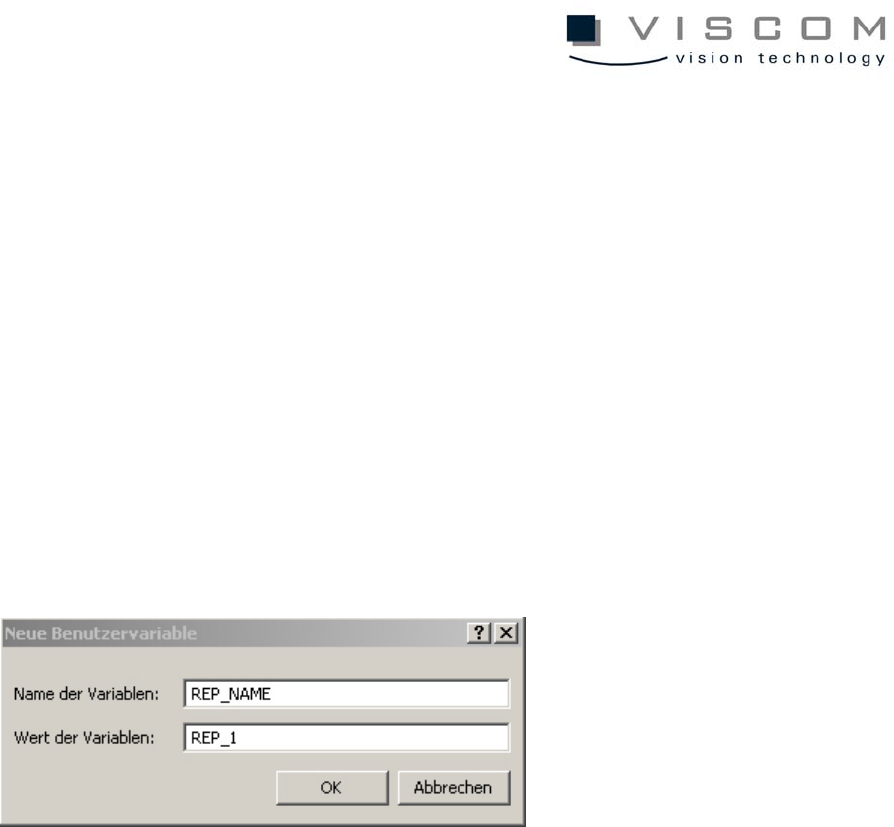
"Control·panel"·-·"System"). An environment variable "REP_NAME" with the
name of the repair station (i.e. REP_1) has to be defined in the submenu
"Environment". The name of the repair station cannot contain any empty
spaces. Confirm the entry with "Set" and close the window with "OK". If the
environment variable REP_NAME is not defined, the computer name is used as
default.
After this process is completed, the Haran software has to be restarted.
4.3.2 Configuration of the rep.par
The file rep.par in the data directory contains general parameters for operating
the repair station.
The file rep.par contains the values of specific parameters, line by line. The
lines have the following format: first, parameter number; second, parameter
value; third, mnemonic abbreviation for the type of parameter; and fourth,
explanatory comment.
Updating the VPC files at the repair station is controlled with the parameter
P_VPC_USE (258). This is set to 0x1 as default (a detailed description of the
parameter can be found in the appendix).