1.011.1_VPC使用手册.pdf - 第18页
17/144 1.5.4 Time filter The time filter defines t he period of time during which the VPC files should be evaluated.
16/144
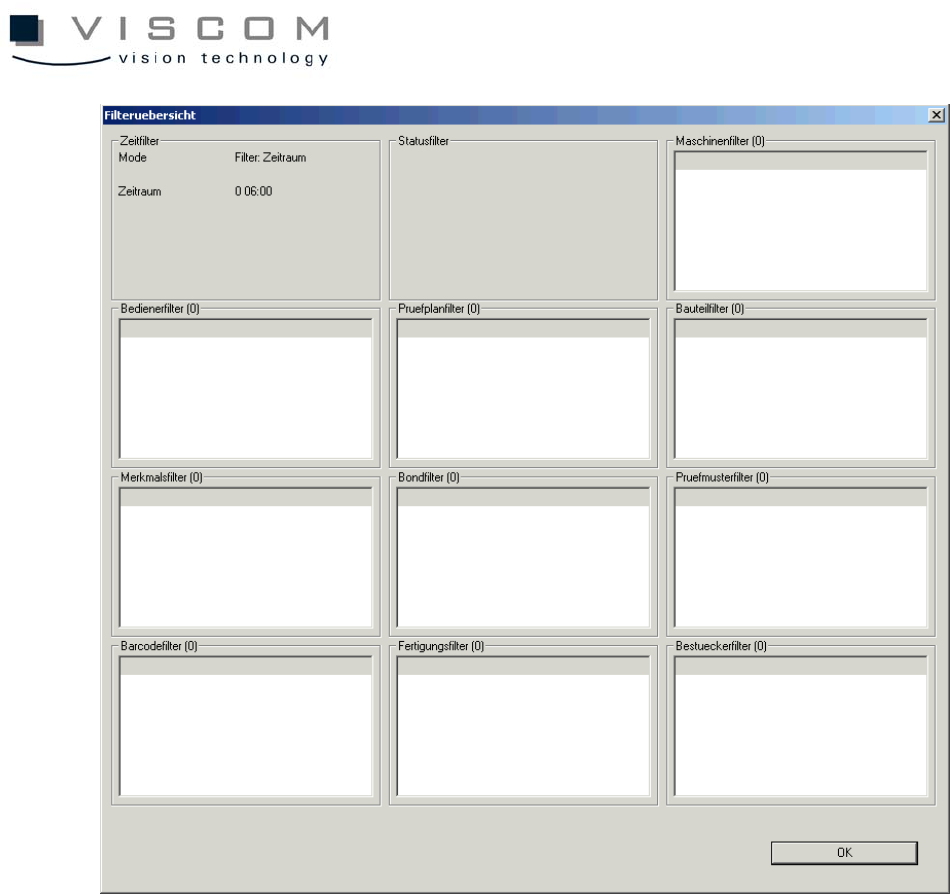
With the overview, all the filter settings can be checked.
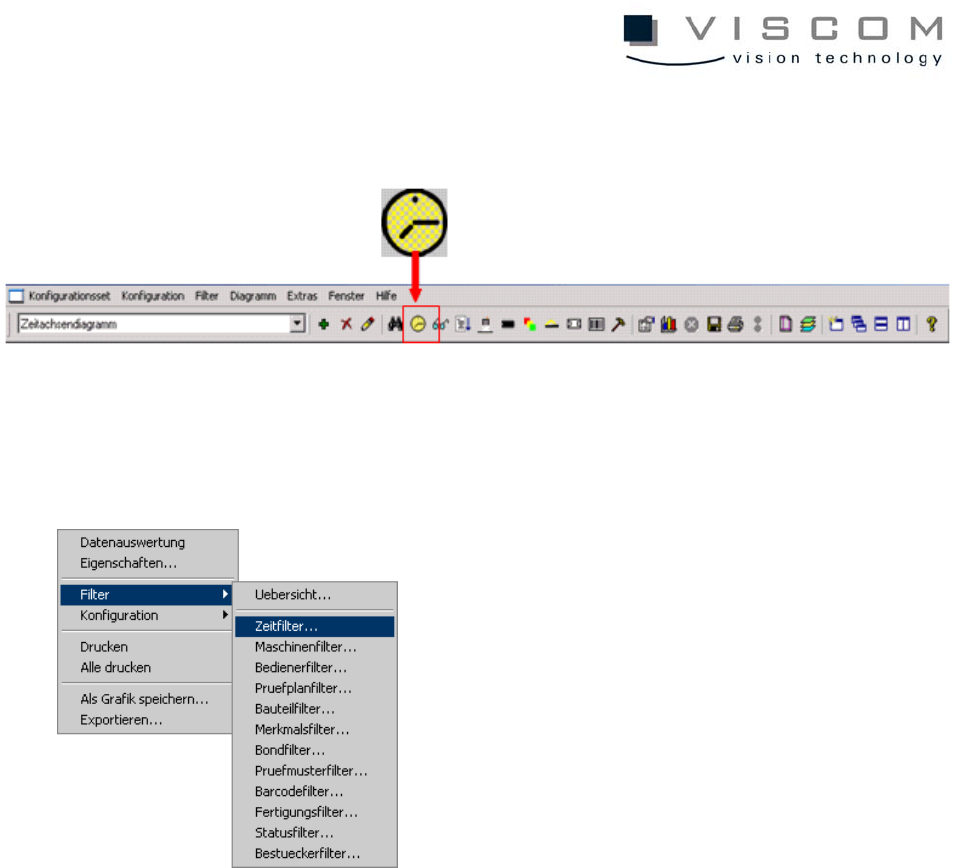
If a filter window is inactive, a filter has to be defined once with the command
"Add filter" in the corresponding mask. Structure and operation of the filter
masks is identical for all masks (exception: time filter).
17/144
1.5.4 Time filter
The time filter defines the period of time during which the VPC files should be
evaluated.
18/144
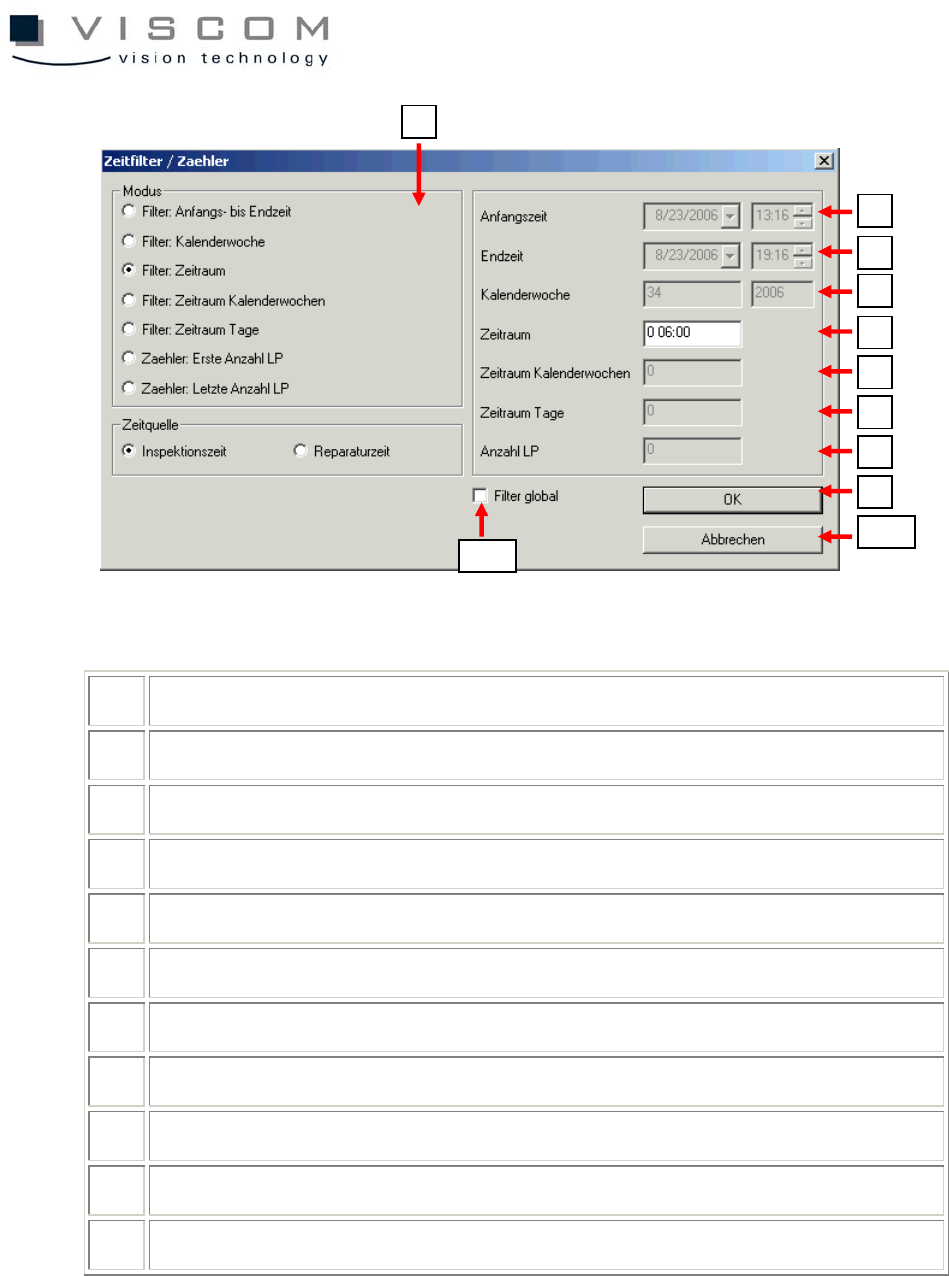
1 selection of type of time filter; 7 different modes are available
2 start time, only active for modes 1, 6 and 7
3 finish time, only active for modes 1 and 6
4 display of current calendar week, only active for mode 2
5 display of the time period, only active for mode 3
6 time period in calendar weeks, only active for mode 4
7 time period days, only active for mode 5
8 number of evaluated PCBs, only active for modes 6 and 7
9 confirming the filter settings
10 leaving the filter
11 active = filter is used for the entire configuration set
1
2
3
4
5
6
7
8
9
10
11