1.011.1_VPC使用手册.pdf - 第112页
111/144 8.2 VpcExplorer The VpcExplorer allows the consi deration of VPC and VPM files. When the program is first started, a dialog to fa cilitate the setup of links between the file endings VPC/VPM and the Vp cExplorer …

110/144
After the program is started, the illustrated main dialog, which is divided into
three parts, is displayed
1. The global statistics about the entire running time are in the upper area. Here,
in addition to the complete run time and the number of analyses done, the
number of merged, deleted and failed VPC files are read out.
2. In the middle area, the number of merged, deleted and aborted VPC files
referring to the current and/or last analysis is displayed.
3. In the lower area, an immediate analysis can be started with the button "Merge
now"; also, the progress column in the right area shows the time remaining
until the next automatic analysis.
111/144
8.2 VpcExplorer
The VpcExplorer allows the consideration of VPC and VPM files.
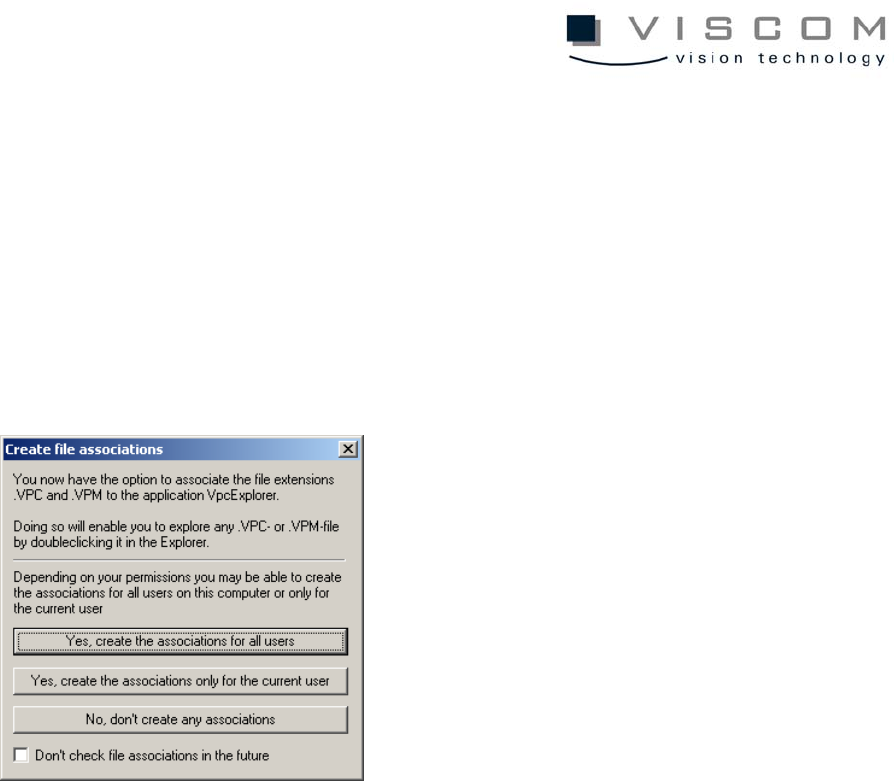
When the program is first started, a dialog to facilitate the setup of links
between the file endings VPC/VPM and the VpcExplorer is displayed, as shown
below.
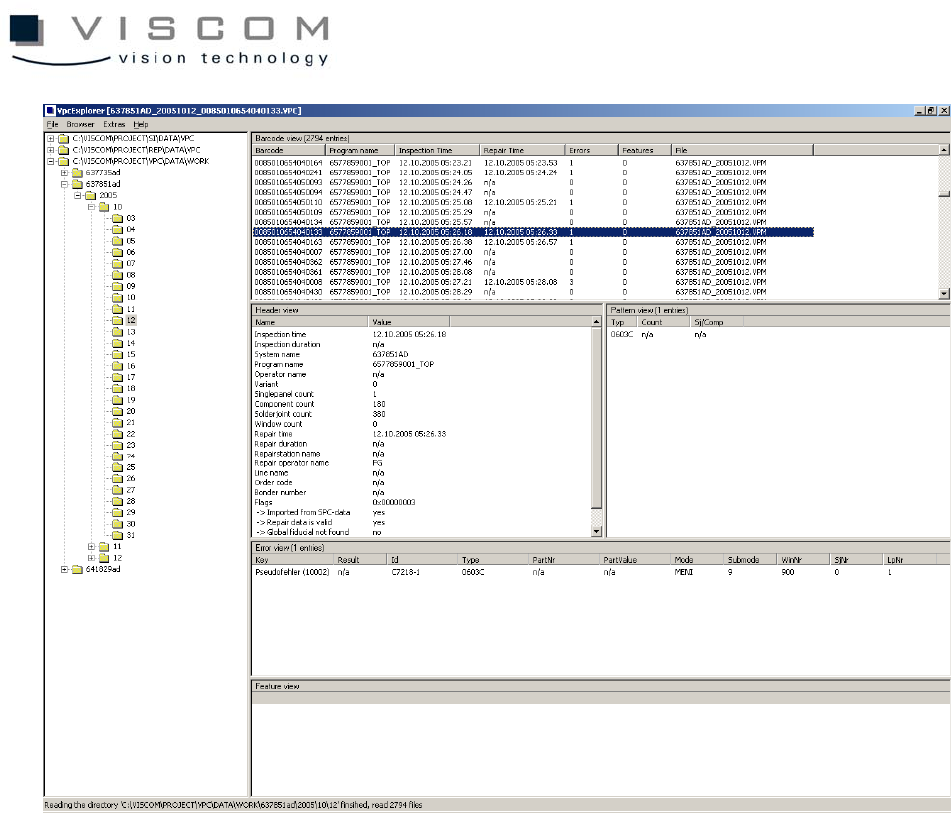
Then the main view of the VpcExplorer, divided into five areas, is displayed.
112/144
1. The directory view on the left side allows directories to be chosen. By using
the context menu or the menu "Browser", individual root knots can be added.
2. The barcode view is the uppermost area on the right side. Here, the
inspections found in all the directories selected on the left are listed out,
regardless if they are present as VPC or VPM files. Clicking on the column
heading starts a sorting which shows the following information for every
inspection:
• barcode
• inspection plan
• inspection time
• repair time
• number of defect entries
• number of feature entries
• names of the VPC or VPM files that contain barcodes