1.011.1_VPC使用手册.pdf - 第122页
121/144 8.6.1 Program settings The program VpcSetup can be operated th rough three simple steps. As pre- selection, the directory where the configurations are actually to be found is selected. If this does not apply, the…
120/144
8.6 VPCSetup
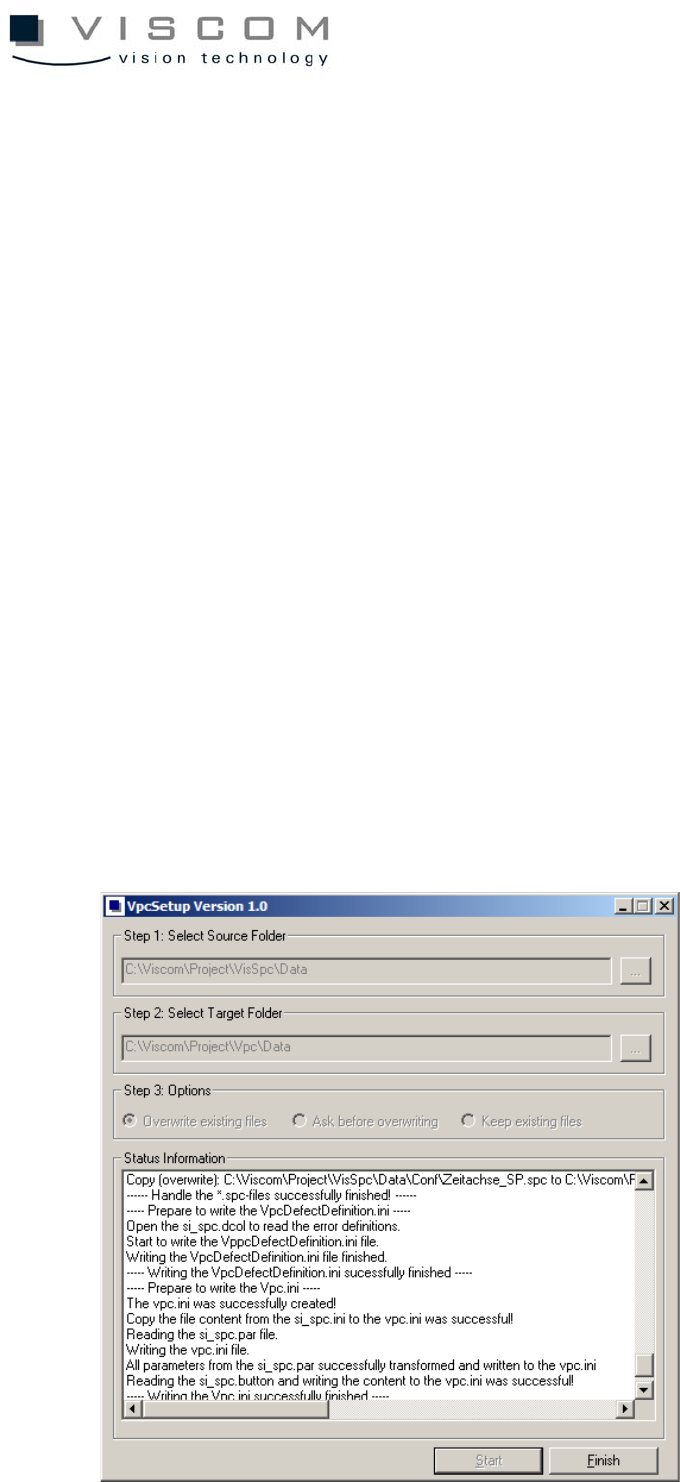
VpcSetup makes it possible to automatically transfer SPC configurations to
VPC configurations, so the operator no longer has to carry out manual
modifications. The following example illustrates the VpcSetup program after a
successful configuration transfer.
VpcSetup transfers the configuration files (with the file ending "spc") and the
configuration set files (with the data ending "sps") for the new software VPC. In
the process, the files from the "Conf" directory of the SPC software are copied
to the "Conf" directory of the VPC software, and named according to the
following convention:
• configuration set: old file ending: “sps“; new file ending “vps“
• configuration set: old file ending: “sps“; new file ending “vps“
At the end, a Vpc.ini file and a VpcDefectDefinition.ini file (see "Error definition
setup") are generated, in which all the settings for the VPC software are saved.

121/144
8.6.1 Program settings
The program VpcSetup can be operated through three simple steps. As pre-
selection, the directory where the configurations are actually to be found is
selected. If this does not apply, the path to the directory can be changed, by
activating the button (indicated by ...). Here please note that the "Data" directory
of the particular software has to be chosen, because this is where the
configurations which are to be transferred are held and so, where the directory
structure described under "Setup directory structure" is.
First, select the "Data" directory of the SPC software from the “Step 1: Select
Source Folder”. As the second step, select the "Data" directory of the VPC
software under "Step 2: Select Target Folder“. In the third step, "Step 3:
Options“, the user can set how the available files should be processed. In these
steps, the following options can be chosen from:
• Overwriting existing files: All available files are overwritten, without
additional action by the user.
• Ask before overwriting: Before an available file is overwritten, the user
must confirm it.
• Keep existing files: all available files remain and are not re-copied or
regenerated.
To start the transfer, the button "Start" must be confirmed.
8.6.2 Program process
After the button "Start" is confirmed, the transfer of the SPC configuration to
VPC configuration is started. In the end, the user can not make any more
changes to the settings (the buttons are grayed out). This executes successive
steps.

122/144
• First, the spc.batch and spc.template are copied in the "Data" directory of
the VPC software and then receive the file name "vpc" with the appropriate
extension (batch or template).
• Next, the configuration set files (sps) are copied from the "Conf" directory
of the SPC software into the "Conf" directory of the VPC software named
according to the naming convention (see "Configuration setup").
• After that, the configuration files (spc) are also copied from the "Conf"
directory of the SPC software into the "Conf" directory of the VPC software
and named according to the naming convention (see "Configuration
setup"). Here, entries for the color definitions corresponding to the new
conditions (colors are always displayed with their hexadecimal value) are
adapted.
• Also, the Vpc.ini and the VpcDefectDefinition.ini files are created in the
"Data" directory of the VPC software, which contains all further settings of
the VPC software.
After a successful transfer of the configurations, the program must be ended
with the button "Finish".
If any errors occur during the configurations transfer, these will be relayed to the
user by a message window and a status window, and the buttons will be turned
on again.
8.6.3 Creating the Vpc.ini file
The Vpc.ini file is assembled from several files. To do this, the files
si_spc.button, si_spc.par and si_spc.ini are used, among others.
8.6.4 Si_spc.ini files
The entries from the si_spc.ini file (user-defined color values in hexadecimal
form) are copied 1:1 and written into Vpc.ini.
<NUMBER> = #<RRGGBB>.