1.011.1_VPC使用手册.pdf - 第55页
54/144 3. VPC as Production Monitor The production monitor offers the po ssibility to evaluate the VPC data immediately after it is gener ated on the machine ("just in time" processing). At this point, the repa…

53/144
2.1 Exercise 3:
Please select the time axis diagram in the pull-down menu and start the
evaluation. The time filter is preset.
1. There are seven inspection plans in the evaluation time period with a
First Pass Yield of less than 50%. Use the templates to analyze the
two inspection plans with the lowest FPY until you have received the
following information:
top pseudo defect component type
ID
window number
analysis process
How large is the first pass yield, when
the Top1 pseudo defect is eliminated?
54/144
3. VPC as Production Monitor
The production monitor offers the possibility to evaluate the VPC data
immediately after it is generated on the machine ("just in time" processing). At
this point, the repair person has not yet carried out a classification. This does
not allow a statement about pseudo defects and real defects to be made, but
the process quality can be assessed. This process monitoring (production
monitor) can be carried out parallel to the "normal" process check, with the
precondition that all data is saved on one server.
Because some modifications in vpc.ini are necessary for the production monitor,
the VPC should be run on another computer or under a second account to
prevent continual manual editing of the data.
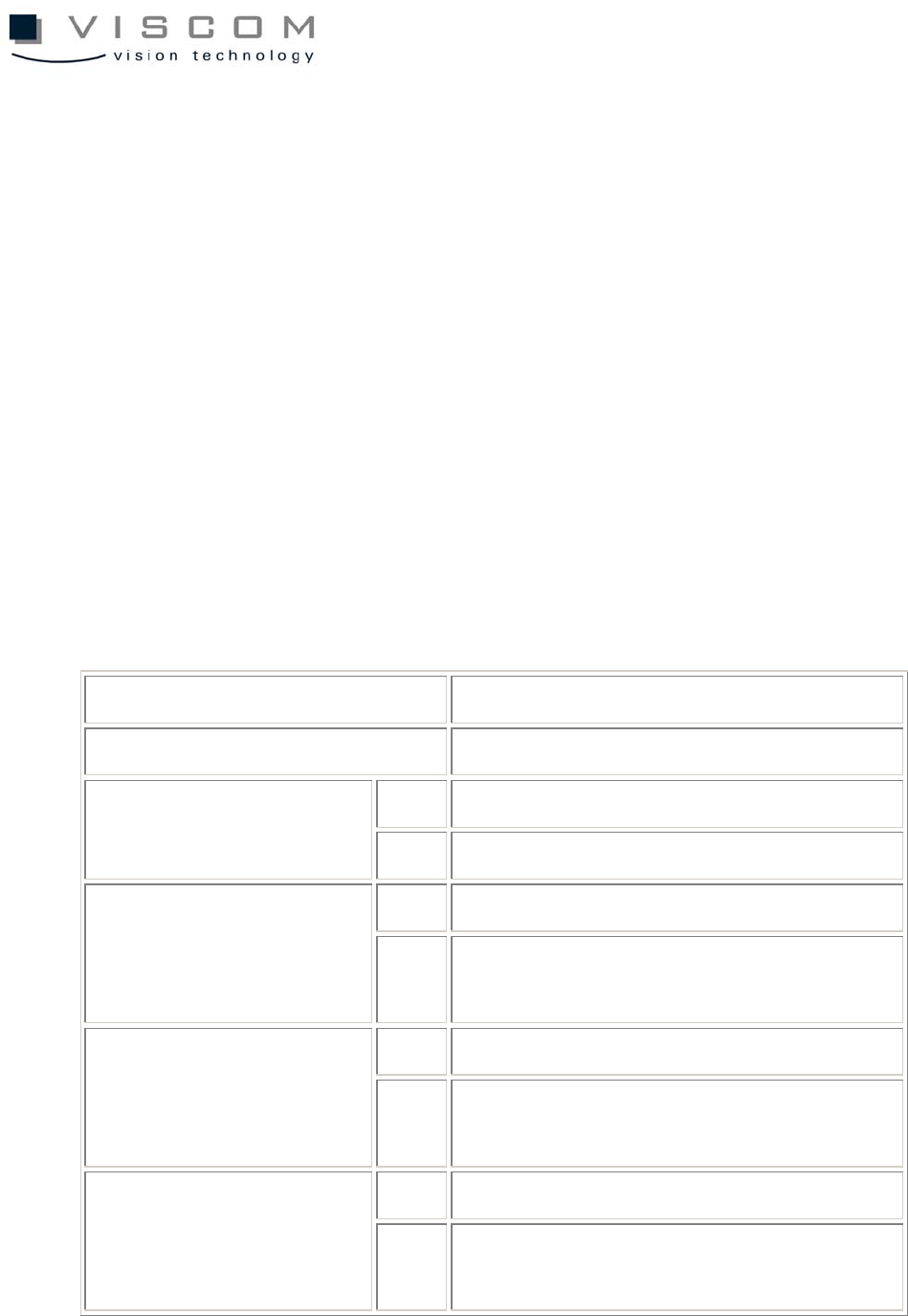
The following special vpc.ini configurations for the production monitor are
possible:
section [settings]
parameters description
0 also evaluate unrepaired defects(10000) SkipGroupErrors
1 skip unrepaired and group defects
0 every window is an defect OneErrorPerComp
1 count only one defect per component and
PCB
0 off CheckProgEnabled
1 globally activate automatic inspection plan
change; monitor si.name
0 off CheckProgReadOnFirst
1 read-in current inspection plan name with
first evaluation; monitor si.name

55/144
0 off MessageOnOverrun
1 display notice when limit is exceeded;
diagram type 3
0 off section unit
1 maximum number of subsequent limit
warnings per column
MessageTimeout 10 number of seconds after which certain
defect messages are automatically closed
The next step is opening the configuration set "Production monitor". The
previously seen Pareto diagram representing the machine to be monitored is
shown.
The properties of the production monitor are identical with the previous Pareto
evaluations except for:
the currently active path to si.name
activation of the options action control limit (70%) and
monitor inspection plan change
identical with the previous Pareto evaluation
1
2
3