1.011.1_VPC使用手册.pdf - 第58页
57/144 The last three hours can be used as time period filter. Thus, a sufficient amount of data is available in order to reduce confusion caused by slight fluctuations in production. By setting a refresh rate for a cont…
56/144
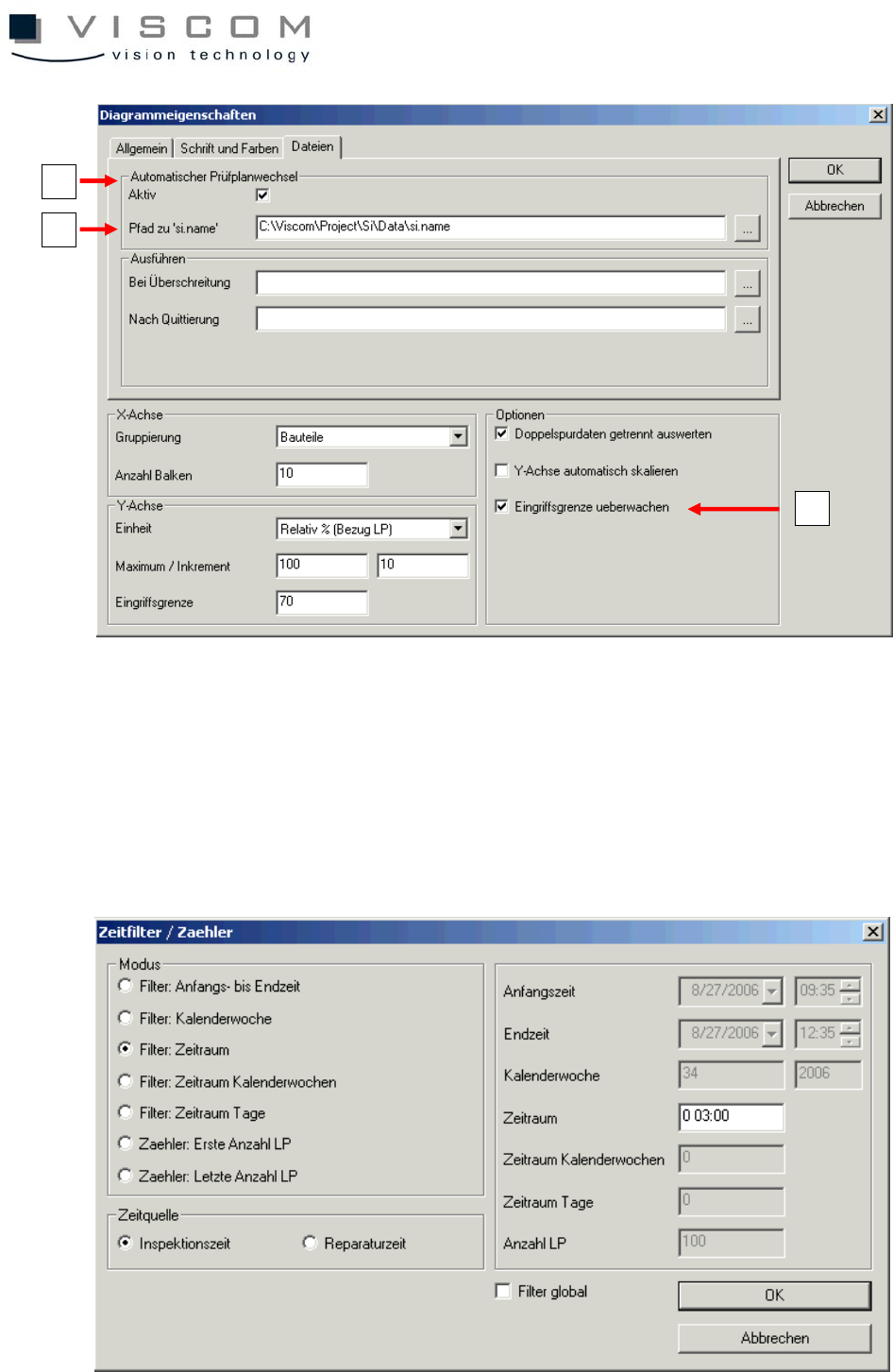
The default setting, as seen in the image above, is a
Y axis scaling according to "relative % (reference PCB)" and a cutoff
(don't check box) for the option, automatic scaling of the Y-axis. This setting has
the advantage that the Y-axis maximum can be set permanently to 100% and
the counting unit can be set to the value 10 (maximum 100 / increment 10).
1
3
2
57/144
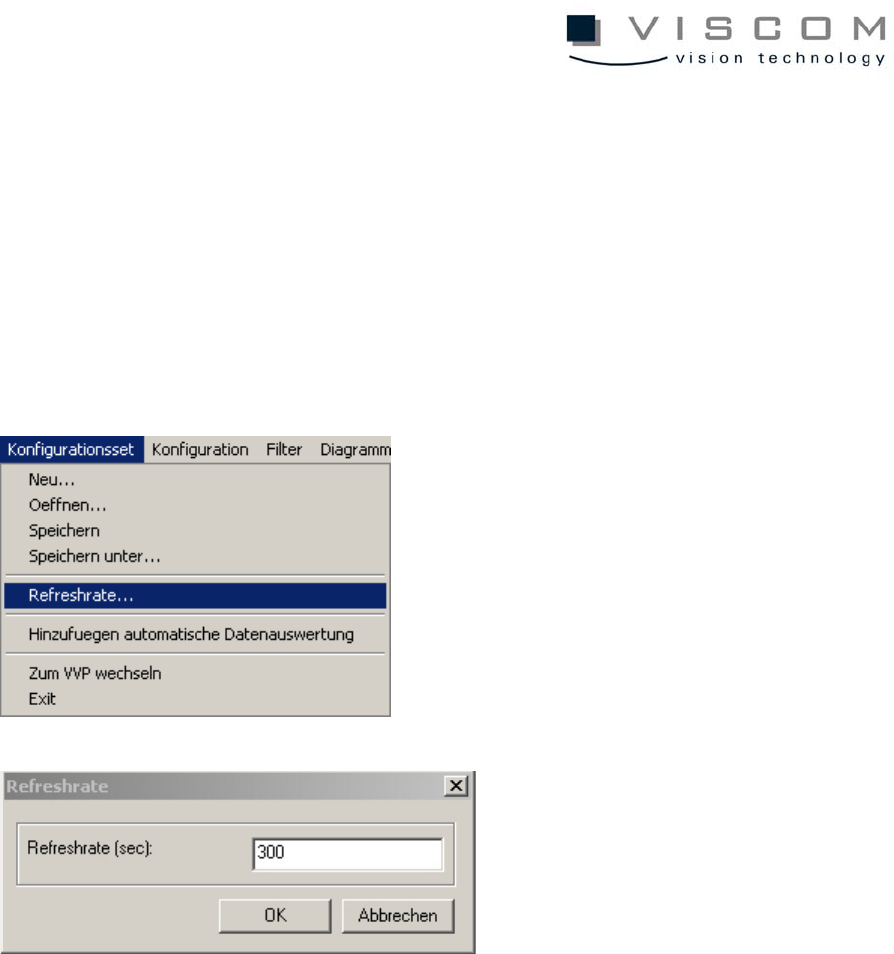
The last three hours can be used as time period filter. Thus, a sufficient amount
of data is available in order to reduce confusion caused by slight fluctuations in
production.
By setting a refresh rate for a continuously repeating data evaluation, an
automatic evaluation cycle can be achieved. The refresh rate is always valid for
the entire configuration set.
In the example shown, then, a new evaluation with the diagram is started every
five minutes (300 sec.). If a configuration set should contain several diagrams,
the evaluation of the diagrams runs according to their sequence.
It is important to take into consideration here that the normal evaluation time for
a configuration set is always smaller than the set refresh rate, otherwise
overlapping could occur during evaluation.
The configuration set is ready after the refresh rate mask is confirmed with
"OK". It is now possible to start the data evaluation immediately, or it starts
automatically after the preset time is over.
58/144
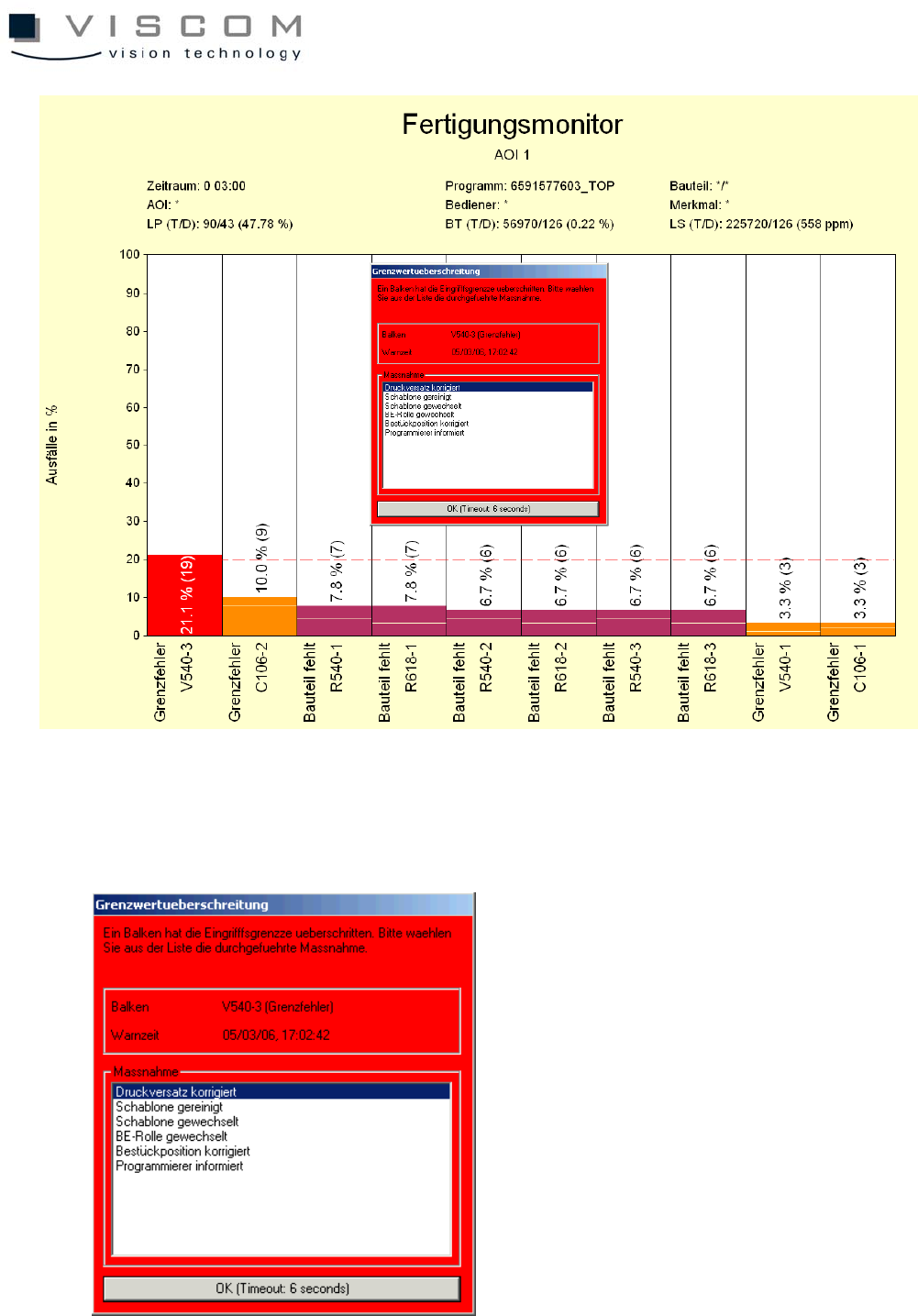
The data evaluation done here shows an exceeded warning limit. This opens a
"Limit exceeded" mask which refers to the first bar.