1.011.1_VPC使用手册.pdf - 第39页
38/144 1 evaluation of specific or all defect features 2 evaluation shown when a bar is clicked on with the mouse. 3 additional options for evaluation: - scale Y-axis automatically, - evaluate double track data separatel…
37/144
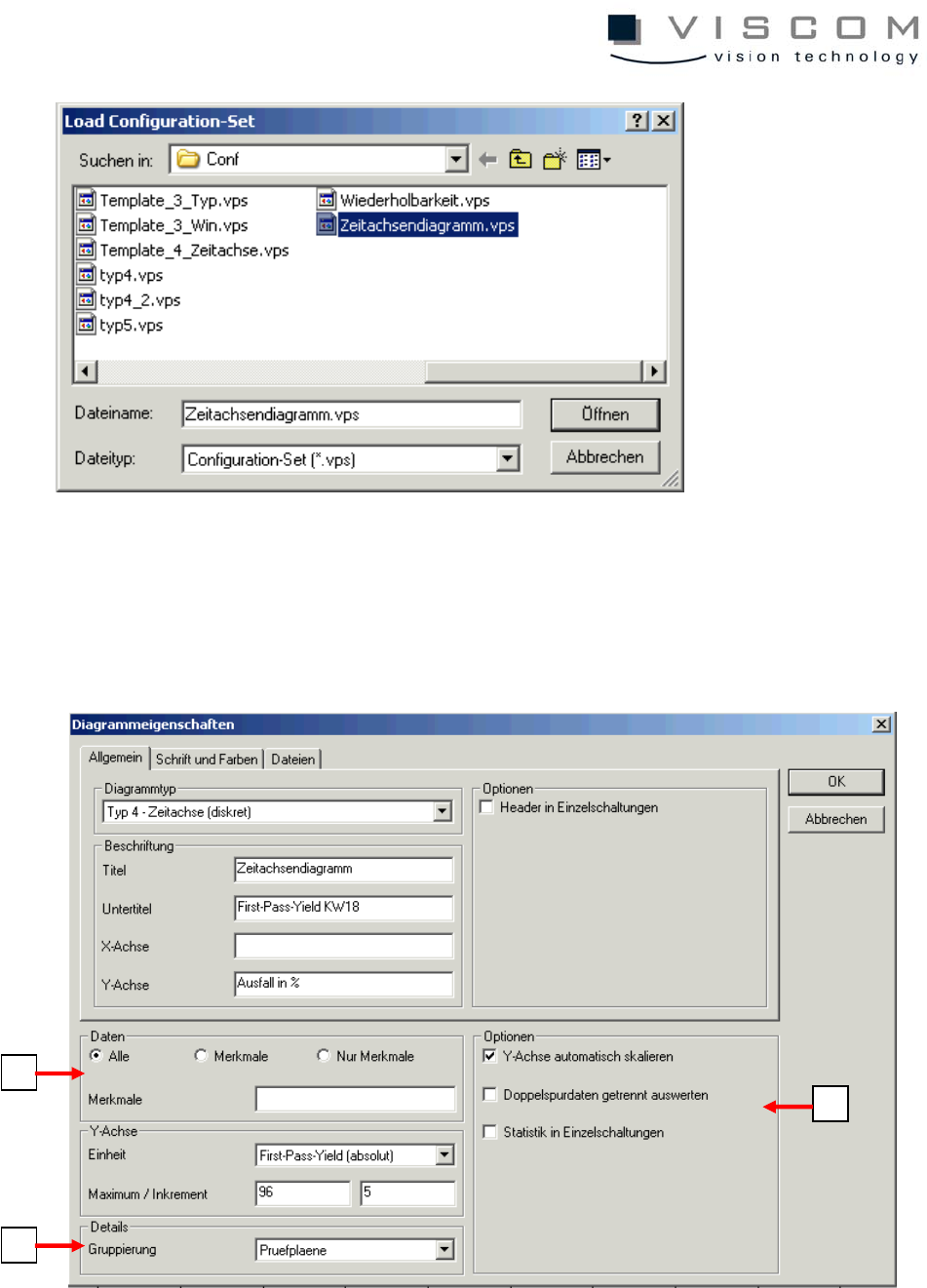
The chosen time axis diagram is preset with the following properties and filters.
General diagram properties
1
2
3
38/144
1 evaluation of specific or all defect features
2 evaluation shown when a bar is clicked on with the mouse.
3 additional options for evaluation:
- scale Y-axis automatically,
- evaluate double track data separately,
- statistics in single panels
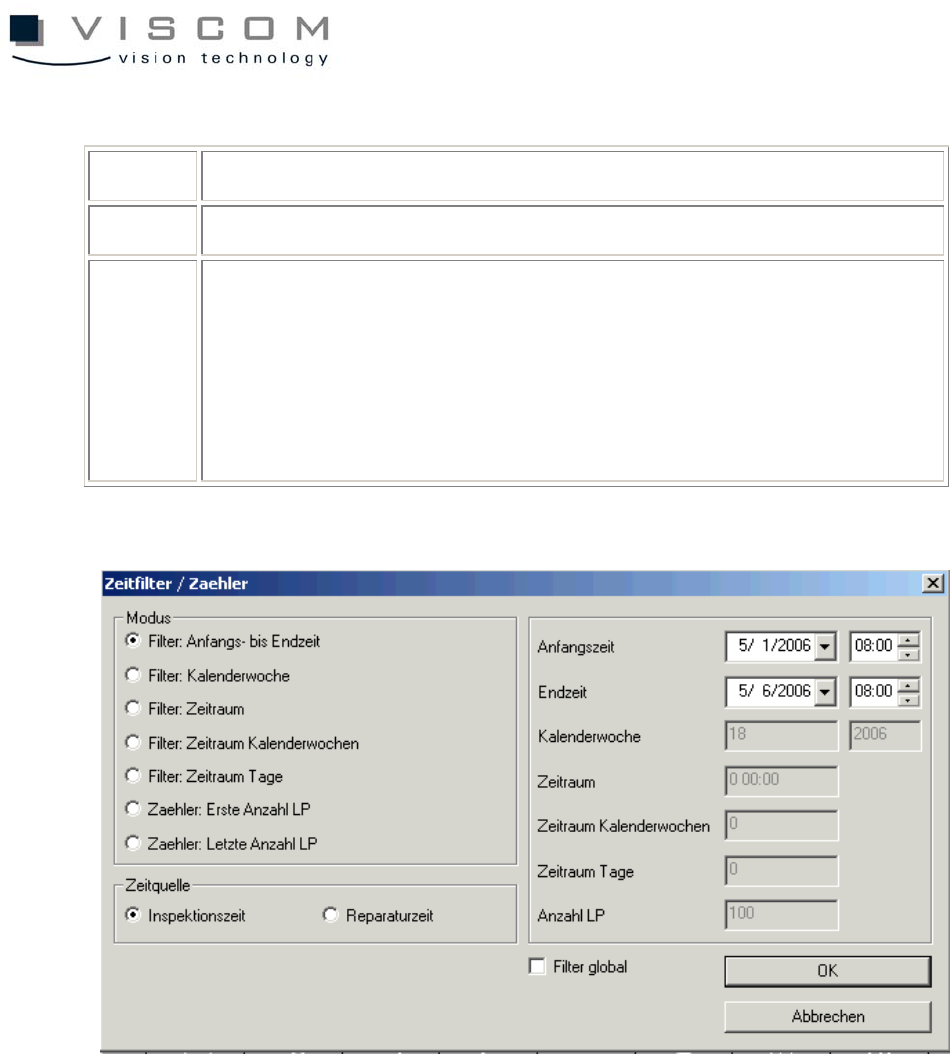
Setting the time filter for the correct evaluation
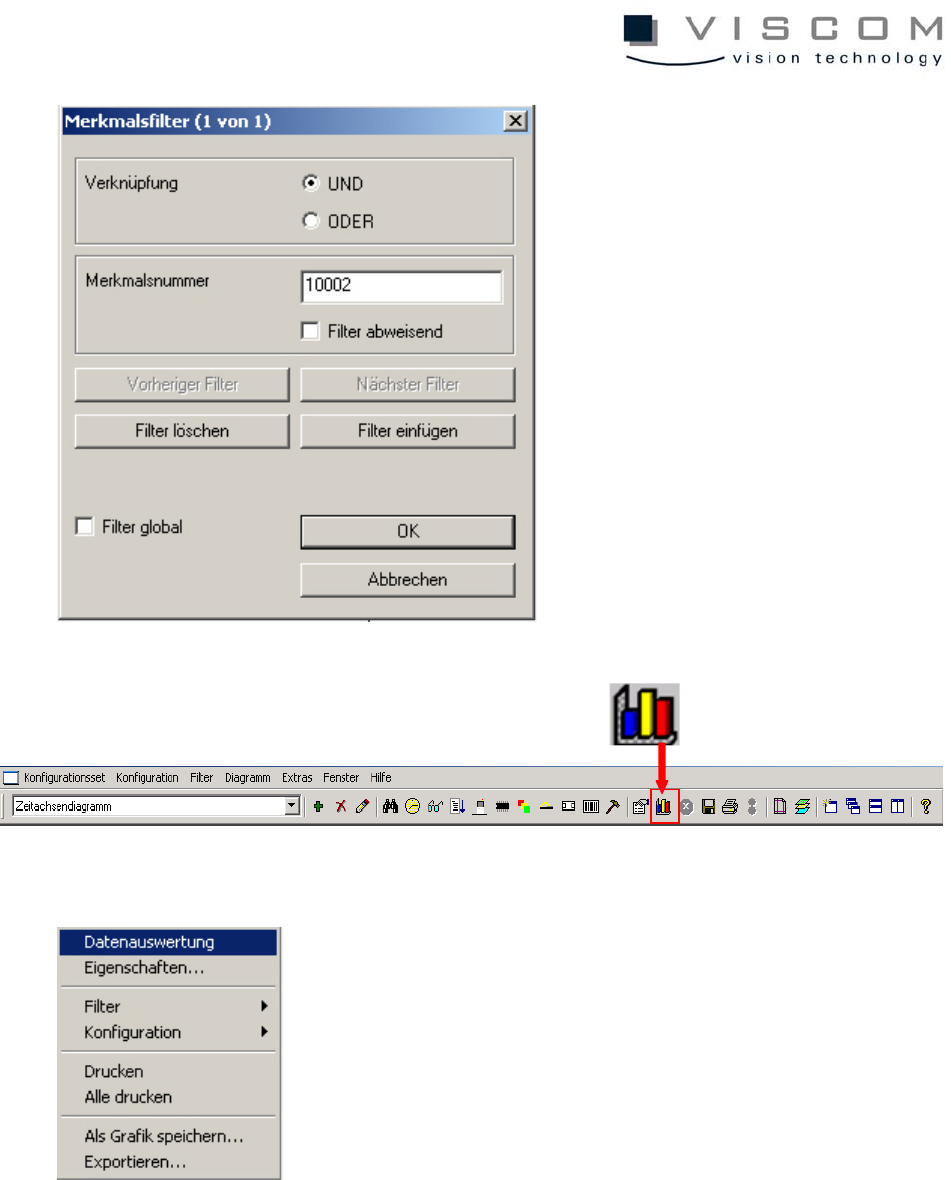
Setting the features filter (10002-> only pseudo defects are displayed)
39/144
Now, with a click on "Data evaluation," under consideration of the filter settings,
all data that corresponds to the preconditions is displayed in the diagram.
During evaluation the message "Data is evaluated..." appears at the bottom left
of the image.