1.011.1_VPC使用手册.pdf - 第94页
93/144 requires separate costs. But with it, each customer has the ability to make modifications to these individual ex port variants, whenever required. For this, Viscom provides only the data. The drafts of th e Excel …
92/144
0 export measurement values HideFeatures
1 do not export measurement values
0 export defect features HideErrors
1 do not export defect features
0 do not export product number WriteProdNr
1 export product number
0 do not export line number WriteLineNr
1 export line number
0 re-create file Append
1 do not re-create file, but attach data to end
0 off Format
1 defines global format for export (customer-specific)
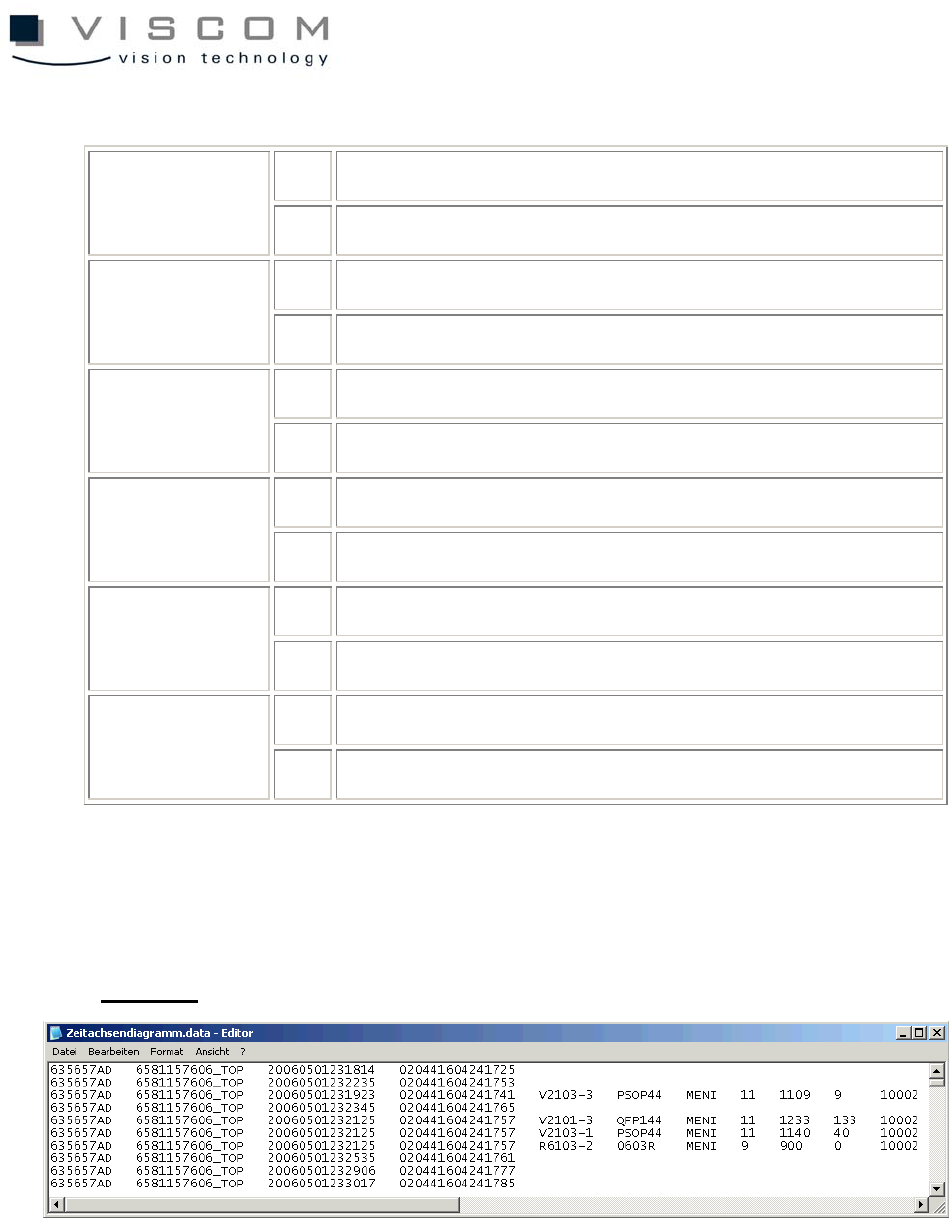
The text file is created in the export directory with the ending ".data" and
contains the configured description of each individual defect in the diagram.
Example:
5.1.4 Data export in table form (MS Excel)
The most convenient operation method allows data to be exported directly in
the Microsoft Excel table format.
To give the customer as much flexibility as possible during further processing
with Microsoft Excel, this modification is a customer-specific special offer and so
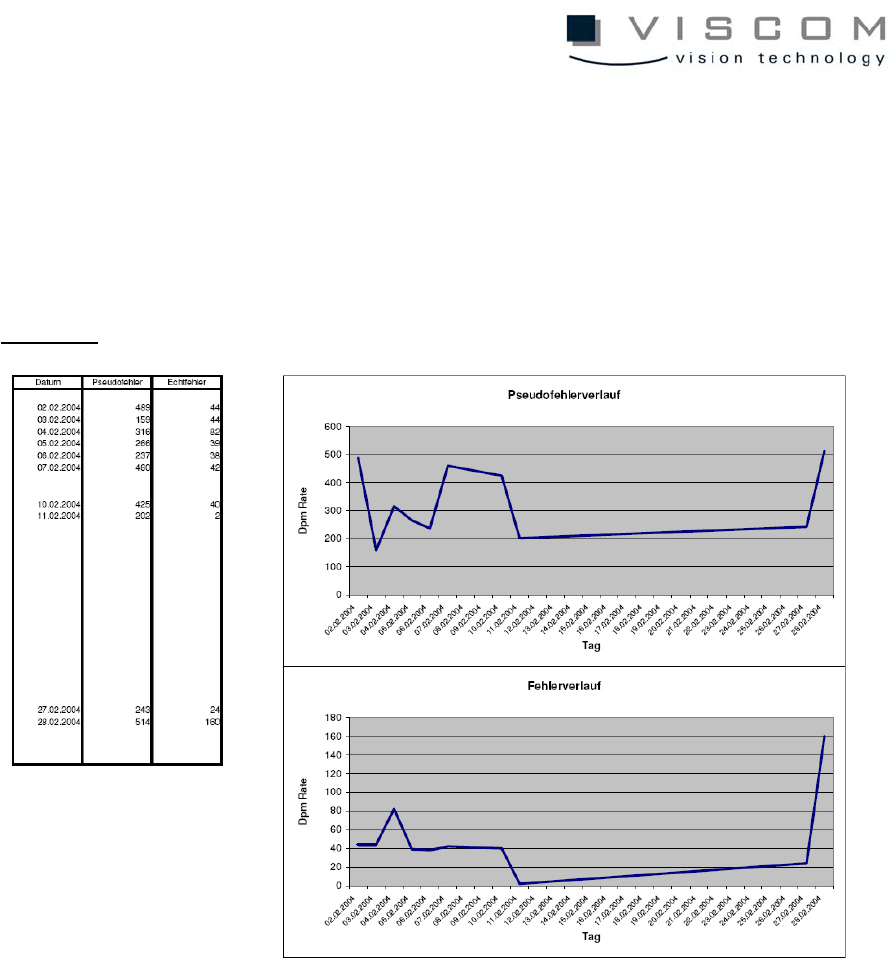
93/144
requires separate costs. But with it, each customer has the ability to make
modifications to these individual export variants, whenever required.
For this, Viscom provides only the data. The drafts of the Excel diagrams
remain with the customer.
Example:
94/144
5.1.5 Example export format
The following functions for export are provided:
• print
• save graphics
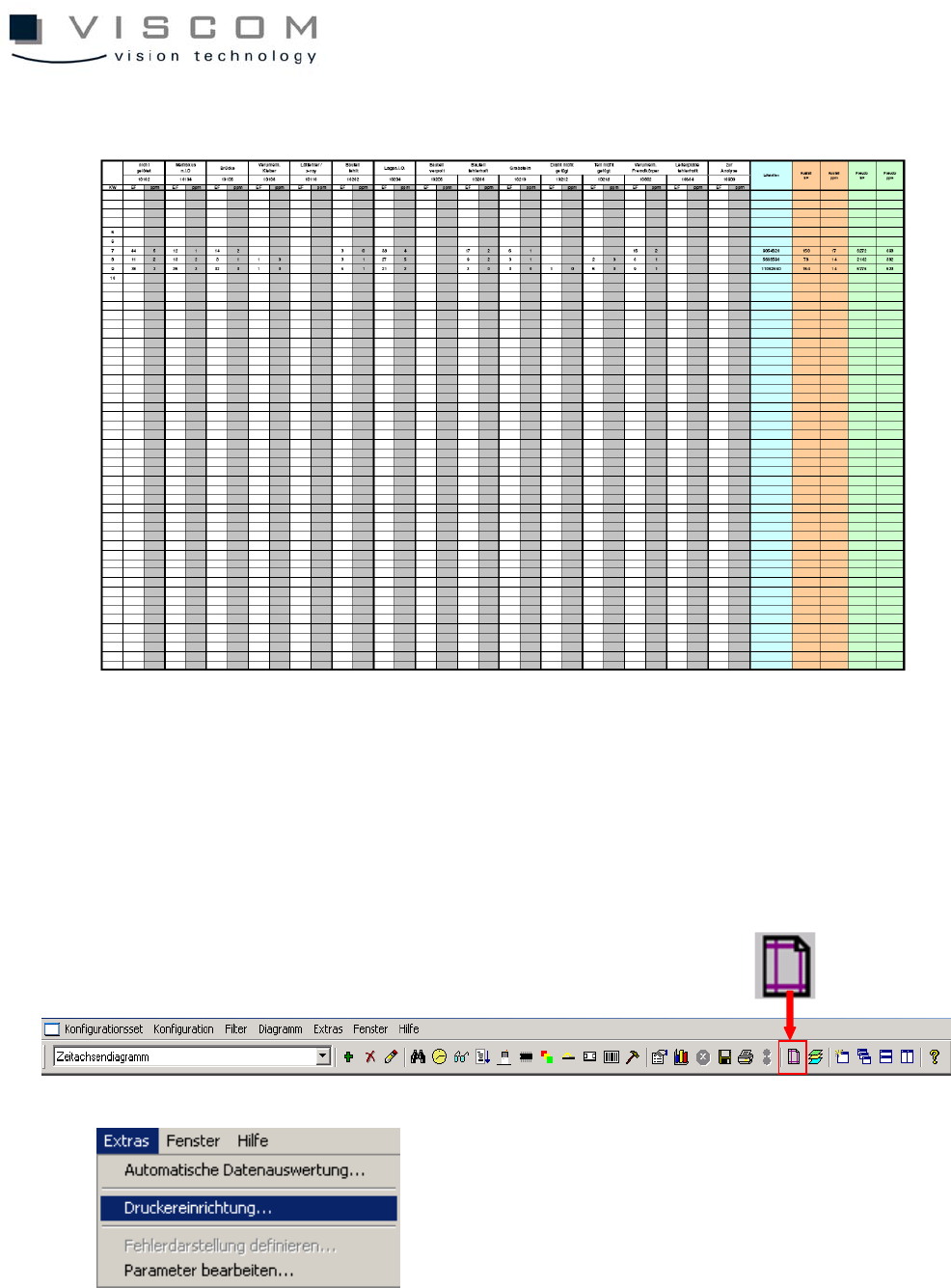
5.1.6 Printer setup
With the print function, it is possible to make a colored print-out of a diagram on
all current color printers.