1.011.1_VPC使用手册.pdf - 第15页
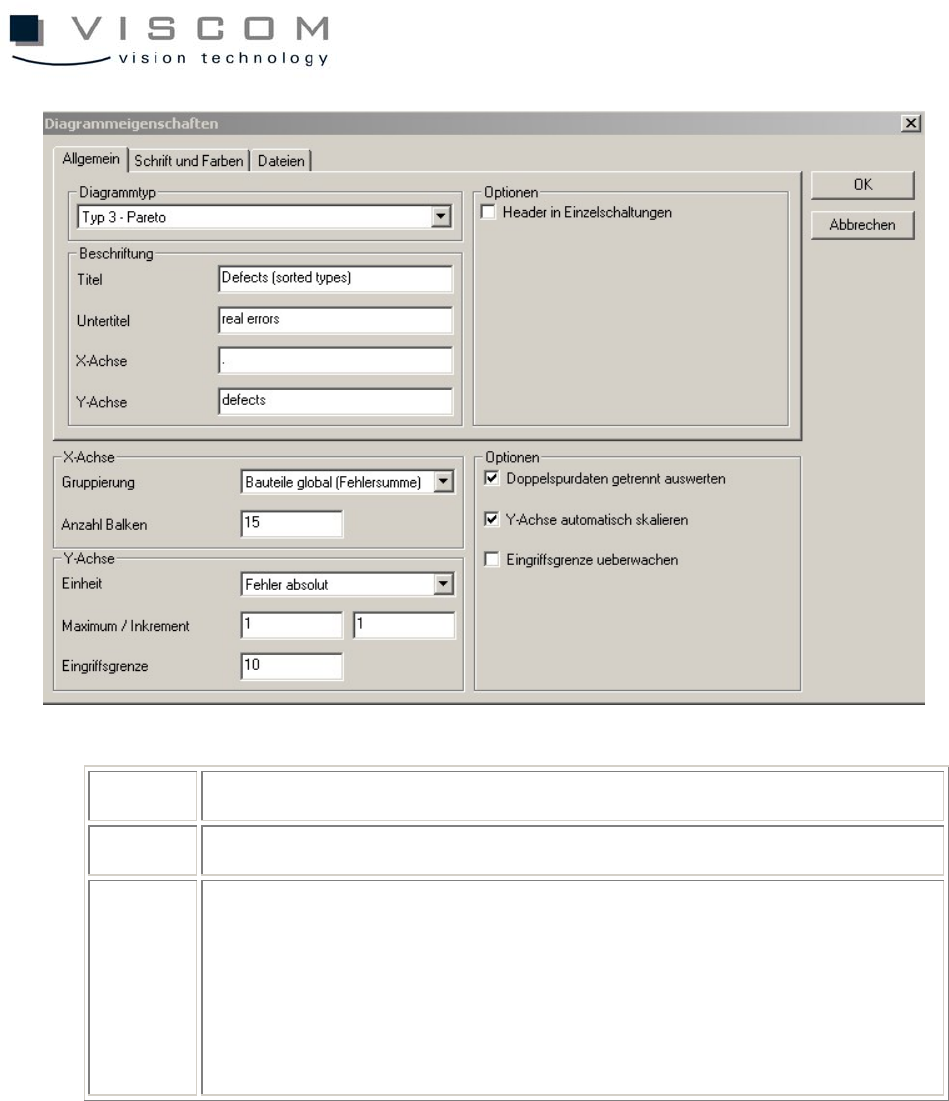
14/144 7 grouping of the X-axis 8 unit for the Y-axis 9 options: - evaluate double track data - scale Y-axis automatically - monitor interference limit Grouping of the X-axis means sorting defects for component body type…
13/144
5 setting the colors, font size and style of the diagram
Level "Files"
6 automatic inspection plan change, if the diagram should follow the
current inspection program online (see chapter "VPC as Production
Monitor")
7 execution of exe or batch files when interference limits are
exceeded or after they are confirmed (see chapter "VPC as
Production Monitor")
1.4 Example: Pareto Diagram
The Pareto diagram offers the possibility to evaluate the VPC data according to
different criteria. This is by far the most versatile type of diagram and is used
most frequently.
Thus, it is explained in more detail as follows.
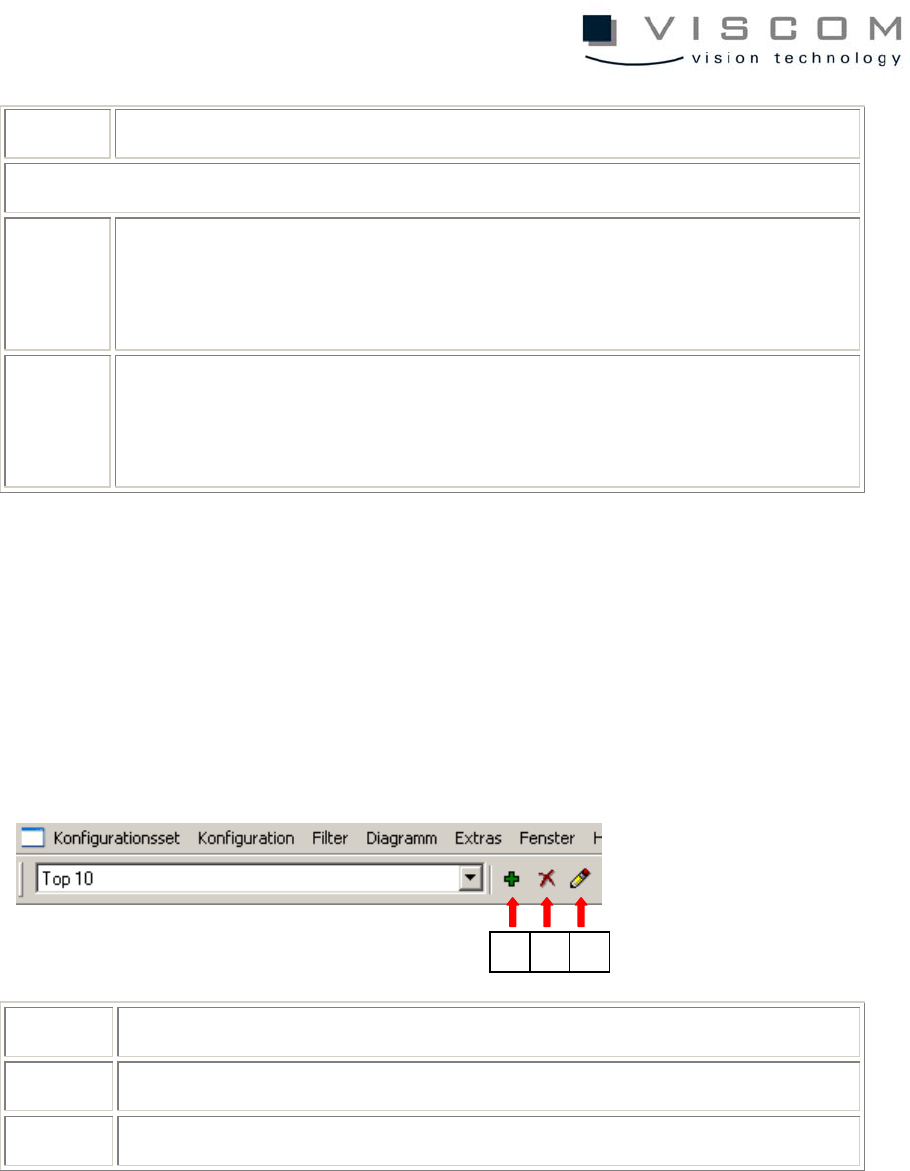
1 add entry to scroll list
2 delete entry from scroll list
3 edit entry (modifies the description for the menu command)
For this, open the pull-down menu by clicking in the menu bar on the arrow to
the right of the field labeled "Top 10" in the example above.
1 2 3
14/144
7 grouping of the X-axis
8 unit for the Y-axis
9 options:
- evaluate double track data
- scale Y-axis automatically
- monitor interference limit
Grouping of the X-axis means sorting defects for component body type, IDs,
inspection plans, machines etc.
The unit of the Y-axis indicates the number of defects (absolute, relative in PPM
or relative in %).
Thus, every bar of the diagram gets a name and a defect code.
15/144
1.5 Filter
1.5.1 Why use filters?
Filtering is useful when only some specific data is required. Also, detailed
filtering saves evaluation time.
1.5.2 Types of filters
Several separate filters can be defined for each diagram. Filters can be applied
either locally to one diagram or globally to the entire configuration set. The
following filters are available: time, machine, operator, inspection plan, and
component filters, as well as feature, bond, barcode, inspection pattern and
production filters. In the following, the most important of these are discussed in
detail.
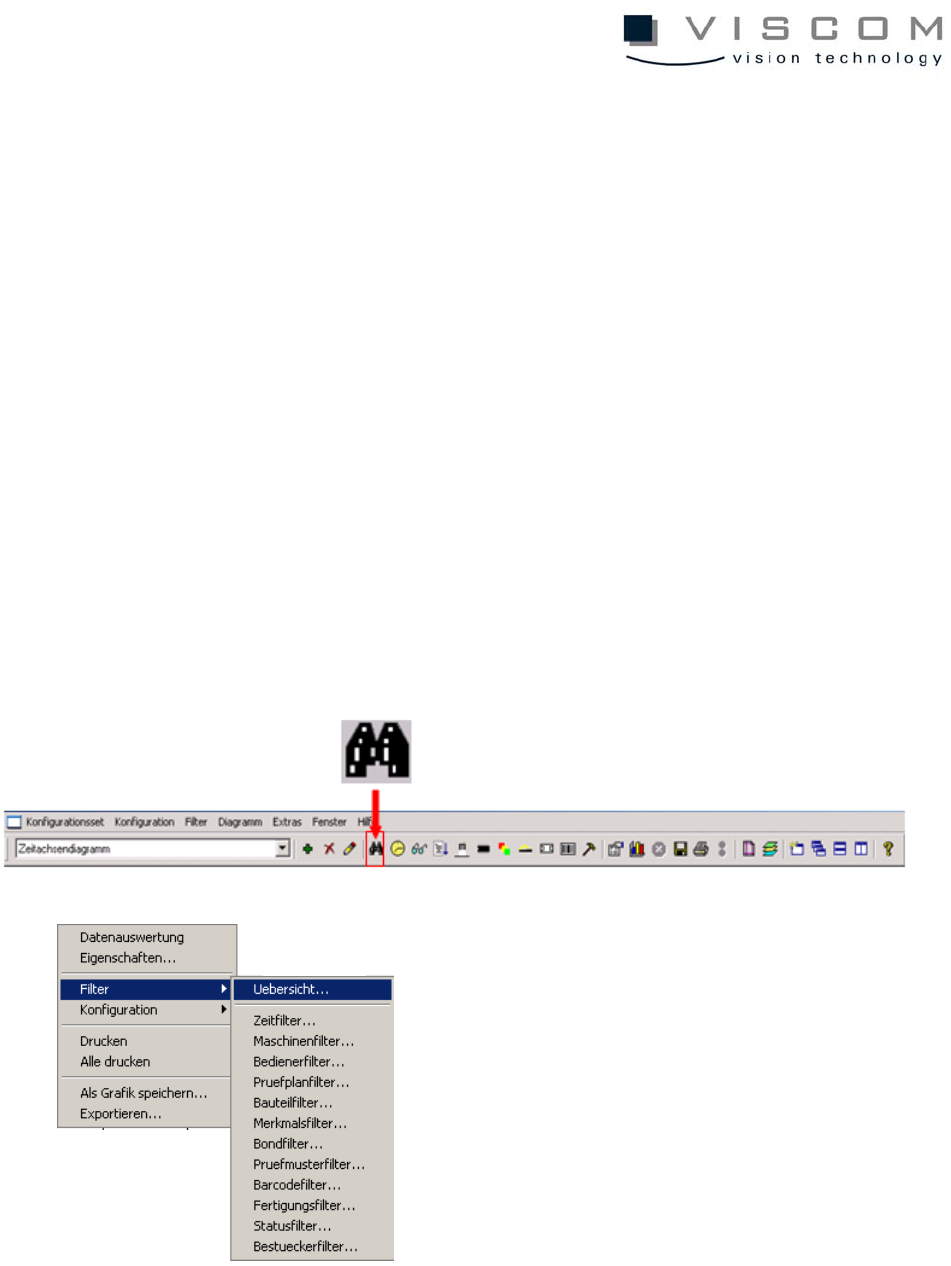
1.5.3 Filter overview