1.011.1_VPC使用手册.pdf - 第38页
37/144 The chosen time axis diagram is preset with the following proper ties and filters. General diagram properties 1 2 3

36/144
2. VPC as Optimization Tool
In this chapter the main focus is programming and optimization. Here, the
benefits of VPC for the machine programmer, who daily encounters detailed
information through targeted evaluation about the weak points in the inspection
programs, and can promptly incorporate them in the form of adaptations to the
library, are clear.
Here, the functionality of cascaded diagrams is used to further detail the
information without additional filtering effort.
In the following example, the procedures of three diagram types (time axis type
4, Pareto type 3 and ratio type 5) are explained.
First start the VPC software with a click on the Desktop VPC symbol.
After the VPC software is started, the point "Configuration set / Open" can be
chosen from the menu bar.
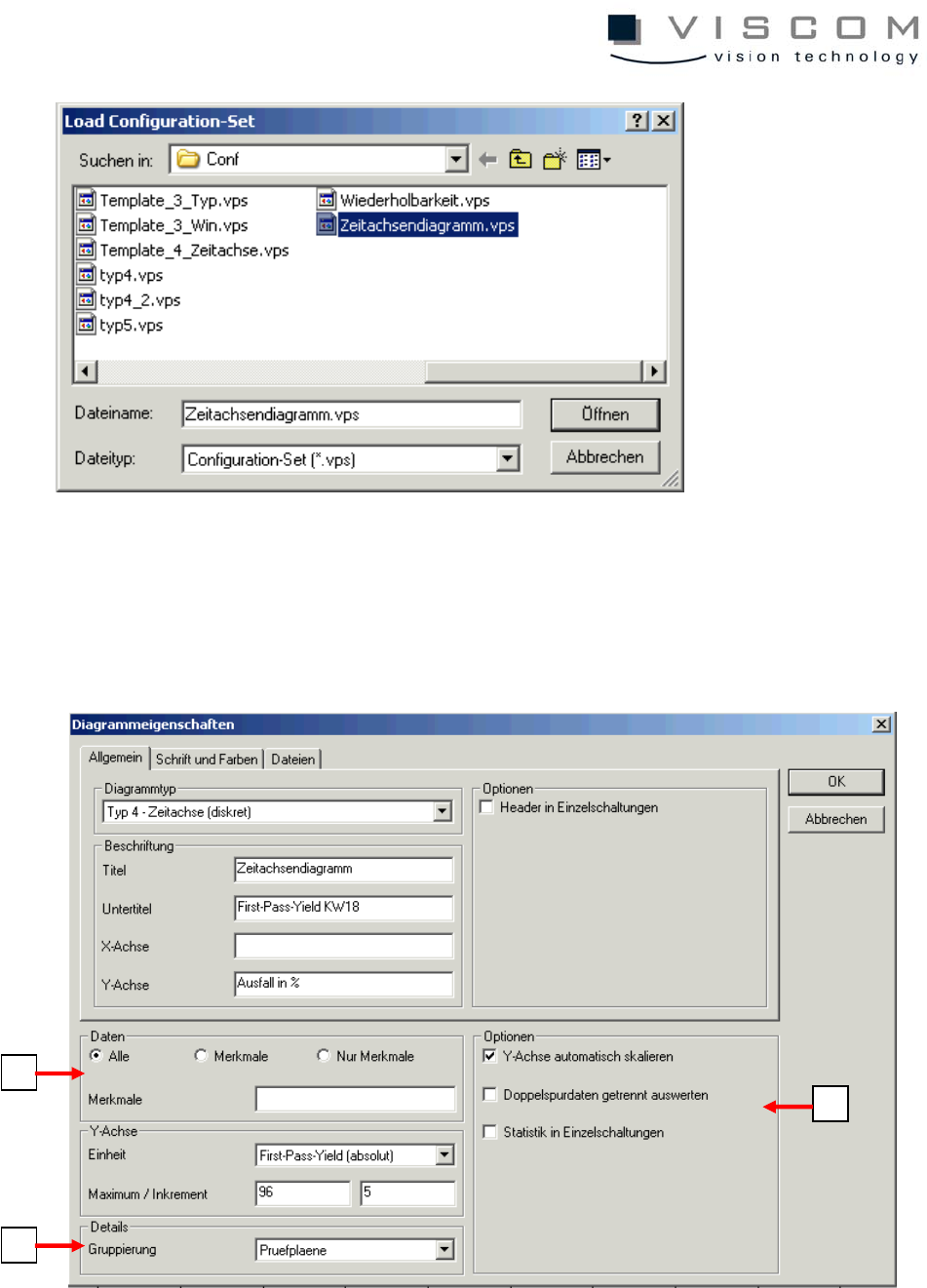
Then the Conf directory which contains the configuration sets opens. Here, the
time axis diagram is selected and chosen with the "Open" button.
37/144
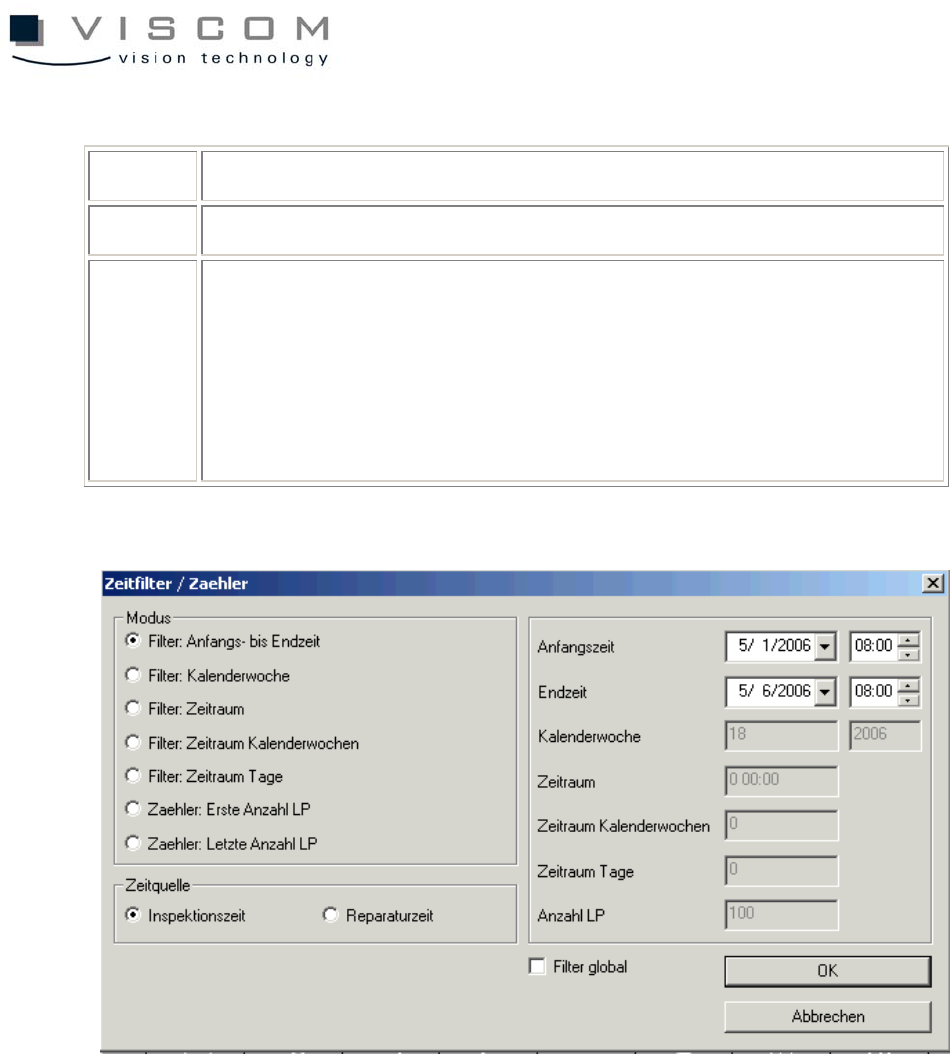
The chosen time axis diagram is preset with the following properties and filters.
General diagram properties
1
2
3
38/144
1 evaluation of specific or all defect features
2 evaluation shown when a bar is clicked on with the mouse.
3 additional options for evaluation:
- scale Y-axis automatically,
- evaluate double track data separately,
- statistics in single panels
Setting the time filter for the correct evaluation
Setting the features filter (10002-> only pseudo defects are displayed)