1.011.1_VPC使用手册.pdf - 第36页
35/144 1.7 Exercise 2: Please open the test diagram with "Conf iguration set /Open". The time filter is preset. 1. Adjust the machine filter so that only data from the machines OM5 and OM6 can be seen. 2. Set t…

34/144
1 entry of the production line number
2 entry of the order number
1.6.11 Other Filters
The following filters can also be selected:
• operator filter
• barcode filter
• bond filter
• status filter
• pick and place filter
These filters are explained in detail in the appendix.

35/144
1.7 Exercise 2:
Please open the test diagram with "Configuration set /Open". The time filter
is preset.
1. Adjust the machine filter so that only data from the machines OM5
and OM6 can be seen.
2. Set the features filter so that only pseudo defects are displayed.
3. Set the component filter so that only the component types *0805*,
*0603* and *1206* can be seen.
How high is the number of good boards in %?
What is the PPM rate?
Top 1 pseudo defects
Which inspection program causes the most defects?
Which machine causes the most defects?
Which ID causes the most defects?
36/144
2. VPC as Optimization Tool
In this chapter the main focus is programming and optimization. Here, the
benefits of VPC for the machine programmer, who daily encounters detailed
information through targeted evaluation about the weak points in the inspection
programs, and can promptly incorporate them in the form of adaptations to the
library, are clear.
Here, the functionality of cascaded diagrams is used to further detail the
information without additional filtering effort.
In the following example, the procedures of three diagram types (time axis type
4, Pareto type 3 and ratio type 5) are explained.
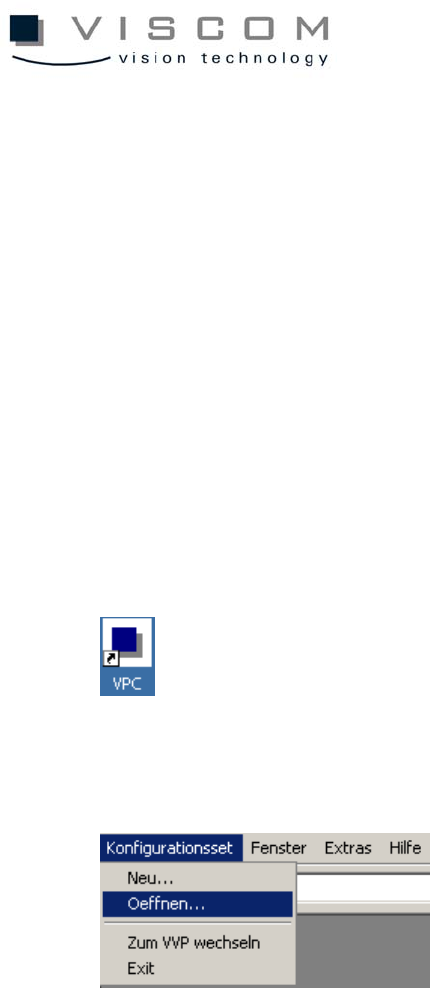
First start the VPC software with a click on the Desktop VPC symbol.
After the VPC software is started, the point "Configuration set / Open" can be
chosen from the menu bar.
Then the Conf directory which contains the configuration sets opens. Here, the
time axis diagram is selected and chosen with the "Open" button.