1.011.1_VPC使用手册.pdf - 第7页
6/144

5/144
8.6.9 Bits for P_VPC_DEST (si.par)................................................................ 36
8.6.10 Bits for P_VPC_USE (rep.par).............................................................. 36
8.6.11 Entries in si.tpar.................................................................................. 36
8.6.12 Operator filter.....................................................................................36
8.6.13 Bond filter...........................................................................................36
8.6.14 Barcode filter ...................................................................................... 36
8.6.15 Parameters for vpc.ini......................................................................... 36
9. Index........................................................................................................ 36
Viscom Process Control (VPC)
For permanent optimization of the production process, it is essential to process
inspection and repair results statistically and to sort them according to different
criteria. This can be done with the Viscom VPC Server.
The use of a VPC Server offers the following advantages:
• display of quality improvement over time
• documentation of process results
• recognition of the main defects
• prevention of serial defects
• definition of process intervention limits.

6/144
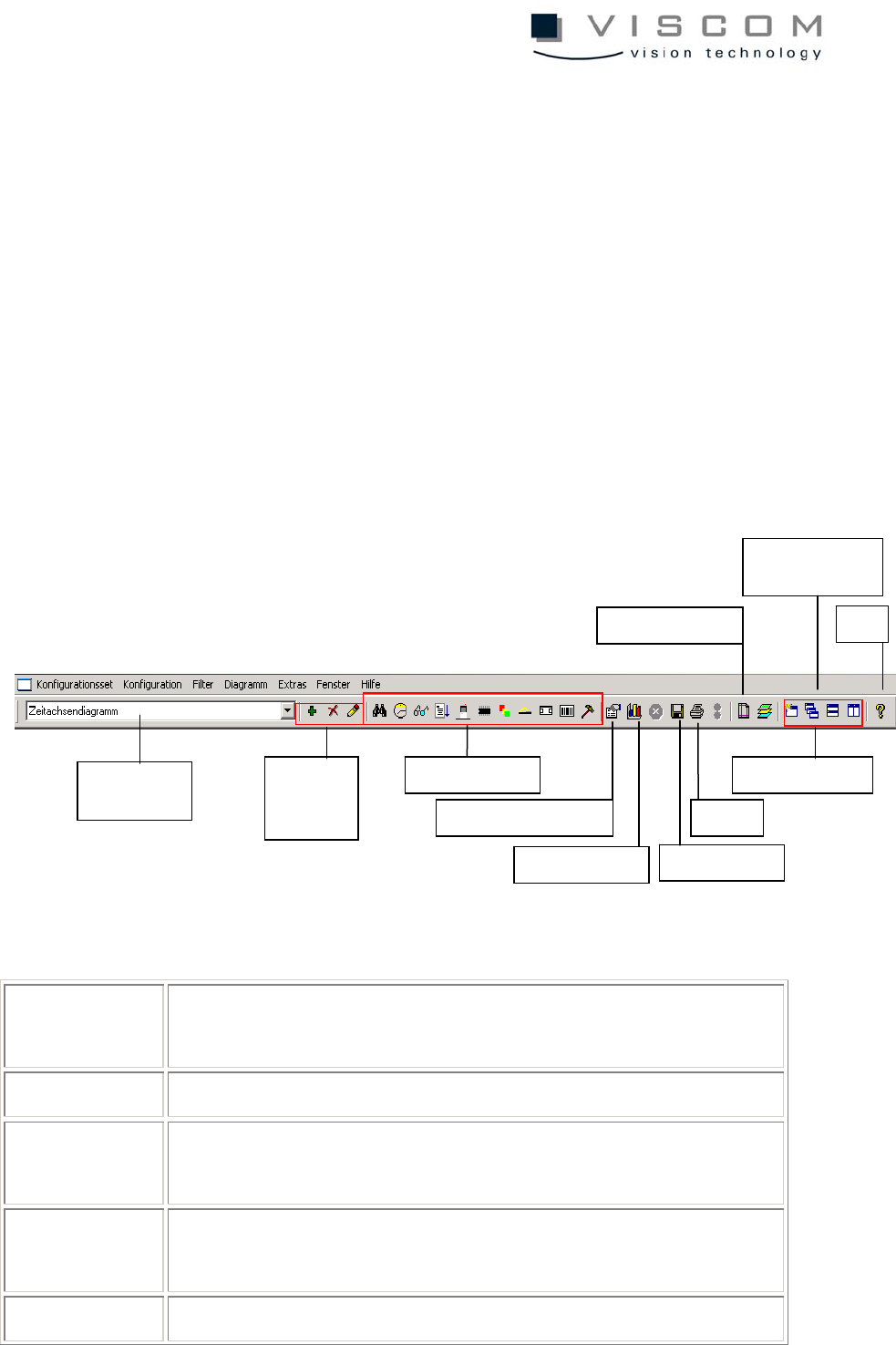
7/144
1. Using the VPC Software
1.1 Menu Bar
Processing the configurations - called diagrams in the following - and the
configuration sets (which can contain 1-6 or 9 diagrams) can be done in three
different modes:
• icons
• menu bar
• right mouse click in the analysis area.
A detailed description of the menu bar is given in the following:
Configuration
set
editing the entire configuration set
Configuration editing the currently selected diagram
Filter editing the filter settings for the current diagram or for the
entire configuration set
Diagram editing the diagram properties; data evaluation of the current
diagram
Extras data evaluation and printer setup
Configuration
set selection
Delete,
add, edit
entries
Filter icons
Diagram properties
Data evaluation
Save graphics
Print
Window
Printer setup
Automatic data
evaluation
Help