1.011.1_VPC使用手册.pdf - 第25页
24/144 1 display of the previous filter 2 display of the next filter 3 delete the chosen filter 4 add a new filter The number of the selected subfilter (1 of 1) is read out in the header (see example, "Machine filte…
23/144
defined in a filter mask are met.
1.6.3 Reject filter
Activating this checkbox negates the filter, so the VPC files are evaluated when
the condition is not met.
Example:
AND linking Display of VPC data from AOI 1 and AOI 2 is not wanted,
but the data from all other AOIs is. Here, choose the AND
link and "reject filter" by activating the checkbox.
OR linking Display of VPC data from AOI 1 and AOI 2 is not wanted,
but the data from all other AOIs is. Here, choose the OR
link and "don't reject filter", by not activating the checkbox.
1.6.4 Edit filter
It is possible to combine as many sub-filters as needed into one filter mask.
Example machine filter:
A display of data from AOI_1 and AOI_2 is needed. For this, the first subfilter is
set to AOI_1 and the second, to AOI_2.
Note: Choose OR here as the linking!
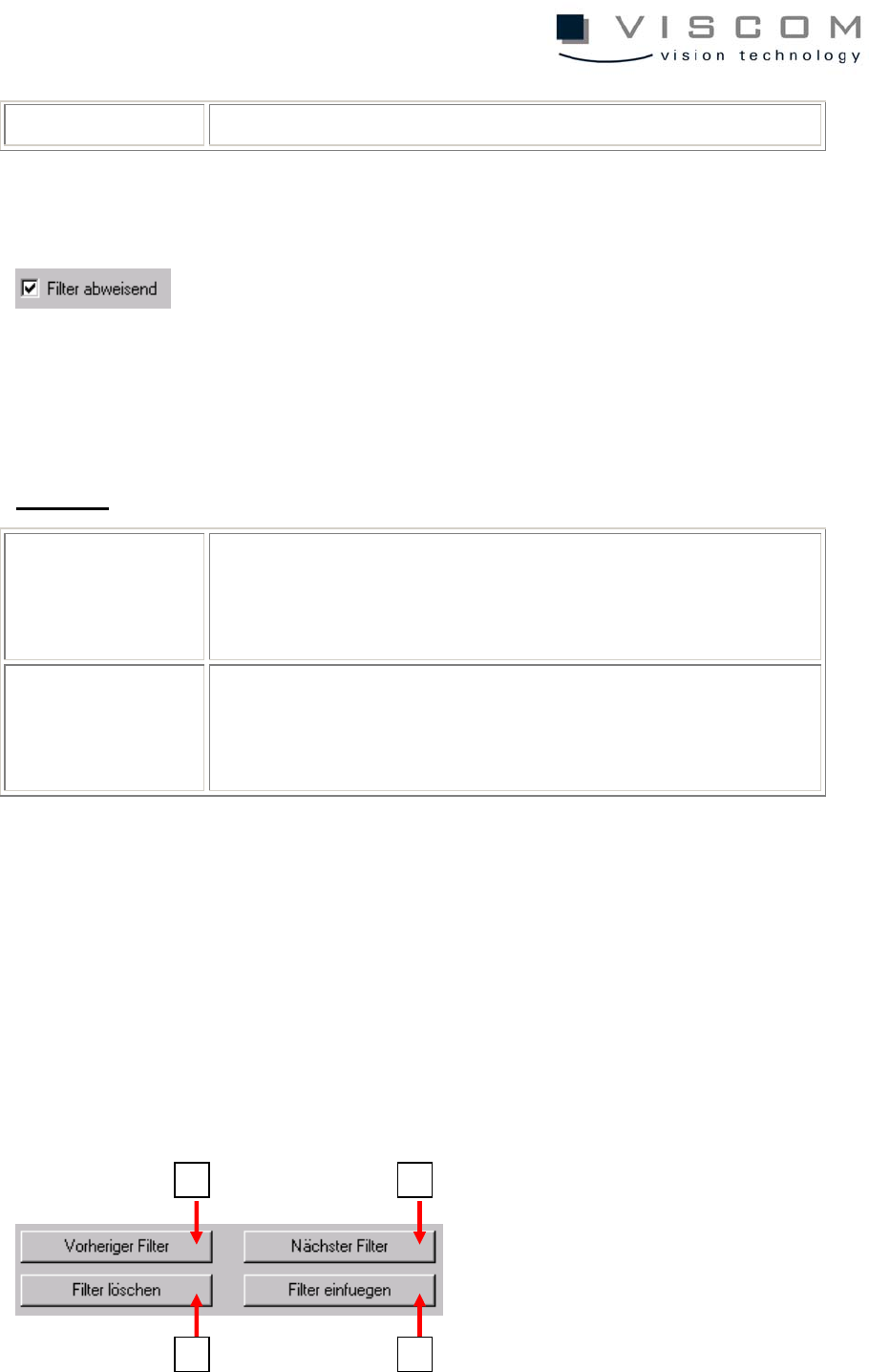
Editing is done with the buttons shown here:
1
3
2
4
24/144
1 display of the previous filter
2 display of the next filter
3 delete the chosen filter
4 add a new filter
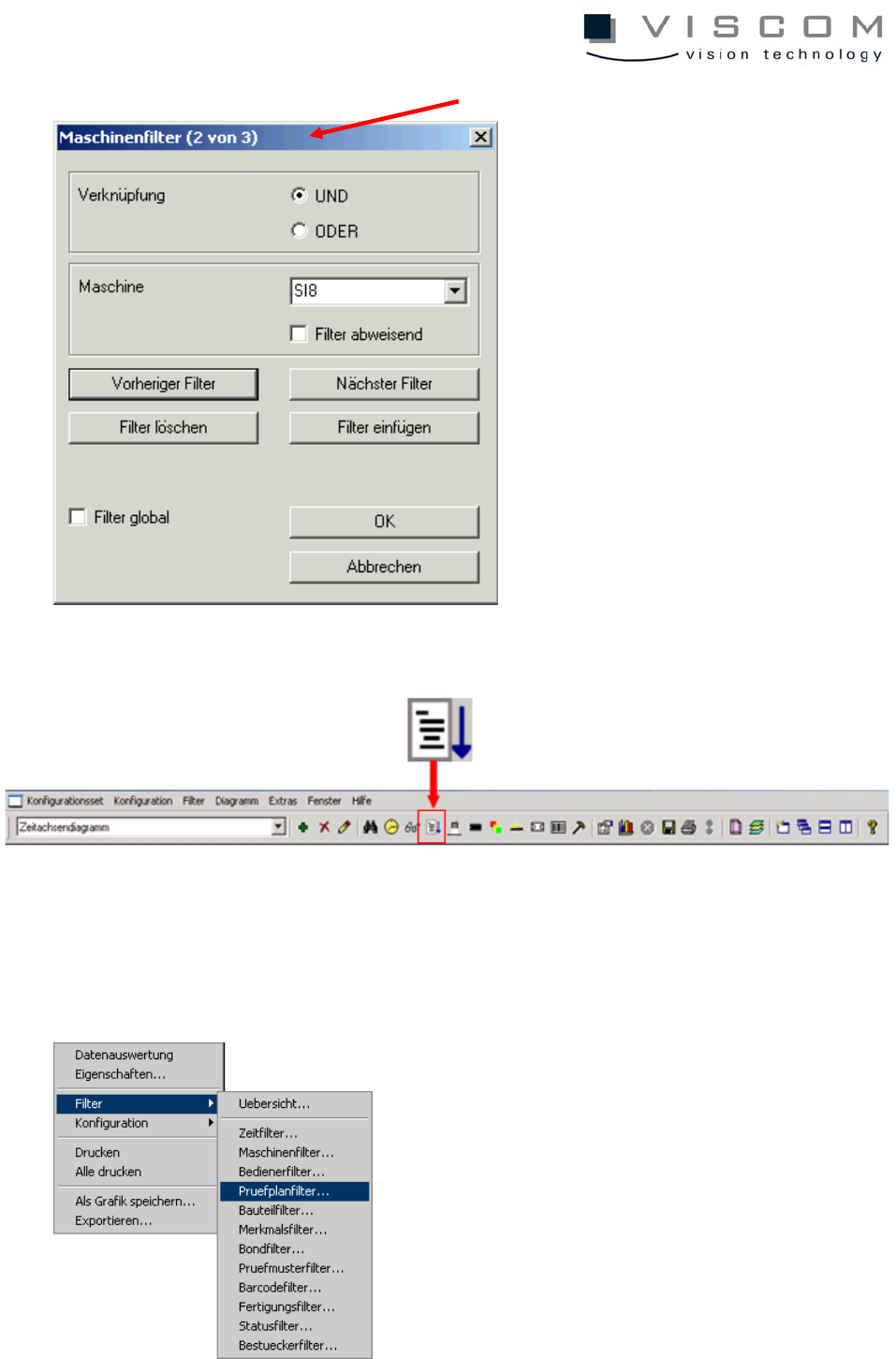
The number of the selected subfilter (1 of 1) is read out in the header (see
example, "Machine filters").
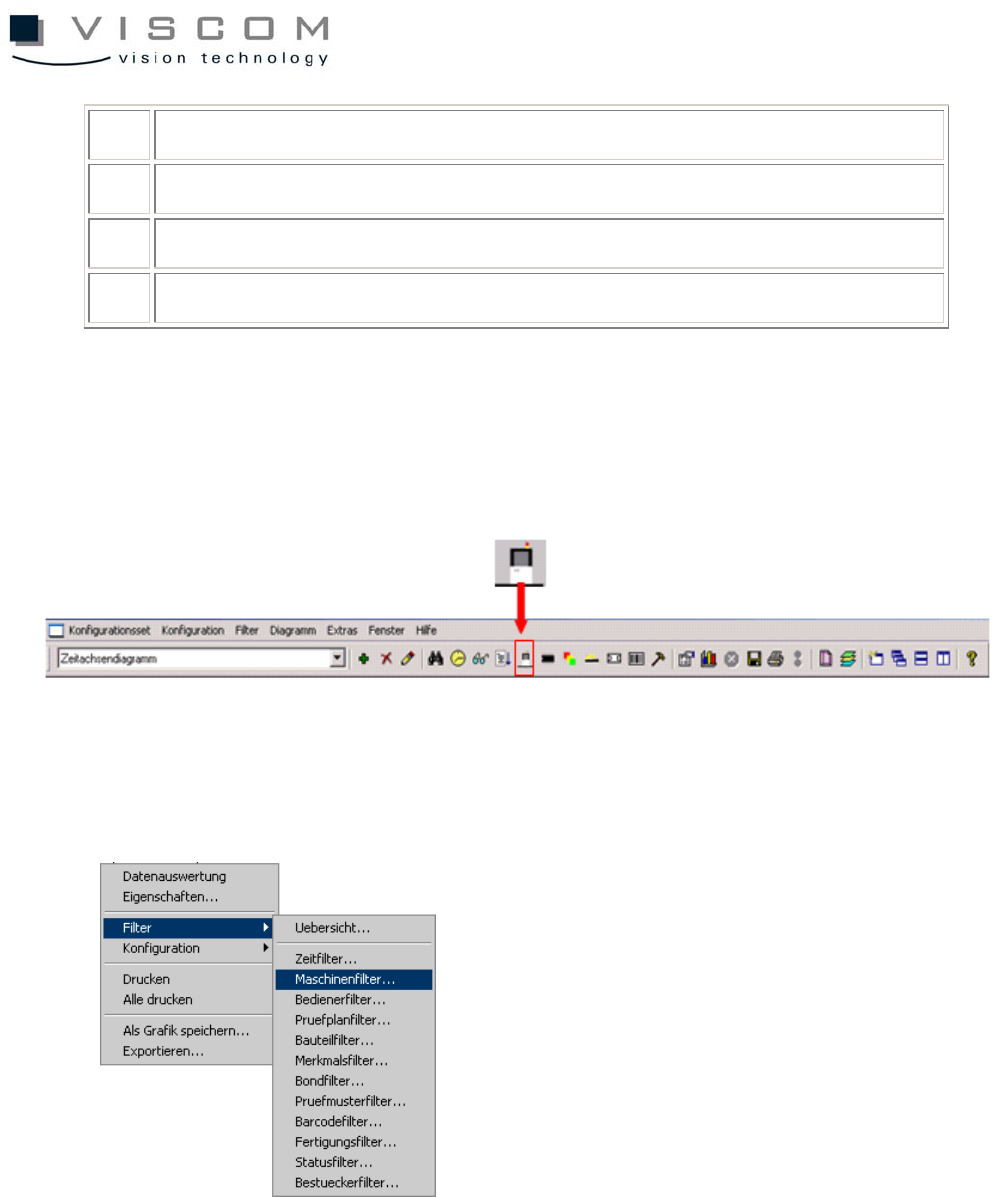
1.6.5 Machine filter
The machine filters offer the possibility to evaluate VPC data only from specific
machines, or to suppress VPC data from single machines.
Subfilter number (here, 2 of 3)
25/144
1.6.6 Inspection plan filter
The inspection plan filter defines which inspection plan the VPC data will be
evaluated for. The entry of wildcards (*) is allowed.