1.011.1_VPC使用手册.pdf - 第74页
73/144 4.1.2 Data Flow VPC (Server) 4.2 Configuration o f the AOI The following steps have to be done to configure the AOI: 4.2.1 Defining the machine name First, the machine name must be defined in "System Properti…
72/144
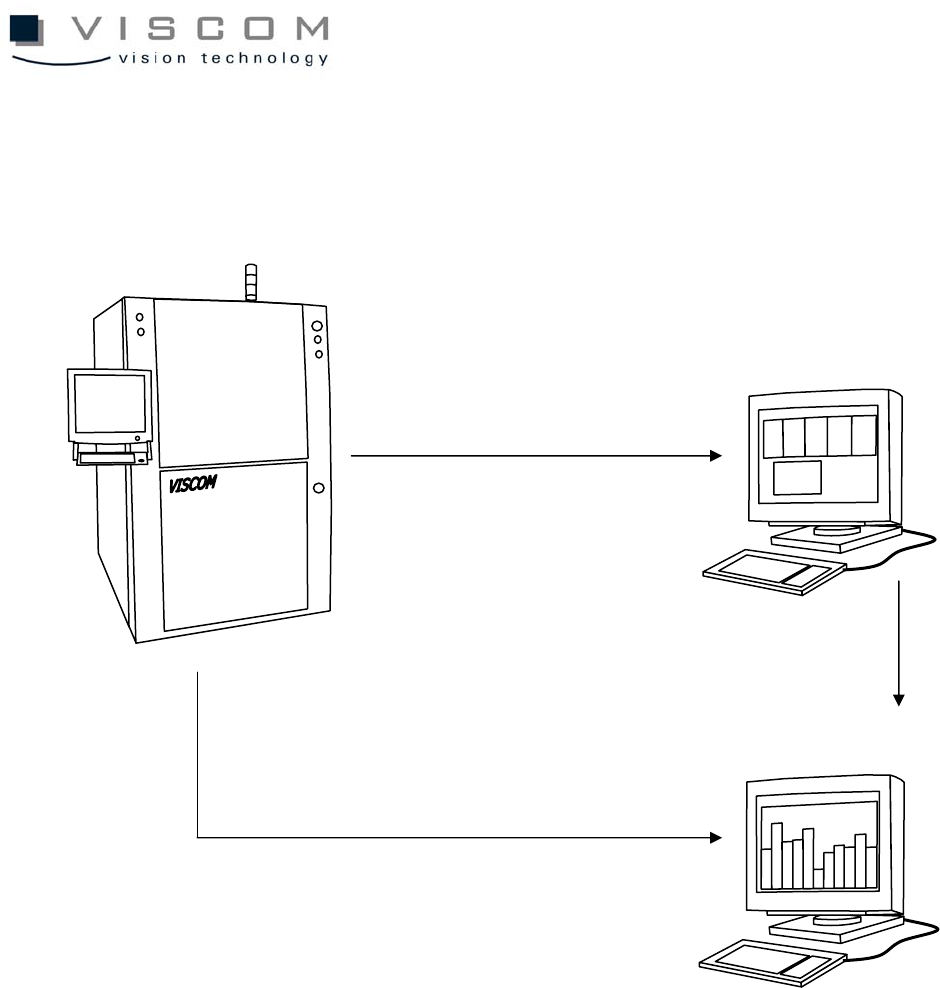
4.1 Standard Configuration
4.1.1 VPC Data Flow (Classical Variant)
Inspection system
VPC Server
VPC files for bad PCBs
Repair station
VPC files for repaired PCBs
VPC files for good PCBs

73/144
4.1.2 Data Flow VPC (Server)
4.2 Configuration of the AOI
The following steps have to be done to configure the AOI:
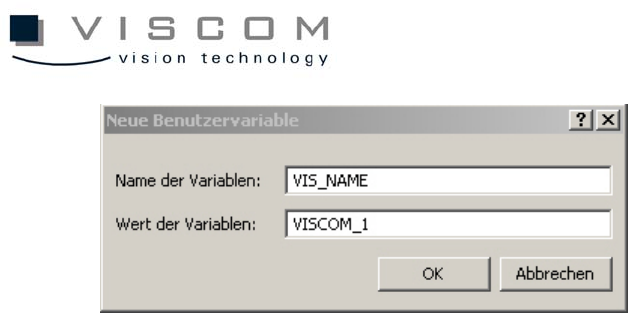
4.2.1 Defining the machine name
First, the machine name must be defined in "System Properties". The "System
Properties" window is called up through the start menu ("Settings" - "Control
panel" - "System"). In the submenu "Environment", an environment variable
"VIS_NAME must be defined with the machine name, such as VISCOM 1. The
machine name may not have any empty spaces. Confirm the entry with the
button "Set" and close the window with "OK". If the environment variable
VIS_NAME is not defined, the default machine name is NO_NAME.
Inspection system
VPC Server
Repair station
1. Repair station accesses
VPC files for bad PCBs
VPC files for good and bad PCBs
2. VPC files are re-written
on the SPC server after
PCB repair
74/144
After the variable is defined, the SI software has to be restarted.
4.2.2 Configuration of the si.par
The si.par in the AOI data directory contains the general parameters for
operating the PCB inspection system. It also contains the values of specific
parameters, line by line. The lines have the following format: first, parameter
number; second, parameter value; third, mnemonic abbreviation for the type of
parameter; and fourth, explanatory comment. If the parameter 178
P_SPC_DEST is still present in si.par, it must be either deleted or commented
out. An entry becomes a commentary line when there is * in front of the
corresponding parameter.
There are two different modes for the repair station display; they have basically
no influence on the handling of the VPC files. They are explained here only
briefly.
4.2.3 Configuration of si.tpar
When a central server is used to evaluate the VPC data, the si.tpar file must be
modified at the AOI and the corresponding path must be defined.
TPAR_VPC_PASSED or TPAR_VPC_FAILED are the two entries that define
where the corresponding data should be filed.
Example: TPAR_VPC_PASSED K:\WORK