00197042-04_SM_X-Serie-S_Customer_EN.pdf - 第128页
4 Electrics and control system 4.10 Replacing the I/O control unit 128 Service Manual SIPLACE X-Serie S 06/2019 4.10.1 I/O control unit NOTICE Downwards compatibility The I/O control unit II [03116049-xx] is downwards co…
4 Electrics and control system
4.10 Replacing the I/O control unit
Service Manual SIPLACE X-Serie S 06/2019 127
4.9.1 Setting the DIP Switch on the CINX Switch
DIP switch
Machine type DIP switch left DIP switch right
1 2 1 2
X-Series S ON ON ON ON
SX1/SX2 OFF OFF OFF OFF
Connector
Connector Description
CAN 1 Gantry 1
CAN 2 gantry 2
CAN 3 Gantry 3
CAN 4 Gantry 4
4.10 Replacing the I/O control unit
Parts, equipment and tools
●
I/O Control Unit II [03116049-xx]
Overview
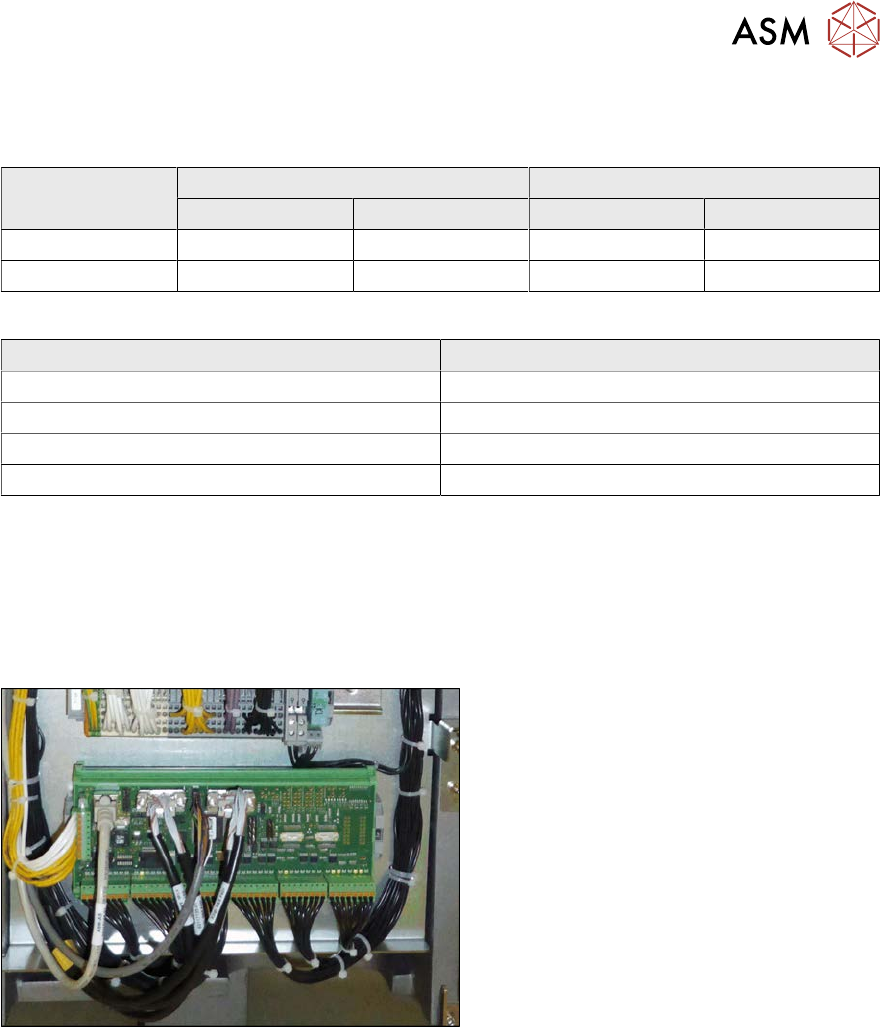
Fig.154: I/O control unit
I/O control unit
The I/O control unit is located between loca-
tion 1 and 2, behind the bottom cover.
See the board description: 4.10.1 "I/O con-
trol unit" [}128]
Removal
► Take a note of the component counter reading at the software user interface.
► Switch off the machine, disconnect it from the power supply and secure it to prevent
unauthorized reactivation.
1.2 "Preparatory work..." [}16]
► Unplug all press-fit connections. You might like to mark their positions to make clear assign-
ment easier later on.
► Pull the I/O control unit out of its mount.
Installation
► Follow the removal instructions in reverse order for installation. Also observe the following
instructions:
– Make sure that the DIP switches are configured correctly (see 4.10.1 "I/O control
unit" [}128]).
– Check if the component counter of the software still matches the value you have written
down. If this is not the case, contact your SIPLACE service team.
4 Electrics and control system
4.10 Replacing the I/O control unit
128 Service Manual SIPLACE X-Serie S 06/2019
4.10.1 I/O control unit
NOTICE
Downwards compatibility
The I/O control unit II [03116049-xx] is downwards compatible with I/O control unit
[03052315-xx].
All connections and designations are identical.
Overview
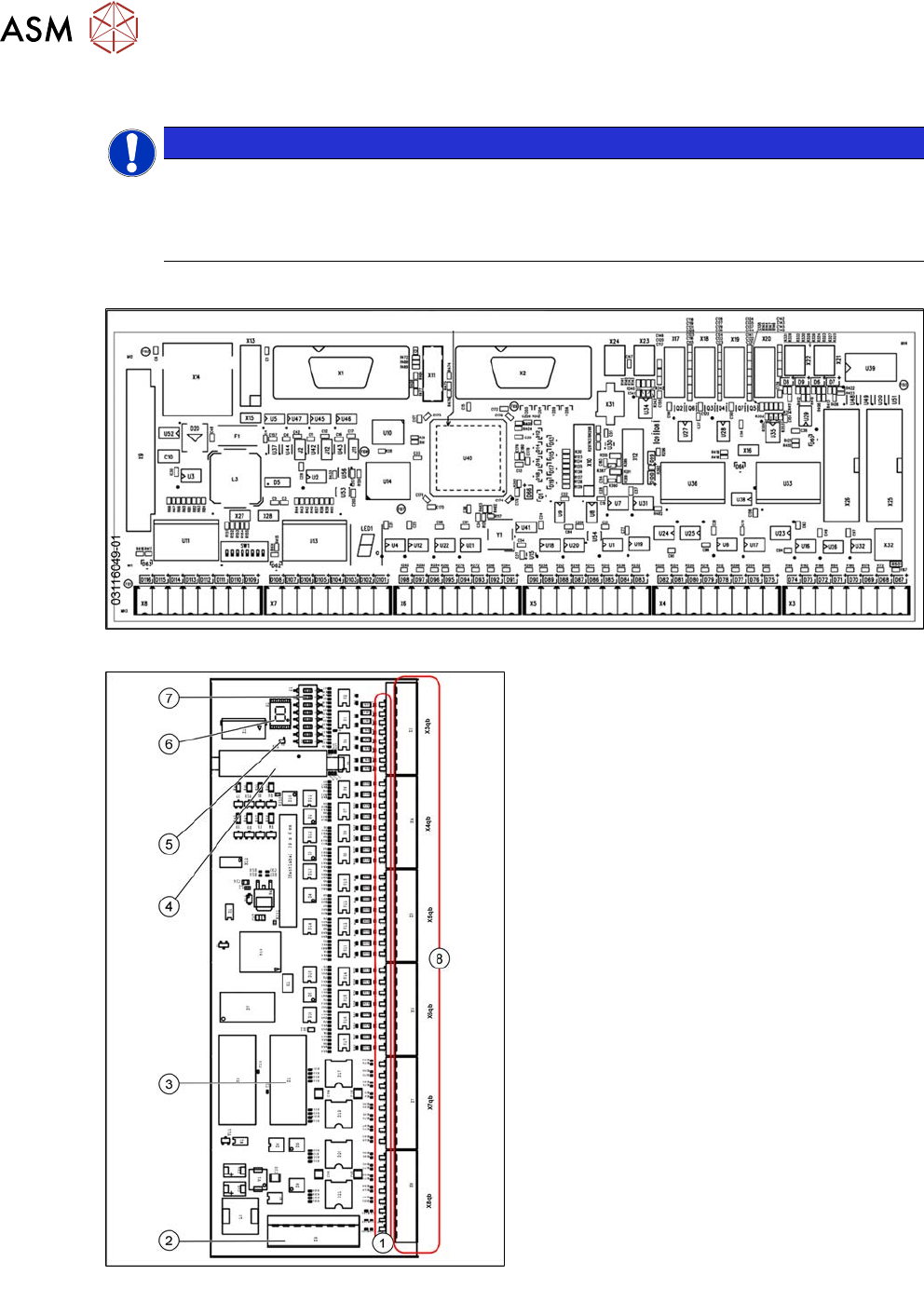
Fig.155: 03116049-01
Fig.156: Overview of I/O control unit [03052315-xx]
1. Status LEDs
2. X9qb: Power supply
3. X1qb: CAN bus 1
4. X10qb: Connection of other I/O modules
possible
5. Red LED
This signals a RESET.
6. H1: 7 segment display
(flashing = O.K.)
7. DIP switch S1
8. Outputs X3qb to X8qb
4 Electrics and control system
4.10 Replacing the I/O control unit
Service Manual SIPLACE X-Serie S 06/2019 129
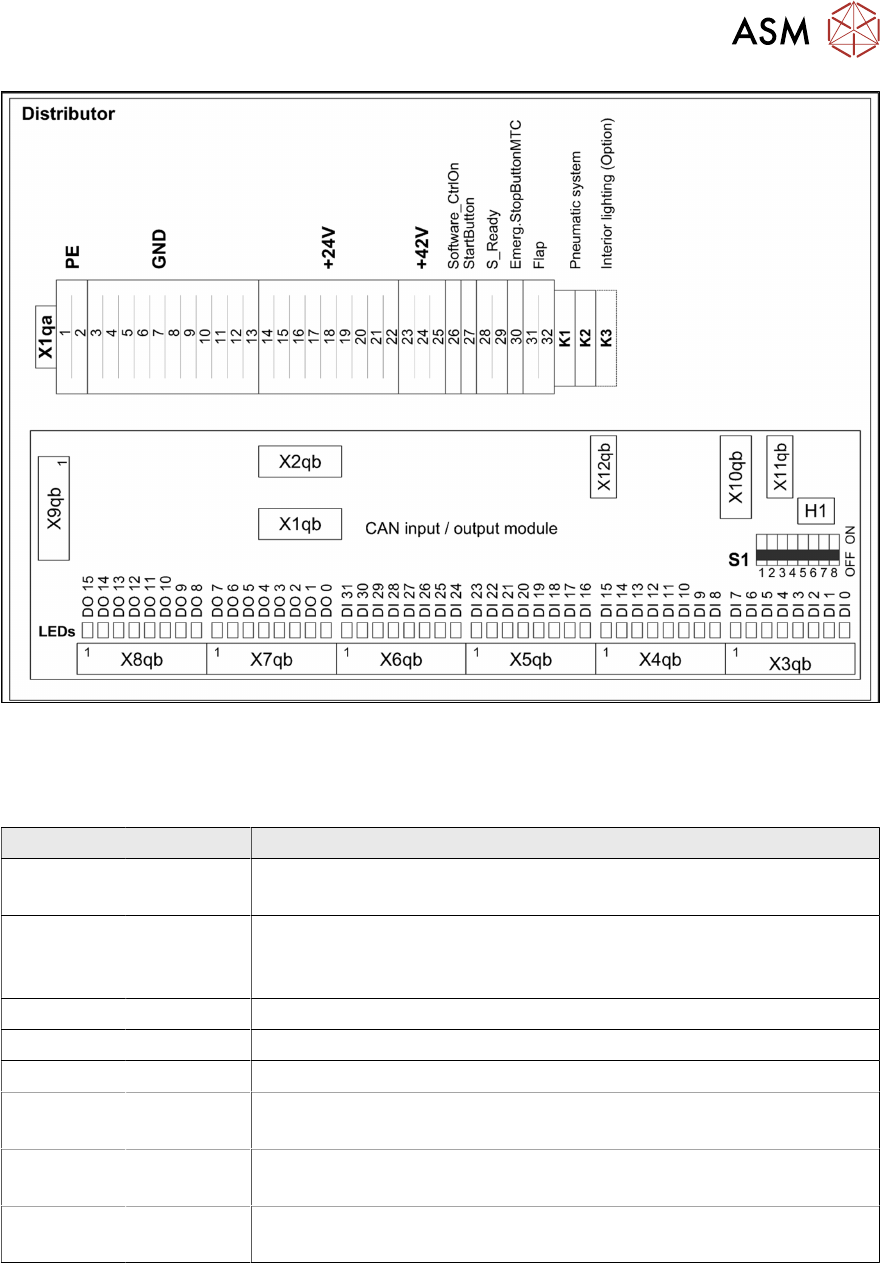
Fig.157: Overview 03052315-02
Settings
DIP switch block S1 [03052315-02] [03116049-01]
Switch Status Description
S1.1 ON/OFF ON: SX4/DX4, X-Series S
OFF: SX1/SX2, DX1/DX2
S1.2 ON/OFF Ballast resistance
ON: SX1/SX2 from machine no.: Nxxxx
OFF: SX4/DX4; X-Series S, SX1/SX2 up to machine no.: Mxxxx
S1.3 OFF Reserved
S1.4 OFF Reserved
S1.5 OFF Reserved
S1.6 OFF ON: serial bootstrap mode, make sure that S1.7 must be OFF
OFF: Standard mode
S1.7 OFF ON: CAN bootstrap mode, make sure that S1.6 must be OFF
OFF: Standard mode
S1.8 OFF ON: module in the RESET status
OFF: Standard mode