00197042-04_SM_X-Serie-S_Customer_EN.pdf - 第70页
3 Power supply 3.4 Power supply and transformer module (up to serial number Gxxx) 70 Service Manual SIPLACE X-Serie S 06/2019 3.4.16 Replacing the microfuse (F40 to F51) Parts, equipment and tools ● Microfuse 6.3A T / 15…
3 Power supply
3.4 Power supply and transformer module (up to serial number Gxxx)
Service Manual SIPLACE X-Serie S 06/2019 69
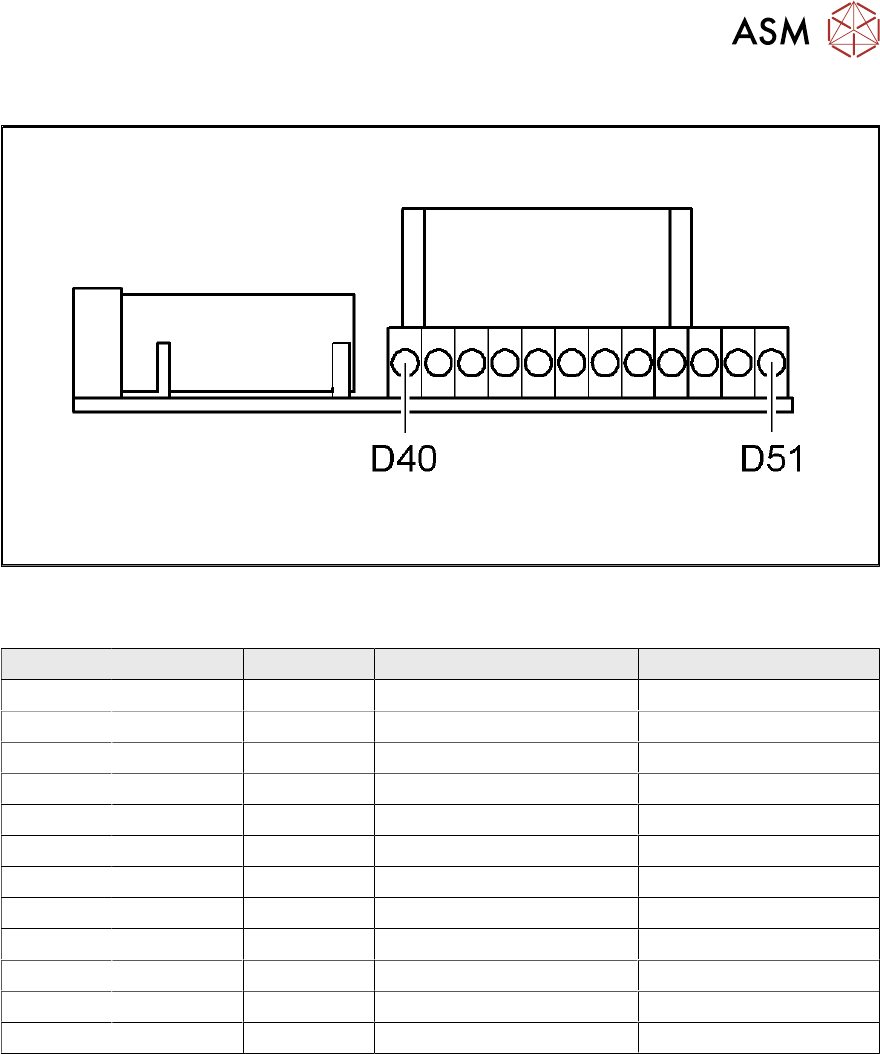
3.4.15.1 SP distributor assembly (power supply)
Fig.69: 03076607-01
LED [03076607-01]
LED Color Status Signal name Description
D40 GN ON 150V_POWER +150VDC gantry 1
D41 GN ON 150V_POWER +150VDC gantry 2
D42 GN ON 150V_POWER +150VDC gantry 3
D43 GN ON 150V_POWER +150VDC gantry 4
D44 GN ON 40V_POWER +42VDC gantry 1
D45 GN ON 40V_POWER +42VDC gantry 2
D46 GN ON 40V_POWER +42VDC gantry 3
D47 GN ON 40V_POWER +42VDC gantry 4
D48 GN ON +24V +24VDC gantry 3/4
D49 GN ON +24V +24VDC gantry 1/2
D50 GN ON +24 V +24VDC GCU 3/4
D51 GN ON +24 V +24VDC GCU 1/2
3 Power supply
3.4 Power supply and transformer module (up to serial number Gxxx)
70 Service Manual SIPLACE X-Serie S 06/2019
3.4.16 Replacing the microfuse (F40 to F51)
Parts, equipment and tools
●
Microfuse 6.3A T / 150VDC [03010626-xx]
NOTICE
Fuses
A fuse kit for the power supply is included with the delivery of the machine in a separate
package or may be in the power supply.
Overview
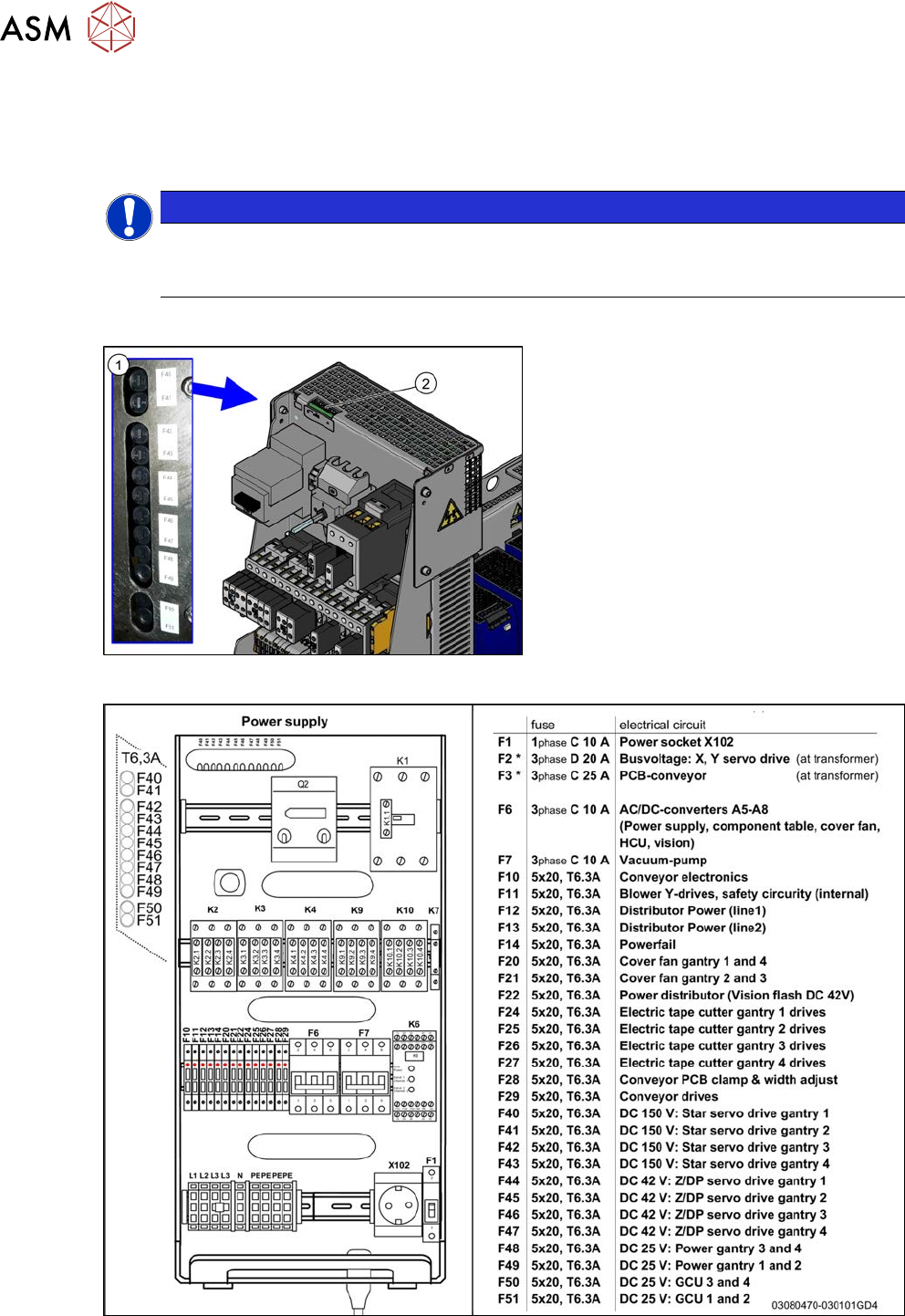
Fig.70: Microfuses and LEDs
1. Microfuses F40 to F51
2. LED D40 to D51
The LEDs show the operational readiness of
the individual microfuses.
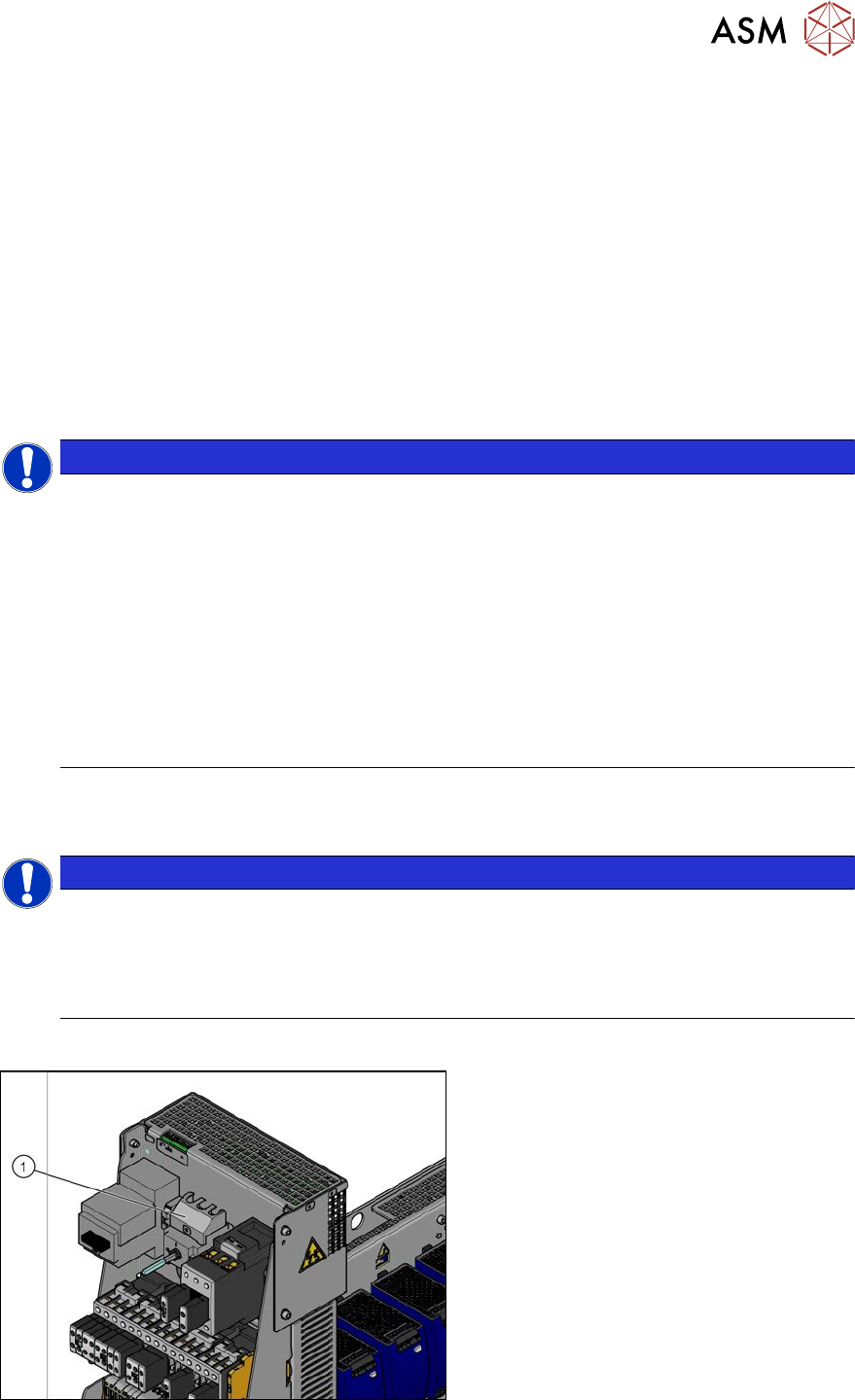
Fig.71: Microfuses
3 Power supply
3.4 Power supply and transformer module (up to serial number Gxxx)
Service Manual SIPLACE X-Serie S 06/2019 71
Removal
► Switch off the machine, disconnect it from the power supply and secure it to prevent
unauthorized reactivation. Observe the instructions in section 1.2 "Preparatory work..." [}16].
► Before you start working, check the power supply for absence of voltage and observe the
waiting times!
► Use a suitable screwdriver to turn the fuse holder out of its socket.
► Remove the old microfuse from the fuse holder and replace this with a new microfuse of the
same type.
Installation
► Follow the removal instructions in reverse order for installation.
3.4.17 Replacing the main switch 3LD2
NOTICE
Missing axis support
The machine is switched on with the help of an extension axis via the protective motor
switch. When inserting the door coupling handle onto the extension axis of the protective
motor switch, the axis could move into a slanted position. In this case, high traverse forces
will be exerted against the axis coupling of the protective motor switch, which could then
break. This would then make it impossible to switch the machine on or off.
Some machines do not have this additional axis support on the protective motor switch.
This support is used to limit the slant of the extension axis and therefore to reduce the tra-
verse forces against the axis coupling.
► This axis support can be retrofitted. For details, read the Technical Information "Retro-
fit Guide Axis Support Motor Circuit Breaker PKE32/XTU-32 Assembly 3p. (Main
Switch)" [DE: TI2013-07D10] [EN: TI2013-07E10].
Parts, equipment and tools
●
Main switch 3LD2 [03059733Sxx] (US version)
NOTICE
Conversion kit USA
This main switch is only fitted in conjunction with the "USA (110V) Conversion Kit" option.
As a default, the machine is switched on via the motor protection switch "PKE32/XTU-32
assembly 3p." [03098183‑xx]. The motor protection switch is located in place of the main
switch in this case.
Overview
Fig.72: Main switch (using example of US version)
1. Main switch