00197042-04_SM_X-Serie-S_Customer_EN.pdf - 第303页
7 Conveyor 7.11 eSW Download (SW 70x) Service Manual SIPLACE X-Serie S 06/2019 303 7.11 eSW Download (SW 70x) Fig.384: Select operator level ► Select the button, to open the Configure, update and calibrate the machine m…
7 Conveyor
7.10 Conveyor sides
302 Service Manual SIPLACE X-Serie S 06/2019
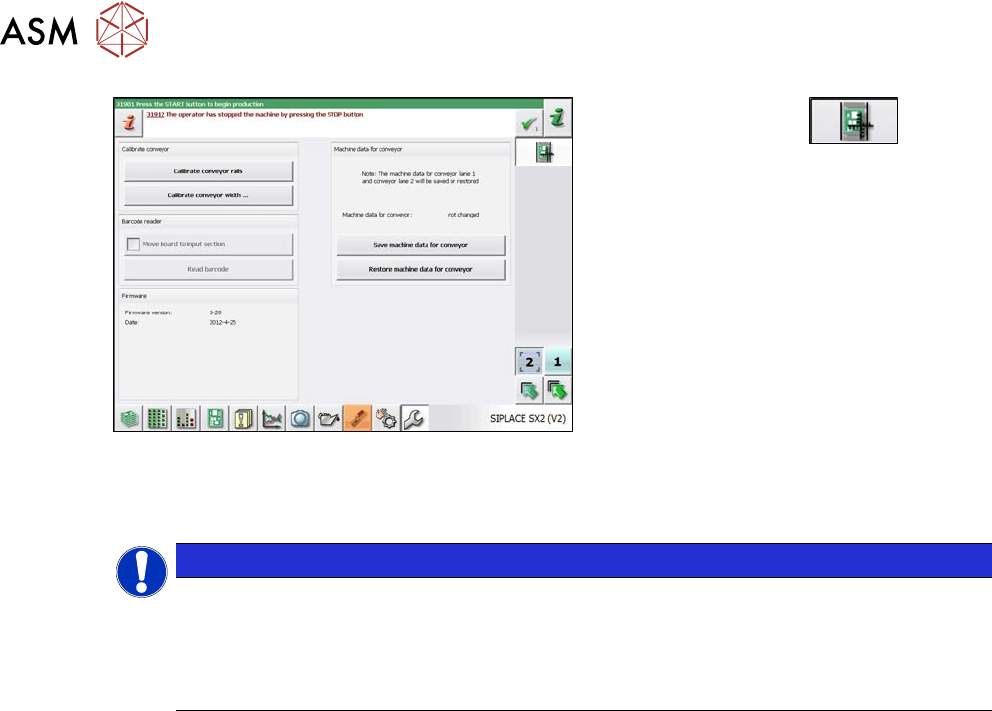
Fig.383: Calibrating the conveyor sides
► Click on this button:
.
► Select "Calibrate conveyor sides".
7.10.4 Fixed Side Right/Left
NOTICE
No conversion possible
The SIPLACE X-Series S single conveyor is available in the variants "fixed side right" and
"fixed side left".
Conversion from a fixed side right to a fixed side left or vice versa is not possible. In this
case, the conveyor must be replaced by your SIPLACE service team.
7 Conveyor
7.11 eSW Download (SW 70x)
Service Manual SIPLACE X-Serie S 06/2019 303
7.11 eSW Download (SW 70x)
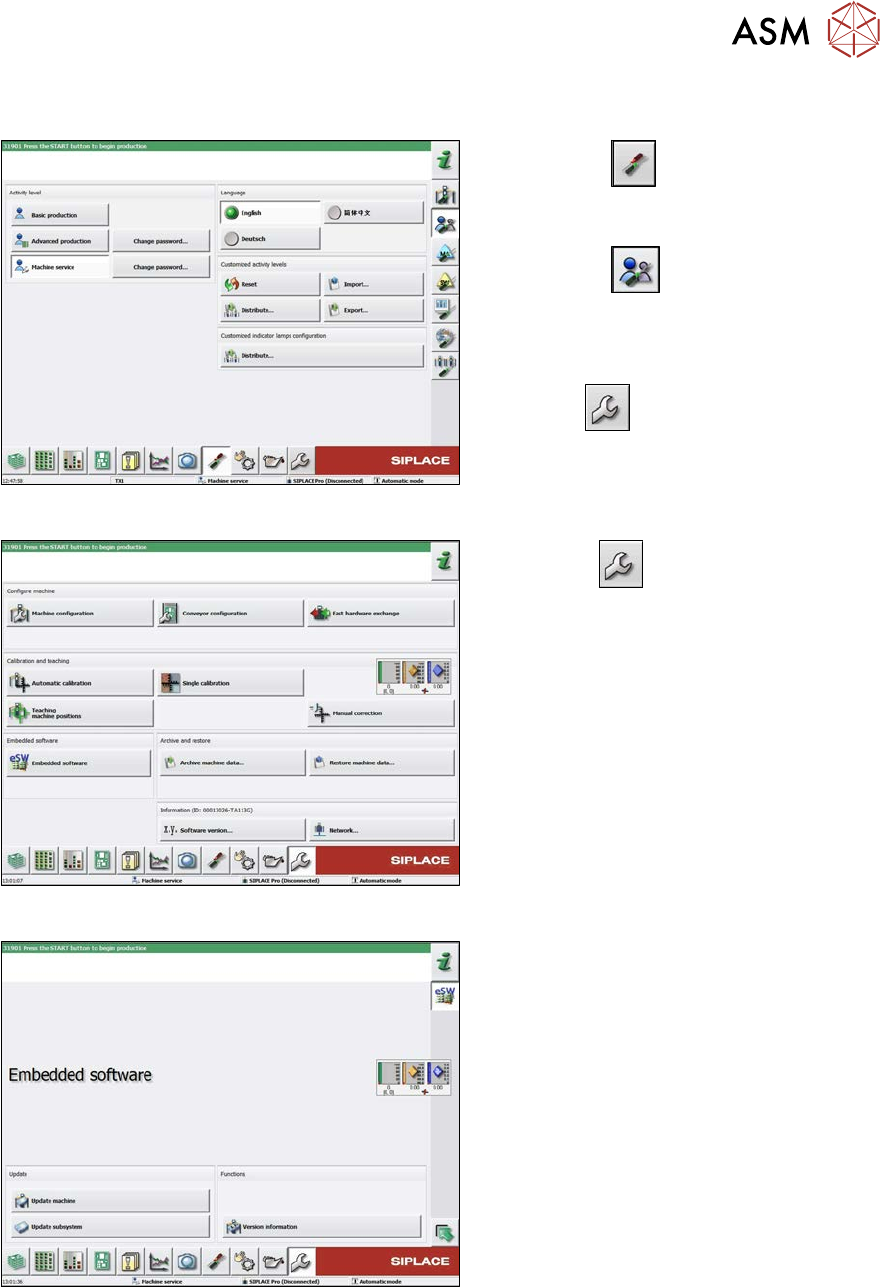
Fig.384: Select operator level
► Select the
button, to open the
Configure, update and calibrate the
machine menu.
► Select the
button to open the
Check and set user settings menu.
► Switch over to the operator level Ma-
chine service.
ð The
button will be shown.
Fig.385: Service menu
► Click the
button to enter the Ser-
vice menu.
► Click on the Embedded software but-
ton.
Fig.386: Embedded software menu
Select the required function:
► Click on Update machine… to check
the entire machine and to perform an
eSW download for multiple subsystems
(see next picture).
► Click on Update subsystem… to se-
lect one subsystem, check and to per-
form an eSW download.
► Click on the button Version informa-
tion…, to view all versions of the sub-
systems, BIOS, application 1/2/3/5.
7 Conveyor
7.12 Mapping
304 Service Manual SIPLACE X-Serie S 06/2019
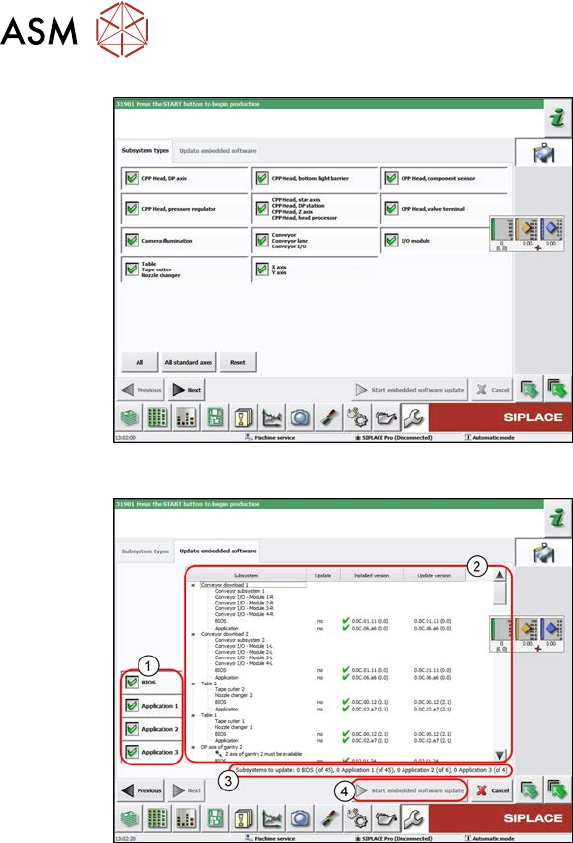
Fig.387: Select subsystem
► Select the subsystem for the eSW
download.
► Click on the Continue button.
Fig.388: Update machine menu
1. Selection buttons:
BIOS
Application 1
Application 2
Application 3
2. Shows the status of the individual sub-
systems
3. Update information
This shows you the number of subsys-
tems which still need to be down-
loaded.
4. Starts the download
7.12 Mapping
For information about mapping, refer to the technical information "Overview of all mapping plates
and allocation to the machines" [DE:TI2017‑10D04] [EN:TI2017‑10E04].