00197042-04_SM_X-Serie-S_Customer_EN.pdf - 第399页
9 Component feeding 9.6 Smart Pin Support Service Manual SIPLACE X-Serie S 06/2019 399 9.6.1 Replacing the Pin Picker Assembly ► For replacing the pin picker, read the Assembly instructions "Smart Pin Support – SIPL…
9 Component feeding
9.6 Smart Pin Support
398 Service Manual SIPLACE X-Serie S 06/2019
9.6 Smart Pin Support
CAUTION
Observe the assembly instructions
► When performing work to the Smart Pin Support, also observe the relevant assembly
instructions:
SIPLACE X-Series S: assembly instructions "Smart Pin Support" [DE+EN:00197394-
xx]
SIPLACE SX1/SX2 V2: assembly instructions "Smart Pin Support" [DE
+EN:00197002-xx]
NOTICE
Exemplary description
The service work is described using the example of a pin picker for the SIPLACE SX1/SX2
with old strain reliefs. The procedure is the same for other machines or other pin picker ver-
sions. Any relevant differences will be clearly indicated.
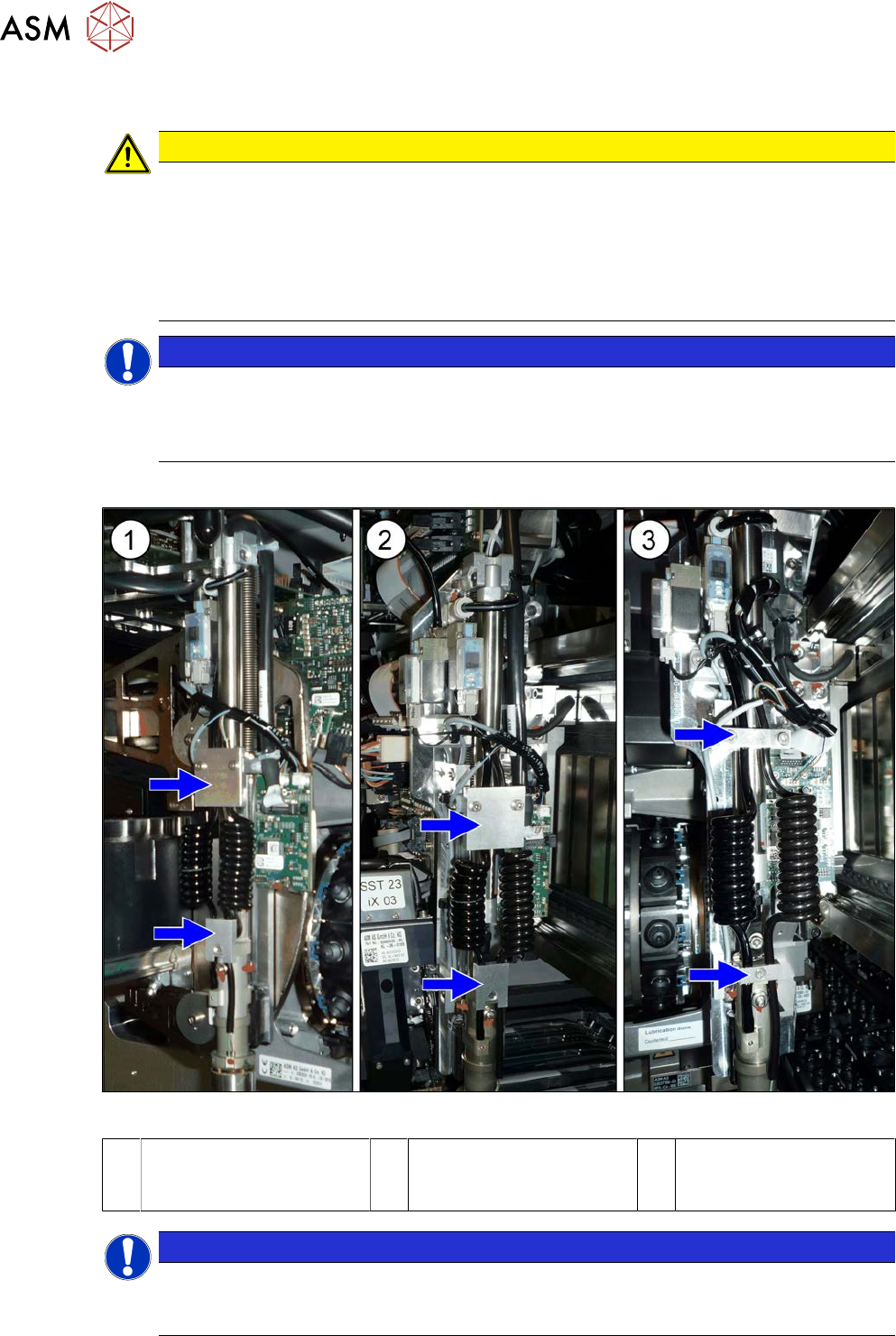
Comparison
Fig.543: Pin picker versions
1 Pin picker on the
SIPLACE SX1/SX2 with
new strain reliefs
2 Pin picker on the
SIPLACE X-Series with
new strain reliefs
3 Pin picker on the
SIPLACE X-Series with
old strain reliefs
NOTICE
Fastening screws
The screws fastening the pin picker are captive screws in the SIPLACE X-Series S. This is
not the case in the SIPLACE SX1/SX2.
9 Component feeding
9.6 Smart Pin Support
Service Manual SIPLACE X-Serie S 06/2019 399
9.6.1 Replacing the Pin Picker Assembly
► For replacing the pin picker, read the Assembly instructions "Smart Pin Support – SIPLACE X-
Series S" [00197394-xx]. Observe the following instructions:
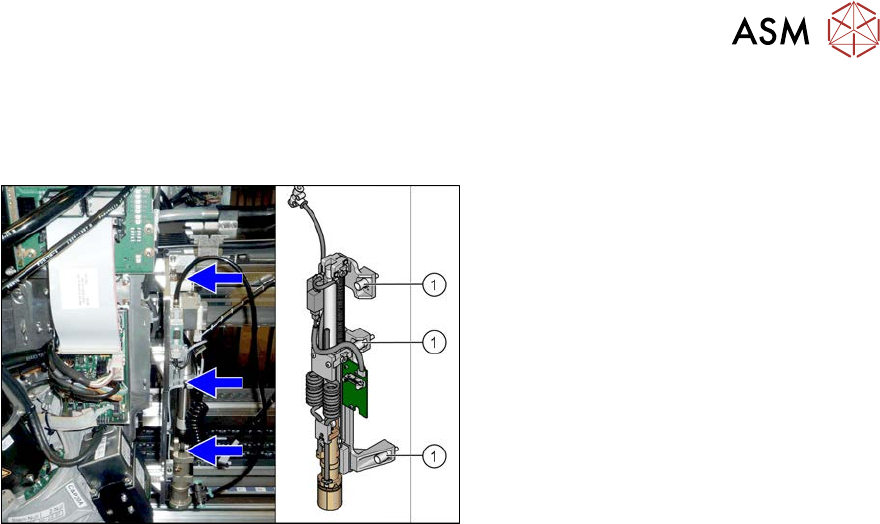
Fig.544: Fastening screws
► Make sure that you note the different
fastening screws for the pin picker.
► When assembling the pin picker, make
sure that you do not damage the
screwdrivers on the screw locks.
► After assembly, check the screw locks
to see whether they are loose. If this is
the case, remove the pin picker and re-
place the screw fastening the screw
lock.
► Make sure that the cables are run correctly.
► Replace any opened cable ties.
► Perform a complete calibration after the installation.
9 Component feeding
9.6 Smart Pin Support
400 Service Manual SIPLACE X-Serie S 06/2019
9.6.2 Replacing the front section of the cylinder
Parts, equipment and tools
●
Front section of cylinder assembly [03090168Sxx]
●
Assembly instructions "Smart Pin Support" for SIPLACE X‑SeriesS [DEEN:00197394‑xx]
Overview
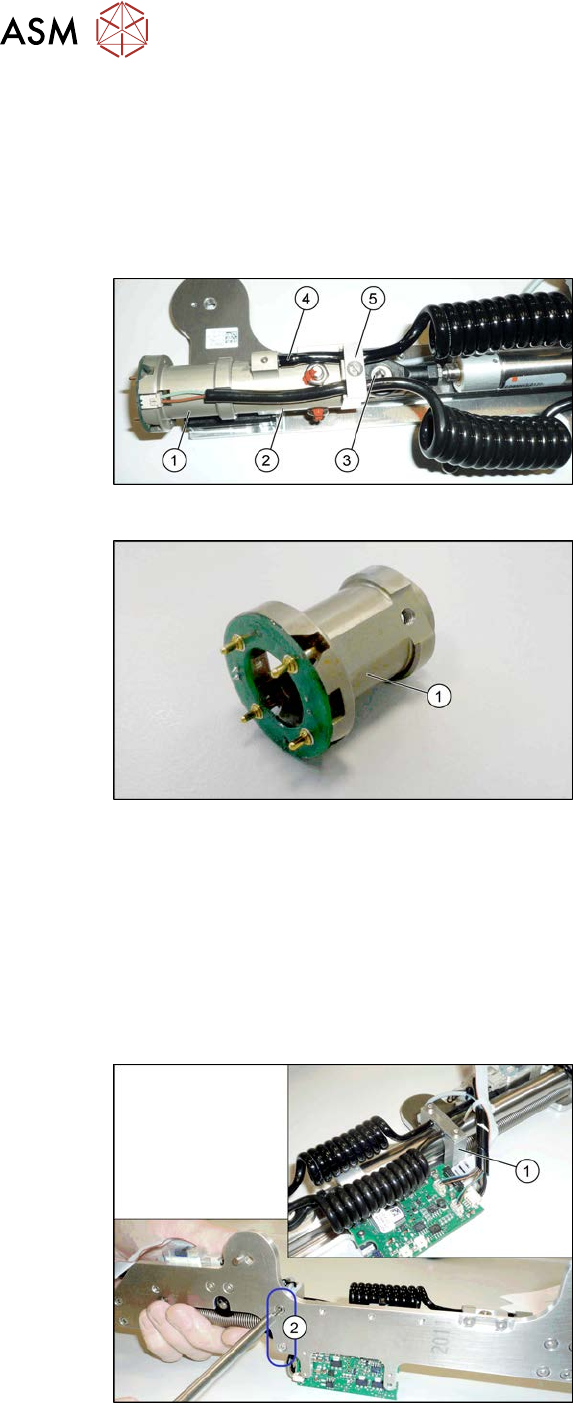
Fig.545: Cylinder
1. Cylinder - front section
2. Cylinder - back section
3. Swivel head
4. Pneumatic connection to the back sec-
tion of the cylinder
5. Tension relief
Fig.546: Cylinder - front section
1. Cylinder - front section
Removal
► Switch off the machine, disconnect it from the power supply and secure it to prevent
unauthorized reactivation.
1.2 "Preparatory work..." [}16]
► Remove the pin picker. For more information, read section 9.6.1 "Replacing the Pin Picker
Assembly" [}399].
► Remove the screw fastening the swivel head.
Fig.547: Screws fastening the guide
► Remove the two screws(2) fastening
the pneumatic cylinder guidance(1).