00197042-04_SM_X-Serie-S_Customer_EN.pdf - 第152页
6 Gantries 6.3 X and Y axis 152 Service Manual SIPLACE X-Serie S 06/2019 6.3.7 Anticrash Function Fig.188: Example of the anticrash function sequence in placement area 1 NOTICE (M)GCU, (M)HCU The (M)GCU and the (M)HCU c…
6 Gantries
6.3 X and Y axis
Service Manual SIPLACE X-Serie S 06/2019 151
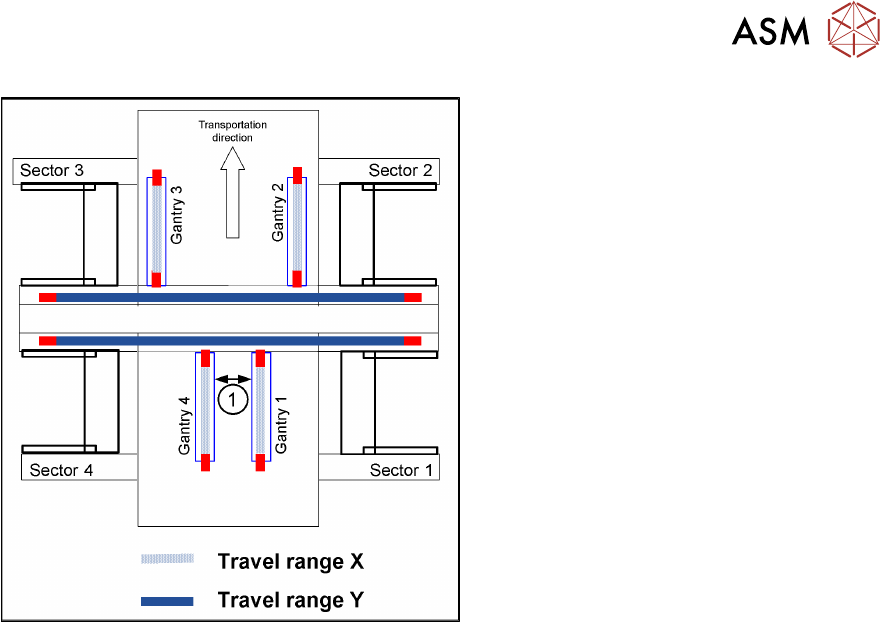
Fig.187: Travel range for X and Y axes (X series shown as
example)
1. Safety distance between the gantries
during placement: minimum 4mm.
Depending on the placement mode (I-place-
ment or alternating), the gantries will operate
in one placement area fully independently.
This means that one gantry does not need
to know the position of the other one.
6.3.5 Error "Gantry Crash"
A “gantry crash” error is established by calculating the position difference and speed difference for
both axes. A gantry crash error is signaled via the (M) GCUs and the CAN Bus. After the "gantry
crash" error message has been issued, both gantries need to be referenced.
6.3.6 Count Error
If the (M)GCU detects a "fatal count error", the axis concerned will be released and the anticrash
function disabled. The other axis is informed of this in the status information and will also disable
the anticrash function. The released axis now needs to be referenced again.
After this, the anticrash function will be re-enabled for both axes.
6 Gantries
6.3 X and Y axis
152 Service Manual SIPLACE X-Serie S 06/2019
6.3.7 Anticrash Function
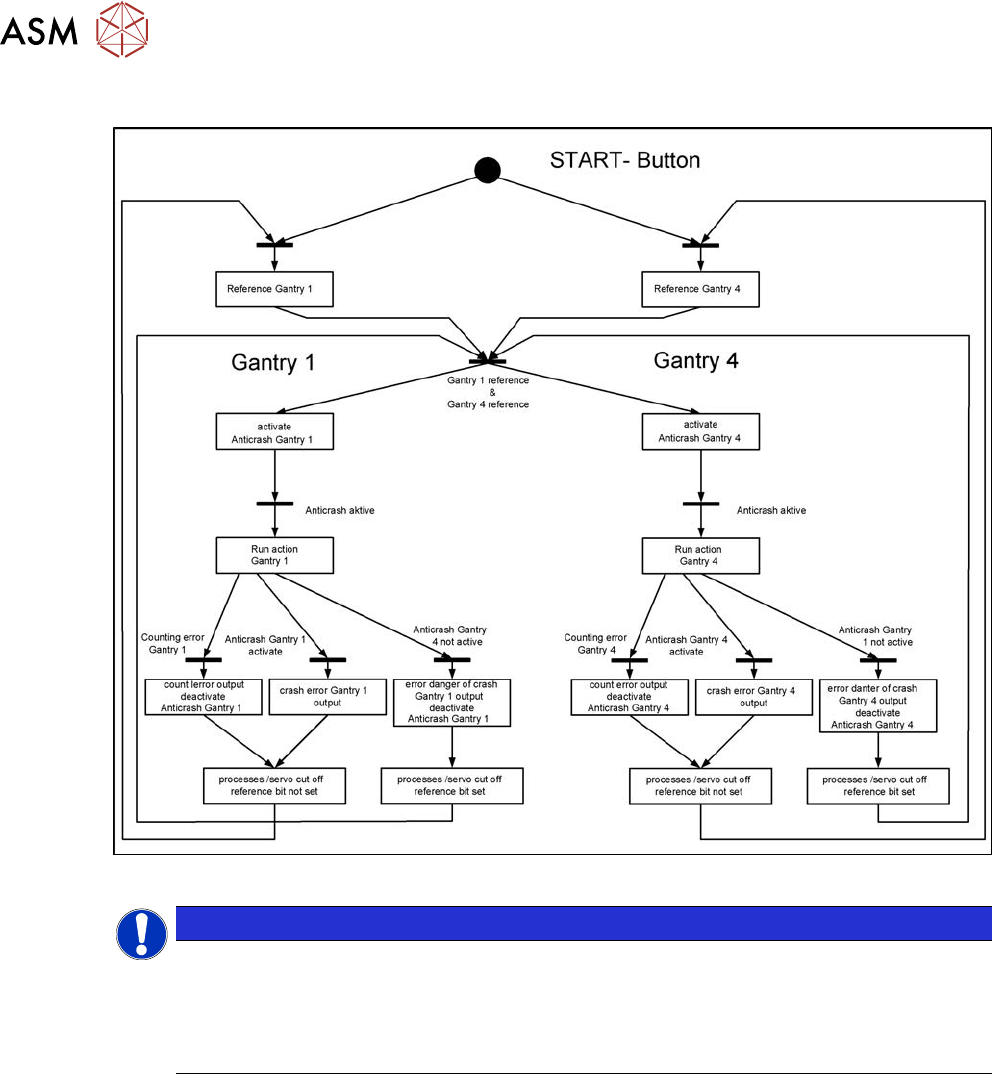
Fig.188: Example of the anticrash function sequence in placement area 1
NOTICE
(M)GCU, (M)HCU
The (M)GCU and the (M)HCU consist of a control module (axis card) and a power module
(servo).
The (M)GCU and (M)HCU combine control and performance sections. There is no longer a
separation between the axis and servo cards.
6 Gantries
6.3 X and Y axis
Service Manual SIPLACE X-Serie S 06/2019 153
6.3.8 Track Signals and Zero Pulse
Equipment and tools
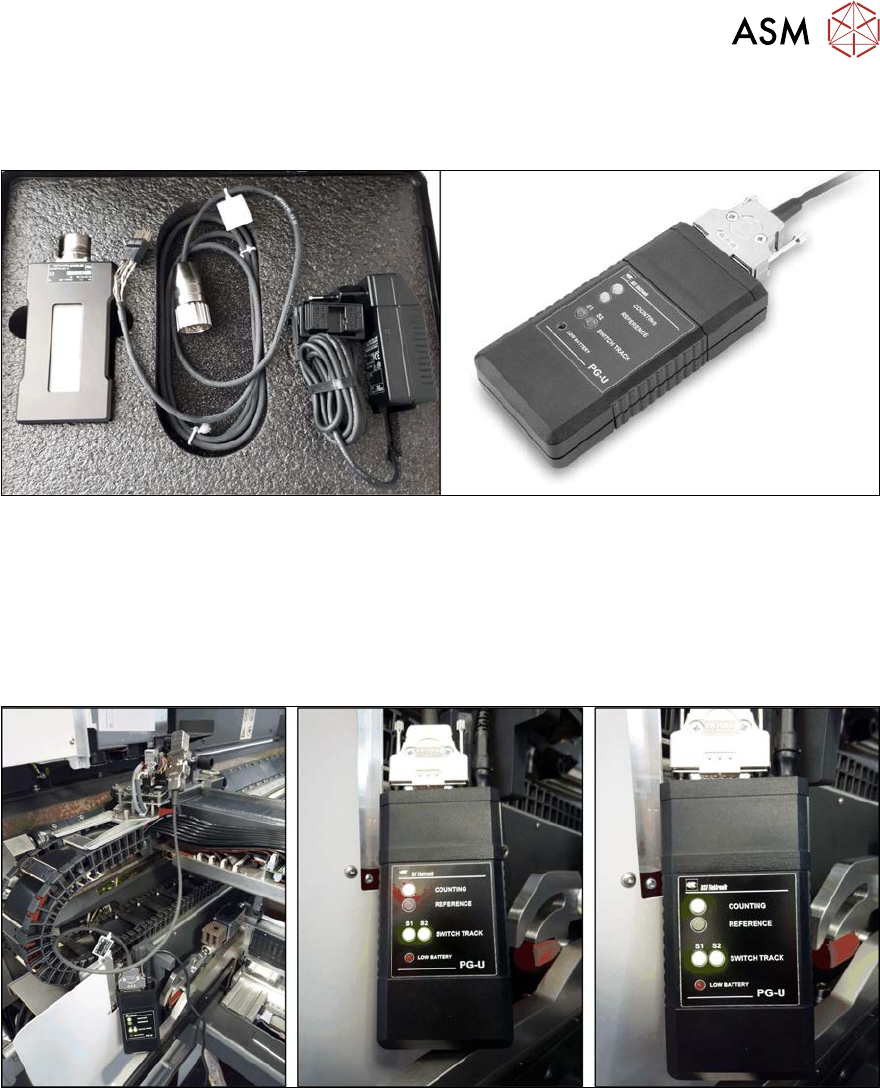
Fig.189: Test devices PG1-I and PG-U
●
For MS22/25 incremental encoder: test device PG1-I [03102699‑xx]
●
For MS20/30/35 incremental encoder: test device PG-U [03071361‑xx]
Checks
Proceed as follows to check the zero pulse:
► Switch off the machine.
Fig.190: Test device (example of test device PG-U on a SIPLACE SX1 shown)
► Unplug the incremental encoder from the head interface or the gantry interface and connect it
to the test device (see also 6.3.8.1 "Test device – operation" [}154]).
► Move the head or gantry manually back and forth. This movement enables you to read the
correct track signal progress from the test device.
► If the track signal is not within the tolerance range, you will need to reset the incremental en-
coder. The incremental encoder has then been fitted either too near, too far away, inclined
and/or displaced.