00197042-04_SM_X-Serie-S_Customer_EN.pdf - 第296页
7 Conveyor 7.10 Conveyor sides 296 Service Manual SIPLACE X-Serie S 06/2019 Fig.373: Setting the conveyor side ► In the software set the fixed conveyor side and the position. NOTICE! This menu is accessible from opera…
7 Conveyor
7.10 Conveyor sides
Service Manual SIPLACE X-Serie S 06/2019 295
7.10 Conveyor sides
7.10.1 Setting the Fixed Conveyor Side
7.10.1.1 Setting the Fixed Conveyor Side on Single Conveyors
CAUTION
Moving the conveyor sides
► The conveyor sides are highly sensitive. Move them very carefully and evenly. Take
special care not to distort the conveyor sides.
Overview
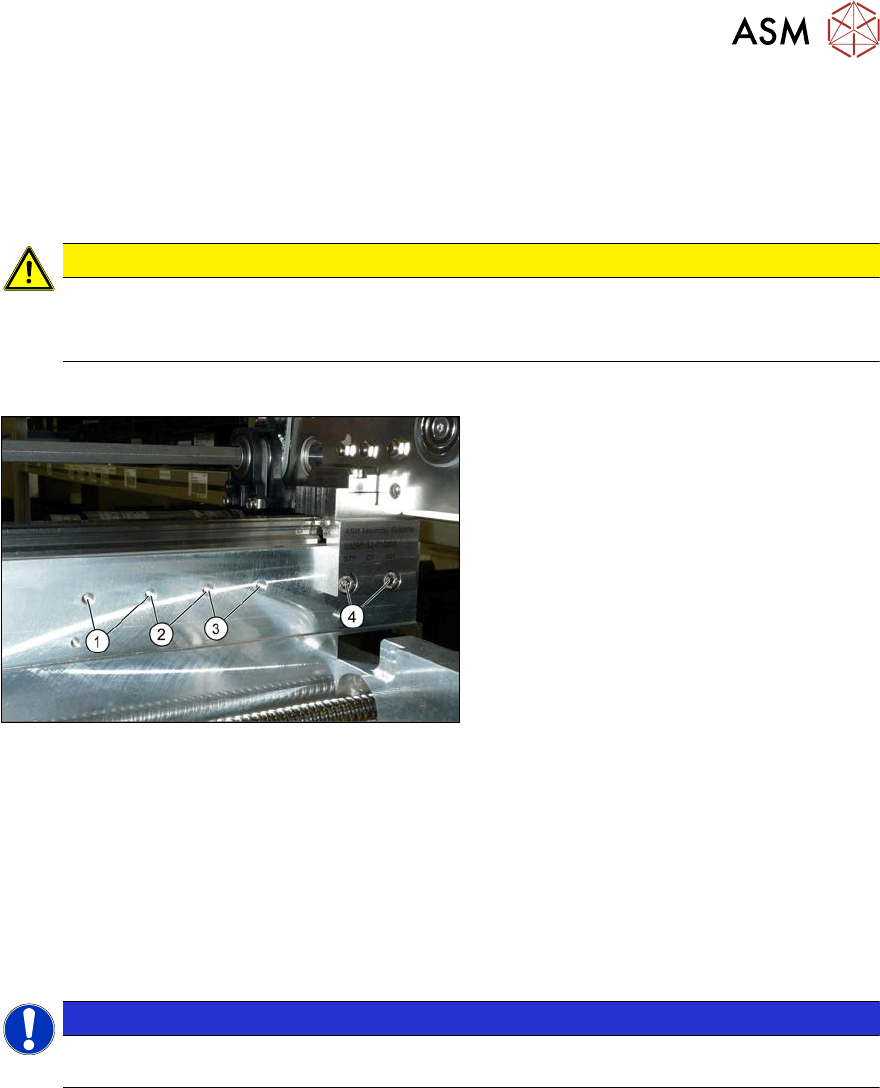
Fig.372: Overview of side wall positions
1. Position 231.0 mm
Max. PCB width: 460mm
2. Position 256.0 mm
Max. PCB width: 560mm
3. Position 281.0 mm
Max. PCB width: 560mm
4. Position 344.0 mm
Max. PCB width: 685mm
The conveyor side is fixed with two fastening
screws each point from (1) to (4).
Setting
► Use the software to move the conveyor sides into a position which allows you best access.
► Switch off the machine, disconnect it from the power supply and secure it to prevent
unauthorized reactivation.
1.2 "Preparatory work..." [}16]
► Always perform the following three steps immediately at the three holders.
► Remove the screws fastening the conveyor side (two screws per holder).
NOTICE
You can also loosen two screws on the connection between the side wall and the flange, to
prevent distortion during movement. The side wall is otherwise very difficult to move.
► Move the conveyor side into the required position.
► Insert the screws loosely. Press the side so that it engages with the screw holes either in a
forwards or backwards inclination (against all three holders in the same direction). Tighten the
fastening screws in the new position.
7 Conveyor
7.10 Conveyor sides
296 Service Manual SIPLACE X-Serie S 06/2019
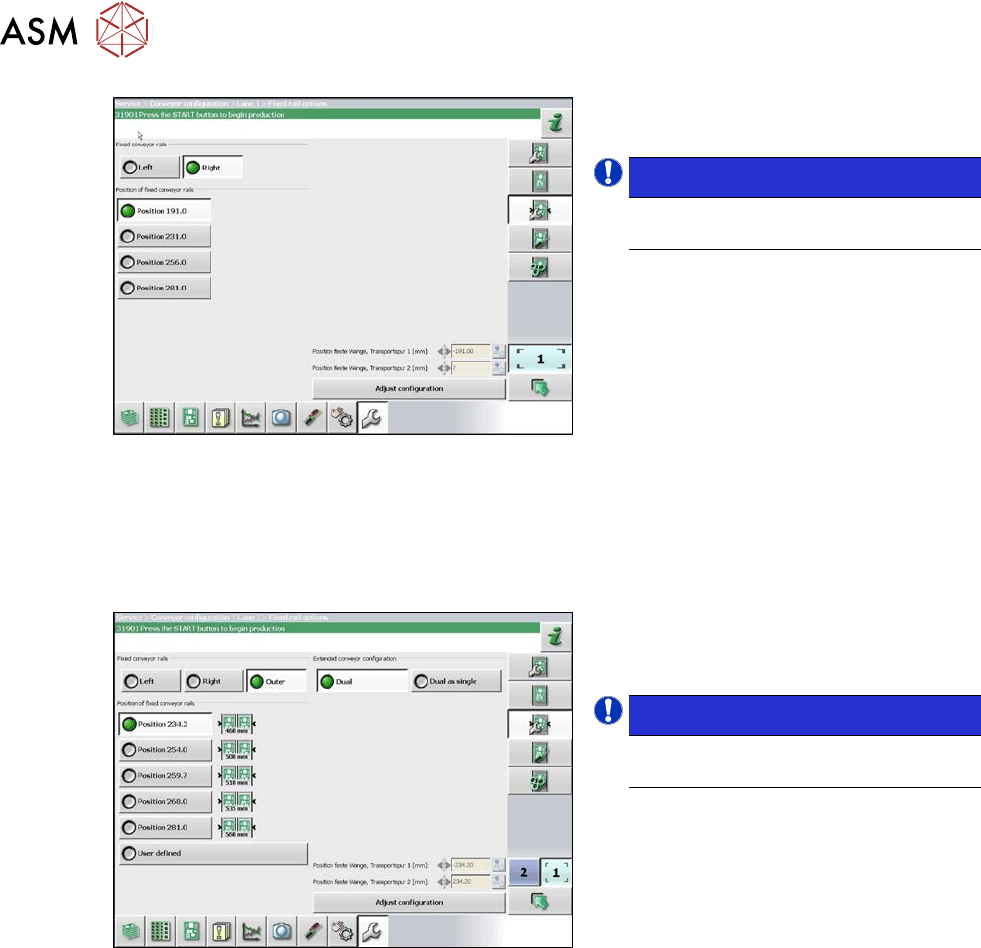
Fig.373: Setting the conveyor side
► In the software set the fixed conveyor
side and the position.
NOTICE!
This menu is accessible from operator
level Service (customer)!
.
7.10.1.2 Setting the Fixed Conveyor Side on Dual Conveyors
The fixed conveyor edge is always set with the software for dual conveyors.
Setting
Fig.374: Setting the conveyor side position
► In the software set the fixed conveyor
side and the position (see 7.10.1.3
"Conveyor Sides - Settings" [}297]).
NOTICE!
This menu is accessible from operator
level Service (customer)!
.
7 Conveyor
7.10 Conveyor sides
Service Manual SIPLACE X-Serie S 06/2019 297
7.10.1.3 Conveyor Sides - Settings
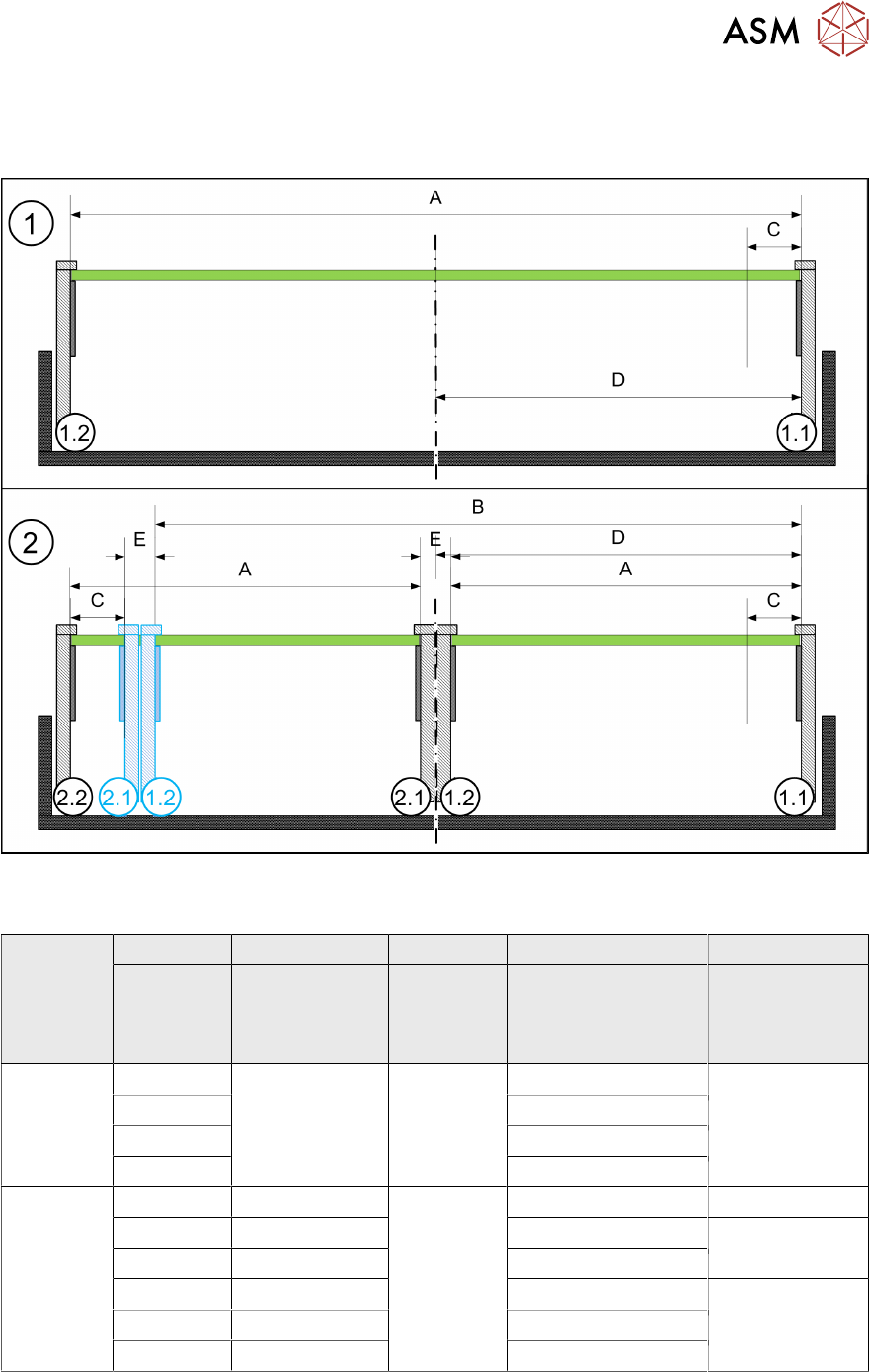
The following diagram shows a conveyor with the fixed conveyor side on the right. The same set-
tings apply to conveyors with the fixed rail on the left.
Fig.375: View of a conveyor with a fixed side on the right (X-Series S as example)
SIPLACE X3 S, X4 S, X4i S
A B C D E
Maximum
PCB width
Dual as single
conveyor
(flex)
Minimum
PCB width
Position of fixed
conveyor side
(from the
conveyor center)
Minimum
side distance
side 1.2/2.1
Single con-
veyor
460 --- 50 mm 231 ---
560 256
560 281
685 344
Dual con-
veyor
216 413 50 mm 234.2 35 mm
236 433 254 36 mm
250 450 268
260 460 281 35 mm
300 510 320
320 560 344