CYCLONE-User-Manual.pdf - 第130页
User Manual For Cyclone LC Programmers 130 Figure 12-5: Cyclone Menu Selection It is possible to Decrease or Increase the Next Serial by -10, -1, +1, +10. This is often done to address issues in the production process, s…
User Manual For Cyclone LC Programmers 129
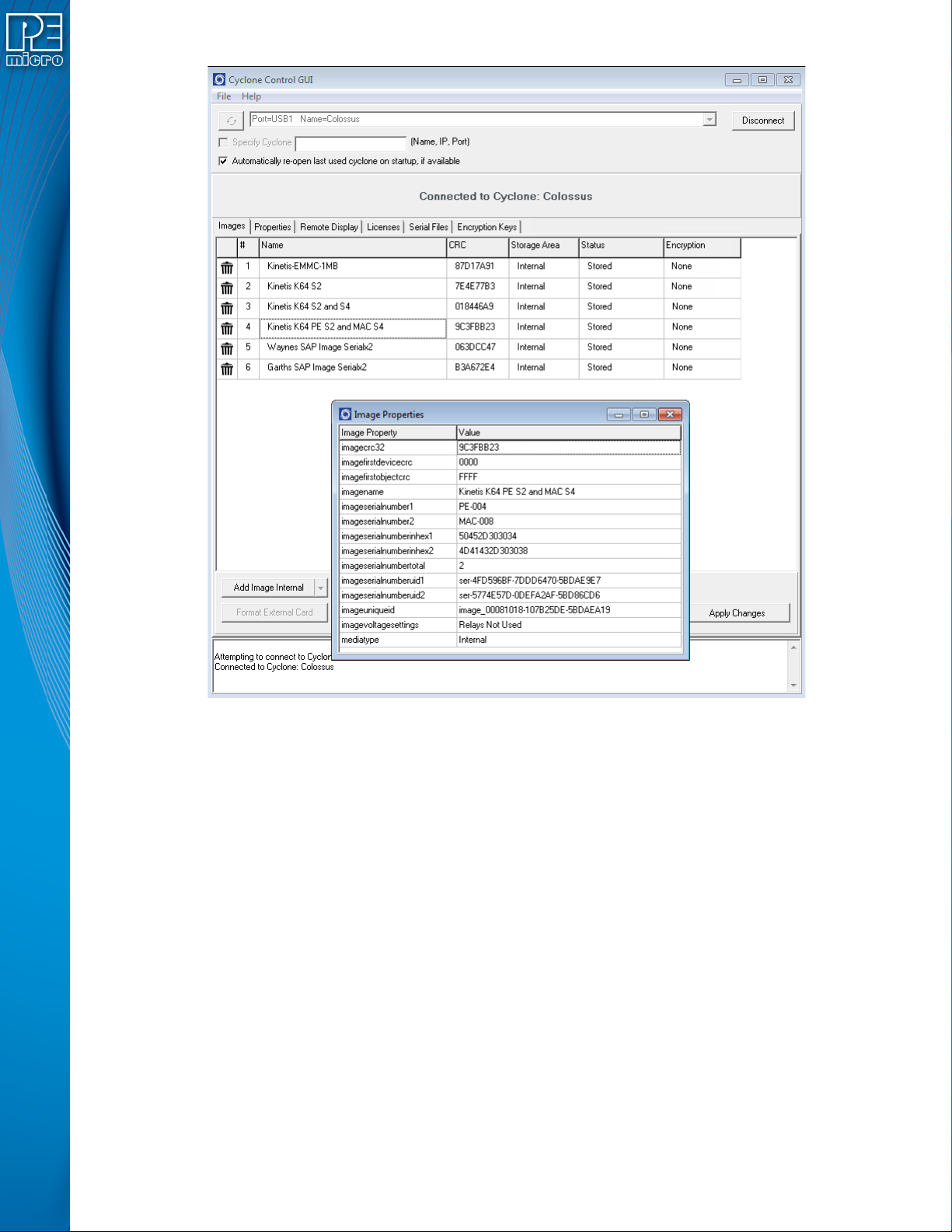
Figure 12-4: Cyclone Control GUI: Image Properties Window
Deleting the image will not delete the associated serial number as other images stored on the
Cyclone may be using that same serial number. The serial number is tracked on the Cyclone by
the imageuniqueid JSON property. If any image is added back onto the Cyclone with that same
Serial Unique ID, it will continue to track with that same serial number at the latest count. So if a
user has a new version of their firmware, they can create a new SAP image that uses the same
serial number as the previous firmware (referenced by same serial unique ID) and the
programming will continue the serial number sequence from the current serial number state since
that serial file is stored on the Cyclone.
Once a SAP image is loaded with a serial file, and it is selected as the current image on the
Cyclone, it is possible to adjust the serial count. This is done by navigating through the following
screens on the Cyclone.
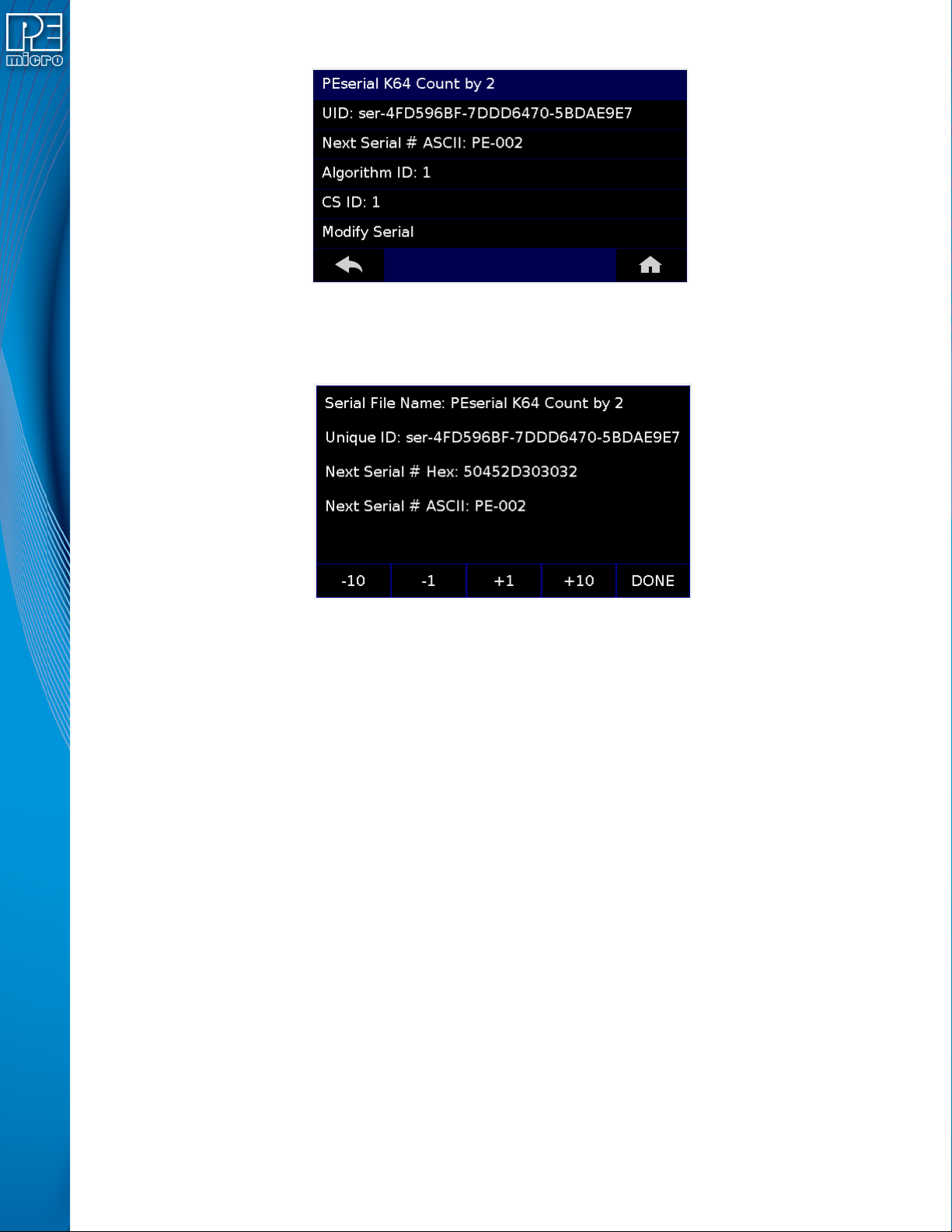
Menu → Current Image Options → Serial Number
If the image has more than one serial number incorporated into the SAP image, select the Serial
number which is to be modified. Otherwise just select ‘Modify Serial’.
User Manual For Cyclone LC Programmers 130
Figure 12-5: Cyclone Menu Selection
It is possible to Decrease or Increase the Next Serial by -10, -1, +1, +10. This is often done to
address issues in the production process, such as during initial setup.
Figure 12-6: Increase or Decrease Serial Number
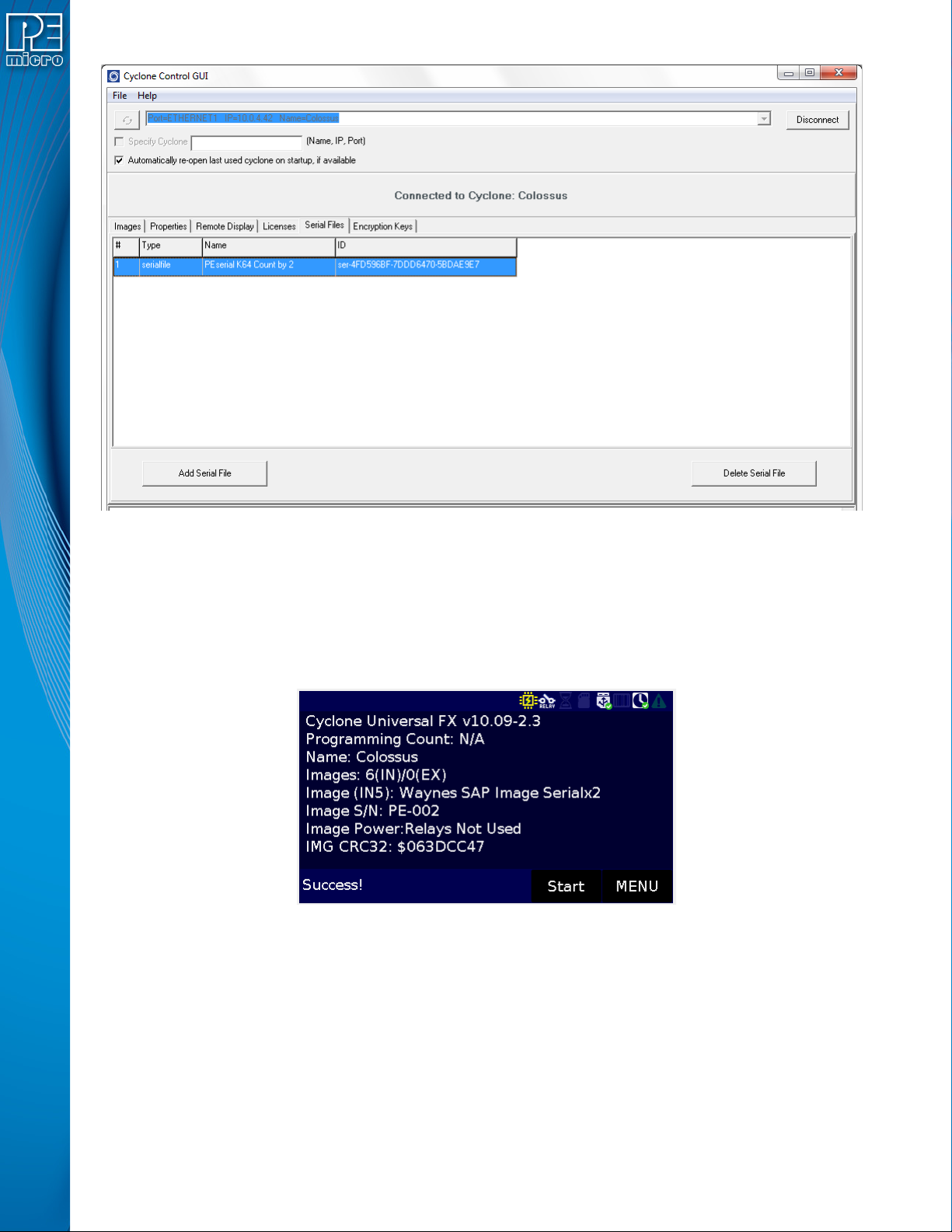
Note that the Cyclone Control GUI has the ability to show all the Serial Files stored on the Cyclone.
This is done by opening a Cyclone, and then navigating to the Serial Files Tab, as shown in Figure
13-7. The Serial File tab has a Delete Button at the bottom which will remove the selected serial
file from view and reset the tracking of the serial number to its original state. This does not actually
delete the serial file. Once any programming is initiated using this ‘deleted’ serial file, the serial file
will reappear back in the list and program using the original serial number.
User Manual For Cyclone LC Programmers 131
Figure 12-7: Cyclone Control GUI: Serial Files Tab
12.6.1.2 Program SAP images With Shared Serialization
The Cyclone screen in Figure 13-8 shows two SAP images stored on the Cyclone: The first is
‘Waynes SAP Image Serialx2’ and the second is ‘Garths SAP Image Serialx2’. They both use the
same serial file named ‘PEserial K64 Count by 2’ which has a unique ID ser-4FD596BF-
7DDD6470-5BDAE9E7 and the next serial number to be programmed (in ASCII) is PE-002. If we
select Waynes SAP image we can see this current PE-002.
Figure 12-8: View Current Serial Number for "Wayne's SAP Image"
Once programmed is initiated, PE-002 is programmed into memory and the screen shows the next
serial number to be programmed is which is PE-004.