CYCLONE-User-Manual.pdf - 第14页
User Manual For Cyclone LC Programmers 14 The following instructions walk the user through each of these steps: Step 1. Run Cyclone Image Creation Utility CreateImage.exe is in the “ImageCreation” folder , in the locatio…
User Manual For Cyclone LC Programmers 13
2.3 Creating A Stand-Alone Programming Image
A stand-alone programming (SAP) image is the result of pre-processing the programming algorithms,
data to be programmed, programming options, and scripted programming commands. These are
combined into a single encrypted file. This SAP image can then be loaded onto the Cyclone and used
to program, without need for the Cyclone to be connected to a PC.
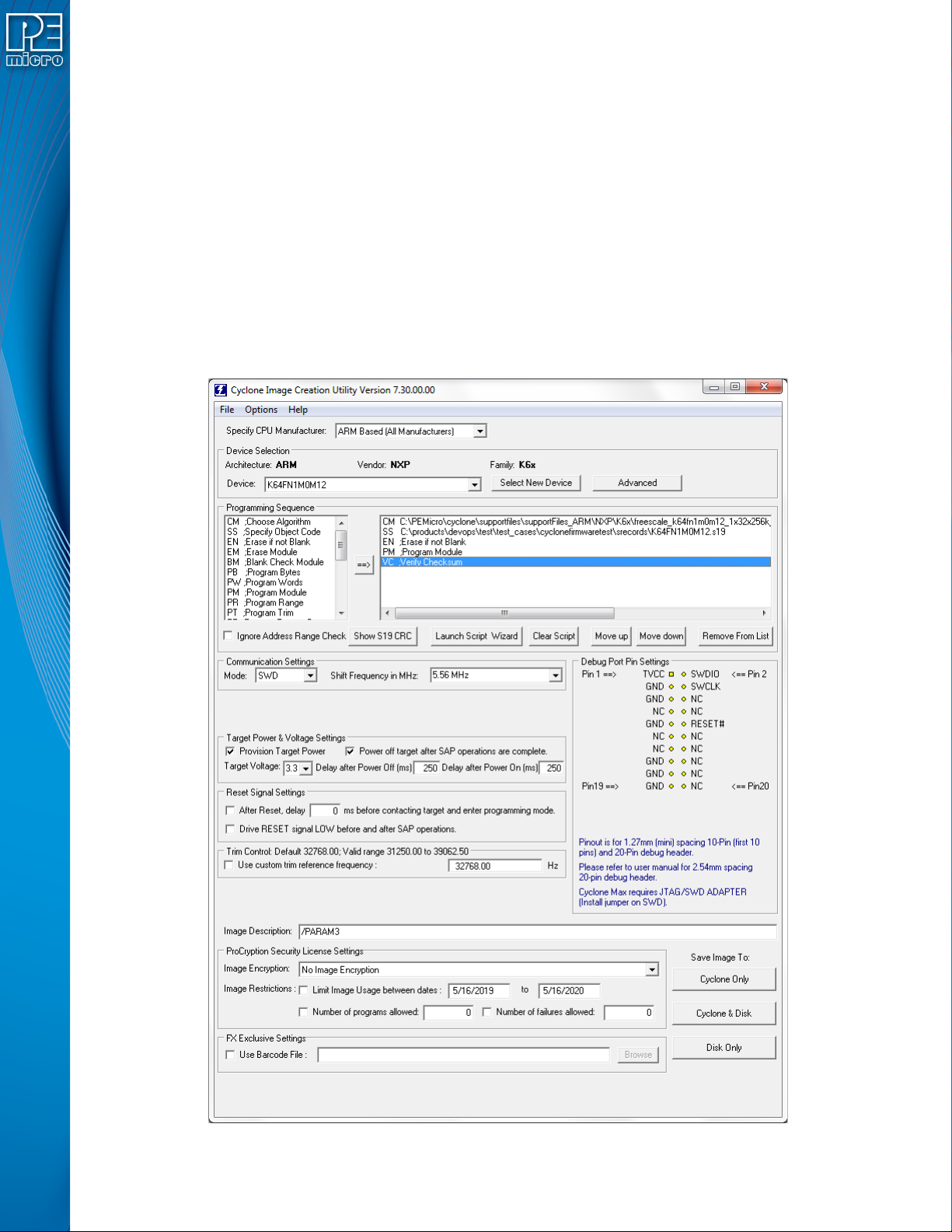
The Cyclone Image Creation Utility, shown below, allows the user to configure and save SAP images.
A simple programming image can be created in 6 steps:
Step 1. Run Cyclone Image Creation Utility
Step 2. Select Device Manufacturer & Device
Step 3. Set Up Programming Sequence
Step 4. Add Basic Programming Commands
Step 5. Configure Additional Settings
Step 6. Save SAP Image To Cyclone
User Manual For Cyclone LC Programmers 14
The following instructions walk the user through each of these steps:
Step 1. Run Cyclone Image Creation Utility
CreateImage.exe is in the “ImageCreation” folder, in the location where the Cyclone software was
installed. For an in-depth description of the Cyclone Image Creation Utility, see Section 6.1 - Cyclone
Image Creation Utility.
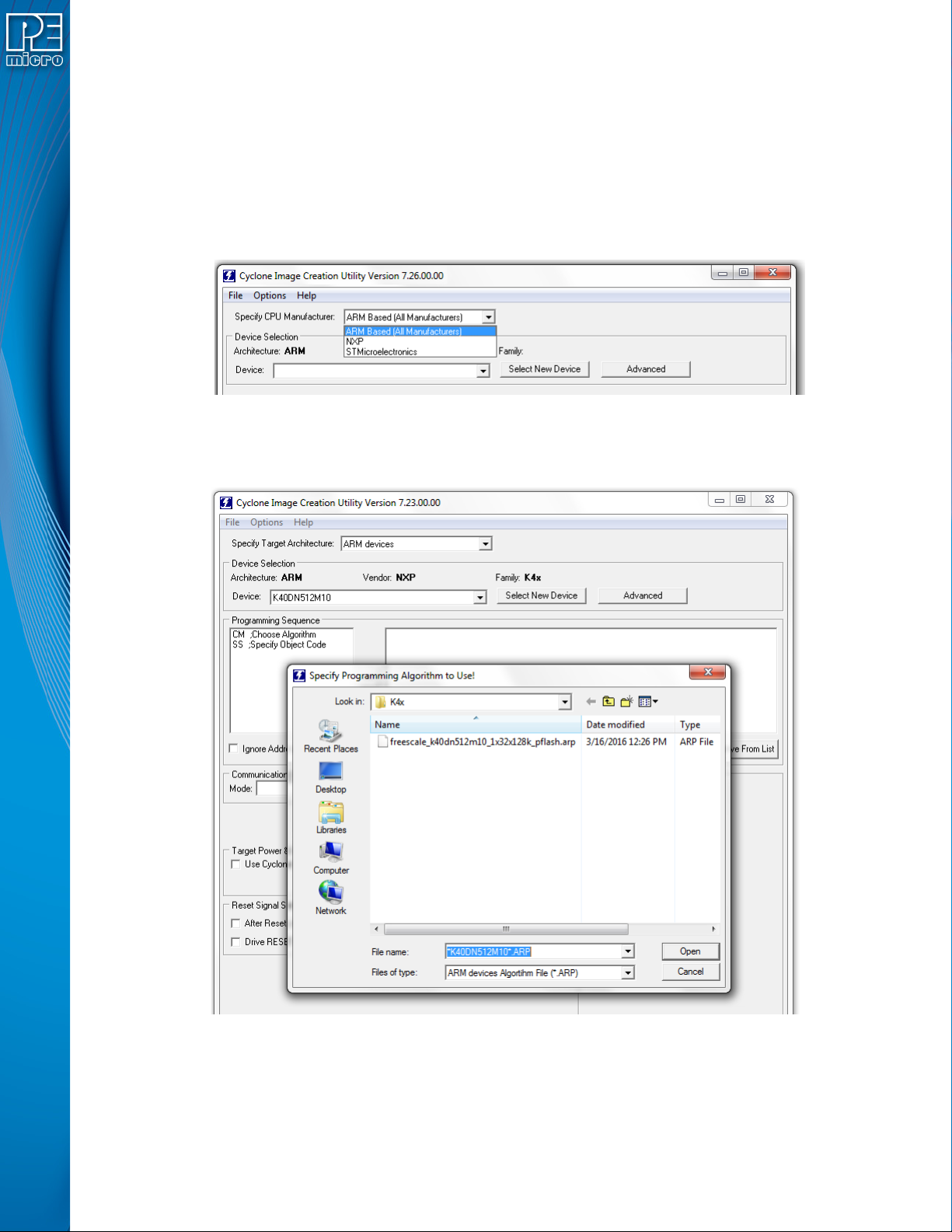
Step 2. Select Device Manufacturer and Device
Specify CPU Manufacturer and Select New Device are used to choose the manufacturer of the target
device, and then the specific device or architecture.
Step 3. Programming Sequence Setup
The user should double-click on CM in the Programming Sequence window to choose the appropriate
Algorithm for the target device. They can navigate to the algorithm using the dialog provided.
Based on the algorithm that was selected, additional commands will be made available in the box of
programming commands on the left.
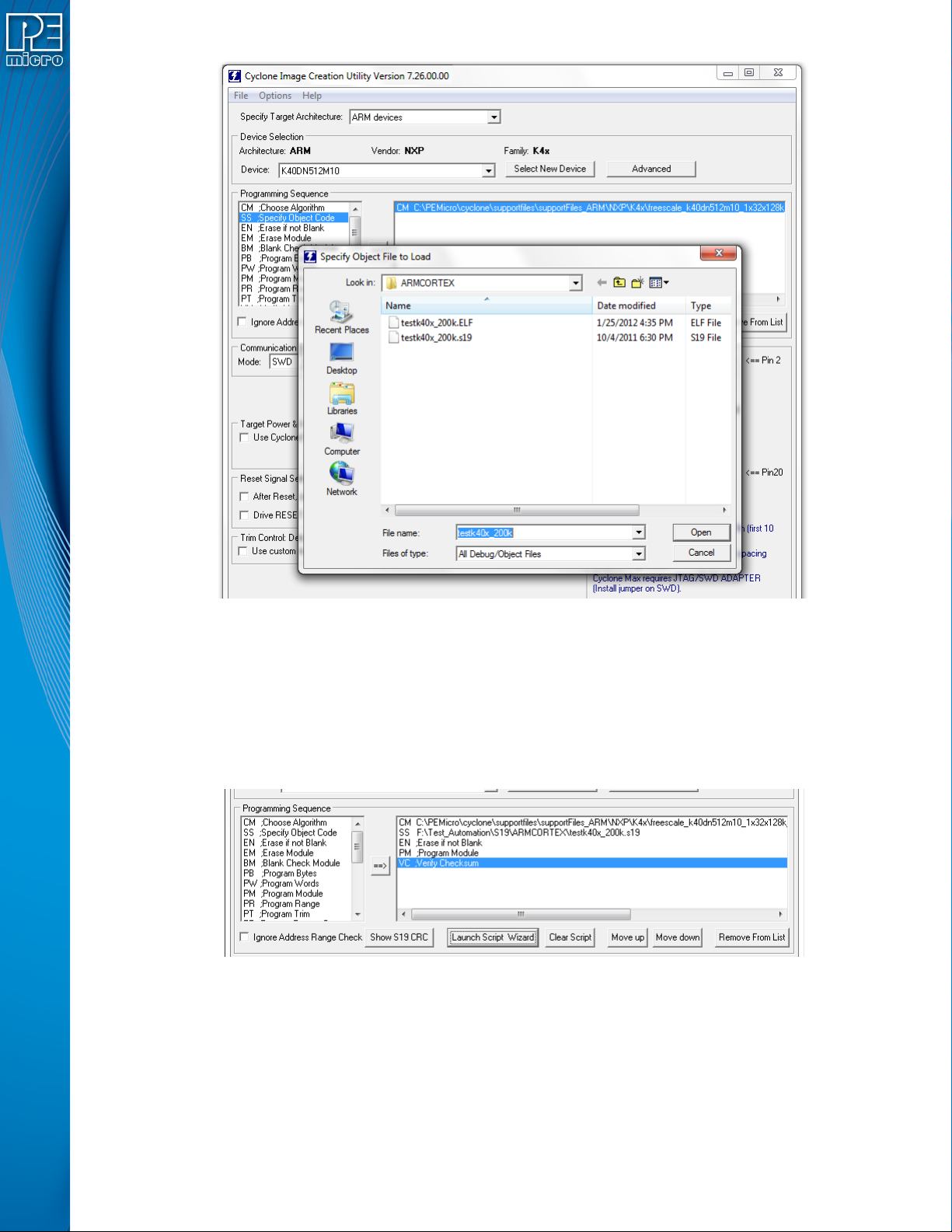
The user should then double-click on the SS command to specify the Object Code.
User Manual For Cyclone LC Programmers 15
Step 4. Adding Basic Programming Commands
The user should then add other basic programming commands, using the list of commands on the left
side of the Programming Sequence area. The arrow and buttons allow the user to add, remove, and
re-sequence the commands, in the box on the right. As an example, some basic commands might be
• Erase
• Program
• Verify
Note: Launch Script Wizard can also be used to quickly complete Steps 3 and 4.
Step 5. Other Settings
The user should then specify any other settings that the SAP image should contain in order to program
correctly, such as
• Communication SWD vs JTAG
• Shift frequency
• Target Power and Voltage Settings